
Best College Note-Taking Apps for Your Major in 2026
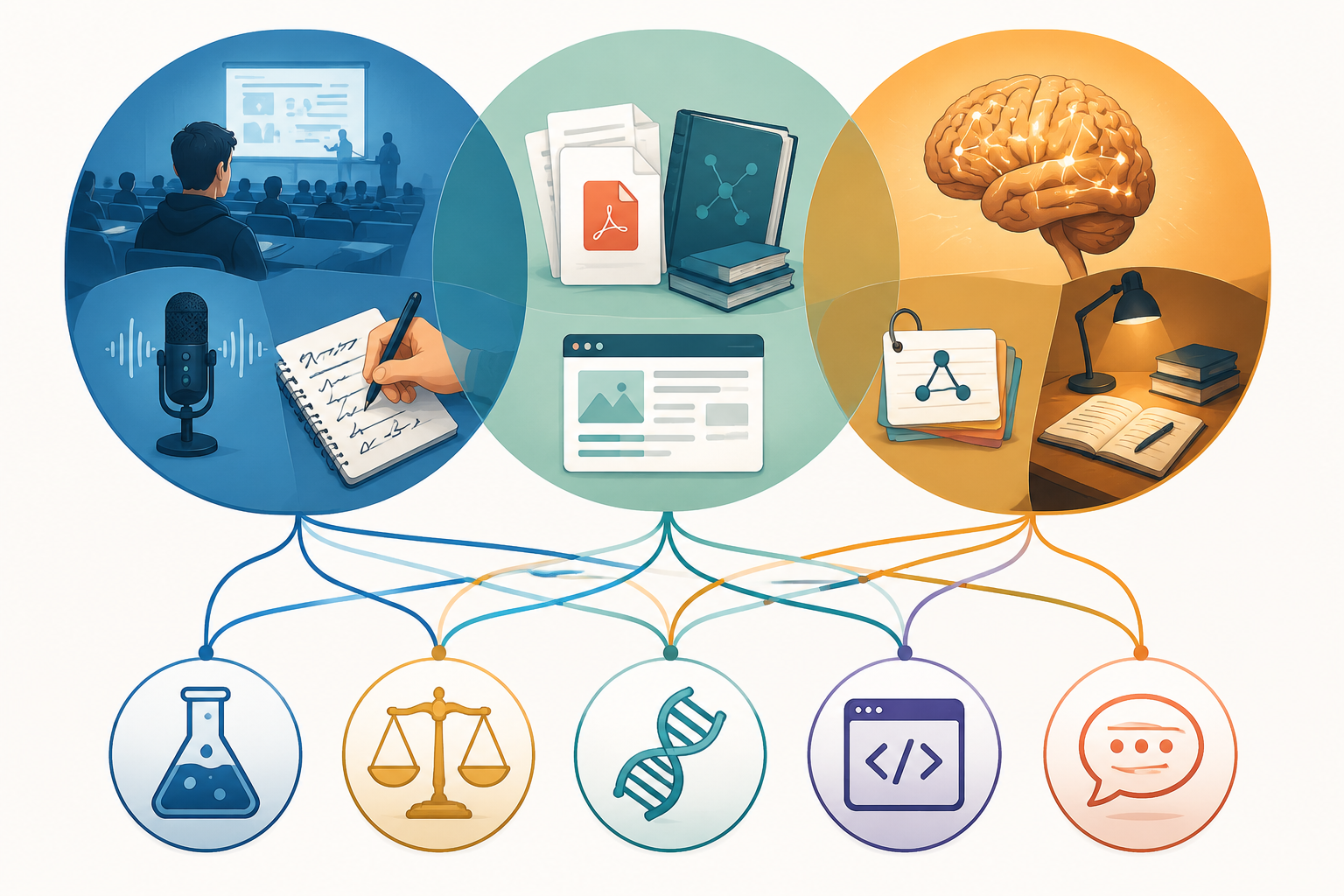
A college note taking app comparison in 2026 gets messy fast because one app is usually being asked to do three different jobs: capture what happened in class, manage readings and sources, and turn material into something you can actually recall under exam pressure. Those are not the same job. A calculus lecture, a constitutional law class, a biology unit on pathways, and a seminar paper on migration policy all punish different kinds of note failure.
That is why the useful question is not “Which app is best?” It is “Which part of my workload needs the strongest tool?” Atlas’s 2026 college note-taking comparison gives Notion the highest overall workload score at 4.6, followed by OneNote at 4.3, GoodNotes at 4.1, Atlas at 4.0, Obsidian at 3.9, Notability at 3.7, Apple Notes at 3.5, and Bear at 3.2, but those scores come from one source and should be treated as a comparison anchor, not a final verdict on your semester. [1]
Start With The Stack, Not The App
Most students do not need six note apps. They need one dependable capture tool, one place to organize sources or class materials, and one recall system. Sometimes one app can cover two of those jobs. Sometimes forcing it to cover all three is how a tidy August setup becomes a November landfill.
| Major or workload | Recommended stack | Best use case | Likely paid component |
|---|---|---|---|
| STEM | GoodNotes + Obsidian | Handwritten equations, diagrams, lab problem solving | GoodNotes Essential at $9.99/year |
| Humanities / social science | Atlas + Notion | Reading synthesis across articles, books, and lecture themes | Atlas at $20/month if source-cited AI saves real time |
| Pre-med / biology | Notion + NotebookLM + Anki | Organizing units, explaining dense material, memorizing high-volume facts | Usually none required for the core stack |
| Computer science | Obsidian + Atlas | Local Markdown notes, code-adjacent structure, durable ownership | Atlas only if reading synthesis is a real bottleneck |
| Law | Notability + Notion + Anki | Audio-synced lecture review, case organization, rule recall | Notability at $14.99/year |
| English / writing | Bear or Notion | Draft fragments, reading notes, argument planning | Optional, depending on sync and export needs |
| Languages | Anki + Apple Notes | Vocabulary recall plus quick phrase and grammar capture | Usually none |
For a broader view of tools beyond note-taking, including focus apps and subject-specific study platforms, see our major-by-major study app guide. Here, the scope is narrower: notes that survive real coursework.
STEM: Pay For Handwriting Only If It Changes The Work
STEM notes fail when the tool gets in the way of spatial thinking. If you are copying a derivation, labeling a circuit, sketching a molecule, or annotating a professor’s half-finished diagram, a keyboard-first workspace can make the note look cleaner while making the thinking worse.
For iPad-using STEM students, GoodNotes is the easiest paid upgrade to justify. Its $9.99/year Essential plan is low compared with most subscription study tools, and Atlas’s 2026 testing gives GoodNotes a 4.1 workload score, behind Notion and OneNote but ahead of Obsidian, Notability, Apple Notes, and Bear. [1]
The important phrase is “iPad-using.” GoodNotes has been expanding beyond Apple devices, but 2026 reviews still find the Windows and Android experience meaningfully behind the iPad version. So the recommendation is narrow: use GoodNotes when handwritten capture is central to your classes and you already have the hardware that makes it smooth.
Obsidian fits the second half of the STEM stack because it is free, stores notes as local Markdown files, and can become the durable home for cleaned-up concepts, lab summaries, formulas, and cross-links. Atlas’s 2026 comparison describes Obsidian as having more than 2,700 plugins, including spaced repetition and Anki integration, which matters if you want your course notes to outlive a platform redesign. [1]
The workflow is simple enough to maintain: capture messy problem-solving in GoodNotes, then move only the ideas worth keeping into Obsidian. Do not rewrite every lecture. Convert the pieces that will help you solve future problems: the trick step in a proof, the lab error pattern, the diagram you finally understood after office hours.
What About OneNote For STEM?
OneNote is still a reasonable free cross-platform option, especially through Microsoft 365 Education, and Atlas gives it a strong 4.3 workload score. [1] It is the safer pick if you do not have an iPad or you need a shared notebook across Windows devices. The tradeoff is that OneNote can become a giant binder with very little pressure to refine anything. That is fine for capture; it is weaker as a long-term knowledge system unless you impose structure yourself.
Humanities And Social Science: The Bottleneck Is Synthesis
Humanities and social science students usually do not drown because they lack a place to type notes. They drown because the same theme appears in a lecture, a chapter, three PDFs, a discussion post, and a paper prompt, and the connection is obvious only after the deadline has started breathing down their neck.
For this workload, the strongest stack is Atlas plus Notion: Atlas for source-cited AI answers across course readings, and Notion for organizing classes, paper deadlines, reading notes, and project pages. Atlas is listed at $20/month, so it should not be treated as a casual “nice to have.” It is worth testing only if your classes require synthesis across enough readings that citation-aware answers save real review time. [1]
A political science student writing about federalism, a sociology student comparing fieldwork methods, and a history student tracking primary and secondary sources all need to know where an idea came from. A generic AI summary that blurs the source is worse than no summary because it creates confidence without evidence. If Atlas is used, its value is not that it sounds fluent; its value is that it can point back to course material.
Notion is the organizer because its student deal is unusually good. Notion’s .edu Plus plan is free with a school email and includes unlimited blocks, uploads, and version history, while the regular Plus plan is commonly listed around $12/month in 2026 sources. [1] That makes Notion a strong default hub for syllabi, reading databases, paper drafts, office-hour questions, and seminar themes.
The mistake is letting Notion become the place where every highlighted sentence goes to die. A humanities stack should separate raw capture from usable synthesis. Keep the quote, yes, but attach the course concept, the author’s claim, and the reason it might matter later. If a note cannot help you speak in discussion or write a paragraph, it is probably storage, not study.
Pre-Med And Biology: Notes Are Only Half The System
Pre-med and biology workloads punish recognition. You can stare at a clean pathway diagram and feel like you know it, then miss the question that asks what happens when one enzyme is inhibited upstream. The note app matters, but the recall loop matters more.
The recommended stack is Notion, NotebookLM, and Anki. Notion holds the course map: lecture units, lab deadlines, professor-specific exam hints, and links to slides or readings. NotebookLM can help interrogate dense course materials. Anki handles the part most note apps only pretend to handle: repeated retrieval over time.
This is not a recommendation to turn every sentence into a flashcard. A useful biology card asks for a relationship, a consequence, or a distinction. “What does hormone X do?” is usually weaker than a card that forces you to predict what changes when hormone X rises or falls. If Anki becomes a landfill, the problem is not Anki; it is card design.
When recall becomes the bottleneck, use a real spaced-repetition setup rather than hoping your notes will somehow become memory. Our Anki settings guide is the better next stop for tuning reviews, and our active recall mistakes guide is useful if your flashcards feel busy but your test scores are not moving.
For MCAT planning, the stack needs to expand beyond class notes into content review, question banks, timing, and error logs. That is a different workflow, so pre-med readers should use the MCAT study prep hub instead of trying to make a freshman biology notes template carry the whole exam.
Computer Science: Local Files Age Better Than Pretty Dashboards
Computer science notes are different because the course material already lives near plain text: code, commands, error messages, documentation, proofs, architecture diagrams, and project decisions. A beautiful database is less important than a system that lets you search, link, edit, export, and keep ownership.
Obsidian is the strongest fit here. It is free, stores notes locally as Markdown, and has a large plugin ecosystem, including spaced repetition and Anki-related options. Atlas’s 2026 testing gives it a 3.9 workload score, which is not the highest overall score, but the score does not fully capture why CS students may prefer it: the files remain readable even if the app disappears. [1]
A practical CS vault can stay small: one note for each concept, one for each project decision, one for recurring bugs, and one for commands you keep forgetting. Link an algorithm to the assignment where you implemented it. Link an error message to the fix. Link a design pattern to the project where it made sense and the project where it was overkill.
Atlas can be useful as a second tool when a CS course leans heavily on readings, research papers, or documentation. It is less necessary for classes where the main work is coding, debugging, and building. Paying $20/month for AI synthesis makes more sense in a theory-heavy or research-heavy semester than in a course where your real notes are failing tests, compiler errors, and project retrospectives. [1]
Law: Lecture Fidelity Matters More Than Aesthetic Organization
Law students have a specific note-taking problem: the professor’s framing can matter as much as the case summary. If a cold-call discussion turns on one phrase, or if the professor distinguishes two holdings in a way the casebook does not, a normal typed outline may not preserve enough context.
That is why Notability makes sense for law even though it is not the top overall scorer. At $14.99/year, its audio-synced notes are valuable when review fidelity matters more than raw capture speed. Atlas’s 2026 comparison gives Notability a 3.7 workload score, but the major-specific feature is the point: synchronized audio can let you return to the exact moment a professor explained a rule, exception, or exam-relevant distinction. [1]
Notion then becomes the case and outline manager, not the courtroom stenographer. Use it for case briefs, rule statements, issue maps, class outlines, and exam checklists. Anki can handle black-letter law, elements, tests, and distinctions that must be recalled quickly. If you are comparing Anki with paid flashcard tools, the AnkiDroid comparison is a better place to evaluate mobile recall tradeoffs.
This stack is not cheap compared with doing everything in OneNote, but the paid piece solves a real law-school problem. If you rarely replay lectures or your school restricts recording, Notability loses much of its advantage and a free organizer becomes easier to defend.
English, Writing, And Languages Need Less Machinery
English and writing-heavy students can usually choose between Bear and Notion without turning the decision into a personality test. Bear is appealing when you want a clean writing environment, fast capture, and portable text. Notion is better when your writing life includes class databases, research trackers, peer-review notes, and deadline boards.
The deciding question is whether your notes become drafts. If yes, choose the tool that makes it easiest to move from quotation to claim to paragraph. If your notes mostly support project management across multiple classes, Notion’s free .edu Plus plan is hard to beat. [1]
Language learners should keep the stack even simpler: Anki plus Apple Notes. Anki carries vocabulary, conjugations, listening prompts, and sentence patterns. Apple Notes handles quick phrase capture, handwriting, images, and audio-adjacent class scraps without another subscription. Apple Notes has also become more capable in 2026, with live audio transcription, OCR handwriting search, and Apple Intelligence included at no extra cost in the Apple ecosystem. [2][3][4]
The Handwriting Question Is Real, But It Is Not Magic
Handwriting deserves more than the usual nostalgia paragraph. A 2024 meta-analysis of 24 studies found that handwritten notes were associated with higher course achievement than typed notes, with an effect size of g=0.248 and p<0.001. [5] A 2025 neuroimaging review also discussed neural mechanisms that may help explain why handwriting can support learning differently from typing. [6]
That does not mean every student should buy an iPad and rewrite lecture slides by hand. The advantage weakens if handwriting becomes passive copying. A 2025 rebuttal also noted that some classic studies tested lab tasks rather than classroom learning, so the safest conclusion is narrower: handwriting can help when it forces selection, spatial processing, and later review.
This is why GoodNotes makes sense for STEM diagrams but is not automatically better for a history seminar. It is also why Apple Notes becoming stronger at no extra cost matters. If your class needs occasional handwriting, OCR search, and quick capture, a free built-in tool may beat a paid app you only open during the first two weeks.
For the broader debate about when AI tools help and when traditional study methods still do the work, see our guide to AI study tools versus traditional study tools.
The 2026 Pricing Reality Check
Pricing changes matter because students build habits around assumptions. A free tier that shrinks after you have uploaded a semester of notes is not a minor inconvenience. It is a migration project during midterms.
Notion remains the safest default organizer for many students because the .edu Plus plan is generous, but Notion AI is a different story. In 2026, Notion AI moved into a Business-tier context for new users at roughly $24 to $30 per user per month, rather than staying available as a cheap student-friendly add-on. [2] That makes Notion excellent as a class hub and much less automatic as an AI study assistant.
Evernote is harder to recommend as a default student notes app because its free tier has been reduced to 50 notes on one device, while Personal is listed at $14.99/month. [2][3][4] That does not mean existing Evernote users must leave immediately, but it does mean new students should think carefully before building a four-year system around it.
OneNote remains the dependable free cross-platform binder, especially through Microsoft 365 Education, but Copilot AI requires a paid Microsoft 365 license. [2][3][4] GoodNotes at $9.99/year and Notability at $14.99/year are easier to justify when their specific capture features match the major. Atlas at $20/month needs a higher bar: it should save enough synthesis time to be worth renewing, not just feel impressive in September. [1]
Capacities is worth watching because its free tier includes unlimited notes, objects, spaces, and cross-device sync, making it a serious challenger for students who like object-based organization. [2][3][4] The caution is longevity. Newer tools can be excellent, but a college note system has to survive years of classes, exports, platform changes, and graduation.
How To Choose Without Rebuilding Everything
Choose the paid app only where your major creates a specific kind of pain. Pay for GoodNotes if handwriting equations and diagrams is a weekly need. Pay for Notability if audio-synced lecture review changes how you study law. Pay for Atlas if reading synthesis across sources is the bottleneck. Do not pay because a template looks like the person you wish you were during syllabus week.
- If your notes fail during live class, improve capture first.
- If your notes fail when writing papers, improve source management first.
- If your notes fail on exams, improve recall first.
- If your notes fail because the app changed its limits or price, move toward portable formats and fewer subscriptions.
Notion is probably the safest default organizer for many college students in 2026 because the .edu Plus plan is unusually generous. It is not the best capture tool for every lecture, not the best recall tool for memory-heavy majors, and not the best long-term file system for every CS student. Start with the stack that matches your major, pay only for the tool that solves a real discipline problem, and avoid building a four-year study system around AI features or pricing tiers that may change before finals.
References
- Best Note Taking Apps for College Students, Atlas Workspace, 2026.
- Best Note-Taking Apps, Tech Insider Australia, June 2026.
- The best note-taking apps, Zapier.
- The Best Note-Taking Apps, PCMag UK.
- Flanigan et al. (2024) meta-analysis on handwritten versus typed notes.
- The neural basis of handwriting and its implications for learning, PMC, 2025.
Related comparisons & exam hub
No matching exam hub found
Browse tool comparisons to find other verdicts for this exam.
Did this match your own testing?
Report whether your hands-on experience with this tool matched the verdict, or flag a pricing or accuracy change.
Comments
Join the discussion with an anonymous comment.