
From Quizlet to AI-Native Study Tools: How Automatic Flashcard Generation Changes the Study Workflow
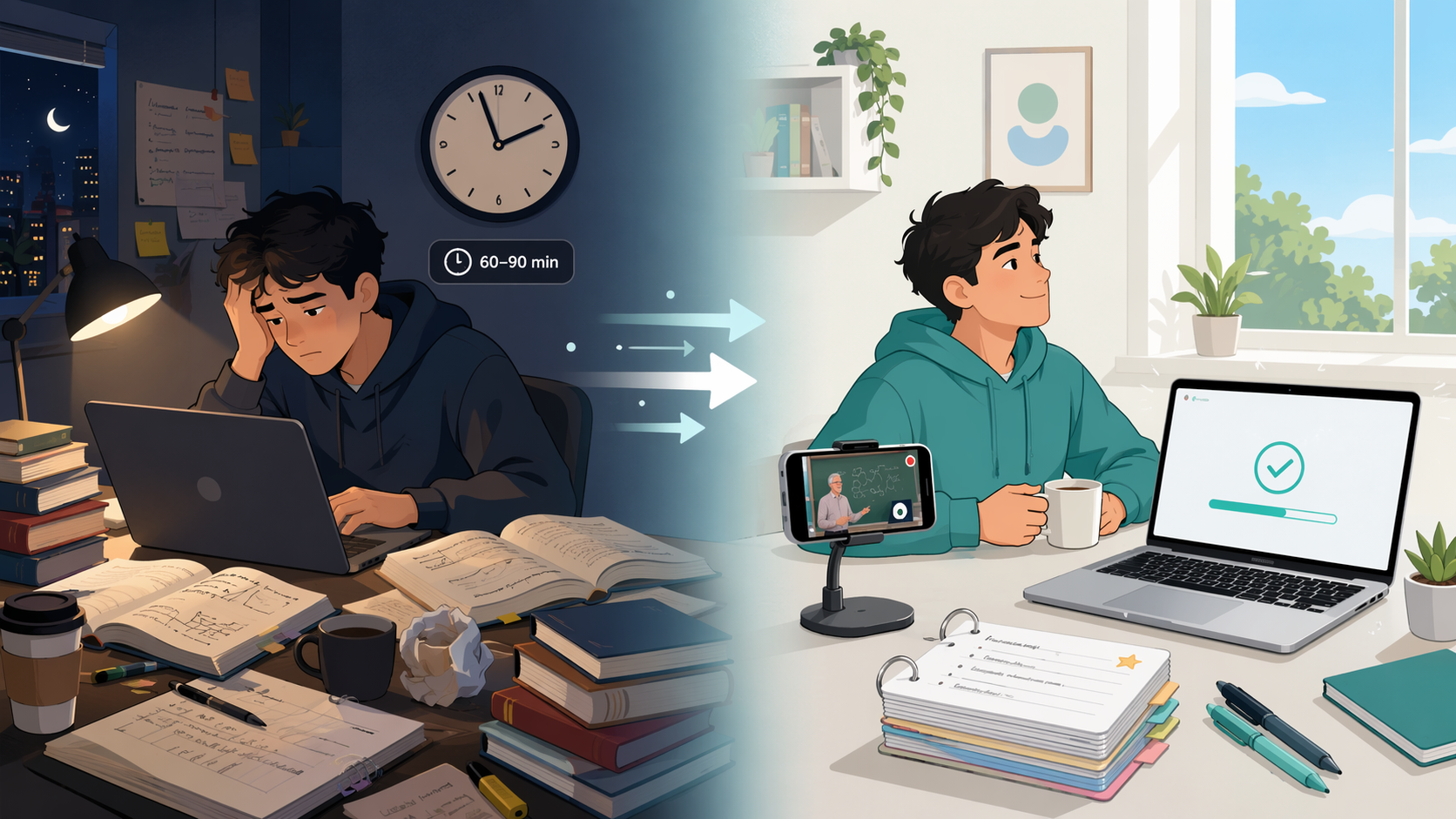
The Hidden Time Cost of Manual Flashcard Creation
Most students assume that the hard part of flashcard studying is the review phase — grinding through cards until the information sticks. But for anyone who has built a deck from scratch, the real bottleneck is obvious long before the first review session begins: card creation.
According to data from NoteHive, manually building a flashcard deck for a single lecture typically takes 60 to 90 minutes. A student carrying four or five courses with multiple lectures per week can easily spend more time constructing study materials than actually using them. That is not a study strategy — it is a production job.
Quizlet, for all its strengths as a review platform, has never solved this problem. It expects you to bring your own content. You type each term, paste each definition, and organize each set by hand. The platform is a polished flashcard player, but the deck-building labor is entirely yours. For lecture-heavy courses in STEM, pre-med, nursing, and language learning — where a single class can introduce dozens of new concepts — that labor adds up fast.
The promise of AI-native study tools is not a slightly faster way to make the same cards. It is a fundamentally different workflow: instead of spending an hour creating cards and then reviewing them days later, you capture your lecture material once and let the tool generate a deck in under a minute. The time you used to spend typing definitions becomes time you can spend reviewing — ideally, on the same day.
Old Workflow vs. New Workflow: A Time Comparison
The difference between the old and new workflows is not incremental. It is structural. The old workflow forces a delay between exposure and review because the creation step occupies the time window when the material is freshest. The new workflow collapses that delay.
| Stage | Old Workflow (Manual) | New Workflow (AI-Native) |
|---|---|---|
| Attend lecture | 60–90 min | 60–90 min |
| Create flashcards | 60–90 min (manual typing) | < 60 seconds (auto-generation) |
| First review session | 2–3 days later (or never) | Same day, within 24 hours |
| Total time to first review | 2–4 hours | ~90 minutes |
| Weekly time on deck building (4 courses) | 4–6 hours | < 5 minutes |
The table above uses conservative estimates. The okti blog states that its AI can generate flashcards from a PDF upload in under 60 seconds. NoteHive's page claims its lecture recording and transcription pipeline produces a structured deck without any manual input. Even if real-world generation takes two or three minutes — accounting for upload time and processing — the savings are still measured in hours per week.
The more important metric is not raw time saved but the timing of the first review. Memory research consistently shows that reviewing material within 24 hours of first exposure significantly improves long-term retention. The old workflow makes same-day review impractical for most students because the creation step eats the available time. The new workflow makes it the default.
For a deeper look at how different AI flashcard generators compare on pricing and output quality, see our separate comparison of AI flashcard generators.
Four AI-Native Tools That Automate Flashcard Generation
Not all AI flashcard tools work the same way. The input method — what you give the tool — determines which tools fit which study situation. The four tools below represent the main approaches currently available: document import, lecture recording, inline note conversion, and PDF upload with AI feedback.

Knowt: Document and Notes Import
Knowt accepts uploaded notes, PDFs, and slide decks and converts them into flashcards. It is the closest direct replacement for Quizlet's workflow — you bring your existing materials, and the AI handles the conversion. Knowt offers a free tier that includes imports and AI generation, with a premium plan starting at $7.99 per month according to multiple comparison sources from early 2026.
Best for: Students who already have typed notes, lecture slides, or PDF summaries and want to convert them into a reviewable deck without retyping.
NoteHive: Lecture Recording and Transcription
NoteHive takes a different approach: it captures lecture audio directly, transcribes it across 80+ supported languages, identifies key concepts, and produces a flashcard deck from the actual lecture content. A quiz based on the same material is generated alongside the cards. The tool also converts notes into audio podcasts for hands-free review.
Because the flashcards pull from your specific lecture rather than a generic deck, the content is directly relevant to your exams. NoteHive does not rely on shared community decks — every deck is unique to the lecture it came from.
Best for: Students who attend live lectures (in-person or recorded) and want to skip note-taking entirely, relying on transcription and auto-generated cards.
RemNote: Inline Note-to-Card Conversion
RemNote is a note-taking app with flashcard generation built into the writing process. While taking notes, you type a specific marker (↔) next to any piece of information, and that content automatically becomes a flashcard. The app also supports PDF annotation, and annotations can be converted into cards as well.
RemNote's approach is less automated than NoteHive or okti — you still need to take notes — but it eliminates the separate deck-building step entirely. The card is created at the moment you decide the information is important. RemNote offers a free forever tier, a Pro plan at $10 per month, and a Pro with AI plan at $20 per month.
For a full breakdown of RemNote's features and limitations, see our detailed RemNote review.
okti: PDF Upload with AI Feedback
okti focuses on a single, clean workflow: upload a PDF — lecture slides, textbook chapter, or study guide — and the AI generates flashcards from the content. The tool also provides AI feedback on your answers: you respond via text or voice, and the AI evaluates whether your answer was correct and complete.
okti includes spaced repetition at no cost — a feature that Quizlet now charges for. The tool is free to use, with a premium tier starting at $4.99 per month.
Best for: Students who have lecture slides or textbook PDFs and want a fast, no-frills conversion with the added benefit of AI-scored practice.
For a broader comparison of AI flashcard makers across more tools, see our comprehensive AI flashcard maker comparison.
How Good Are AI-Generated Flashcards? A Quality Assessment
Speed is meaningless if the output is unusable. The honest answer about AI-generated flashcard quality is: it depends heavily on the input.
When AI generation works well:
- Clear, well-structured lecture slides with bullet points and labeled diagrams produce high-quality cards. The AI can extract discrete facts and definitions with minimal error.
- Textbook PDFs with consistent formatting and clear section headings also convert reliably. The AI identifies key terms and their explanations from the text.
- Lecture recordings with good audio quality and a single speaker (the professor) produce accurate transcriptions, which then feed into card generation. NoteHive's 80+ language support means this works across many course languages.
When AI generation struggles:
- Highly conceptual material — philosophical arguments, theoretical frameworks, or nuanced interpretations — often gets flattened into oversimplified cards. The AI captures the term but misses the context that makes it meaningful.
- Poor-quality audio (background noise, multiple speakers, heavy accents that the transcription model handles poorly) leads to garbled text and unusable cards.
- Dense, unstructured PDFs with mixed formatting, embedded images, and no clear hierarchy produce cards that may be factually correct but poorly organized.
The practical takeaway: AI-generated cards are excellent for fact-heavy, definition-driven subjects — anatomy terms, vocabulary lists, chemical structures, historical dates. They are less reliable for subjects where understanding depends on argument structure, causal chains, or qualitative judgment.
Spaced Repetition After Generation: The Same-Day Review Advantage
The real value of AI-native flashcard generation is not just speed — it is what speed enables. When deck building takes under a minute instead of an hour, the first review session can happen the same day the material was presented.
Spaced repetition algorithms are designed to schedule reviews at increasing intervals after initial exposure. But the algorithm cannot start working until the cards exist. In the old workflow, a student who attends a 9:00 AM lecture and spends 90 minutes building a deck that evening has already lost the opportunity for same-day review. The first review happens the next day at best — and often later.
In the new workflow, a student records the lecture (NoteHive) or uploads the slides (okti, Knowt) immediately after class. By the time they get home, the deck is ready. They can review that evening, while the lecture is still fresh. The spaced repetition algorithm then takes over from there.
| Tool | Spaced Repetition Included? | Cost for SRS | Notes |
|---|---|---|---|
| Knowt | Yes | Free tier includes SRS | Premium ($7.99/mo) adds AI features |
| NoteHive | Yes (via generated decks) | Free tier includes core features | SRS built into the review mode |
| RemNote | Yes | Free tier includes SRS | Daily review targets and exam scheduler |
| okti | Yes | Free tier includes SRS | Premium ($4.99/mo) adds AI feedback |
RemNote goes a step further by integrating the spaced repetition schedule with exam dates. You set your exam, and the system calculates how many cards you need to review each day to be prepared by that date. This turns the tool from a passive review platform into an active study planner.
Which Students Benefit Most — and Who Should Stick with Manual Creation
The AI-native workflow is not universally better. It is better for a specific set of study situations, and worse for others.
Students who benefit most:
- Lecture-heavy STEM students (biology, chemistry, physics, engineering) who attend classes with structured slide decks and need to memorize large volumes of terminology, formulas, and processes.
- Pre-med and nursing students who face high-stakes exams (MCAT, NCLEX) with enormous content loads and limited time for deck building.
- Language learners who need vocabulary decks built from course materials or textbook chapters, especially when using NoteHive's 80+ language transcription.
- Students carrying 4–5 courses who currently spend 4–6 hours per week on deck building and want to redirect that time to active review.
Students who may prefer manual creation:
- Students in highly conceptual fields (philosophy, literary analysis, theoretical physics) where the act of writing a card forces you to distill and understand the material. For these students, the creation step is itself a learning activity.
- Students who find that typing or writing a card helps them remember it better — a version of the generation effect in cognitive science. If manual creation is part of your encoding strategy, automation may weaken retention.
- Students who rely on highly specific, instructor-created decks (common in medical school AnKing-style shared decks) where the content has been curated and verified by experts. AI-generated decks from your own lectures are more relevant but less polished.
The decision is not binary. Many students will use a hybrid approach: AI generation for fact-heavy lecture content and manual creation for conceptual material that requires deeper processing. The key is recognizing that the bottleneck has shifted. The question is no longer "Can I find time to build a deck?" but "Which parts of my studying benefit from automation, and which parts benefit from the act of creation?"
For a structured framework to evaluate which tool fits your specific situation, see our feature-based decision framework for online flashcard makers.
Related comparisons & exam hub
No matching exam hub found
Browse tool comparisons to find other verdicts for this exam.
Did this match your own testing?
Report whether your hands-on experience with this tool matched the verdict, or flag a pricing or accuracy change.
Comments
Join the discussion with an anonymous comment.