
Is AnkiDroid Better Than Paid Flashcard Apps? 2026 Feature & Algorithm Comparison
The Free vs. Paid Flashcard Landscape on Android in 2026
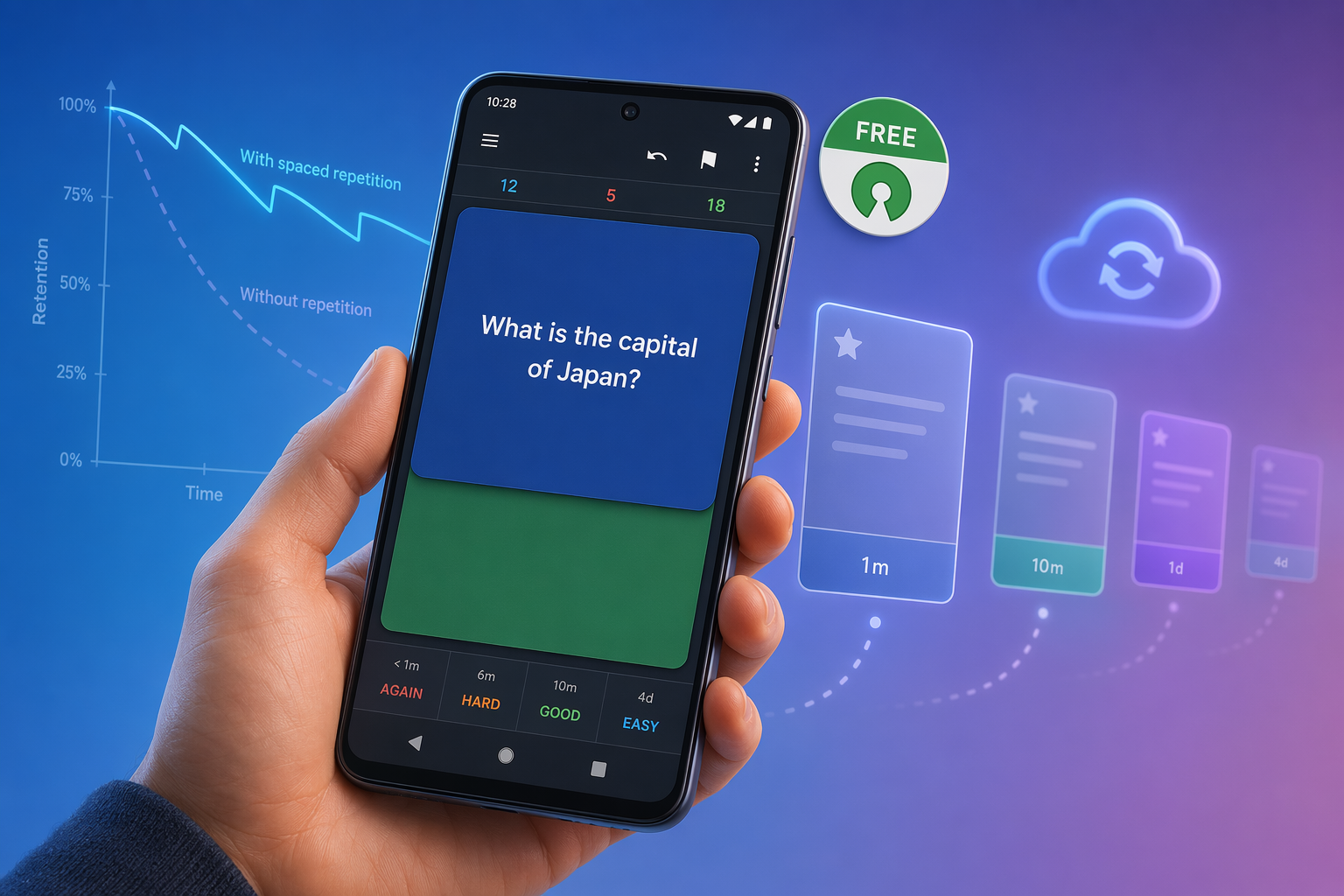
If you are an Android user searching for a flashcard app in 2026, the first thing you will notice is how many options ask for your credit card before you have even created a single card. Quizlet Plus runs about $4 per month. Brainscape charges roughly $7.99 per month. AnkiApp — which has nothing to do with the real Anki — demands $24.99 per year or $49.99 for a lifetime license. And then there is AnkiDroid: completely free, open-source, no ads, no subscription, and backed by a spaced repetition algorithm that has been validated in peer-reviewed research.
The decision looks obvious on paper, but the reality is more nuanced. AnkiDroid's interface has historically felt dated compared to polished alternatives. Its card creation process is manual and slow. The app assumes you are willing to invest time learning how spaced repetition works rather than hiding it behind a slick onboarding flow. For students who just want to upload a PDF and get quizzed immediately, the paid apps offer a smoother path.
This comparison breaks down exactly what you gain and lose by choosing free AnkiDroid over the paid alternatives. We will look at the algorithms that power each app, the real costs involved, the features that matter for daily studying, and a practical hybrid workflow that combines AnkiDroid's scientific scheduling with free AI tools for card generation.
Algorithm Showdown: FSRS (AnkiDroid) vs. SM-2 vs. Undocumented vs. None
The spaced repetition algorithm is the engine of any flashcard app. It determines when you see each card again, and getting that timing right is what separates effective studying from busywork. This is where AnkiDroid pulls decisively ahead of every paid competitor on Android.
FSRS: The Peer-Reviewed Standard
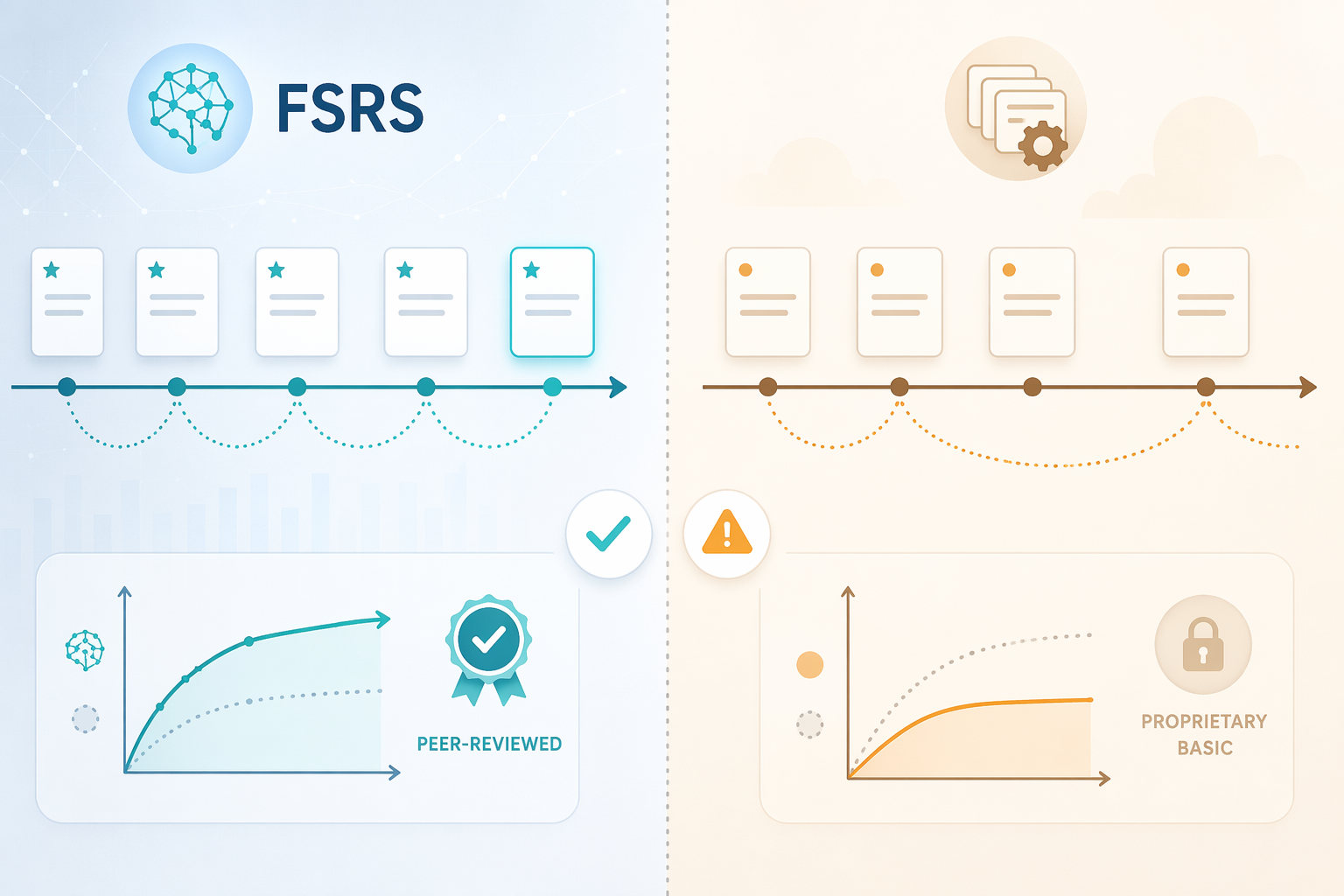
Anki's current default algorithm is FSRS (Free Spaced Repetition Scheduler), which replaced the older SM-2 algorithm starting with Anki version 23.10 in October 2023. FSRS is not a proprietary black box — it is based on a DSR (Difficulty, Stability, Retrievability) model that was trained on approximately 727 million reviews from roughly 10,000 users. The research behind it has been published in two peer-reviewed venues: the ACM KDD conference in 2022 and the IEEE Transactions on Knowledge and Data Engineering in 2023.
What does this mean for your study sessions? According to the published research, FSRS reduces the number of reviews needed to maintain the same retention rate by 20–30% compared to SM-2. In practical terms, if you were reviewing 200 cards per day under SM-2, switching to FSRS could drop that to roughly 140–160 cards while keeping your memory of the material just as strong.
AnkiDroid has supported FSRS since version 2.17.0 (February 2024), which directly incorporated Anki Desktop code for the first time. Version 2.22.2 (July 2025) added FSRS 6.0 support, and the current release as of May 2026 is version 2.24.0, which includes a redesigned study screen alongside the latest scheduling engine.
What the Paid Apps Use
The contrast with paid alternatives is stark. Quizlet's "Learn" mode does not use a true spaced repetition algorithm at all. As the Wizidoo 2026 review notes, "Quizlet's quizzes don't adapt to your weaknesses. Every card gets equal treatment whether you know it cold or keep getting it wrong." The platform offers a fixed series of questions without adjusting intervals based on your individual performance.
AnkiApp (now rebranded to AlgoApp) uses an algorithm that has never been published or documented. The app's website provides no information about how its scheduling works, and there are no peer-reviewed papers validating its effectiveness. You are paying $24.99 per year for a scheduling engine whose performance you cannot evaluate.
Brainscape uses a proprietary algorithm that it calls "Confidence-Based Repetition." While the company claims it is scientifically optimized, the algorithm has not been subjected to independent peer review or published in academic literature. The same is true for most other paid flashcard apps on the market.
| App | Algorithm | Peer-Reviewed? | Adaptive Scheduling | Review Load Reduction |
|---|---|---|---|---|
| AnkiDroid | FSRS (default since Oct 2023) | Yes (ACM KDD 2022, IEEE TKDE 2023) | Yes — full DSR model | 20–30% vs SM-2 |
| AnkiDroid (legacy) | SM-2 | Yes (SuperMemo 1987) | Yes — basic | Baseline |
| Quizlet Plus | None (fixed series) | No | No | N/A |
| AnkiApp / AlgoApp | Undocumented proprietary | No | Unknown | Unknown |
| Brainscape | Confidence-Based Repetition | No | Yes — proprietary | Unpublished |
For a deeper technical breakdown of why FSRS outperforms SM-2 and how the DSR model works, see our dedicated guide: The Algorithm Divide: Why FSRS Is Making SM-2 Obsolete and What It Means for Choosing a Flashcard App.
The Real Cost of 'Free' and 'Paid' Flashcard Apps
Pricing is where the Anki ecosystem creates the most confusion. There are multiple apps with "Anki" in their name, and only two of them are authentic. Here is the breakdown.
| App | Android Price | iOS Price | Desktop Price | Subscription Required? | Open Source? |
|---|---|---|---|---|---|
| AnkiDroid | $0 | N/A | N/A | No | Yes (GPLv3) |
| Anki (Desktop) | N/A | N/A | $0 | No | Yes (AGPLv3+) |
| AnkiMobile (iOS) | N/A | $24.99 one-time | N/A | No | No |
| AnkiApp / AlgoApp | $24.99/yr or $49.99 lifetime | $24.99/yr or $49.99 lifetime | $24.99/yr or $49.99 lifetime | Yes | No |
| Quizlet Plus | $3.99/mo (est.) | $3.99/mo (est.) | $3.99/mo (est.) | Yes | No |
| Brainscape | $7.99/mo (est.) | $7.99/mo (est.) | $7.99/mo (est.) | Yes | No |
The key takeaway: the authentic Anki ecosystem has no subscriptions. AnkiDroid is free on Android. Anki Desktop is free on Windows, macOS, and Linux. The only paid authentic Anki product is AnkiMobile for iOS at $24.99 one-time, and that purchase directly funds the development of the entire Anki project. AnkiWeb sync is also free.
AnkiApp, despite its name, is not part of this ecosystem. It is a separate product that charges a subscription for a closed-source app with an undocumented algorithm. We will cover this in detail in the knockoff section below.
For a broader look at truly free flashcard apps across all platforms, see our guide: The Ultimate Guide to Truly Free Flashcard Apps in 2026: What You Actually Get Without Paying.
Feature Face-Off: What You Actually Get for Your Money
Beyond the algorithm and the price tag, the day-to-day experience of using a flashcard app depends on features like card creation speed, shared deck libraries, customization options, offline access, and cross-device sync. Here is how AnkiDroid stacks up against the paid competition.
| Feature | AnkiDroid | Quizlet Plus | AnkiApp / AlgoApp | Brainscape |
|---|---|---|---|---|
| Shared deck library | Thousands of free community decks on AnkiWeb | Large user-generated library (some free, some paid) | Limited shared decks | Limited shared decks |
| Card creation speed | Manual — slow without add-ons or AI tools | Fast — import from notes, docs, or AI generation | Moderate — basic card editor | Moderate — basic card editor |
| Customization / add-ons | 1,600+ desktop add-ons; limited on Android | None | None | None |
| Offline access | Full offline mode | Limited (some features require connection) | Full offline mode | Full offline mode |
| Android widgets | Yes — progress widget, study widget | No | No | No |
| Cross-device sync | Free via AnkiWeb | Yes (subscription required) | Yes (subscription required) | Yes (subscription required) |
| AI integration | External tools only (StudyCards AI, Mindomax, etc.) | Built-in AI flashcard generation | None | None |
| Learning curve | Steep — requires setup and understanding of SRS | Low — intuitive interface | Low — simple interface | Low — guided onboarding |
Where AnkiDroid Excels
AnkiDroid's greatest strength beyond its algorithm is its ecosystem. The shared deck library on AnkiWeb contains thousands of free decks covering everything from medical school material (the AnKing Step deck has over 300,000 downloads) to language learning and programming. The desktop version supports more than 1,600 add-ons that extend functionality in ways no paid app can match.
The app also offers features that paid apps lack entirely: a home screen progress widget, detailed statistics about your study habits, text-to-speech support, MathJax rendering for scientific notation, and a whiteboard for sketching answers. Version 2.24.0, released in May 2026, introduced a redesigned study screen with gesture support, keyboard shortcuts, and two-finger scroll on the whiteboard.
Offline access is complete and unrestricted. You can download your decks, study anywhere without an internet connection, and sync your progress when you reconnect — all without paying a cent.
Where Paid Apps Have the Edge
The paid apps win on convenience. Quizlet Plus lets you generate flashcards from notes or documents in seconds. The interface is polished and requires no learning. Brainscape guides you through a structured onboarding process. AnkiApp (the knockoff) offers a simple, clean interface that looks modern out of the box.
If your priority is speed — getting from zero to reviewing in under five minutes — a paid app will get you there faster than AnkiDroid. The question is whether that initial speed is worth the recurring cost and the loss of scheduling quality.
The AnkiApp Knockoff Problem: What the Official FAQ Says
One of the most confusing aspects of the Android flashcard market is the presence of AnkiApp — now rebranded as AlgoApp — which has no connection to the real Anki project. The official Anki FAQ is blunt about this: AnkiApp is labeled a "knockoff" built by Admium Corp., a separate company with no affiliation to the Anki development team.

Why does this matter? Because students searching for "Anki app" on the Google Play Store may download AnkiApp thinking it is the official Android version. It is not. Here are the critical differences:
- AnkiDroid is open-source under the GNU GPL v3 license, developed by a volunteer team. Its code is publicly auditable.
- AnkiApp is closed-source. You cannot inspect how it works, what data it collects, or how its scheduling algorithm functions.
- AnkiDroid has no subscriptions, no ads, and no paywalls. AnkiApp charges $24.99 per year or $49.99 for a lifetime license.
- AnkiDroid syncs with the free AnkiWeb service, which is maintained by the official Anki team. AnkiApp uses its own sync service.
- AnkiDroid's algorithm (FSRS) is peer-reviewed and published. AnkiApp's algorithm is undocumented.
The AnkiDroid user manual explicitly states that the app "is not affiliated with Anki Desktop or AnkiWeb" and "is developed by an entirely separate community of volunteers." This is a statement of organizational independence, not a quality warning — the AnkiDroid team collaborates closely with the Anki Desktop team, and the changelog confirms that AnkiDroid v2.17.0 directly incorporated Anki Desktop code for the first time.
Who Should Stick with AnkiDroid — and Who Should Pay
The right choice depends on your study habits, your budget, and how much time you are willing to invest in setting up your system.
AnkiDroid Is the Right Choice If:
- You are studying for a high-stakes exam that requires long-term retention — medical school, law school, language certification, or graduate-level material. The FSRS algorithm's 20–30% review reduction compounds significantly over months of study.
- You are on a tight budget and cannot justify another monthly subscription. AnkiDroid costs nothing, and there is no feature-gated content.
- You want full control over your study data. AnkiDroid's open-source code and local storage mean your cards and review history belong to you.
- You are willing to spend an hour learning the basics of spaced repetition and card creation. The learning curve is real, but the payoff in retention is substantial.
- You need offline access without restrictions. AnkiDroid's offline mode is complete and free.
A Paid App May Be Better If:
- You need to create flashcards from lecture notes or PDFs in under a minute and have no interest in learning a workflow. Quizlet Plus and similar apps offer one-click card generation.
- You are studying casually — for a quiz, a certification, or short-term material — and do not need the long-term retention optimization that FSRS provides.
- You find AnkiDroid's interface genuinely frustrating and are willing to pay for a more polished experience. The redesigned study screen in v2.24.0 helps, but it is still not as slick as Quizlet.
- You want built-in AI flashcard generation without setting up external tools. Some paid apps now include AI features as part of their subscription.
For more free alternatives to Quizlet that work well on Android, see our comparison: Free Quizlet Alternatives: Best Genuinely Free Study Apps by Student Use Case.
The Hybrid Approach: Free AnkiDroid SRS + Free AI Card Generation
The most compelling argument against AnkiDroid is the slow, manual card creation process. Typing out each question and answer by hand is tedious, especially when you have hundreds of facts to capture from a textbook or lecture. But you do not have to choose between AnkiDroid's superior scheduling and the convenience of AI-powered card generation. A hybrid workflow lets you have both — at zero cost.
Here is how the pipeline works:
- Use a free AI flashcard generator like StudyCards AI, Mindomax, or FlashRecall to upload a PDF, document, or set of notes. The AI extracts key facts and generates question-answer pairs.
- Export the generated cards as an .apkg file — the standard Anki deck format.
- Open the .apkg file on your Android device. AnkiDroid will import it automatically.
- Review the cards using AnkiDroid's FSRS-powered scheduler. The AI handles creation; AnkiDroid handles retention.
This workflow matches the convenience of paid all-in-one apps like Quizlet Plus while keeping your data in the open-source Anki ecosystem. You get AI-speed card creation and peer-reviewed scheduling without paying a subscription.
For a step-by-step guide on configuring AnkiDroid's spaced repetition settings to get the most out of this workflow, see our tutorial: How to Configure Anki Spaced Repetition Settings (Step-by-Step).
Decision Matrix: Which Flashcard App Should You Choose?
The table below summarizes the key trade-offs across the major Android flashcard apps. Use it to match your priorities to the right tool.
| Decision Factor | AnkiDroid | Quizlet Plus | AnkiApp / AlgoApp | Brainscape |
|---|---|---|---|---|
| Cost | $0 | ~$4/mo | $24.99/yr or $49.99 lifetime | ~$7.99/mo |
| Algorithm quality | FSRS (peer-reviewed) | None (fixed series) | Undocumented | Proprietary (unpublished) |
| Card creation speed | Slow (manual) or fast (with external AI tools) | Fast (built-in AI) | Moderate | Moderate |
| Learning curve | Steep | Low | Low | Low |
| Best for | Disciplined learners needing long-term retention (med school, law, languages) | Casual learners, short-term quizzes | Users misled by the 'Anki' name | Structured, guided learning |
| Open source | Yes (GPLv3) | No | No | No |
| Offline access | Full, free | Limited | Full | Full |
| Shared deck library | Thousands of free decks | Large library (mixed free/paid) | Limited | Limited |
The verdict is clear for most students: AnkiDroid wins on science and price. Its FSRS algorithm is the only peer-reviewed scheduling engine available on any mobile flashcard app, and its zero-cost, open-source model means you are not locked into a subscription. The trade-offs — a steeper learning curve and slower manual card creation — can be mitigated by the hybrid AI pipeline described above.
Paid apps win on convenience and polish. If you value a five-minute setup over long-term scheduling optimization, and you are willing to pay a recurring fee for that convenience, Quizlet Plus or Brainscape may serve you well. Just be aware that you are paying for a smooth interface, not a better algorithm.
And whatever you do, avoid AnkiApp. It is not real Anki, its algorithm is undocumented, and it charges a subscription for a product that offers no scientific advantage over the free, open-source original.
Related comparisons & exam hub
No matching exam hub found
Browse tool comparisons to find other verdicts for this exam.
Did this match your own testing?
Report whether your hands-on experience with this tool matched the verdict, or flag a pricing or accuracy change.
Comments
Join the discussion with an anonymous comment.