
How AI Changed Online Study Tools: What Students Actually Need to Know in 2026
The AI Study Tool Explosion: What’s Really Happening
Walk into any campus library or open any study-focused subreddit in 2026, and you will see the same shift: students are no longer just highlighting textbooks or flipping through paper flashcards. A survey from the Higher Education Policy Institute (HEPI) found that 92% of higher education students now use generative AI in some form, a sharp jump from 66% in 2024. The tools have moved from novelty to necessity in less than two academic years.
That rapid adoption creates a problem that most students don't recognize at first. Not all AI study tools are built the same way, and using the wrong one can actually make you a worse learner. The core distinction that matters is this: some tools augment learning — they work from your own materials to generate flashcards, quizzes, and summaries that you then actively study. Other tools replace learning — they write essays, solve problems, or answer questions for you, leaving your brain uninvolved.
This article will give you a framework to tell the difference. We will look at what the research actually says about AI-assisted learning, where the dangers of passive consumption hide, and how to build a workflow that uses AI to strengthen your understanding rather than bypass it.
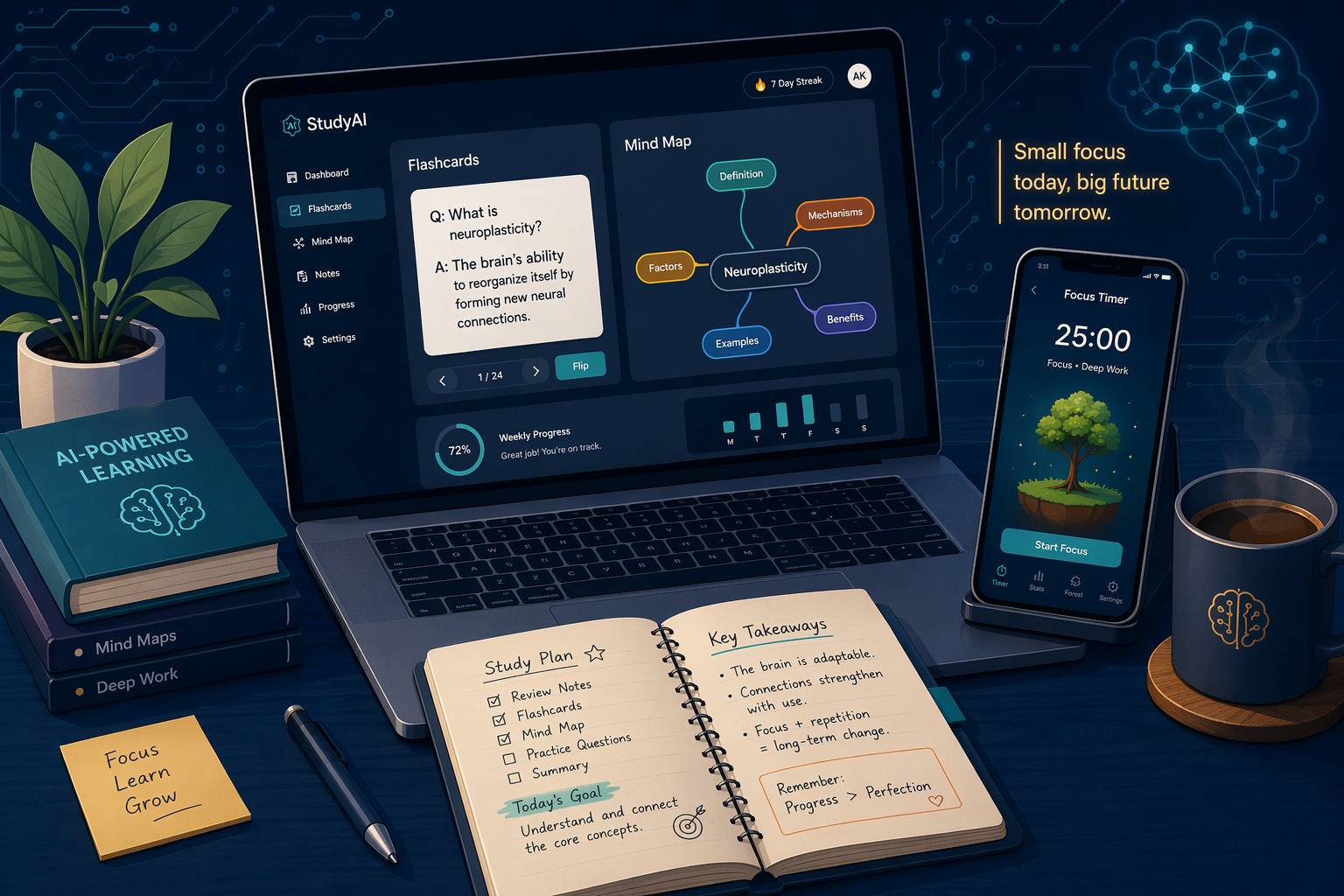
What AI Study Tools Actually Do (and How They Work)
Despite the buzzwords, the underlying mechanics of most AI study tools are surprisingly similar. You upload your course materials — a PDF textbook, lecture slides, a video transcript, or your own notes — and the AI processes that content to produce study aids. The output varies by tool category, but the input step is almost always the same.
Here are the main categories of AI study tools students are actually using in 2026:
- AI flashcard generators (StudyPDF, Laxu AI, Knowt AI): You upload a PDF or document, and the tool extracts key concepts, definitions, and questions to create a deck of digital flashcards. Laxu AI, for example, claims it can generate 38 flashcards, a 20-question quiz, and a structured summary from a 40-page PDF in about 55 seconds.
- Document-grounded AI assistants (NotebookLM, SciSpace): These tools let you upload your own sources and then ask questions that the AI answers strictly from those materials. Unlike general-purpose chatbots, they cannot invent answers from outside your course content — a critical feature for accuracy.
- General-purpose AI tutors (ChatGPT, Claude): These are the most flexible but also the most dangerous for passive use. They can explain concepts, generate practice problems, and walk through solutions. But they can also write your entire assignment if you let them.
- AI summarizers and note-taking tools (Otter.ai, Notion AI): These transcribe lectures, summarize long readings, and organize your notes. They save time on the mechanical parts of studying but do not, by themselves, help you retain information.
- AI quiz generators (Quizlet Q-Chat, StudyFetch): These create practice quizzes from your uploaded materials. Some, like Quizlet's Q-Chat, use conversational AI to simulate a tutor asking you questions.
The common thread is that all of these tools start with your materials. That is the first signal of a tool designed for augmentation rather than replacement. If a tool asks for your lecture notes or textbook chapters before generating study aids, it is probably built to help you learn. If it asks for a question and then hands you a finished answer, it is built to replace your effort.
The Evidence: What the Research Says About AI-Assisted Learning
The most rigorous evidence we have on AI tutoring comes from a peer-reviewed randomized controlled trial published in Scientific Reports in June 2025. Researchers found that students using an AI tutor outperformed those in traditional in-class active learning sessions, with an effect size of 0.73 to 1.3 standard deviations. The median time on task was also shorter — 49 minutes for the AI group versus 60 minutes for the classroom group. That is a meaningful improvement in both outcomes and efficiency.
Broader survey data supports the trend. A Coursera survey from 2026 found that 80% of students globally say AI has positively supported their learning. Among teachers, 69% report that AI tools have improved their teaching methods, according to an EdWeek survey from 2025. And the numbers are not small: 86% of students and 85% of teachers reported using AI during the 2024–2025 school year, per data cited by Engageli.
The global market reflects this momentum. The AI in education market was valued at $7.05 billion in 2025 and is projected to reach $136.79 billion by 2035, according to data cited by Engageli. Microsoft and IDC report that 86% of education organizations now use generative AI. Yet only 20% of universities have a formal AI policy, which means most students are navigating these tools without institutional guidance.
The Danger Zone: Passive Consumption vs. Active Retrieval
Here is where the story gets complicated. The same tools that can boost learning outcomes can also create a powerful illusion of competence. When you watch an AI generate a perfect summary of a chapter you barely read, it feels like you understand the material. But feeling like you understand is not the same as being able to recall and apply that information under exam conditions.
The OECD's 2026 warning is worth reading carefully: "Performing a task with AI does not automatically lead to learning." The concern is that students who rely on AI to produce answers never engage the cognitive processes — retrieval, elaboration, error correction — that build long-term memory. When the AI is removed during an exam, the knowledge disappears with it.
Faculty are deeply worried about this. A 2026 survey from the Association of American Colleges and Universities (AAC&U) found that 95% of college faculty believe AI will increase student overreliance, and 90% say it will diminish critical thinking. Those are not Luddite reactions — they reflect a real pedagogical concern that has been validated by decades of cognitive science research on retrieval practice.

The key insight is that the AI output itself is not the problem. The problem is what you do with it. Reading an AI-generated summary is passive consumption. Using that same summary to quiz yourself, identify gaps, and then revisit the original material is active retrieval. The tool is the same; the behavior is different.
How to Evaluate an AI Study Tool: A 4-Question Framework
When you are deciding whether a new AI study tool is worth your time — and possibly your money — run it through these four questions. They will tell you whether the tool is designed for augmentation or replacement.
- Does it work from your own materials? A tool that requires you to upload your lecture slides, textbook chapters, or notes is grounded in your actual course content. A tool that generates generic explanations from its training data may not align with what your professor expects. Document-grounded tools like NotebookLM are built for this; general chatbots are not.
- Does it force retrieval practice? The best tools do not just show you information — they ask you to recall it. Look for quiz modes, flashcard review systems, or spaced repetition scheduling. If the tool only generates summaries and explanations, it is a passive consumption tool.
- Does it use spaced repetition? Spaced repetition is the single most evidence-backed technique for long-term retention. Tools like Anki, Knowt, and Brainscape schedule review sessions at increasing intervals. If a flashcard generator does not include a review scheduler, you will need to add one manually.
- Can you edit the AI output? AI-generated flashcards and summaries are not always accurate. A good tool lets you review, edit, and reorganize the output before you study it. The editing process itself is a learning opportunity — it forces you to check the AI's work against your own understanding.
If a tool fails on questions 1 or 4, it is probably not worth using for serious exam preparation. If it passes all four, it has the structural features needed for genuine learning — but you still have to do the work of actually reviewing the material.
Quick-Reference: Top AI Study Tools by Category (2026)
The table below organizes the major AI study tools by category, with pricing and a quick assessment of whether they support the augment-vs-replace framework. Prices are as of early 2026 and are subject to change.
| Tool | Category | Key Feature | Pricing (as of early 2026) | Augment or Replace? |
|---|---|---|---|---|
| NotebookLM | Document-grounded AI | Answers questions from your uploaded sources only | Free | Augment |
| ChatGPT / Claude | General-purpose AI tutor | Explains concepts, generates practice problems | Free tier; Plus $20/mo | Depends on use |
| StudyPDF | Flashcard generator | PDF to flashcards, quizzes, summaries | Free (100 pages/mo); Pro $3.99/mo | Augment (if you edit output) |
| Laxu AI | Flashcard generator | 38 flashcards from 40-page PDF in 55 seconds | 1 free upload; Pro $4.99/mo | Augment (if you edit output) |
| Knowt | Flashcard + quiz generator | AI flashcards from notes, spaced repetition | Free unlimited basic; Pro $4.99/mo | Augment |
| Quizlet (Q-Chat) | AI quiz + flashcard | Conversational AI tutor, Magic Notes | Free limited; Plus $3.99/mo | Augment |
| StudyFetch | AI study platform | Upload materials → quizzes, flashcards, tutoring | Free limited; Pro $9.99/mo | Augment |
| Otter.ai | Lecture transcription | Real-time transcription and summary | Free (300 min/mo); Pro $16.99/mo | Augment (passive) |
| Notion AI | AI note-taking | Summarize notes, generate outlines | $10/mo add-on | Augment (passive) |
For a deeper look at specific tools, see our hands-on guide to ChatGPT Study Mode and our NotebookLM study guide for students. If you are considering Quizlet, our Quizlet AI Features Review 2026 covers whether Q-Chat and Magic Notes are worth the subscription.
The Hybrid Workflow: AI Generation + Manual Editing + Spaced Repetition
The most effective approach to AI-assisted studying in 2026 is not a single tool — it is a three-step workflow that combines the speed of AI generation with the cognitive depth of manual review and the long-term retention power of spaced repetition.
- Generate: Upload your course materials to an AI tool — StudyPDF, Laxu AI, or Knowt — and let it produce a first draft of flashcards, a quiz, or a summary. This step takes seconds and gives you a structured starting point.
- Edit: Review every card or question the AI generated. Correct errors, rephrase unclear explanations, and add examples from your own understanding. This step is where the learning happens — you are actively engaging with the material, checking the AI's work, and filling gaps in your own knowledge.
- Review: Import your edited deck into a spaced repetition system — Anki, Knowt, or Brainscape — and commit to daily review sessions. The spaced repetition algorithm ensures you see each card at the optimal interval for long-term retention.
This workflow is discussed in more detail in our comparison of AI-generated vs. handmade flashcards, which examines the research on both approaches, and our article on how automatic flashcard generation changes the study workflow.
Frequently Asked Questions
Are AI study tools cheating?
It depends entirely on how you use them. When you upload your own lecture notes to generate flashcards that you then review through spaced repetition, you are augmenting your learning — the AI is a study aid, not a replacement for your brain. When you ask an AI to write an essay or solve a problem set that you submit as your own work, that is academic dishonesty. The line is clear: if the AI is doing the thinking that you are supposed to be assessed on, it is cheating. If the AI is helping you practice and review material you have already studied, it is a legitimate tool.
Can AI replace teachers?
No — and the research supports this. The Scientific Reports RCT found that AI tutoring outperformed traditional classes, but the best results in education consistently come from combining AI tools with human instruction. AI can handle personalized practice, instant feedback, and content generation at scale. Teachers provide context, motivation, discussion, and the kind of deep conceptual understanding that current AI cannot replicate. The 69% of teachers who say AI has improved their teaching methods are not being replaced — they are using AI to free up time for higher-value interactions.
Free vs. paid AI tools — what is worth paying for?
For most students, free tiers are sufficient for basic flashcard generation and quiz creation. StudyPDF offers 100 free pages per month. Knowt's free tier is generous with unlimited basic features. Laxu AI gives you one free upload to test the quality. The main reasons to upgrade are volume limits (more pages or uploads per month) and advanced features like custom AI models, priority processing, or integration with other tools.
Notably, 43% of teachers buy AI tools with their own money, and 89% prefer tools that cost less than $10 per month, according to an Amazon survey cited by Programs.com. That suggests the market is still finding the right price point. Before subscribing, test the free tier thoroughly and ask whether the paid features actually change your study behavior or just add convenience.
Related comparisons & exam hub
No matching exam hub found
Browse tool comparisons to find other verdicts for this exam.
Did this match your own testing?
Report whether your hands-on experience with this tool matched the verdict, or flag a pricing or accuracy change.
Comments
Join the discussion with an anonymous comment.