
NotebookLM Study Guide for Students: Features, Pricing, and Best Use Cases in 2026
Accuracy Warning
This tool's exam-prep accuracy has not been fully characterized.
What Is NotebookLM and Why It’s Different for Studying
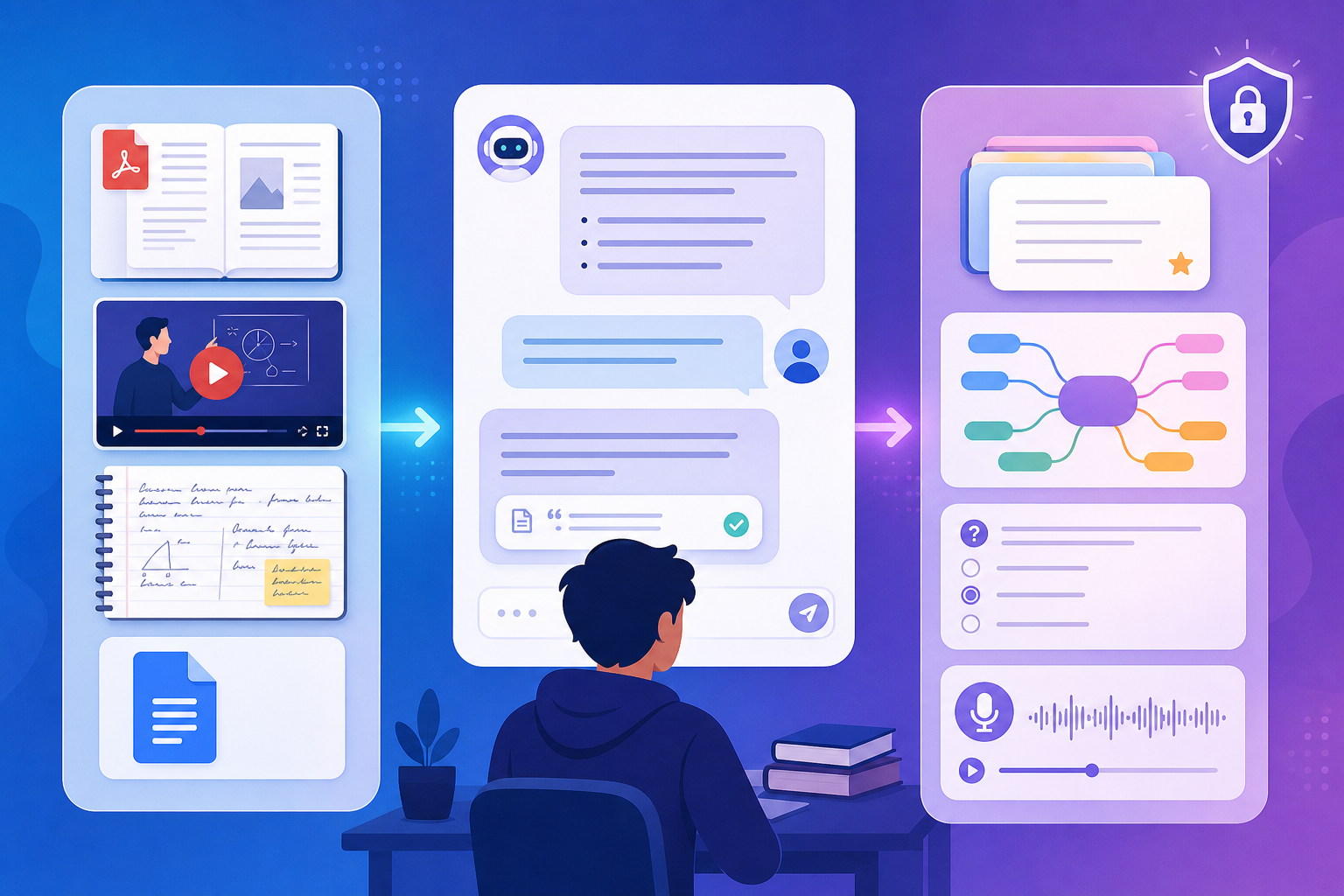
NotebookLM is Google’s source-grounded AI research assistant, built on a Retrieval-Augmented Generation (RAG) architecture. Unlike a generic chatbot that draws from its training data, NotebookLM only answers based on the documents you upload. Every response includes inline citations pointing back to specific passages in your sources. For students, this design solves the single biggest problem of AI study tools: hallucination.
Because the model is locked to your material, it cannot fabricate facts from outside knowledge. A comparison table from a 30‑day student test ranked NotebookLM as having the lowest hallucination risk among NotebookLM, ChatGPT (GPT‑4o), and Gemini (AI Study Master, 2026). That doesn’t mean it’s infallible — the FSU Canvas guide (2026) warns that NotebookLM can still miss key details and make incorrect connections. But when you stick to your own course notes, textbook PDFs, and lecture slides, the error rate is dramatically lower than asking a general‑purpose model the same question.
The tool is accessible to anyone aged 13 and older (CNET, 2025) and is free for a generous tier that handles a full semester’s worth of material. By the end of 2025, Google had added a suite of active‑learning features — flashcards, quizzes, a Learning Guide tutor mode, and interactive mind maps — that transform NotebookLM from a passive summarizer into a genuine study companion.
Key Study Features Deep Dive
NotebookLM’s Studio panel (the right‑hand column) houses eight content‑generation tools. Each one is designed to promote active learning rather than passive consumption. Below is a breakdown of the most student‑relevant features.
Flashcards
You can generate flashcards from any notebook with a single click. The official Google Help documentation (2025) details the customization options: choose difficulty (easy/medium/hard), enter a focus prompt to target specific concepts, and review cards with forward/back navigation, shuffle, and full‑screen mode. Progress tracking lets you mark cards as “Got it!” or “Missed it!”, and the notebook remembers which cards you missed so you can practice only those. Cards can also be downloaded as a CSV file for import into other apps.
Quizzes
The Quiz tool generates multiple‑choice questions grounded entirely in your sources. You get a hint button, full‑screen mode, and a results review that shows correct/incorrect answers. You can retake the quiz and see your progress over time. Because the questions are drawn from your own materials, they make excellent low‑stakes practice tests before an exam.
Learning Guide
Announced in September 2025 on the Google Blog, the Learning Guide is a specialized chat mode that acts as a tutor. Instead of simply giving answers, it asks probing questions, breaks problems into step‑by‑step solutions, and adapts its explanations based on your responses. This Socratic approach forces you to think through the material rather than passively receive a summary — exactly the kind of retrieval practice that cognitive science recommends.
Mind Maps
Interactive mind maps organize your sources into categorical branches. You can click any branch to open a chat conversation focused on that topic, making it a useful tool for connecting ideas across multiple documents. Jeff Su (2026) notes that mind maps are particularly good for breaking complex subjects into manageable clusters.
Audio Overviews and Video Overviews
Audio Overviews generate podcast‑style discussions between two AI hosts. They are best used for passive review of long newsletters or dense material during a commute. In 2025, Google added new formats (Brief, Critique, Debate) and an Interactive mode where you can join the conversation via voice or text (CNET, 2025). Video Overviews create slideshow‑style visual summaries — but note that generation is slower and images are not editable once created (Jeff Su, 2026).
Reports, Slide Decks, and Infographics
The Reports tool offers dynamic suggested formats (e.g., Blog Post, Briefing Document) based on your source content. Slide Decks propose a narrative structure for presentations — useful for brainstorming but limited because images are not editable (Jeff Su, 2026). Infographics can follow brand guidelines if you provide them. These tools are best for organizing ideas rather than creating final submission‑ready materials.
Pricing and Plans: Free vs Paid Tiers with Daily Limits
The free tier of NotebookLM is generous enough for most undergraduate course loads. Paid plans (Plus, Pro, Ultra) lift the per‑notebook and daily usage caps. The table below is based on the official Google plans structure as reported by DigitalOcean (Feb 2026) and the Elephas blog (Jan 2026). Pricing may have changed — always verify on the official NotebookLM plans page.
| Plan | Monthly Price | Notebooks | Sources per Notebook | Daily Chat Queries | Audio/Video Overviews per Day | Deep Research per Month |
|---|---|---|---|---|---|---|
| Free | $0 | 100 | 50 | 50 | 3 | 10 |
| Google AI Plus | $7.99 | 500 | 100 | 2× generation | Not specified | Not specified |
| Google AI Pro | $19.99 | 500 | 300 | 5× generation | Not specified | Not specified |
| Google AI Ultra | $249.99 | 1,000+ | 600 | 50× generation | Not specified | Not specified |
The existing NotebookLM article on this site covers pricing in a more concise format. This profile expands on the details and adds the per‑day limits that matter most to daily study workflows.
Platforms, Source Types, and the OpenStax Partnership
Supported Platforms
- Web — accessible from any modern browser at notebooklm.google.
- iOS — requires iOS 17 or later. The CNET article (Sep 2025) confirms mobile parity with the web app.
- Android — requires Android 10 or later.
Source Types You Can Upload
NotebookLM accepts multiple file formats and link types (DigitalOcean, 2026). The table below summarizes the key options.
| Source Type | Details |
|---|---|
| Up to 500K words per source | |
| Google Docs, Slides, Sheets | Living documents — changes sync automatically |
| YouTube links | Transcript is processed, not video content |
| Audio files | MP3, WAV, etc. |
| Images | Extracts text via OCR |
| Web URLs | Bulk URL upload supported (CNET, 2025) |
| Deep Research | Web + Fast Research returns source list; Web + Deep Research synthesizes a full report (Jeff Su, 2026) |
OpenStax Partnership
In September 2025, Google announced a partnership with OpenStax that makes six pre‑built textbook notebooks available for anyone to clone and study from for free. The subjects are:
- Biology 2e
- Biology for AP Courses
- Psychology 2e
- Chemistry 2e
- Introduction to Business
- Principles of Management
These notebooks are fully searchable, and you can add your own notes or supplemental sources. For students using these textbooks, this eliminates the time‑consuming step of uploading and annotating PDFs.
Limitations You Need to Know Before Using It
No study tool is perfect, and NotebookLM comes with several constraints that can catch students off guard if they aren’t aware of them.
- No offline mode. NotebookLM requires a persistent internet connection — you cannot review your sources or AI‑generated materials while on a plane or in a low‑signal area.
- Gemini‑only model. You cannot swap in another LLM (e.g., GPT‑4o or Claude). If Google makes changes to Gemini’s behavior, your outputs will shift accordingly.
- Google ecosystem lock‑in. Deep Google Drive integration is a strength, but it also means you cannot sync with Microsoft OneDrive, Notion, or other platforms natively.
- No post‑generation editing of Studio outputs. Slide Deck images, mind map layout, and infographic elements cannot be edited after generation. They are best used as brainstorming tools, not final deliverables (Jeff Su, 2026).
- Slow mobile feature rollout. While CNET reported mobile parity in mid‑2025, new Studio features often land on web first and take weeks or months to reach the app (DigitalOcean, 2026).
- Output quality depends entirely on source quality. Upload a poorly scanned PDF or a lecture recording with heavy background noise, and the AI will struggle to extract accurate information. Always review generated content against the original sources (FSU Canvas, 2026).
Academic Integrity and Ethical Use Guidelines
The FSU Canvas Support Center (Apr 2026) provides one of the clearest frameworks for ethical NotebookLM use. The distinction is simple: using the tool for comprehension, organization, and study aids is responsible; submitting AI‑generated work as your own is an integrity violation.
The Golden Rule
“Am I using this tool to learn better or to avoid learning?” — FSU Canvas, 2026
If you can explain a concept only because you read the AI’s summary — and not because you engaged with the original source — you are using the tool to avoid learning. The guide identifies several red flags:
- You cannot explain your conclusions without the AI.
- You use NotebookLM to complete assignments that require original thinking.
- You skip reading the original source material entirely.
- You feel anxious about taking an exam without access to the AI.
Practical Applications by Discipline
The FSU guide notes that NotebookLM can be used ethically across disciplines: for research papers (organizing sources and identifying gaps), foreign language (parsing difficult passages), STEM (step‑by‑step problem breakdowns), and literature (comparing themes across texts). The key is transparency — inform your instructor if you are using AI tools, and document how you used them.
Alternatives and How NotebookLM Compares
NotebookLM occupies a unique niche among AI study tools. The table below compares it to the most common alternatives across the dimensions students care about most.
| Tool | Best For | Hallucination Risk | Source‑Locked? | Pricing |
|---|---|---|---|---|
| NotebookLM | Studying your own course materials with citations | Low (source‑grounded) | Yes | Free tier generous; paid from $7.99/mo |
| ChatGPT (GPT‑4o) | General Q&A, creative writing, brainstorming | Moderate‑High (trained on internet data) | No | Free tier limited; Plus $20/mo |
| Google Gemini | General Q&A, multi‑modal tasks | Moderate (similar to ChatGPT) | No | Free; Advanced $19.99/mo |
| Perplexity | Research with live web citations | Moderate (cites sources but can misread) | Partial (cites web sources) | Free; Pro $20/mo |
| Elicit | Academic literature review | Moderate (focuses on papers) | Yes (papers only) | Free tier; paid from $10/mo |
| Anki | Spaced‑repetition flashcards | None (user‑created) | N/A | Free (desktop); $24.99 iOS one‑time |
| Quizlet | Flashcards and practice tests | None (user‑created content) | N/A | Free; Plus ~$35.99/yr |
NotebookLM’s key differentiator is its source‑locked architecture. While ChatGPT and Gemini can generate plausible‑sounding but incorrect information, NotebookLM’s answers are always traceable back to your uploaded documents. This makes it a superior choice for verifying facts within your own materials. For more on ChatGPT’s study capabilities, see our dedicated ChatGPT for studying profile. For a broader look at AI flashcard tools, read our AI flashcard generator guide.
Verdict: Who Should Use NotebookLM and How to Start
NotebookLM is best suited for three types of students:
- Course‑heavy undergraduates. If you are juggling multiple lecture‑based courses, uploading your syllabus, lecture notes, and assigned readings into separate notebooks lets you generate targeted quizzes, flashcards, and summaries for each class.
- Research paper writers. Upload your source papers and use NotebookLM’s synthesis and citation features to identify connections and contradictions across your literature. The cross‑source analysis is one of the tool’s strongest features (AI Study Master, 2026).
- Self‑learners using open textbooks. The OpenStax notebooks provide a ready‑to‑study foundation for six major subjects, and the free tier is enough to work through an entire textbook.
For most students, the free tier (100 notebooks, 50 sources each, 50 chat queries per day) is genuinely sufficient for a full semester (AI Study Master, 2026). The only reason to upgrade is if you need more than 50 chat queries daily or want to exceed the 3 Audio Overviews per day cap. If your institution uses Google Workspace for Education Plus, you may already have expanded limits (AI Study Master, 2026).
Start by uploading your most challenging course material — a dense textbook chapter or a lecture transcript — and generate a set of flashcards or a quiz. If you find yourself relying on the AI’s summary instead of reading the source, step back. Used correctly, NotebookLM can accelerate comprehension without undermining your own learning.
Authoritative source
No specific exam hub matched
Browse the exam hubs directory for the authoritative plan on any of the five exams.
Report an error in this tool's output
Found something this tool got wrong beyond what's documented above? Report it so the accuracy log stays current.
Comments
Join the discussion with an anonymous comment.