

The Smart Study Stack: How to Build a 3-4 App System That Outperforms Having 14 Apps
Most students download 8–14 study apps but only use 2–3 regularly. This guide shows you how to consolidate to a focused 3–4 app system (one per category: flashcards, notes, focus, planning) and commit for a full semester — a strategy backed by research on tool-switching costs and consistency.
Updated:
The Productivity Theater Problem: Why 14 Apps Don't Make You a Better Student
Walk into any college library and you'll see the same scene: a laptop screen split between a note-taking app, a flashcard website, a Pomodoro timer, a calendar, a to-do list, a PDF reader, and three browser tabs for "study tools" the student downloaded last week and hasn't opened since. The average high school student has 14 study apps on their phone but genuinely uses 2 or 3 of them, according to coaching data from S4 Study Skills. Students who maintain 14 apps don't study more effectively — they just spend more time managing the apps.
This isn't laziness. It's a well-documented cognitive cost. Research by Rosen, Carrier, and Cheever (2013) on digital tool-switching found that students who constantly experiment with new tools and switch between them score lower on exams than those who use a consistent set of tools for an entire semester. Every time you download a new app, learn its interface, and migrate your data, you pay a switching cost in time and mental energy — and you get nothing back in learning.
The core thesis of this guide is simple: the system matters more than any individual app. Students who consolidate to 3–4 focused apps — one per category — and commit to that system for a full semester outperform those who keep downloading, trying, and abandoning tools. The best study app is the one you actually use consistently. Everything else is productivity theater.
The Five Categories Every Study System Needs
Before you pick any app, you need to understand the five jobs your study system has to do. Every app you download should fill exactly one of these roles. If an app doesn't fit into one of these categories, you probably don't need it.
- Flashcards & Memorization — The engine of long-term retention. Uses spaced repetition and active recall to move information from short-term to long-term memory. Without this category, you're relying on re-reading and highlighting, which cognitive science has repeatedly shown to be far less effective.
- Note-Taking — Where you capture, organize, and review lecture and textbook content. A good note-taking app lets you structure information in a way that makes it easy to revisit and export to your flashcard system.
- Focus & Timer — The tool that protects your study blocks from distraction. Whether it's a Pomodoro timer, a website blocker, or a focus-mode app, this category enforces the time you've committed to studying.
- Planning & Calendar — The scheduler that tells you what to study and when. This can be a full-featured study planner or a simple calendar. Without it, your flashcard and focus tools have no direction.
- Research & Reference — The tool for managing sources, PDFs, and citations. This category is optional for high school students but essential for college-level research papers and exam prep that requires synthesizing multiple sources.
Most students skip the focus category entirely, relying on willpower alone. Most also try to make one app do two jobs — using a note-taking app as a planner, or a flashcard app as a research tool — which usually means neither job gets done well. The goal is one tool per category, no overlap, no duplication.
Pick One Per Category: A Decision Framework
Here is the pick-one-per-category framework. For each category, you'll find 2–3 top options with pricing, free tier availability, and platform support. These are not exhaustive reviews — they are decision points designed to get you to a working system in under 30 minutes.
| Category | Top Pick | Free Tier | Paid Tier | Platforms |
|---|---|---|---|---|
| Flashcards | Anki | Free (desktop, Android) | $24.99 iOS (one-time) | Windows, macOS, Linux, iOS, Android, Web |
| Flashcards | Quizlet | Free (limited features) | $35.99/yr (Quizlet Plus) | iOS, Android, Web |
| Note-Taking | OneNote | Free (full features) | N/A (free for students) | Windows, macOS, iOS, Android, Web |
| Note-Taking | Notion | Free (education plan) | $10/mo (Plus) | Windows, macOS, iOS, Android, Web |
| Focus | Forest | Free (Android) | $3.99 iOS (one-time) | iOS, Android, Browser Extension |
| Focus | Cold Turkey | Free (Blocker) | $39 one-time (Pro) | Windows, macOS |
| Planning | Google Calendar | Free | N/A | iOS, Android, Web |
| Planning | MyStudyLife | Free | N/A (donation-supported) | iOS, Android, Web |
| Research | Zotero | Free (300 MB storage) | From $20/yr (unlimited storage) | Windows, macOS, Linux, iOS, Web |
| Research | NotebookLM | Free | N/A | Web |
For the flashcard category, Anki is the default choice for serious students. It uses the SM-2 spaced repetition algorithm (with the newer FSRS algorithm available as an option), it's free on every platform except iOS, and it has the largest library of shared decks. A 2025 survey cited by Mindomax found that 68.3% of US medical students across 102 schools use Anki — a strong signal for high-stakes memorization. Quizlet is better for quick review and pre-made sets — it has over 500 million study sets — but its free tier has become more limited in recent years. For a deeper comparison, see our spaced repetition flashcard app buyer's guide.
OneNote is the safest note-taking pick because it's completely free for students, works on every platform, and handles typed notes, handwritten notes, and PDF annotation equally well. Notion is more powerful but comes with a steeper learning curve — it's a better choice if you want to build a custom dashboard that connects your notes, tasks, and calendar. Read our honest Notion review for the full picture. If you're deciding between OneNote and GoodNotes, see our OneNote vs GoodNotes comparison.
Forest is the most popular focus app for students — it's free on Android and costs a one-time $3.99 on iOS. It uses a gamified tree-planting mechanic that makes it hard to ignore your phone during study blocks. Cold Turkey is the heavy-duty option for blocking distracting websites and applications on a laptop. For the science behind why focus timers work, read our article on whether a study timer app actually helps.
Google Calendar is the default planning tool for most students — it's free, syncs across all devices, and works well for time-blocking study sessions. MyStudyLife is a better choice if your school uses a rotating timetable (A/B days) or if you want a dedicated study planner rather than a general calendar. Our MyStudyLife review and MyStudyLife vs Google Calendar comparison can help you decide.
Zotero is the gold standard for research and citation management — it's free for 300 MB of storage and handles PDF organization, annotation, and bibliography generation. NotebookLM is Google's AI-powered research assistant that can summarize uploaded PDFs and answer questions about your sources. It's free and particularly useful for synthesizing multiple textbook chapters or research papers.
Three Ready-Made Stacks: Essential, Optimized, and Minimalist
If you don't want to build your own system from scratch, here are three pre-built stacks. Each one is a complete, tested combination that covers all five categories. Pick the one that matches your current workload and commitment level.
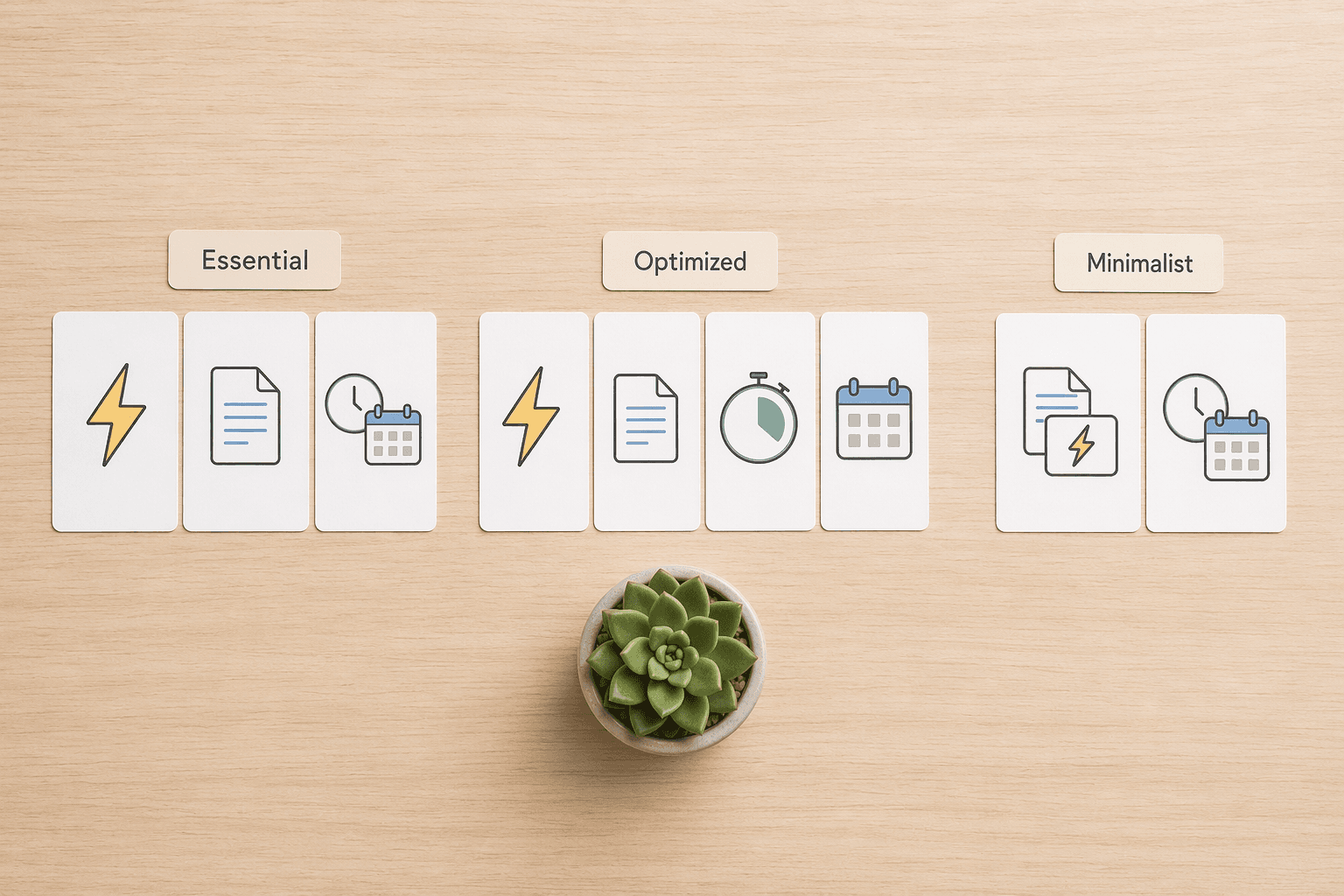
| Category | Essential (Everyone) | Optimized (Serious Students) | Minimalist (Less Is More) |
|---|---|---|---|
| Flashcards | Anki (free desktop/Android) | Anki (free desktop/Android) | Anki (free desktop/Android) |
| Note-Taking | OneNote (free) | Notion (free education plan) | OneNote (free) |
| Focus | Forest (free Android) | Cold Turkey ($39 one-time) | Forest (free Android) |
| Planning | Google Calendar (free) | MyStudyLife (free) | Google Calendar (free) |
| Research | Not needed — use browser bookmarks | NotebookLM (free) or Zotero (free 300MB) | Not needed |
The 15-Minute Phone Audit: Delete What You Don't Use
Before you install anything new, clean up what you already have. The S4 Study Skills phone audit process takes about 15 minutes and is the fastest way to reduce decision fatigue.
- Open your app drawer or home screen. Identify every app that you've ever used for studying — flashcard apps, note-taking apps, timers, planners, to-do lists, PDF readers, citation managers, language learning apps, and any "study aid" you downloaded on a whim.
- Delete any app you haven't opened in the last 30 days. Be ruthless. If you haven't touched it in a month, you're not going to start now. The app will still be in your purchase history if you want it back.
- Group the remaining apps by category. You should have at most one app per category: flashcards, notes, focus, planning, and (optionally) research. If you have two flashcard apps, pick one and delete the other.
- Commit to one app per category for the rest of the semester. Write down your chosen stack on a sticky note or save it in a note. If you feel the urge to download a new app, check the sticky note first.
After the audit, you'll likely have 3–5 apps left. That's the goal. If you want a structured way to track your new system, download our weekly study planner template to plan your study blocks and review sessions.
Common Mistakes That Sabotage Your Study System
Even with the right apps, three common mistakes can undermine your system. Recognizing them early is the best way to avoid them.
Mistake 1: App Hopping
App hopping is the habit of switching tools every few weeks because the new one has a feature the old one doesn't. You switch from Anki to RemNote because RemNote has built-in note-taking. Then you switch from RemNote to Knowt because Knowt has AI-generated flashcards. Then you switch back to Anki because the shared deck library is bigger. Each switch costs you time and breaks your study momentum.
The fix: commit to your chosen stack for a full semester. If a tool is genuinely broken or missing a critical feature, switch — but only after you've given it at least 8 weeks of consistent use. Most feature differences between top tools are smaller than students think.
Mistake 2: Over-Organization
Over-organization is spending more time setting up your system than actually studying. This is especially common with Notion, where students build elaborate dashboards with color-coded databases, linked views, and automation — and then run out of time to review their flashcards. The S4 Study Skills guide explicitly warns against using Notion as a planner or note-taking system for this reason.
The fix: your study system should take no more than 5 minutes per day to maintain. If you're spending 30 minutes organizing your notes or tweaking your dashboard, you're over-organizing. For a deeper look at this trap, read our article on the planning vs. execution gap.
Mistake 3: Skipping Active Recall
AI tools can now generate flashcards from a PDF in under a minute — a 40-page psychology textbook chapter generated 38 flashcards in 55 seconds in one test. But generating flashcards is not the same as studying them. The cognitive benefit comes from the act of retrieval, not from having a beautifully organized deck.
The fix: use AI to generate your initial deck, but always edit the cards and add 5–10 manual cards for professor-specific details. Then — and this is the non-negotiable part — actually review them using spaced repetition. Dunlosky et al. (2013) ranked active recall and spaced repetition as the highest-utility learning techniques. Karpicke and Blunt (2011) found that retrieval practice is more effective than concept mapping. And Roediger and Karpicke (2006) showed that testing yourself once after reading leads to 50% more recall a week later than rereading the material four times.
How to Make Your Apps Work Together: A Practical Integration Workflow
A study system is more than a collection of apps — it's a workflow that connects them. Here's a concrete example using the Essential Stack (Anki + OneNote + Forest + Google Calendar) that takes about 5 minutes to set up per week.
- During lecture or reading: Take notes in OneNote. Use the Cornell method or outline format — whatever works for you. The key is to capture key concepts, not every word the professor says.
- After class (same day): Export key concepts from your OneNote notes into Anki as question-answer pairs. This takes 10–15 minutes per lecture and is itself a form of active recall — you're processing the material to decide what belongs on a flashcard.
- Schedule review sessions: Open Google Calendar and block out 25-minute study sessions for Anki review. Be specific: "Anki — Chapter 4 Biology" not just "Study."
- During each study block: Start a Forest timer (or Cold Turkey blocker) to prevent phone and browser distractions. Study until the timer ends. Take a 5-minute break. Repeat.
For power users, AI tools can accelerate the note-to-flashcard step. NotebookLM can summarize a lecture PDF and generate study questions. AI flashcard generators can create a deck from your OneNote export in seconds. The Laxu AI testing data suggests that AI tools can save 5–10 hours per week by automating flashcard creation — but remember the caveat: AI-generated cards should always be reviewed and edited before studying.
Commit for One Semester — Then Reassess
Here's the single most important piece of advice in this guide: pick one stack, commit to it for a full semester, and only then consider switching tools. The research is clear — consistency beats features. Students who use a consistent set of tools for an entire semester score higher than those who constantly experiment with new apps. The best study app is the one you actually use.
After the semester, reassess. Did you actually use all the apps in your stack? Did any category feel underserved? Did you find yourself wishing for a feature that your current tool doesn't have? That's the right time to consider a switch — not during week 3 when a shiny new app catches your eye.
Comments
Join the discussion with an anonymous comment.