
OneNote vs GoodNotes for College Students: A Complete 2026 Comparison by Major and Device
Choosing between OneNote and GoodNotes for the upcoming semester? This guide compares the two note-taking apps across platform compatibility, handwriting quality, pricing, AI features, and collaboration — then recommends the best tool for your major, device ecosystem, and budget.
Updated:
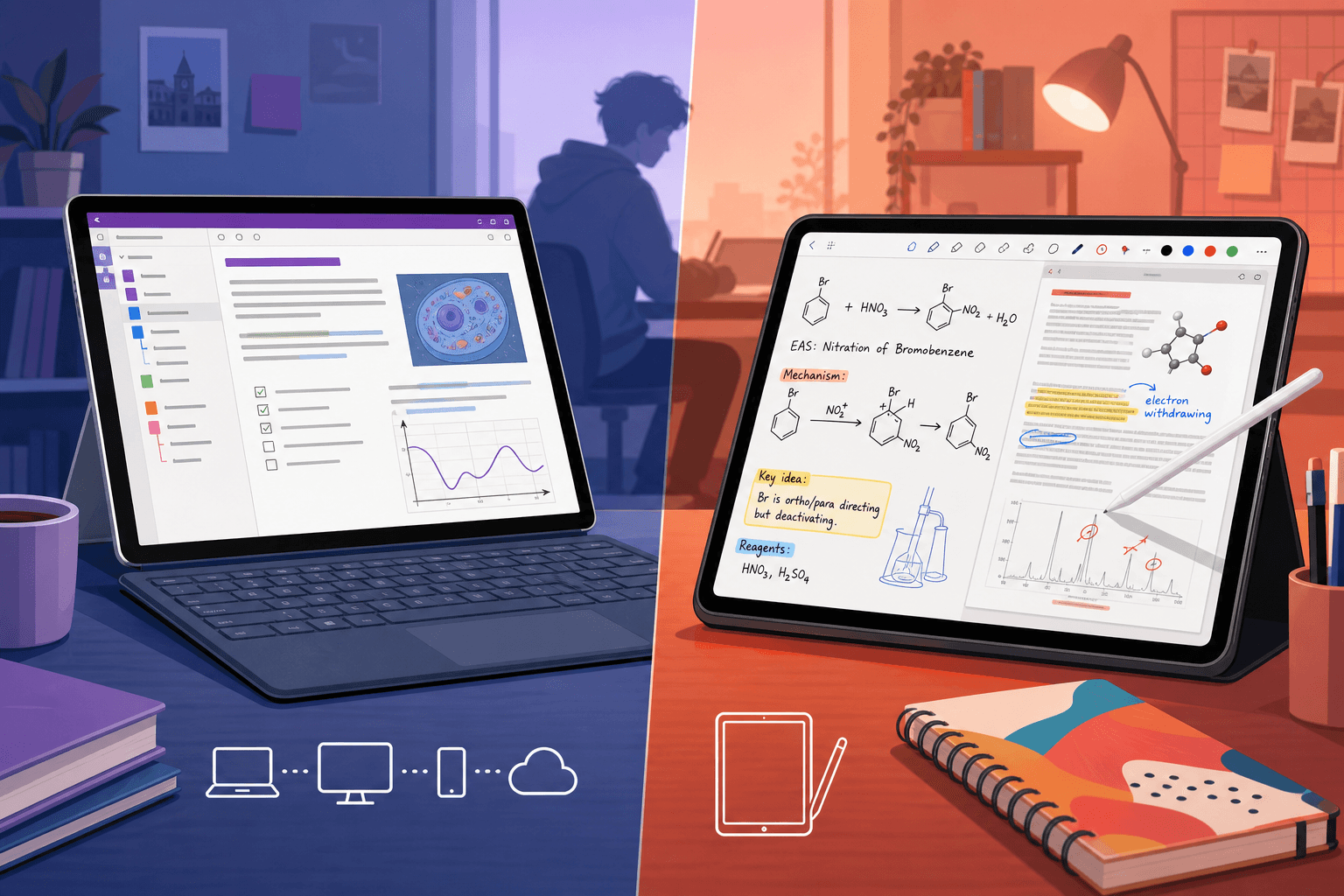
Quick Verdict: OneNote vs GoodNotes in 2026
If you need a single sentence: OneNote is the best free, cross-platform option for students who type most of their notes, collaborate on group projects, and use Windows or a mix of devices. GoodNotes is the best handwriting-first option for iPad and Apple Pencil users, especially STEM and pre-med majors who need to write equations, annotate PDF slides, and draw diagrams.
The table below gives you a major-by-major and device-by-device recommendation at a glance. If you match one of these profiles, you can stop reading and start downloading. If you are still unsure, the rest of this guide walks through every dimension in detail.
| Student Profile | Recommended App | Why |
|---|---|---|
| Windows / Surface Laptop user, any major | OneNote | Free, pre-installed on many school devices, best typing experience, real-time collaboration. |
| iPad + Apple Pencil, STEM major (engineering, physics, chemistry) | GoodNotes | Superior handwriting and equation tools, fluid PDF annotation, shape recognition. |
| iPad + Apple Pencil, pre-med or biology | GoodNotes | Anatomy diagram annotation, handwriting-to-text for study guides, works with Anki for memorization. |
| Humanities major, types most notes, uses multiple devices | OneNote | Free across all platforms, excellent search across notebooks, strong organization for research. |
| Computer Science major, types code and notes | OneNote | Infinite canvas for code snippets, typed text is native, free, cross-platform. |
| Budget-conscious student, any major | OneNote | Completely free with a Microsoft account. GoodNotes free tier is limited to 3 notebooks. |
| Heavy group project collaborator | OneNote | Real-time co-authoring is built-in and reliable. GoodNotes real-time collab is Pro-only and newer. |
Platform Compatibility: Which Devices Can You Use?
The first filter for most students is device ownership. OneNote and GoodNotes take very different approaches to cross-platform support, and that difference alone can decide the choice.
OneNote is available on every major platform: Windows, macOS, iOS, Android, and the web. A Microsoft account is all you need to get started, and a paid subscription is not required. PCMag's review notes that a free account includes 5GB of OneDrive storage and access to almost all features. For students whose university provides Microsoft 365, OneNote is effectively pre-installed and ready to sync across a laptop, phone, and tablet.
GoodNotes was an Apple-exclusive app for years. That changed recently. The company released native apps for Windows and Android (Samsung tablets), but the experience is not yet equal across platforms. As XDA's comparison notes, the GoodNotes apps on Apple devices remain more feature-rich than their Windows and Android counterparts. Cross-platform syncing is handled through GoodNotes Cloud, which is available on subscription plans. If you live entirely inside the Apple ecosystem — iPad, iPhone, and Mac — GoodNotes works seamlessly. If you switch between a Windows laptop and an Android phone, you will notice the difference.
| Platform | OneNote | GoodNotes |
|---|---|---|
| Windows | Full-featured desktop app (Office 365 version) | Native app available, less feature-rich than iOS |
| macOS | Full-featured desktop app | Full-featured desktop app |
| iOS / iPadOS | Full-featured mobile app | Best experience — all features, Apple Pencil optimized |
| Android | Full-featured mobile app | Native app available, still catching up in speed and features |
| Web | Full web app, any browser | Not available |
For students considering alternatives to OneNote's cross-platform approach, the Notion vs. Obsidian for Students comparison covers two other popular tools that offer strong cross-platform support with different organizational philosophies.
Handwriting Quality and Tools: The iPad vs. Everything Else
If handwriting is central to your note-taking — and for many STEM and pre-med students, it is — this is the most important section of the comparison.
GoodNotes was built for handwriting. The app offers a natural writing experience with Apple Pencil, including pressure sensitivity, palm rejection, shape recognition, and handwriting-to-text conversion. NotePlan's review describes it as offering "a more natural handwriting experience, complete with tools like shape recognition, handwriting-to-text conversion, and precise stylus support." For students who need to write complex equations, draw diagrams, or annotate lecture slides directly, GoodNotes feels like digital paper.
OneNote includes inking tools, but they are not at the same level. You can handwrite, draw, and use ink-to-text and ink-to-math tools, as Drawboard's guide notes. The handwriting experience is functional and has improved over the years, but it lacks the polish and responsiveness of GoodNotes, especially on non-Microsoft devices. On a Surface Pro with the Surface Pen, OneNote's handwriting is decent. On an iPad, GoodNotes is noticeably better.
| Handwriting Feature | OneNote | GoodNotes |
|---|---|---|
| Pressure sensitivity | Supported (best on Surface Pen) | Excellent with Apple Pencil |
| Palm rejection | Good | Excellent |
| Shape recognition | Available (ink-to-shape) | Available and more accurate |
| Handwriting-to-text | Available (ink-to-text) | Available and more reliable |
| Equation writing | Available (ink-to-math) | Excellent — fluid equation entry |
| PDF annotation | Available, less fluid | Excellent — designed for it |
Individual Tool Profiles
Related Comparisons
- Notion vs. Obsidian for Students: Which Note-Taking App Fits Your Academic Workflow?
A structured, student-centered comparison of Notion and Obsidian covering pricing, offline access, collaboration, study-specific tools, and AI features — with clear recommendations by student type to help you choose the right tool for your academic workflow.
- Quizlet vs Knowt: Which Free Plan Is Better for Students?
Budget-conscious students comparing Quizlet and Knowt need to know which platform offers the most free features. This head-to-head comparison reveals how Knowt's generous free tier outpaces Quizlet's restricted free plan, with unlimited flashcards, free study modes, and a seamless import tool.
- Free Quizlet Alternatives: Best Genuinely Free Study Apps by Student Use Case
Quizlet's free tier has been significantly restricted since 2024, leaving many students searching for a real replacement. This guide compares five genuinely free flashcard and study apps — Knowt, Anki, RemNote, StudySmarter, and Brainscape — across key decision criteria and matches each to the student situations where it works best.
Comments
Join the discussion with an anonymous comment.