
Weekly Study Planner Template for Students: 5 Must-Have Sections, Format Options, and How to Make It Stick
Why Most Weekly Study Planner Templates Fail
If you have ever downloaded a weekly study planner, used it for a few days, and quietly abandoned it by Thursday, you are not alone — and the problem probably was not your discipline.
Research on study scheduling consistently shows that roughly 80% of ambitious study schedules are abandoned within the first month. More counterintuitively, students who build overly ambitious schedules often end up studying less than those with modest, sustainable plans — because an impossible schedule breeds failure, failure breeds discouragement, and discouragement leads to avoidance.
The root cause is almost always structural, not motivational. Most templates are built around an idealized version of a student's week — the version where every class ends on time, no one texts you, and you feel energized at 9 p.m. on a Tuesday. Templates built around an idealized week collapse by Wednesday when reality does not cooperate.
The specific structural failures that cause abandonment are predictable: no buffer time for disruptions, no mechanism for setting a single clear weekly goal, and — most commonly — no reflection section that helps students learn from the previous week instead of repeating the same scheduling mistakes.
The 5 Sections Every Effective Weekly Study Planner Needs
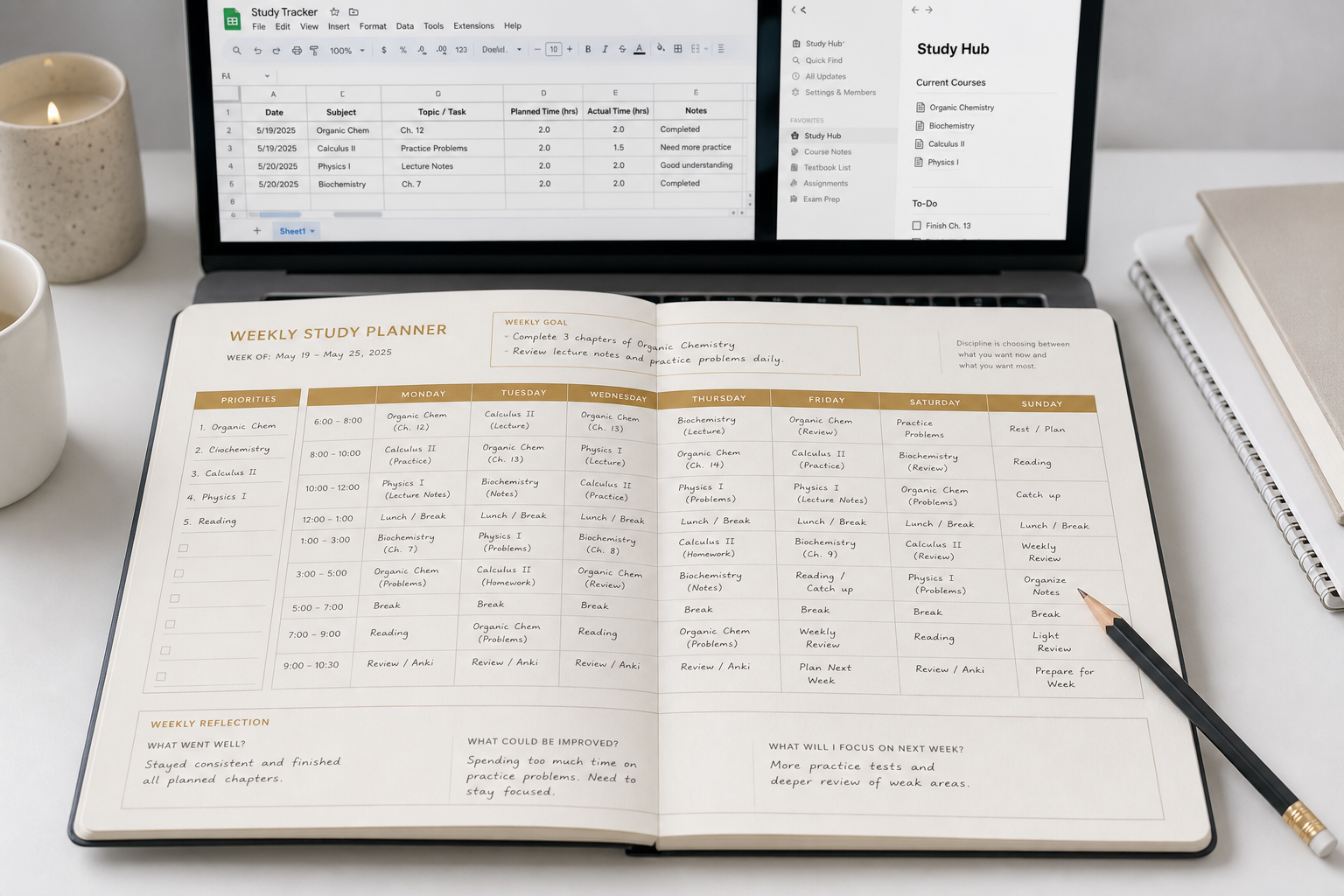
Most generic templates include a grid and nothing else. The five sections below are what separate a planner that lasts through a full semester from one that gets abandoned after two weeks. Each section serves a specific structural function — removing any one of them creates a gap that eventually causes the system to break down.
1. Daily Time Blocks
A time block is a defined slot in your day — morning, afternoon, or evening — with a start and end time. Without time blocks, a planner is just a to-do list with days written on it. Time blocks force you to confront how many usable hours you actually have versus how many you think you have.
Effective time blocks are at least 90 minutes long per subject. Shorter blocks create context-switching overhead that reduces retention and increases the time a task actually takes. Cornell's Learning Strategies Center notes that concentration decreases rapidly after about 90 minutes of working on one course, which means 90-minute blocks are both a floor and a ceiling worth respecting.
2. Subject Slot Assignments
Each time block needs a specific subject assigned to it before the week begins — not a vague intention to "study" or "do homework." Pre-assigning subjects eliminates the daily decision of what to work on, which is one of the primary sources of procrastination.
Subject assignments also help you distribute your harder courses across the week rather than clustering them, and they create accountability: if Thursday's 4–6 p.m. block is assigned to organic chemistry, you cannot quietly redirect it to something easier without noticing the gap.
3. Weekly Priority List
A priority list is a short list — three to five items maximum — of the most important tasks for the week. It is separate from your daily to-do items. Its function is to ensure that when unexpected things eat your buffer time, the most critical work still gets done.
Without a priority list, students tend to fill their most productive hours with the easiest available tasks rather than the most important ones. A visible priority list at the top of the planner acts as a constant redirect.
4. One Weekly Study Goal
This is the single most underused section in student planners. A weekly study goal is one specific, measurable outcome you want to reach by Sunday — not a list of everything you hope to accomplish. Examples: "Finish all practice problems for Chapter 7" or "Complete the first draft of the research paper introduction."
One goal reduces decision fatigue throughout the week. When you are tired and unsure what to do next, the goal gives you a clear anchor. The Notion Study Sprint Desk template uses exactly this principle — enforcing one study goal per session and a top-3 priorities list to reduce the cognitive cost of deciding where to start.
5. End-of-Week Reflection Space
This is the section most templates omit entirely, and its absence is the single biggest reason students repeat the same scheduling mistakes week after week. A reflection section does not need to be elaborate — three to five lines at the bottom of the planner asking: what worked, what got skipped, and what needs to change next week.
Without reflection, a planner is a planning tool. With reflection, it becomes a learning tool. Students who review their week briefly before building the next one consistently make more accurate time estimates and stop over-scheduling the same day repeatedly.
How to Choose Your Format: Printable PDF vs. Google Sheets vs. Notion vs. Planner Apps
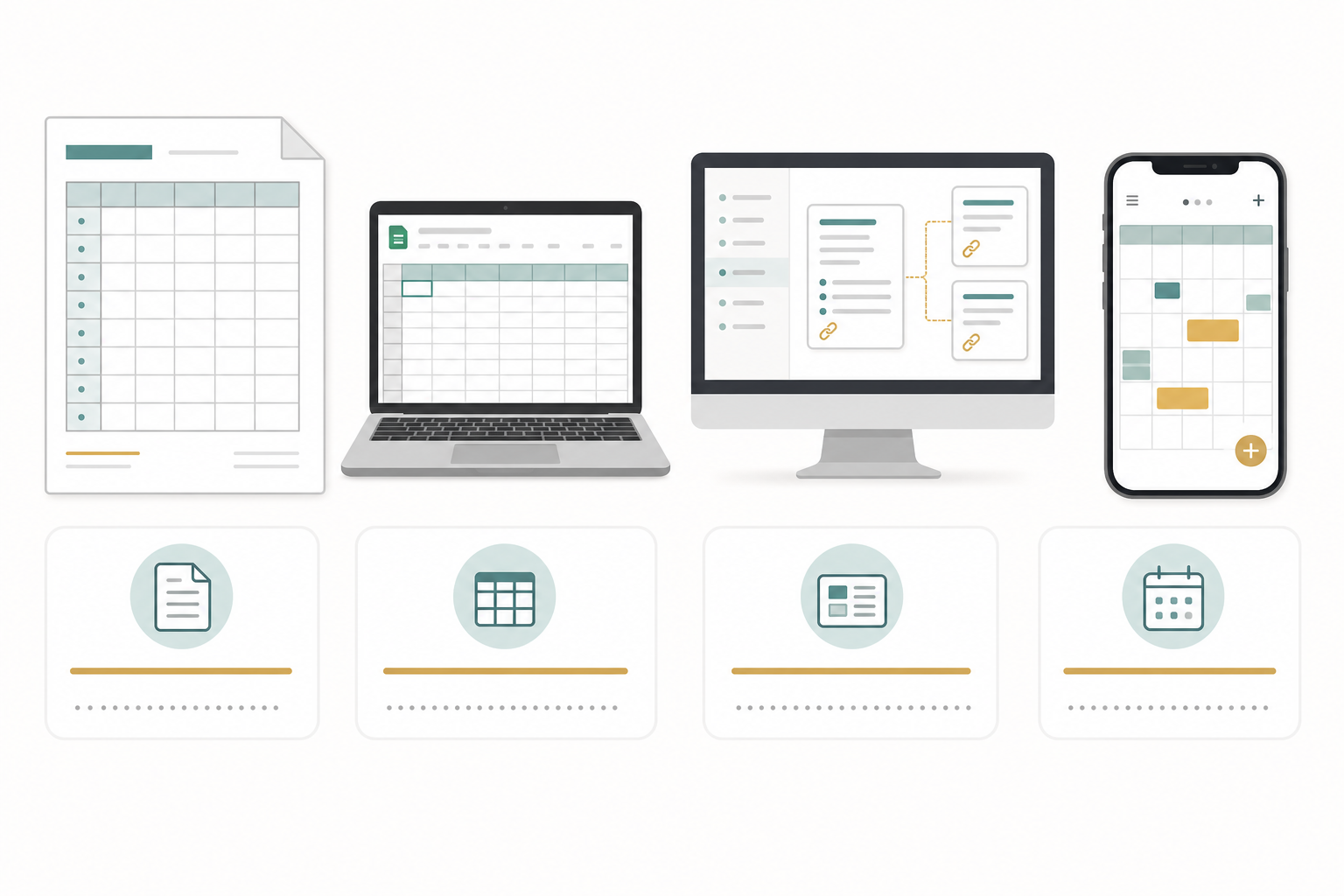
The best format for a weekly study planner is the one you will actually open every Sunday. Format choice should follow your real study environment and habits — not which template looks best in a screenshot.
| Format | Best For | Key Advantage | Main Limitation |
|---|---|---|---|
| Printable PDF / Excel | Fixed-desk learners who study at one location | Physical artifact you can see and mark up; no login required | Not accessible from multiple devices; requires printing or Excel 2010+ |
| Google Sheets | Multi-location students who switch between home, library, and campus | Accessible from any device with a browser; easy to share or duplicate | Requires internet access; no built-in reminders or timers |
| Notion | Students who want planning integrated with notes and course materials | Links tasks to notes, assignments, and deadlines in one workspace | Steeper setup time; third-party template pricing can vary |
| Dedicated planner apps | Students with complex recurring schedules who want built-in features | Built-in Pomodoro timers, streak tracking, session logging | App-specific learning curve; some features behind paywalls |
Printable PDF and Excel: For the Fixed-Desk Learner
If you study primarily at one desk — at home, in a dorm room, or at a regular library carrel — a printed planner is often the lowest-friction option. It is always visible, requires no login, and does not compete with browser tabs for your attention.
Vertex42's free printable student planner templates are a reliable starting point. The most popular layout lists weekdays across the top with rows for up to seven subjects, plus a weekly action items and notes section on the back. A second layout reverses the axis. Both are free for personal use and designed for two-sided printing in a 3-ring binder. Note that the Excel versions require Excel 2010 or later.
Google Sheets: For the Multi-Location Student
If your study locations shift throughout the week — apartment, campus library, coffee shop, commute — a Google Sheets planner syncs across all of them automatically. You can build the five-section structure directly in a spreadsheet, duplicate it each week without reformatting, and share it with a study partner or academic advisor if needed.
The main limitation is that Google Sheets has no built-in reminder or timer function. It works best as a planning and tracking tool, not as a session manager.
Notion: For the Note-Integrated Planner
Notion suits students who want their weekly schedule connected to the rest of their academic life — course notes, assignment deadlines, exam countdowns, and reading lists in one workspace. The planning and the studying happen in the same environment, which reduces the friction of switching between apps.
Several tested Notion templates for students implement the five-section structure well. The Study Sprint Desk enforces one goal per session, a top-3 priority list, a built-in Pomodoro timer, and a session reflection log. The Exam Prep Dashboard adds revision block planning and score tracking. The Basic Study Planner covers course tracking, assignment management, and an exam schedule in a minimal layout.
Dedicated Planner Apps: For Complex Recurring Schedules
Students with complex, shifting schedules — multiple part-time jobs, variable class times, or heavy extracurricular commitments — may benefit from a dedicated study planner app that handles recurring blocks automatically. Built-in Pomodoro timers, session tracking, and streak features add accountability that a spreadsheet cannot provide on its own.
The trade-off is setup time and the possibility of core features sitting behind a paywall after a free trial period. Evaluate the free tier carefully before committing to a specific app.
How to Fill In Your Weekly Planner: Step-by-Step Setup for Week One
The most common mistake students make when starting a new planner is filling it in based on how they wish their week looked. The four steps below are designed to anchor your planner in how your week actually works.
- Run a time audit first. Before you write a single study block, track where your hours actually go for two or three days. Students consistently underestimate screen time and overestimate how many focused hours they have per day. A time audit reveals the real gaps — the 90-minute window between classes that disappears into social media, or the evenings that feel productive but produce very little.
- Block fixed commitments first. Classes, labs, work shifts, and recurring obligations go in before anything else. These are non-negotiable. Everything else is scheduled around them.
- Apply the 2–3 hour heuristic per credit hour. A 15-credit semester typically requires around 30 study hours per week outside of class as a starting estimate — roughly two hours per credit hour. For more demanding courses, that ratio can rise to three hours. Use this range to determine how many study blocks you need to fill, then apply Cornell's practical rule: double your time estimate for each individual task. Most people underestimate how long things take. Doubling the estimate is not pessimism — it is calibration.
- Match subjects to energy, not convenience. Cognitively demanding work — problem sets, essay drafts, dense reading — belongs in your peak energy hours. Review, flashcards, and administrative tasks belong in your low-energy periods. The same problem set that takes 45 minutes at peak energy can take two hours during an energy slump. Scheduling hard subjects at low-energy times is one of the most common and most fixable planning errors.
The Sunday Reset: A 10-Minute Maintenance Routine That Makes Planners Stick
The most durable planning habit is not building a perfect schedule on week one. It is spending ten minutes every Sunday maintaining the schedule you already have.
Rebuilding your planner from scratch every week is one of the patterns most correlated with abandonment. You spend planning time re-deciding things you already decided — which subject goes in which slot, how long blocks should be, what the priority order is. Each rebuild creates an opportunity to abandon the system entirely.
The Sunday reset is different. Its goal is to preserve and lightly adjust an existing structure, not create a new one. The template stays the same. Only the specific tasks and any schedule changes for the coming week get updated.
The 5-Question Sunday Review
Work through these five questions in your reflection section before updating next week's blocks:
- What worked this week — which blocks did I actually complete?
- What got skipped, and why?
- Were my time estimates accurate, or did tasks consistently take longer than planned?
- What one thing should I adjust in next week's structure?
- What is different about next week — any exams, deadlines, or schedule changes that need to be blocked first?
These five questions take about ten minutes when answered honestly. They produce two outputs: a lightly adjusted planner for the coming week, and a clearer picture of where your scheduling assumptions are consistently wrong — which is the information that makes each subsequent week more accurate.
Common Mistakes and How to Fix Them
Most planner failures trace back to one of six structural errors. Each one has a direct fix that does not require starting over.
| Mistake | What Happens | The Fix |
|---|---|---|
| No buffer time | One disruption cascades — a late class or unexpected errand wipes out the rest of the day's plan | Leave 20% of study time unscheduled; add 30–60 minutes of unblocked time each day |
| Hard subjects scheduled at low-energy hours | Tasks take two to three times longer than expected; quality drops; the block gets skipped | Audit your energy patterns for one week; move demanding subjects to your peak two to three hours |
| Too many subjects per day | Context-switching overhead reduces retention; no subject gets enough focused time | Use minimum 90-minute blocks per subject; limit to two or three subjects per day |
| Skipping the reflection section | Same scheduling mistakes repeat every week; time estimates never improve | Treat the five-question Sunday review as a non-negotiable 10-minute block |
| Rebuilding from scratch weekly | Planning time is wasted re-deciding already-decided structure; abandonment risk rises | Build the template once; only update tasks and next-week changes on Sunday |
| Underestimating task duration | Blocks consistently run over; the schedule falls apart by Tuesday | Double every time estimate before scheduling; treat the doubled estimate as the real one |
Free Weekly Study Planner Templates by Format
The following options are confirmed free at the time of writing. Access status and pricing for third-party templates can change — verify before downloading.
Printable PDF and Excel
- Vertex42 Student Planner Templates — Free for personal use, no registration required. Two layouts available: weekdays as columns with subject rows, or subjects as columns with weekday rows. Designed for two-sided printing and 3-ring binder binding. Requires Excel 2010 or later for the spreadsheet version; PDF version works without Excel.
Notion
- Study Sprint Desk — Enforces one study goal per session, a top-3 priorities list, a built-in Pomodoro timer, an exam countdown, and a session reflection log. Well-suited to students who need a session-level focus system in addition to weekly planning.
- Exam Prep Dashboard — Adds revision block planning and score tracking to the weekly structure. Useful for students managing multiple upcoming exams simultaneously.
- Basic Study Planner — Covers course tracking, assignment management, exam schedule, and a note-taking section in a minimal layout. Good starting point for students new to Notion.
Dedicated App
- AcademyNC's free digital planner — Free to start, with a built-in Pomodoro timer, session tracking, and a streak feature for habit reinforcement. Suited to students who want accountability features that a static template cannot provide.
Frequently Asked Questions
How many study hours should I schedule per week?
Use 2–3 hours of study time per credit hour per week as a starting range. For a 15-credit semester, that is roughly 30–45 hours of study time outside of class. Start at the lower end, run the Sunday review after week one, and adjust based on whether your estimates were accurate. Remember to double your time estimates for individual tasks — most students underestimate task duration significantly.
What is the best day to set up my planner?
Sunday evening works for most students because it sits at the natural boundary between weeks and gives you a clear picture of the coming week's fixed commitments. The specific day matters less than picking the same time every week and treating it as a fixed 10-minute appointment.
How do I handle weeks when my schedule changes completely?
Use the Sunday review's fifth question — "what is different about next week?" — to surface those changes before they surprise you. Block the new fixed commitments first, then redistribute study blocks around them. The template structure stays the same; only the task assignments change. You should not need to rebuild the template itself.
Should I use a digital or paper planner?
If you study primarily at one location, paper has lower friction and stays visible without requiring you to open an app. If you study in multiple locations throughout the week, a digital format that syncs across devices eliminates the problem of your planner being somewhere you are not. Neither is inherently better — the right choice is the one that fits how you actually study.
How detailed should each time block be?
Each block needs a subject assignment and a specific task — not just "study biology" but "complete practice problems for Chapter 4." The more specific the task, the less decision-making you have to do when the block starts, and the less likely you are to fill the time with something easier. Avoid scheduling more than two or three subjects in a single day to keep context-switching costs manageable.
Fill in this timeline
This is a skeleton schedule, not a performance claim — for section-by-section strategy to fill in each slot, read the exam hub. For evidence that a similar timeline worked, compare against real outcome logs.