
10 Best AI Flashcard Generators Compared in 2026: A Head-to-Head Feature, Pricing, and Quality Showdown
Accuracy Warning
This tool's exam-prep accuracy has not been fully characterized.
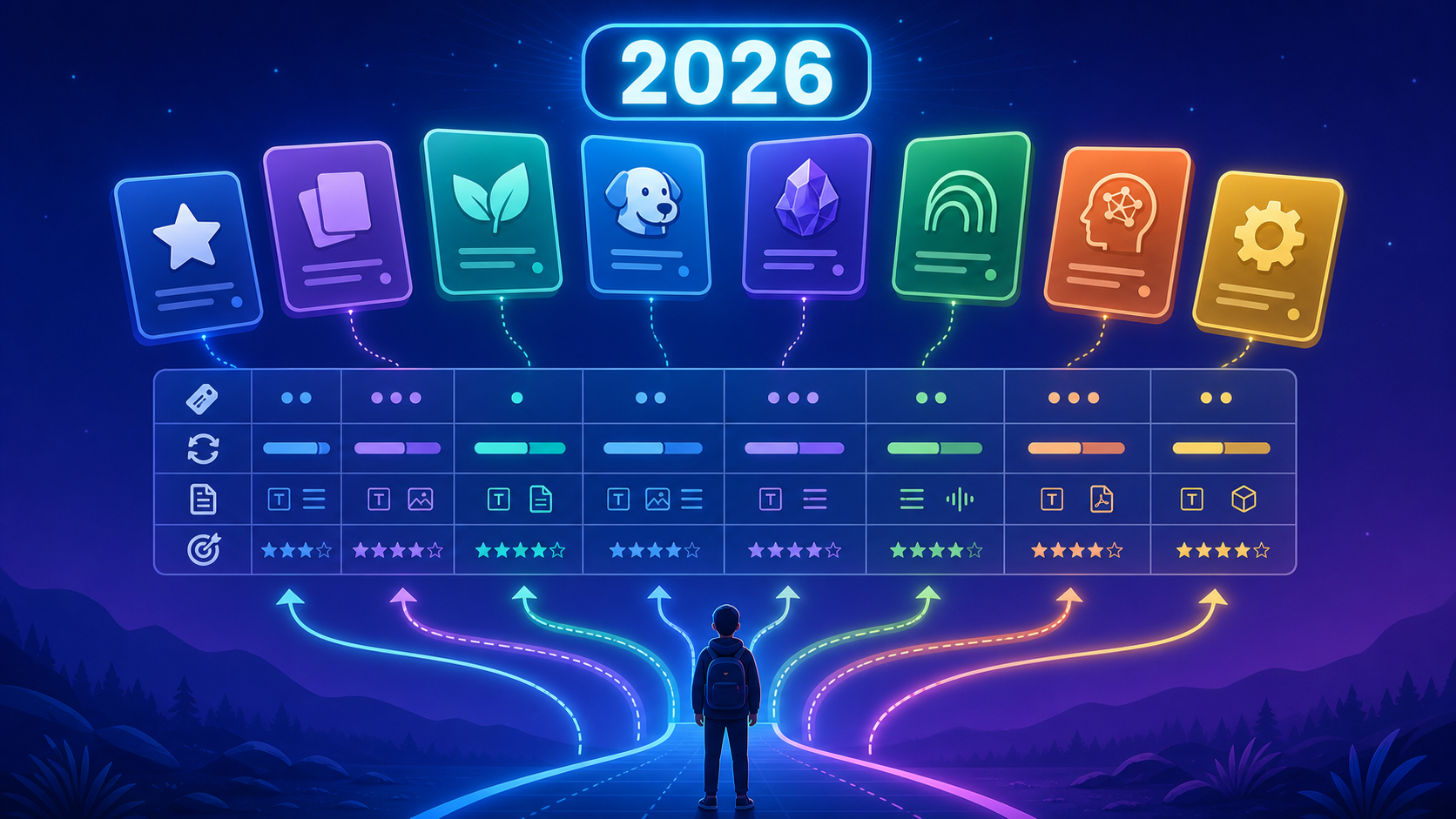
The 2026 AI Flashcard Generator Landscape: Why This Comparison Matters
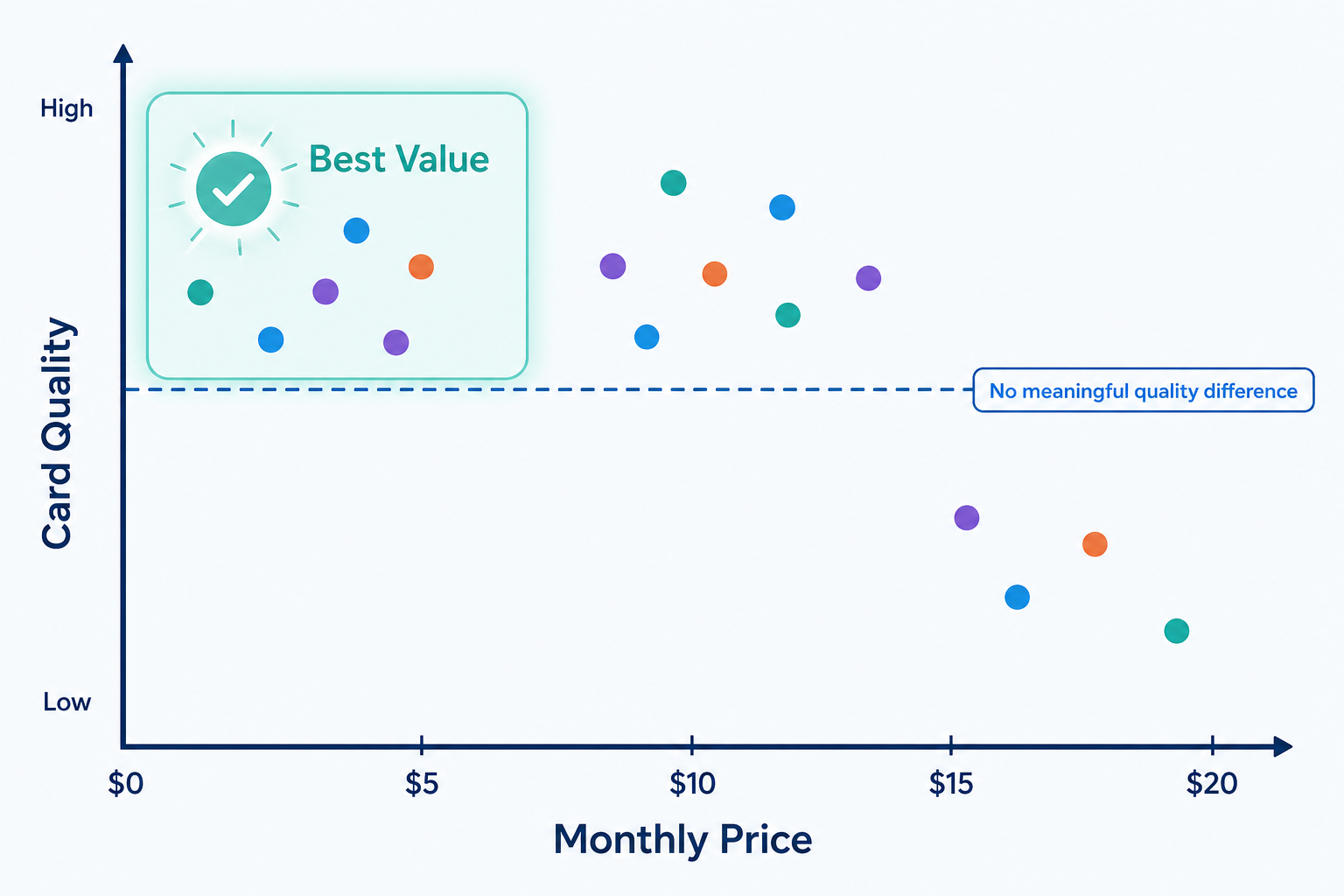
Walk into any university library in 2026 and you will see students studying with tools that barely existed two years ago. The AI flashcard generator market has exploded, with over a dozen serious contenders vying for your subscription dollar. But here is the uncomfortable truth that most marketing pages will not tell you: price does not correlate with quality in this category. A tool that costs $4.99 per month can produce cards as accurate and useful as one that costs $19.99 per month.
This comparison exists because the decision is no longer simple. Anki remains the gold standard for long-term memory, but it has zero native AI card generation. Quizlet has 700 million study sets and over 60 million monthly users, but its AI-generated cards tend to be shallow. Knowt offers a genuinely free tier with no usage caps on core modes. StudyFetch generates 35-40 cards from a dense PDF in about a minute but costs $19 per month. The variance in quality across these tools is far smaller than the variance in price.
If you are new to the concept of AI-generated flashcards, we recommend starting with our AI Flashcard Generator Guide, which explains how these tools work and how to use them effectively. This article assumes you already understand the basics and are ready to compare your options side by side.
5 Criteria That Separate Great AI Flashcard Generators from the Rest
After evaluating over a dozen tools, five criteria consistently separated the tools that genuinely improve study efficiency from those that just add AI buzzwords to an existing flashcard app. These criteria form the evaluation framework for the comparison that follows.
1. Card Specificity and Depth
The most common failure of AI flashcard generators is producing cards that are too shallow. A good card tests a single, specific fact or concept. A bad card asks a vague question like "What is the main idea of this chapter?" The best tools generate cards that target discrete pieces of information — definitions, relationships, sequences, and cause-effect pairs. Our testing found that the number of cards generated per chapter varies wildly: Quizlet Magic Notes produces 20-30 cards per dense chapter, while dedicated tools like StudyFetch generate 35-40 cards from the same material.
2. Input Format Support
The single biggest differentiator between tools in 2026 is what kinds of source material they accept. Some tools only handle typed notes and PDFs. Others accept audio recordings of lectures, video links (YouTube), slides, and even handwritten notes. If your study workflow involves recorded lectures or scanned textbook pages, input format support will be your deciding factor. A 90-minute lecture typically yields 15-30 useful flashcards, but only if the tool can process audio or video input.
3. Active Recall Enforcement
Generating cards is only half the battle. The tool must also enforce active recall — forcing you to retrieve information from memory rather than passively recognizing it. This means the tool should present the question first, require you to answer before revealing the answer, and ideally grade your response. Some AI generators produce cards but dump them into a passive review mode that undermines the entire purpose of flashcard study.
4. Card Editing Workflow
AI-generated cards are never perfect. The best tools make it easy to edit, refine, or delete individual cards without friction. The worst tools bury the edit function behind multiple clicks or force you to regenerate the entire set. A 2025 meta-analysis in ScienceDirect found that students using flashcards scored 30% higher on exams than those using passive review methods, but that benefit depends on card quality. If you cannot quickly fix a poorly generated card, the tool is costing you study time rather than saving it.
5. Review Scheduling and SRS Algorithm Quality
Spaced repetition is the engine that makes flashcard study effective. Research demonstrates that spaced repetition can double retention rates compared to massed practice. In 2026, the FSRS (Free Spaced Repetition Scheduler) algorithm is the modern standard, and it is natively supported by Anki and StudyGlen. Older tools still use the SM-2 algorithm (Anki's legacy option) or proprietary algorithms. Some AI-first tools have no built-in spaced repetition at all, which means you are generating cards without a system to review them optimally.
Full Comparison Table: 10+ AI Flashcard Generators Side by Side
The table below compares all major AI flashcard generators across the five criteria plus pricing. Use it as a quick reference before diving into the detailed entries.
| Tool | Free Tier | Paid Tier | SRS Algorithm | Input Formats | Cards per Dense Chapter | Best For |
|---|---|---|---|---|---|---|
| Anki | Desktop/Android free | iOS $24.99 one-time | FSRS / SM-2 | Manual (plugins for PDF) | N/A (manual) | Long-term memorization |
| Quizlet | Limited free | $7.99/month (Plus) | Proprietary | Notes, slides, typed docs | 20-30 | Quick review sets |
| Knowt | Free (core modes, ads) | $4.99/month (Pro) | Proprietary | PDFs, notes, video | ~25-35 | Budget-conscious students |
| StudyFetch | Very limited (1 doc) | $19/month ($8/month annual) | Proprietary | PDFs, slides, audio | 35-40 | PDF-heavy workflows |
| RemNote | Free tier available | $10/month (Pro) | Proprietary | Notes, PDFs | ~20-30 | Linked note-taking + cards |
| Brainscape | Limited free | $20/month or $199.99 lifetime | Proprietary (Confidence-Based) | Manual creation | N/A | Confidence-based review |
| NotebookLM | Free (Google account) | N/A | None | PDFs, Google Docs, web URLs | ~15-25 | Source-grounded accuracy |
| Gizmo | 15 lives/day free | ~$24.99/month (Unlimited) | Proprietary | PDFs, YouTube, slides, handwritten | ~25-35 | Image-heavy subjects |
| Revisely | 3-5 generations free | $5.99-$11/month | Proprietary | PDFs, notes, PowerPoints, handwritten | ~20-30 | Quick uploads |
| Jungle AI | 8 AI explanations/hour | ~$11/month (Super Learner) | Proprietary | PDFs, notes | ~20-30 | Case-based questions |
| Laxu AI | Not specified | $4.99/month | Proprietary | PDFs, photos, audio | ~30-35 | Budget all-in-one |
| Mindomax | Not specified | Not specified | Proprietary | PDFs, notes | ~20-30 | General AI generation |
In that test, StudyBoost generated 87 cards with 94% accuracy (82 accurate, 5 errors or irrelevant cards). Quizlet AI generated 63 cards with 76% accuracy (48 accurate, 15 errors). Knowt generated 71 cards with 73% accuracy (52 accurate, 19 errors). These results illustrate the variance in both card quantity and quality across tools, but they represent a single test on a single subject.
Deep Dive: How Each Tool Performs in Practice
Each entry below provides a concise assessment of what the tool does best, its key limitation, and who it serves. For deeper analysis of individual tools, follow the internal links to our full reviews.
Anki
Anki is not an AI flashcard generator, but it remains one of the strongest tools for long-term memorization because of its FSRS algorithm, which can cut daily reviews by 20-30% compared to the older SM-2 algorithm. Roughly 70% of first-year medical students use Anki, according to a 2022 UCF College of Medicine study, and Anki users score 6-13% higher on exams. The trade-off is that Anki has zero native AI card generation — you must create cards manually or use community plugins. For medical students who want the full Anki ecosystem, see our Anki Flashcard App Review for Medical Students.
- Best for: Long-term memorization, medical students, anyone willing to invest time in card creation
- Key limitation: No native AI generation; requires plugins or manual work
- Pricing: Free on desktop/Android/web; iOS $24.99 one-time
- SRS algorithm: FSRS (modern standard) or SM-2 (legacy)
Quizlet
Quizlet remains the most widely used flashcard platform with over 60 million monthly users and 700 million study sets. Its AI features, Magic Notes and Q-Chat, can transform lecture slides, handwritten notes, and typed documents into flashcards. However, the AI-generated cards tend to lack depth — producing 20-30 cards per dense chapter compared to 35-40 from dedicated tools. Roughly 13% of AI responses are unreliable, according to Mindomax's analysis. The AI features are locked behind Quizlet Plus at $7.99/month. For a full breakdown of Quizlet's AI capabilities, read our Quizlet AI Features Review 2026.
- Best for: Students who want a familiar platform with a massive library of existing sets
- Key limitation: Shallow AI-generated cards; AI features require paid subscription
- Pricing: $7.99/month or $47.88/year for Plus
- SRS algorithm: Proprietary
Knowt
Knowt positions itself as a free Quizlet alternative, and it delivers on that promise. It offers all core study modes free with no usage caps, though the free plan includes ads. AI generation works from PDFs, notes, and video. Knowt Pro costs $4.99/month, making it one of the most affordable paid options. The trade-off is that Knowt's spaced repetition is less sophisticated than Anki's FSRS or CuFlow's adaptive scheduler. For students considering the switch from Quizlet, see our Switching from Quizlet to Knowt migration guide.
- Best for: Budget-conscious students who want free AI generation
- Key limitation: Less sophisticated SRS than Anki or CuFlow
- Pricing: Free (ads) or $4.99/month Pro
- SRS algorithm: Proprietary
StudyFetch
StudyFetch is a dedicated AI study platform that generates 35-40 cards from a dense PDF in about a minute. It accepts PDFs, slides, and audio input. The free tier is extremely limited — one document, 10 conversations, and one study set — which makes it essentially a trial. The paid plan costs $19/month or $8/month billed annually. For students who work primarily with PDFs and need high card volume, StudyFetch delivers, but at roughly twice the price of comparable tools.
- Best for: Students with PDF-heavy workflows who need high card volume
- Key limitation: Very limited free tier; expensive at $19/month
- Pricing: $19/month or $8/month annual
- SRS algorithm: Proprietary
RemNote
RemNote combines note-taking with flashcard creation, allowing students to write notes and automatically generate cards from them. It has a free tier and a Pro plan at $10/month. RemNote is particularly strong for law students and anyone who needs to connect concepts across multiple documents. For a direct comparison with Anki, read our RemNote vs Anki comparison.
- Best for: Students who want integrated note-taking and flashcard creation
- Key limitation: AI generation is less mature than dedicated tools
- Pricing: Free tier available; Pro $10/month
- SRS algorithm: Proprietary
Brainscape
Brainscape uses a confidence-based repetition system where you rate how well you know each card on a 1-5 scale, and the algorithm schedules reviews accordingly. Its AI generation is not its core strength — the platform is better known for its pre-made certified decks and its unique review algorithm. Brainscape Pro costs $20/month or $199.99 for a lifetime subscription. For a full review, see our Brainscape Flashcard App Review.
- Best for: Students who prefer confidence-based rating over traditional SRS
- Key limitation: AI generation is not a core strength; expensive monthly plan
- Pricing: $20/month or $199.99 lifetime
- SRS algorithm: Proprietary (Confidence-Based Repetition)
NotebookLM
NotebookLM, Google's AI notebook tool, is unique in this comparison because it generates flashcards and quizzes grounded entirely in your uploaded documents with zero hallucination risk. This makes it the safest choice for high-stakes exam content where accuracy is non-negotiable. However, NotebookLM has no built-in spaced repetition — it generates the cards but provides no review scheduling. For a full breakdown of its features and limitations, read our NotebookLM Study Guide for Students.
- Best for: Students who need zero-hallucination, source-grounded content
- Key limitation: No built-in spaced repetition
- Pricing: Free with Google account
- SRS algorithm: None
Gizmo
Gizmo excels at image-based cards, making it a strong choice for anatomy, biology, and any subject that requires visual recognition. It accepts PDFs, YouTube links, slides, and handwritten notes. The free plan gives 15 "lives" per day, which limits extended study sessions. Gizmo Unlimited costs approximately $24.99/month, making it one of the more expensive options.
- Best for: Anatomy, biology, and image-heavy subjects
- Key limitation: Expensive unlimited plan; free tier has daily limits
- Pricing: Free (15 lives/day) or ~$24.99/month Unlimited
- SRS algorithm: Proprietary
Revisely
Revisely is designed for quick uploads — PDFs, notes, PowerPoints, and handwritten notes — with minimal setup. The free plan allows 3-5 AI generations, which is enough to evaluate the tool but not enough for sustained use. Paid plans range from $5.99 to $11/month. Revisely has strong handwritten note recognition but is web-only, with no mobile app.
- Best for: Quick uploads of handwritten notes and PowerPoints
- Key limitation: Web only; limited free generations
- Pricing: Free (3-5 generations) or $5.99-$11/month
- SRS algorithm: Proprietary
Jungle AI
Jungle AI differentiates itself by generating case-based scenario questions, which are particularly useful for medical and professional exam prep. The free plan caps AI explanations at 8 per hour, which is restrictive for extended study sessions. The Super Learner plan costs approximately $11/month when billed annually.
- Best for: Case-based questions for medical and professional exams
- Key limitation: Restrictive free tier (8 AI explanations/hour)
- Pricing: Free (limited) or ~$11/month Super Learner
- SRS algorithm: Proprietary
Laxu AI
Laxu AI is a budget-friendly option at $4.99/month that accepts PDFs, photos, and audio input. It generates flashcards, quizzes, and summaries from a single upload. The tool is relatively new and has less community support than established platforms, but its pricing and multi-format support make it worth considering for students on a tight budget.
- Best for: Budget-conscious students who want multi-format input
- Key limitation: Newer tool with less community support
- Pricing: $4.99/month
- SRS algorithm: Proprietary
Mindomax
Mindomax is a general AI flashcard generator that accepts PDFs and notes. Specific pricing details were not available from published sources at the time of writing. It produces 20-30 cards per chapter, placing it in the middle of the pack for card volume. Without clearer pricing and feature differentiation, it is harder to recommend over more established alternatives.
- Best for: General AI flashcard generation
- Key limitation: Limited published information on pricing and features
- Pricing: Not specified in available sources
- SRS algorithm: Proprietary
Pricing Breakdown: What You Actually Get at Each Tier
The pricing landscape for AI flashcard generators in 2026 ranges from completely free to $24.99 per month. The critical finding from this comparison is that the quality gap between the cheapest and most expensive tools is negligible. A $4.99/month tool can produce cards as accurate and useful as a $19/month tool. Your decision should be driven by input format support and SRS algorithm quality, not by price.
| Price Tier | Tools | What You Get | Key Limitations |
|---|---|---|---|
| Free | Anki (desktop), Knowt (ads), NotebookLM, Notelyn | Full access to core features; AI generation in some cases | Ads (Knowt); no native AI (Anki); no SRS (NotebookLM) |
| $4.99-$7.99/month | Knowt Pro, Laxu AI, Quizlet Plus, Revisely (basic) | AI generation, ad-free experience, additional study modes | Shallower cards (Quizlet); newer tools with less support (Laxu AI) |
| $8-$11/month | StudyFetch (annual), RemNote Pro, Jungle AI Super Learner, Revisely (full) | High card volume, multi-format input, case-based questions | Annual commitment for best price (StudyFetch) |
| $15-$25/month | StudyFetch (monthly), Gizmo Unlimited, Brainscape Pro | Unlimited generation, image-based cards, confidence-based SRS | Expensive; no clear quality advantage over mid-tier tools |
The tools with the most meaningful free tiers are Knowt (all core study modes free with ads), Anki desktop (completely free, but no AI generation), and NotebookLM (free with Google account, but no SRS). Notelyn also offers a free tier with no limit on the number of notes. StudyFetch and Quizlet have the most restricted free tiers — StudyFetch limits you to one document, and Quizlet progressively restricts AI features for free users.
Subject-Specific Recommendations: Which Tool for Which Exam?
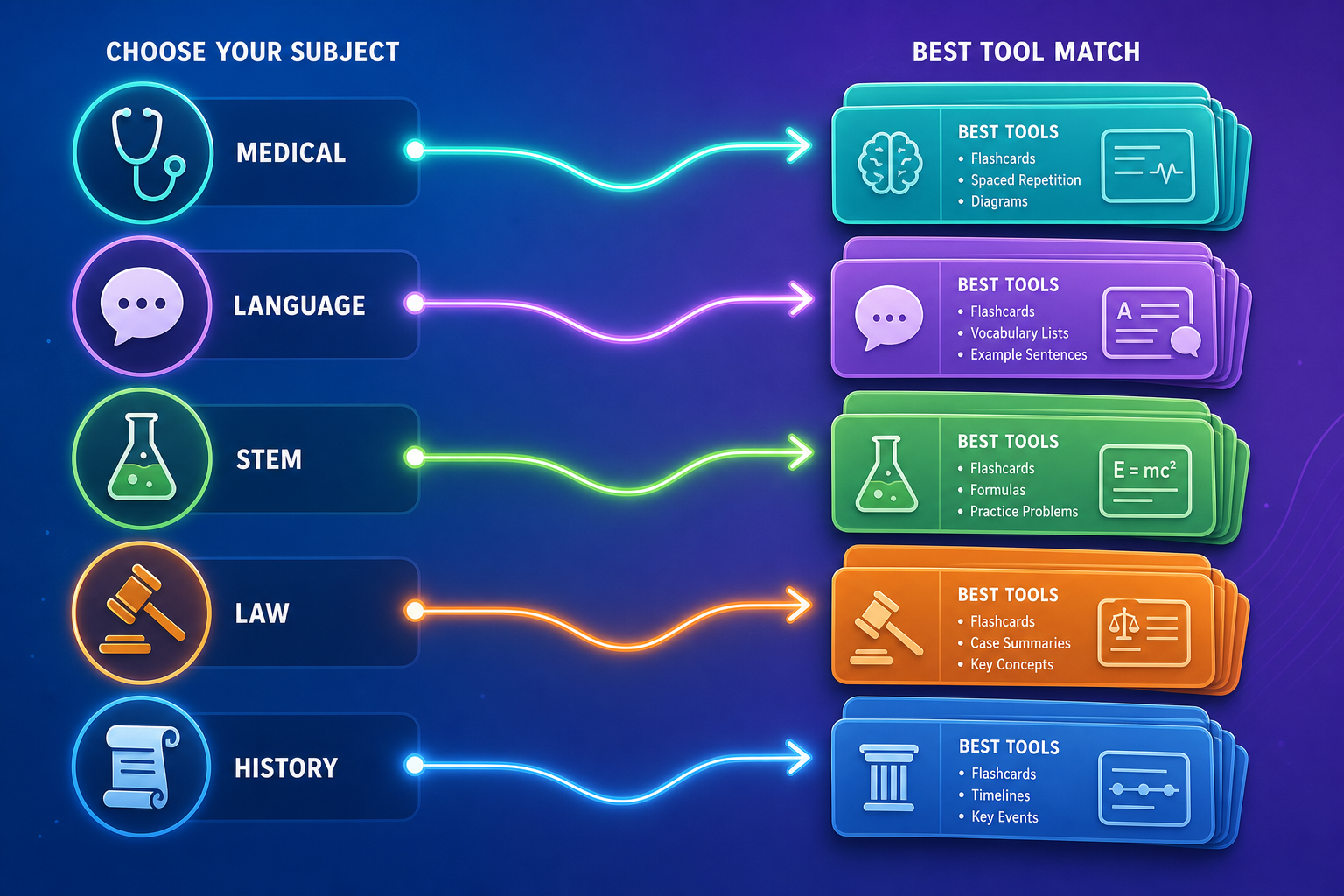
The best AI flashcard generator depends heavily on your subject matter. A tool that excels for medical students may be a poor fit for language learners, and vice versa. Here are subject-specific recommendations based on the features that matter most for each discipline.
Medical and Pre-Med Students
For medical students, the combination of Anki plus the AnKing ecosystem remains the gold standard. Anki's FSRS algorithm and the massive library of pre-made medical decks (AnKing, Dorian, etc.) are unmatched. For AI generation, use ChatGPT or a dedicated tool to create cards, then import them into Anki. Gizmo is a strong alternative for anatomy, with its image-based card support. StudyFetch works well for generating cards from dense medical textbooks, but export to Anki requires manual work.
- Primary tool: Anki + AnKing ecosystem
- AI generation: ChatGPT or StudyFetch (export to Anki)
- Anatomy: Gizmo or Anki with Image Occlusion add-on
Language Learners
Language learners benefit most from tools with strong community sets and audio support. Quizlet's massive library of 700 million study sets includes thousands of language decks. Knowt offers a free alternative with no usage caps. Anki's SRS is ideal for vocabulary retention, but you will need to create or download decks manually. For audio-based learning, Laxu AI's audio input support is a unique advantage.
- Primary tool: Knowt (free) or Quizlet (community sets)
- SRS priority: Anki (best for vocabulary retention)
- Audio support: Laxu AI
STEM Students
STEM subjects require precise, error-free cards. NotebookLM is the safest choice because its cards are grounded entirely in your uploaded sources with zero hallucination risk — critical for technical content where a single error can propagate through an entire study session. StudyFetch handles dense PDFs well, generating 35-40 cards per chapter. For math and physics, image-based tools like Gizmo can handle equations and diagrams.
- Primary tool: NotebookLM (zero hallucination) or StudyFetch (PDF volume)
- Math/Physics: Gizmo (image-based cards)
- Key concern: Accuracy over volume
Law Students
Law students need to connect concepts across multiple cases and statutes. RemNote's linked note-taking and flashcard creation is ideal for this workflow. NotebookLM is valuable for source-grounded analysis of case law, ensuring that generated cards are faithful to the original text. For bar exam prep, Anki's SRS is unmatched for memorizing rules and exceptions.
- Primary tool: RemNote (linked notes + cards)
- Source accuracy: NotebookLM
- Bar exam memorization: Anki
History and Social Sciences
History and social science students deal with large volumes of text and need tools that can extract key dates, events, and concepts efficiently. Knowt's free tier is ideal for budget-conscious students. Revisely handles quick uploads of notes and PowerPoints with minimal fuss. For students who need to generate cards from recorded lectures, Laxu AI's audio support is a useful option.
- Primary tool: Knowt (free) or Revisely (quick uploads)
- Lecture recording: Laxu AI (audio input)
- Key concern: Volume and speed of generation
Winner Picks: Best AI Flashcard Generator by Category
After evaluating all 12 tools across the five criteria, pricing, and subject-specific needs, here are our winner picks by category.
Best Overall: Anki + AI Plugin Workflow
Anki remains the best overall tool for serious students because of its FSRS algorithm, which is the most effective spaced repetition scheduler available in 2026. The trade-off is that you must create cards manually or use AI plugins. For students willing to invest the setup time, Anki plus an AI generation tool (ChatGPT, StudyFetch, or a dedicated plugin) provides the best combination of card quality and review scheduling. Anki users score 6-13% higher on exams, and the FSRS algorithm can cut daily reviews by 20-30% compared to SM-2.
Best Free: Knowt
Knowt offers the strongest free tier of any AI flashcard generator in 2026. All core study modes are available with no usage caps, and AI generation works from PDFs, notes, and video. The free plan includes ads, but the trade-off is minimal compared to the value. For students who cannot or will not pay for a study tool, Knowt is the clear winner.
Best for Medical Students: Anki + AnKing Ecosystem
No tool comes close to Anki for medical students, largely because of the AnKing ecosystem — a community-maintained collection of pre-made decks covering USMLE Step 1, Step 2 CK, and other medical exams. Roughly 70% of first-year medical students use Anki, and the combination of FSRS, community decks, and AI generation from third-party tools makes it the undisputed leader for medical education.
Best for PDF-to-Flashcards: StudyFetch or NotebookLM
For students who need to convert dense PDFs into flashcards, the choice depends on your tolerance for hallucination risk. StudyFetch generates 35-40 cards per PDF in about a minute and costs $19/month. NotebookLM generates fewer cards but guarantees zero hallucination because cards are grounded entirely in your uploaded sources. If accuracy is critical (medical, legal, or technical content), choose NotebookLM. If volume and speed matter more, choose StudyFetch.
Best Budget: Knowt Pro or Laxu AI
Both Knowt Pro and Laxu AI cost $4.99/month, making them the most affordable paid options. Knowt Pro removes ads and adds additional study modes. Laxu AI accepts PDFs, photos, and audio input and generates flashcards, quizzes, and summaries from a single upload. For students who want a paid tool without breaking the bank, either option delivers strong value.
Frequently Asked Questions About AI Flashcard Generators
Can AI flashcard generators replace manual card creation?
Partially. AI generators are excellent for creating initial drafts of cards from source material, but they still require human review. The StudyBoost test found that even the best tool (94% accuracy) still produced 5 errors or irrelevant cards out of 87. For high-stakes exams, always review AI-generated cards before studying them. The time savings come from having a solid first draft to edit, not from skipping the review process entirely.
Are the cards accurate enough for medical exams?
It depends on the tool and the subject. NotebookLM offers zero hallucination risk because cards are grounded entirely in your uploaded sources, making it the safest choice for medical content. Other tools have error rates ranging from 6% to 27% in published tests. For medical exams, use AI-generated cards as a starting point and verify every card against your source material. Never rely solely on AI-generated content for high-stakes medical exams.
Which tool has the best free tier?
Knowt offers the best free tier with all core study modes available and no usage caps on AI generation. NotebookLM is also free but lacks spaced repetition. Anki desktop is free but has no native AI generation. StudyFetch and Quizlet have the most restricted free tiers, with StudyFetch limiting you to one document and Quizlet progressively restricting AI features for free users.
Do I need spaced repetition if the AI generates good cards?
Yes. Generating good cards is only half the equation. Without a spaced repetition system to schedule reviews at optimal intervals, you will forget the material over time. A 2025 meta-analysis in ScienceDirect found that students using flashcards scored 30% higher on exams than those using passive review methods, but that benefit depends on consistent review scheduling. Tools like NotebookLM that generate cards without SRS are useful for content creation but should be paired with an SRS tool like Anki for review.
How many cards should I generate per chapter?
For a typical exam covering 6-8 weeks of material, 80-150 well-chosen cards is usually sufficient. A 90-minute lecture typically yields 15-30 useful flashcards. A 30-page textbook chapter produces 20-35 cards from most AI generators. The key is quality over quantity — 50 specific, well-written cards are more effective than 150 shallow ones. Focus on cards that test discrete facts, relationships, and concepts rather than broad summaries.
Authoritative source
No specific exam hub matched
Browse the exam hubs directory for the authoritative plan on any of the five exams.
Report an error in this tool's output
Found something this tool got wrong beyond what's documented above? Report it so the accuracy log stays current.
Comments
Join the discussion with an anonymous comment.