
Zotero vs Mendeley for Student Research: Which Reference Manager Saves You Time and Money?
Choosing between Zotero and Mendeley? This comparison breaks down pricing, writing workflow, mobile access, and collaboration features to help you decide which reference manager fits your student research needs and budget.
Updated:
A student choosing between Zotero and Mendeley in 2026 is rarely choosing in a clean lab setting. They usually have a downloads folder full of PDFs, a shared Google Doc for a group project, a Word-formatted final submission, and a budget that does not need another surprise subscription. On that actual student workload, Zotero is the better default for most student research: it costs less over time, works with both Google Docs and Microsoft Word, stays usable offline, and is backed by a nonprofit, open-source ecosystem. Mendeley still earns its place for students who want more free cloud storage immediately and prefer a PDF-first setup, especially if they mainly write in Word.

The Short Decision Matrix
If you only have ten minutes before setting up your first literature review, start here. The biggest decision points are not the prettiest interface or the longest feature list. They are whether citations survive the writing platform your class actually uses, and whether your PDF library pushes you into paid storage halfway through the semester.
| Student need | Zotero | Mendeley | Practical judgment |
|---|---|---|---|
| Lowest long-term storage cost | $20, $60, and $120 yearly tiers | $60, $120, and $165 yearly tiers | Zotero is usually cheaper once you outgrow free storage. [1][2][3] |
| Free cloud storage | 300 MB | 2 GB | Mendeley is easier to start with if you have many PDFs and no budget yet. [1][3] |
| Google Docs writing | Native integration | Google Docs integration retired | Zotero is the safer choice for group papers in Google Docs. [3][6] |
| Microsoft Word writing | Supported | Supported | Both can work for Word-only students. [3][6] |
| Collaboration | Unlimited groups and members | Free tier caps private groups, members, and shared storage | Zotero fits class projects and shared reading lists better. [3][7] |
| Mobile reading | Official iOS app and third-party Android options | Mobile apps discontinued; mobile web access remains | Zotero has the clearer mobile path, though this may not decide the whole choice. [3][7] |
| Uncommon citation styles | Roughly 10,000+ CSL styles | Roughly 7,000 styles | Zotero gives departments with niche formats more room. [1][2] |
That table is blunt on purpose. A reference manager that saves ten minutes importing PDFs can still cost you hours if the final paper moves into Google Docs and the citation tool does not follow.
Storage Is Where “Free” Starts to Mean Something
Mendeley’s strongest student-friendly number is its free storage: 2 GB compared with Zotero’s 300 MB free tier. For a student who is collecting PDFs for the first time, that difference is not cosmetic. It can be the difference between syncing a working library immediately and learning, too late, that every annotated article is now part of a storage decision.
Once paid storage enters the picture, Zotero becomes easier to defend. Reported Zotero paid tiers run at $20 per year for 2 GB, $60 per year for unlimited storage, and $120 per year for unlimited storage plus extra features. Reported Mendeley paid tiers run at $60 per year for 5 GB, $120 per year for 10 GB, and $165 per year for unlimited storage.[1][2][3] For students who expect to keep using the same library through a thesis, capstone, dissertation proposal, or several years of graduate coursework, that pricing gap matters.
There are two wrinkles students should check before paying for either tool. First, Zotero can use WebDAV for file syncing, which lets technically comfortable students connect outside storage instead of paying Zotero directly for more space. That is not the right answer for everyone; it is one more account, one more setup step, and one more thing to troubleshoot. But for students who already understand cloud storage settings, it can remove the storage bill from the reference-manager decision.
Second, your university may already be paying for something. University library guides note that institutional arrangements can change what storage or support students actually receive, and both the University of Chicago and Northwestern guides point new users toward Zotero as a default choice while encouraging students to consider campus-supported options.[4][5] This is one of the few comparison points where the boring answer is the responsible one: check your library’s citation-management page before entering a credit card.
The Writing Workflow Decides More Than the Import Screen
Mendeley can feel smoother at the front door, especially for students who already have a large folder of PDFs and want the tool to watch that folder, pull in files, and get out of the way. That matters. A student who never gets past setup does not benefit from a theoretically better citation system.
But the place where reference managers either earn their keep or become a late-night repair job is the writing document. Zotero integrates with both Google Docs and Microsoft Word through its connectors and plugins. Mendeley supports Word, while its Google Docs integration was retired years ago.[3][6] If your seminar, lab group, or capstone team writes in Google Docs before moving the final file into Word, that is not a side feature. That is the workflow.
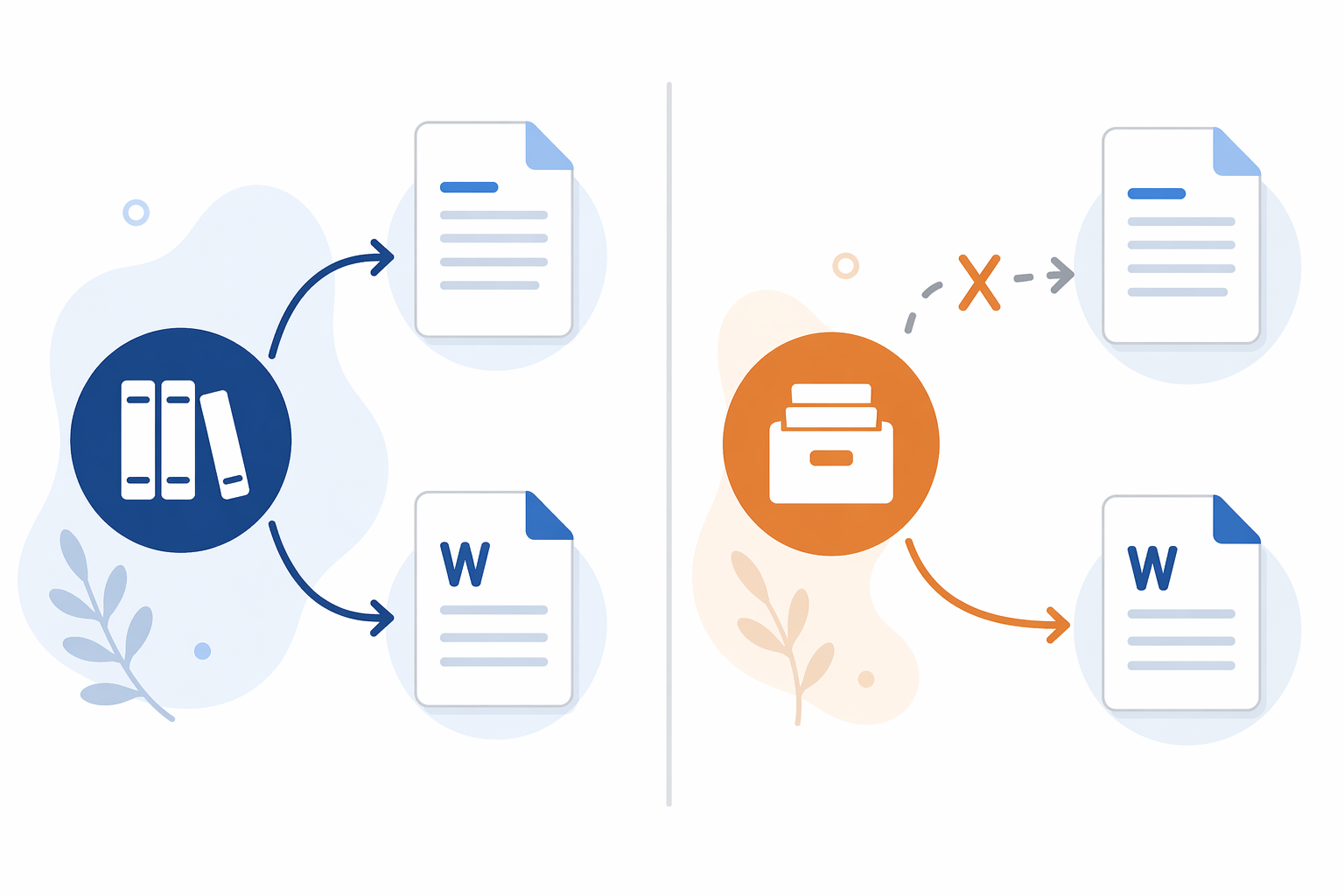
This is also why library guidance carries more weight than vendor comparison pages. UChicago and Northwestern both treat Google Docs compatibility as a meaningful selection factor, not a nice-to-have.[4][5] A student writing alone in Word can reasonably choose differently. A student in a group Doc should not have to discover in week nine that citations need manual rebuilding.
The same logic applies beyond reference managers. Just like choosing between Notion and Obsidian depends on your note-taking style, choosing between Zotero and Mendeley depends on where your research actually moves: PDF folder, shared draft, final manuscript, and archive.
Collaboration, Mobile Access, and Citation Styles
For collaboration, Zotero is less cramped. It supports unlimited groups and unlimited group members, including public groups that can work well for class reading lists. Mendeley’s free tier is reported as capped at 5 private groups, 25 members per group, and 100 MB of shared storage.[3][7] That may be fine for a small project. It is less fine when a course, lab, or thesis group starts treating the shared library as the source of record.
Mobile access is a smaller but real distinction. Mendeley discontinued its iOS and Android apps in 2021, leaving mobile web access as the main route for phone and tablet use. Zotero has an official iOS app and third-party Android options such as ZoLa.[3][7] If you mostly read on a laptop, this may not decide anything. If you read PDFs on a bus, in a lab hallway, or between work shifts, the app situation is worth checking before you commit.
Citation-style coverage rarely matters until it suddenly does. Zotero is reported to support roughly 10,000+ CSL citation styles, while Mendeley supports roughly 7,000.[1][2] For APA, MLA, Chicago, Vancouver, or other common formats, either tool is likely to cover the basics. The difference shows up for students in departments, journals, or regional programs with unusually specific formatting rules.
What About AI Features?
Mendeley offers premium AI features such as Reading Assistant, Ask My Library, and Compare Experiments, but the available comparison material does not document pricing and value clearly enough to make those features the center of a student-budget recommendation. Treat them as a possible bonus, not the reason to choose a reference manager that otherwise does not fit your writing workflow.
If AI-assisted reading is the main problem you are trying to solve, it may belong in a broader research setup rather than inside the citation tool itself. A guide such as NotebookLM for Students is a better place to think through source-grounded summaries, study prompts, and reading support.
Who Should Choose Zotero
Choose Zotero if you write in Google Docs, expect to collaborate, need the cheaper long-term storage path, or want a tool that many university libraries can support without sending you into a vendor-specific help maze. It is also the safer choice if you move between Word and Google Docs, use uncommon citation styles, or want a reference manager that can keep working even when your internet connection is not cooperating.
Zotero is not automatically effortless. Its free storage ceiling is small, and WebDAV is not something every first-year student wants to configure during midterms. But those are visible problems. You can plan around them before your library gets large.
Who Should Choose Mendeley
Choose Mendeley if your research life is mostly PDFs plus Microsoft Word, you want 2 GB of free storage immediately, and you prefer a cleaner PDF-forward start with watched-folder import. For students who do not use Google Docs and do not expect complicated group libraries, Mendeley can be the less fussy beginning.
The caution is not that Mendeley is unusable. It is that the problems it creates tend to appear later: when a group draft is in Google Docs, when storage needs jump, or when a mobile app would have made reading easier. If none of those apply to you, Mendeley remains a reasonable choice.
Before You Commit
Before building a semester’s research system around either tool, check four things: your university library’s current reference-manager support, whether you need Google Docs this semester, how large your PDF library is likely to become, and whether you are willing to use WebDAV or institutional storage instead of paying for a personal plan.
If you are assembling the rest of your academic workflow at the same time, put the reference manager beside your notes, task manager, and reading tools rather than choosing it in isolation. A broader study app stack can help you decide where citations end and where note-taking, drafting, and review should begin.
References
- Zotero vs Mendeley, Paperguide.
- Zotero vs Mendeley, CiteDash.
- Zotero vs Mendeley, Paperpile.
- Which Tool?, UChicago Library Guides.
- How to Choose, Northwestern Research Guides.
- Zotero vs Mendeley vs EndNote: Which Reference Manager Is Better?, The Effortless Academic.
- Best Reference Managers 2026, PapersFlow.
Individual Tool Profiles
Related Comparisons
- OneNote vs. GoodNotes for Students: Which Note-Taking App Is Right for You?
A head-to-head comparison of Microsoft OneNote and GoodNotes 6 for college and high school students, covering pricing, handwriting quality, PDF annotation, AI features, and platform support — with a concrete best-for decision guide by student persona to help you choose the right tool before you commit.
- Anki vs Quizlet: The Hidden Failure Modes of Each Tool (The Anki Trap vs The Quizlet Ceiling)
Anki and Quizlet each have a hidden failure mode. Anki users burn out on review debt and over-customization, while Quizlet users hit a retention ceiling because the app doesn't enforce proper spacing. This article explains both patterns, grounds them in research, and offers a practical decision framework to help you choose the right tool and build a sustainable study workflow.
- Quizlet vs Knowt: Which Free Flashcard App Is Better for Students?
A head-to-head comparison of Quizlet and Knowt for budget-conscious students, covering what each platform actually offers for free in 2026, how their paid plans compare, and which tool fits different student profiles — from AP exam preppers to language learners.
Comments
Join the discussion with an anonymous comment.