
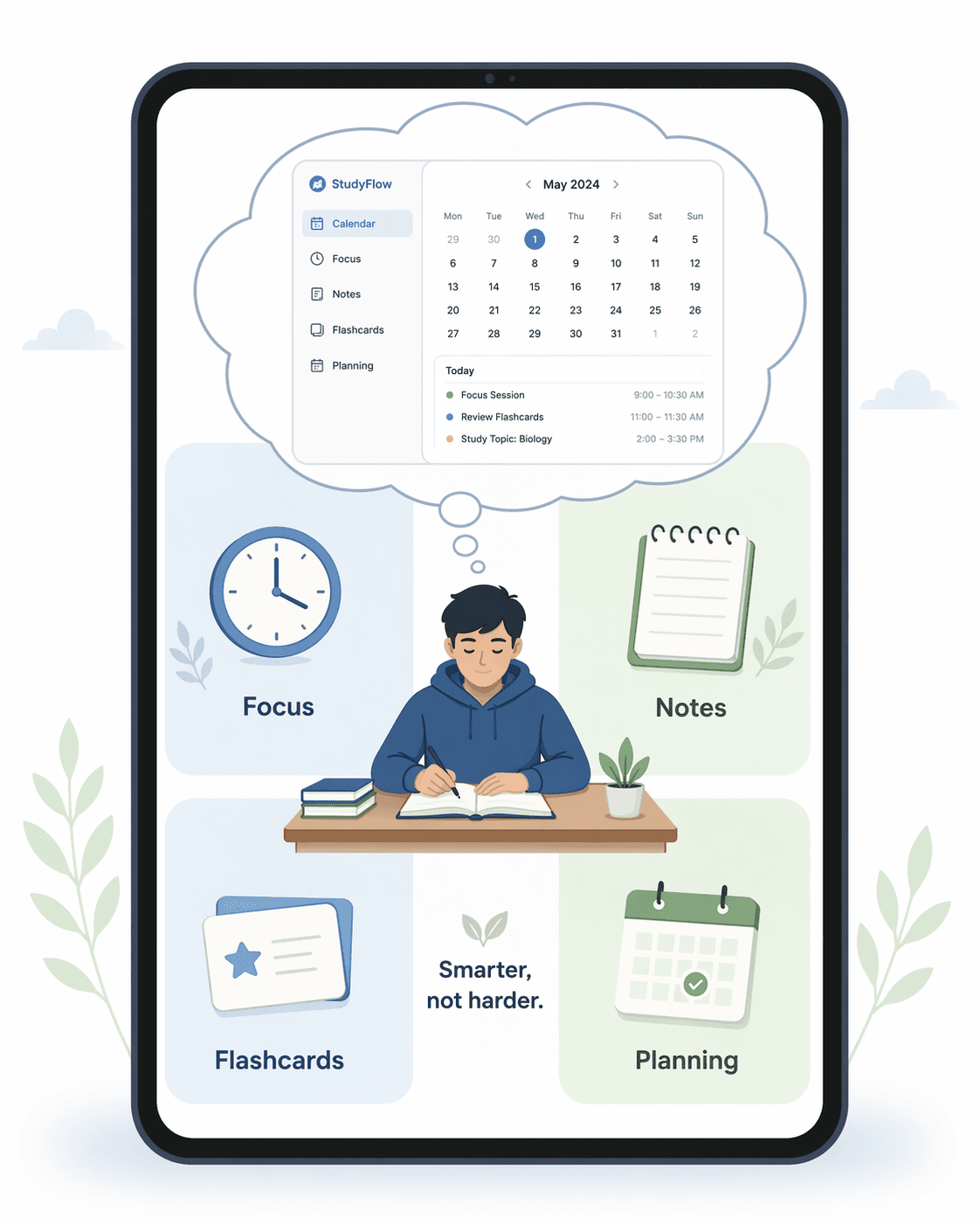
Building Your Study App Stack: How to Pick the Right Apps for Your Learning Style
Generic 'best study apps' lists fail because they treat all students the same. This guide helps you build a personalized study app stack based on your learning style, major, and coursework demands — so you actually use the tools you download.
Updated:
Why Generic 'Best Apps' Lists Don't Work for You
The education app market has exploded. According to IMARC Group, the global market for education apps hit $5.8 billion in 2024 and is projected to reach $18.1 billion by 2033. That is not a sign of abundance — it is a signal of noise. Every week, another roundup post tells you to download the same dozen apps, promising that this combination will finally fix your grades. But those lists are written for a hypothetical average student who does not exist.
The problem is not that you need better apps. It is that you need the right apps for your specific situation. A pre-med student cramming for the MCAT has almost nothing in common with a humanities major writing a thesis, yet most recommendation articles treat them identically. Your learning style, your major, and the structure of your coursework should determine which tools you use — not a generic checklist.
This guide takes a different approach. Instead of handing you a fixed stack, it walks you through a personalized decision framework based on who you are and what you study. By the end, you will know exactly which function categories to prioritize, how to test-drive an app before committing, and how to build a stack that you will actually use past the first week.
The Four Function Categories Every Study Stack Needs
Before you look at any specific app, you need to understand the four core functions that a complete study stack must cover. Every tool you download should fit into one of these buckets. If it does not, you probably do not need it.
- Capture / Organize — Note-taking apps that let you record, structure, and revisit lecture content. This is where you store information so you can work with it later.
- Memorize / Practice — Flashcard and quizzing tools that use active recall and spaced repetition to move information from short-term to long-term memory.
- Focus / Manage Time — Timers, planners, and task managers that help you structure your study sessions and avoid procrastination.
- Research / Reference — Tools for finding, organizing, and citing sources, including concept-learning platforms like Khan Academy and reference managers.
Cognitive load research by Sweller (1988) shows that managing too many tools creates overhead that detracts from actual learning. The sweet spot is three to four apps covering these categories. More than that, and you spend more time switching between apps than studying. Fewer, and you are likely missing a critical function.
What Kind of Learner Are You? A Quick Self-Assessment
Your learning style determines which function categories matter most. A visual learner who needs to sketch diagrams has different priorities than a deep researcher who needs to annotate PDFs. Read through the four profiles below and see which one fits best.
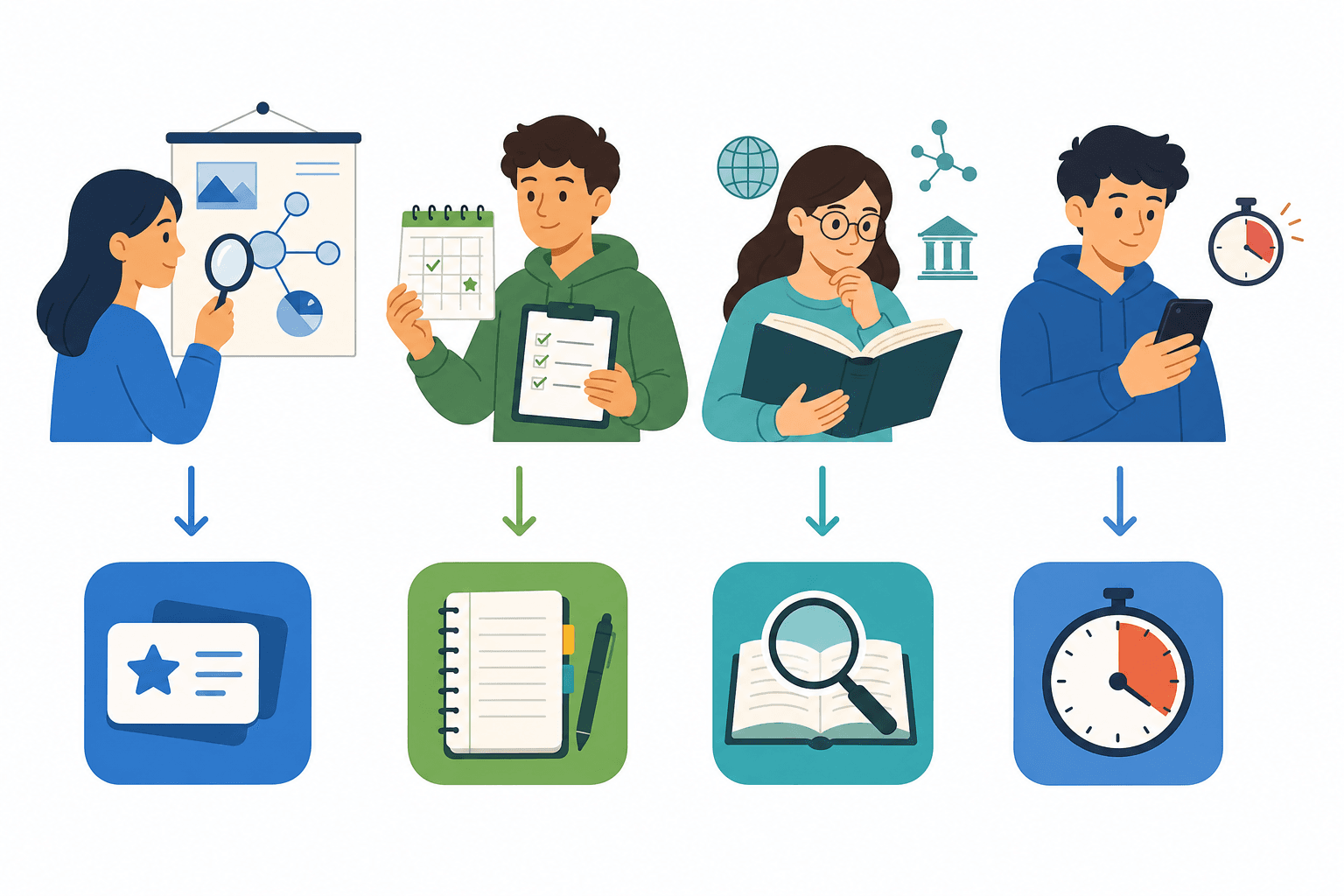
- The Visual Learner — You understand concepts best when you can see them. You draw diagrams, color-code your notes, and prefer mind maps over outlines. If a lecture is audio-only, you struggle to retain it. Diagnostic question: Do you remember information better after drawing it or after reading it?
- The Organized Planner — You live by your calendar. You need structure, deadlines, and a clear overview of what is due when. Without a system, you feel anxious and scattered. Diagnostic question: Do you check your calendar or task list multiple times per day?
- The Deep Researcher — You dive into primary sources, annotate everything, and build complex arguments from multiple references. You need tools that handle long texts, citations, and cross-referencing. Diagnostic question: Do you regularly read 20+ page articles or book chapters for your coursework?
- The Short-Attention-Span Learner — You struggle to maintain focus for long stretches. Your phone is a constant distraction, and you find yourself switching tasks every few minutes. You need tools that build focus in small, manageable chunks. Diagnostic question: Do you often open a study app, get distracted, and end up on social media within five minutes?
Matching Your Learner Profile to the Right App Categories
Once you know your learner profile, you can prioritize the function categories that will make the biggest difference. The table below shows which categories each profile should focus on first.
| Learner Profile | Priority 1 | Priority 2 | Priority 3 |
|---|---|---|---|
| Visual Learner | Capture / Organize (handwriting support) | Memorize / Practice (image-based flashcards) | Focus / Manage Time |
| Organized Planner | Focus / Manage Time (calendar + task manager) | Capture / Organize (structured notes) | Research / Reference |
| Deep Researcher | Research / Reference (PDF annotation + citation manager) | Capture / Organize (long-form notes) | Memorize / Practice |
| Short-Attention-Span Learner | Focus / Manage Time (Pomodoro timer + focus app) | Memorize / Practice (short, frequent sessions) | Capture / Organize (minimalist notes) |
For example, a visual learner should invest in a note-taking app with strong handwriting and drawing capabilities before worrying about a citation manager. A short-attention-span learner should start with a focus timer like Forest, which gamifies concentration by growing a virtual tree as you work, before adding a complex note-taking system.
Research by Mueller and Oppenheimer (2014) found that handwriting-based note-taking leads to better retention than typed notes, which is why visual learners and deep researchers benefit from apps like GoodNotes or Notability that support handwriting. Meanwhile, the evidence for active recall is overwhelming: Roediger and Karpicke (2006) demonstrated that students who quiz themselves via active recall remember 2 to 3 times more than those who only re-read material, making flashcard tools a priority for anyone in a memorization-heavy field.
Major-by-Major Recommendations: What Actually Works
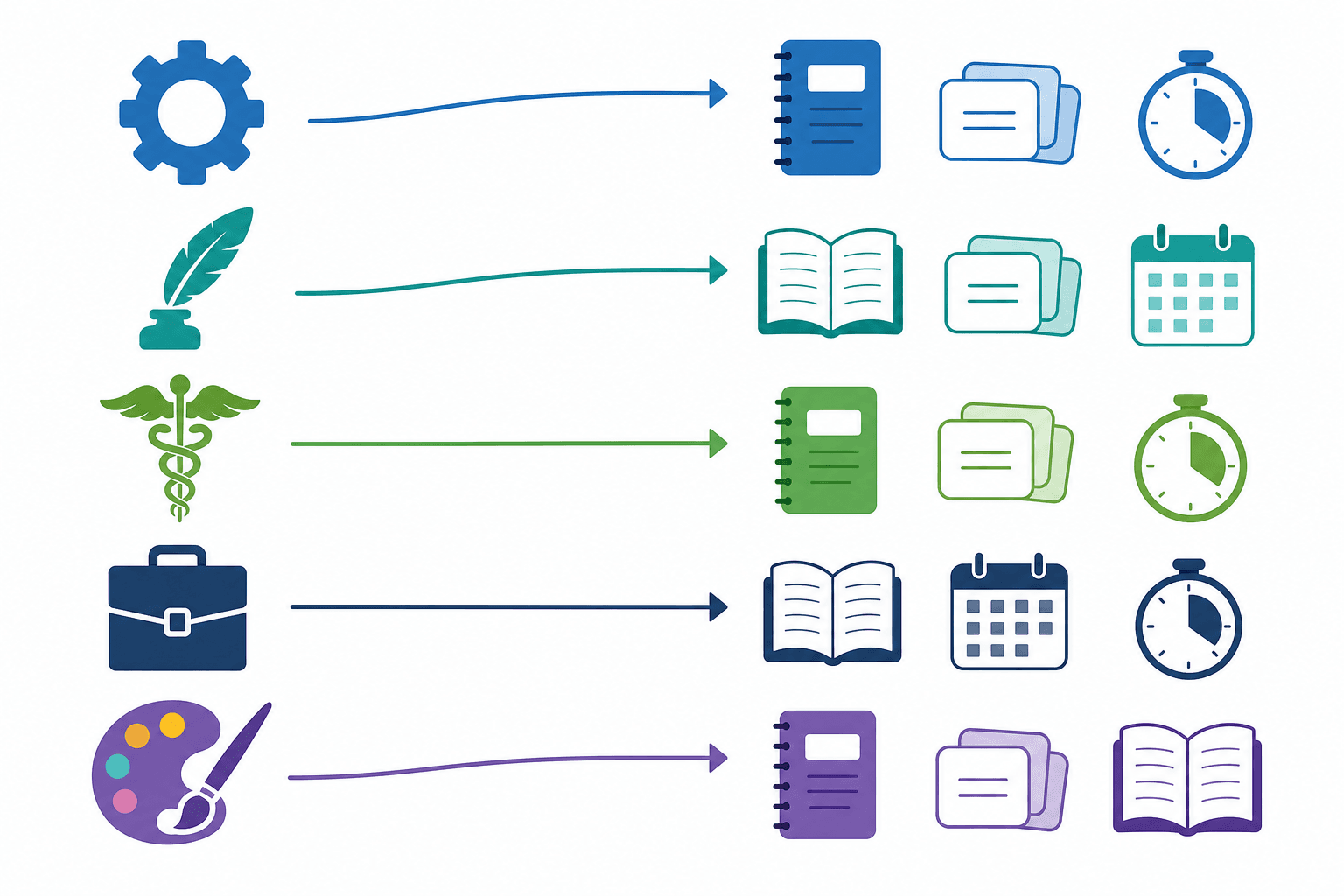
Your major determines the type of content you need to process. A STEM student works through problem sets and formulas. A humanities student reads long texts and writes essays. A pre-med student memorizes vast amounts of interconnected facts. Each requires a different emphasis within the four function categories.
| Major Group | Top Priority Categories | Example App Types |
|---|---|---|
| STEM | Memorize / Practice (formulas, concepts), Capture / Organize (problem-solving notes) | Flashcard app for formulas, note-taking app with math notation support |
| Humanities | Research / Reference (long texts, citations), Capture / Organize (essay outlines) | PDF annotator, citation manager, note-taking app with outlining features |
| Pre-Med | Memorize / Practice (massive fact recall), Focus / Manage Time (structured study blocks) | Spaced repetition flashcard app, Pomodoro timer, study scheduler |
| Business | Focus / Manage Time (project management), Capture / Organize (meeting notes, task lists) | Task manager, calendar app, note-taking app with database features |
| Creative Arts | Capture / Organize (visual notes, sketches), Research / Reference (inspiration boards) | Drawing-capable note-taking app, digital whiteboard, portfolio organizer |
For pre-med students specifically, Anki is widely considered essential. The Nibble blog describes it as "basically mandatory" for memorization-heavy coursework, and the research backs this up. Spaced repetition and active recall — both core to Anki's design — are identified by Dunlosky et al. (2013) as the two most effective study techniques available.
For a deeper dive into specific app recommendations for each major, see the Best Study Apps for College Students in 2026: A Major-by-Major Guide. That guide provides detailed app-level recommendations for each major group.
The 2-Week Commitment Rule: How to Test-Drive an App for Real
The biggest reason students abandon study apps is not that the apps are bad — it is that they never give any app a real chance. They download three note-taking apps in one afternoon, use each for ten minutes, and conclude that none of them work. This is not evaluation; it is browsing.
Research by Rosen, Carrier, and Cheever (2013) found that students who use a consistent set of tools for an entire semester score higher on exams than those who constantly experiment with new apps. Consistency matters more than the specific app you choose.
Here is the 2-week commitment rule:
- Pick one app per function category that you need most.
- Use it exclusively for two weeks. Do not download alternatives during this period.
- At the end of two weeks, evaluate: Did it make your study sessions more effective? Did you look forward to using it, or did it feel like a chore?
- If it passed, keep it. If not, drop it and try a different app in the same category.
Budget Guidance: Start Free, Upgrade Later
One of the most common reasons students avoid building a proper study stack is the assumption that good tools cost money. In reality, the free tiers of most major apps cover 90% of student needs. You should not pay for a study app until you have used its free version consistently for at least one semester.
Here is what is available for free right now:
- Khan Academy — Completely free. No premium tier, no ads, no upselling. Covers concept learning for STEM, economics, history, and test prep.
- Google Calendar — Free. Handles scheduling, deadline tracking, and time-blocking for any student.
- Anki (Desktop and Android) — Free on desktop and Android. The iOS version is a one-time purchase of $25, but you can use the free web version or Android app to test it first.
- Notion — Free for personal use. Combines notes, databases, task lists, and calendars in one flexible workspace.
- Forest — Free basic version with a one-time paid upgrade for additional features. Gamifies focus by growing a tree as you work.
When you do decide to pay, the costs are modest. GoodNotes costs $8 (one-time). Anki iOS is $25 (one-time). These are not subscription traps. But the rule remains: start free, prove the habit, then upgrade.
Example Stacks for Different Student Personas
To make this concrete, here are example stacks for three different student personas. Each stack follows the 3-4 app rule and matches the learner profile and major to the right function categories.
| Persona | Capture / Organize | Memorize / Practice | Focus / Manage Time | Research / Reference |
|---|---|---|---|---|
| Pre-Med Visual Learner | GoodNotes (handwritten notes + diagrams) | Anki (spaced repetition flashcards) | Forest (Pomodoro timer) | Khan Academy (concept review) |
| Humanities Deep Researcher | Notion (long-form notes + databases) | Quizlet (vocabulary and key terms) | Google Calendar (deadline scheduling) | Zotero (citation management) |
| Business Organized Planner | Notion (task lists + project tracking) | Anki (key concepts and frameworks) | Google Calendar (time-blocking) | Khan Academy (foundational concepts) |
These are templates, not prescriptions. If you are a humanities student who hates Notion, swap it for OneNote or Apple Notes. If you prefer Quizlet over Anki, use it. The framework is about function categories, not specific brands. As long as you have one tool covering each priority category, you are on the right track.
For a detailed comparison of free flashcard options, see The 6 Best Free Flashcard Apps in 2026. For planner app evaluations beyond Google Calendar, check Best Online Assignment Planner Tools Compared.
Comments
Join the discussion with an anonymous comment.