
What to Look For in an Online Flashcard Maker: A Feature-Based Decision Framework for 2026
Feeling overwhelmed by flashcard tool choices? This guide helps you identify your personal study profile — whether you're a med student, a document-heavy lecture student, or a Quizlet refugee — and maps the top online flashcard makers to your specific needs using concrete decision criteria like AI generation, spaced repetition algorithms, and pricing.
Updated:
Why Choosing the Right Flashcard Maker Matters More in 2026
For years, the flashcard tool landscape was simple: you either used Anki for its powerful spaced repetition or you used Quizlet for its ease of use and social features. The trade-off was clear — algorithm depth versus convenience. That binary choice has collapsed.
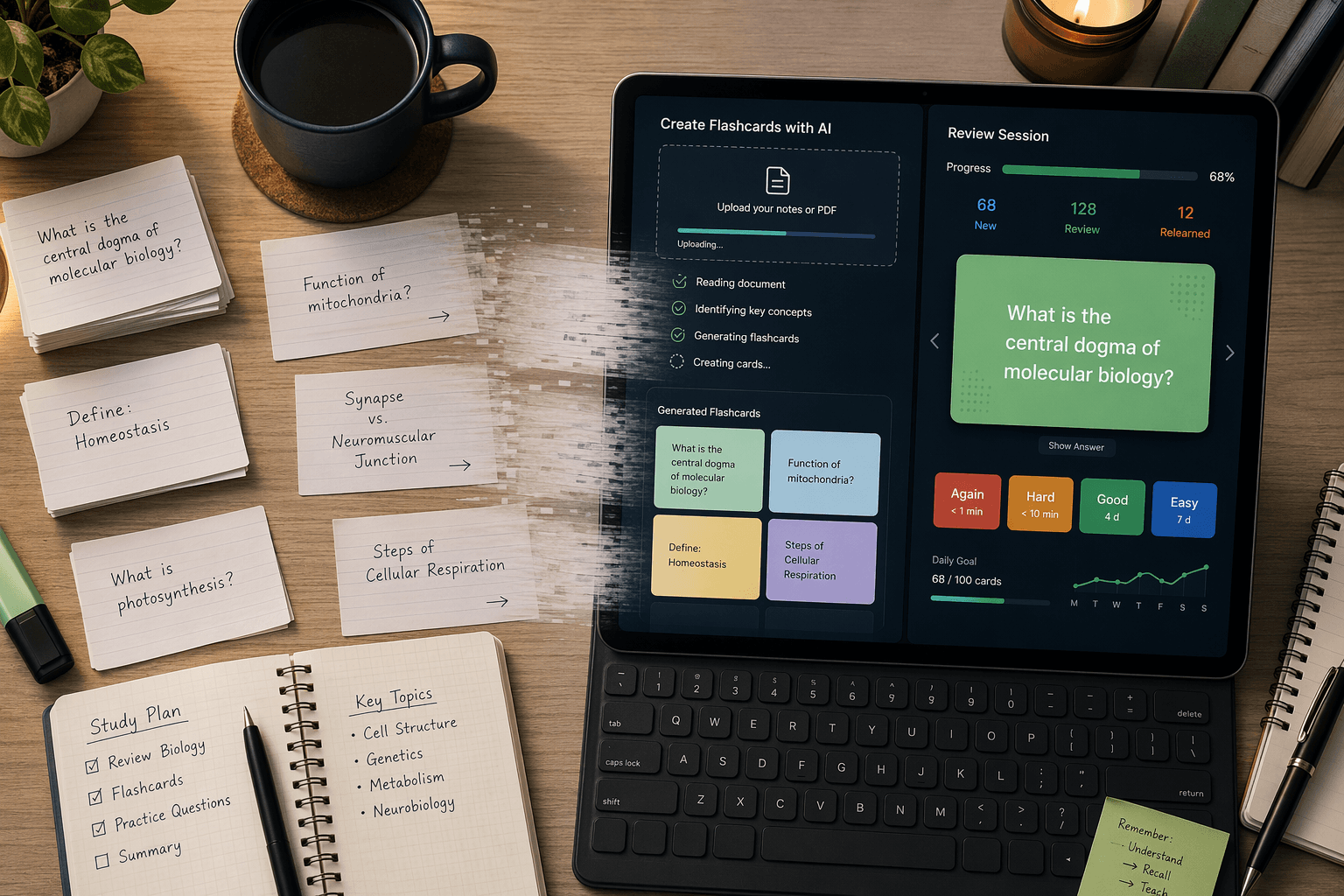
In 2026, the biggest differentiator between flashcard makers is no longer just the review algorithm. It is artificial intelligence. Tools like StudyPDF, Knowt, and Laxu AI can now generate complete flashcard decks from uploaded PDFs, lecture slides, and even YouTube videos in under a minute. This changes the fundamental equation: the time cost of creating cards, historically the biggest barrier to consistent flashcard use, has dropped from hours to seconds for many students.
But this new capability comes with a new problem: choice paralysis. Dozens of tools now claim to offer AI generation, spaced repetition, and mobile access at various price points. A student trying to pick between Anki, Quizlet, Knowt, Brainscape, RemNote, StudyPDF, Laxu AI, and StudyGlen faces a bewildering array of feature lists and pricing tiers. The wrong choice can mean wasted money, lost time migrating decks later, or — worst of all — adopting a tool that doesn't actually fit how you study.
The Six Decision Dimensions That Actually Matter
Before you look at any tool, you need to know what you are evaluating. Most flashcard comparison articles list dozens of features, but only six dimensions meaningfully affect your long-term study outcomes. Here is what to look for and why each one matters.
1. Spaced Repetition Algorithm
The algorithm that schedules when you see each card again is the engine of any flashcard system. There are four main types you will encounter:
- FSRS (Free Spaced Repetition Scheduler): The newest and most efficient algorithm. It uses machine learning to adapt review intervals to each card's difficulty and your memory patterns. As of Q2 2026, only Anki and StudyGlen support FSRS natively.
- SM-2: The classic algorithm developed by Piotr Wozniak. It is simpler than FSRS but still effective. Tools like StudyPDF, RemNote, and Laxu AI use adapted versions of SM-2.
- Confidence-Based Repetition (CBR): Used by Brainscape. Instead of tracking time intervals precisely, it asks you to rate your confidence on a 1–5 scale and schedules cards based on that self-assessment.
- Basic or None: Some tools, like Cram, have no true spaced repetition at all. Quizlet's free tier offers a basic version that does not adapt to individual card difficulty.
Why this matters: A good algorithm can reduce your daily study time while improving retention. In a 50-card pharmacology deck test, Anki (using SM-2/FSRS) achieved 89% retention at day 14 with 15 minutes of daily study, while Quizlet's basic algorithm achieved only 74% retention with 11 minutes of daily study. The difference in retention is substantial, even though the study time was similar.
2. AI Generation Quality and Speed
AI flashcard generation is the most transformative feature to hit the space since spaced repetition itself. But not all AI generators are equal. You need to evaluate:
- Speed: How long does it take to process a 20–30 page PDF? The best tools do this in 1–3 minutes.
- Question variety: Does the tool generate only basic Q&A pairs, or does it produce multiple question types (fill-in-the-blank, multiple choice, definition prompts)?
- Coverage: Does it generate cards from the entire document, or only from the first few pages?
- Accuracy: AI-generated cards can contain errors. The best tools allow you to review and edit cards before they enter your review queue.
For a detailed head-to-head comparison of AI flashcard generators, see our dedicated guide: 10 Best AI Flashcard Generators Compared in 2026.
3. Input Source Support
What can you feed into the tool? The range of supported input sources determines whether you can actually use the AI generation feature with your real study materials. Look for:
- PDF upload (the most common need)
- Image OCR (for scanned textbooks or slides)
- YouTube video links
- Plain text or markdown
- Direct paste from lecture notes
StudyGlen, for example, supports PDF, text, and image OCR input. Laxu AI and StudyPDF both accept PDF uploads. Anki requires manual card creation or third-party add-ons for AI generation, though community-made tools have filled some of that gap.
4. Free Tier Value and Limitations
Free tiers vary enormously in practical value. Some are genuinely usable for an entire semester; others are glorified trials that force you to pay after a few days. Here is the landscape:
- Anki: Fully free on desktop and Android. The iOS app costs $24.99 (one-time). No subscription.
- Knowt: Generous free tier (web-based). Pro costs $4.99/month.
- StudyPDF: Free tier includes 100 pages/month of AI processing. Pro costs $3.99/month (yearly).
- Brainscape: Free to create your own decks. Pro costs $9.99/month.
- Quizlet: Free tier is now heavily limited. Learn mode requires Plus ($7.99/month).
- Cram: Free with ads, but has no spaced repetition algorithm.
- StudyGlen: Free plan available, with credit packs from $9.99 (one-time purchase, no subscription).
5. Mobile Access Quality
If you study on the go — during commutes, between classes, or while waiting in line — mobile access is non-negotiable. But not all mobile apps are created equal. Some are full-featured native apps; others are poorly optimized web wrappers. Key questions:
- Is there a native iOS and Android app, or is it web-only? (Knowt, for example, was web-only as of mid-2026.)
- Does the app support offline access for reviewing without an internet connection?
- Can you create and edit cards on mobile, or only review them?
- Does the mobile app sync reliably with the desktop/web version?
6. Export Freedom and Lock-In Risk
This is the most underappreciated dimension. If you invest months building a deck in one tool, can you take those cards with you if you switch? Export freedom is a form of insurance against lock-in.
The gold standard is the .apkg format (Anki's native format). Tools that export to .apkg — including Anki itself, StudyGlen, and Laxu AI — give you true portability. Tools that only export to proprietary formats or CSV without scheduling data effectively trap your cards inside their ecosystem. Before committing to any tool, check whether you can export your decks in a format that another tool can read.
Identify Your Study Profile: Which Type of Learner Are You?
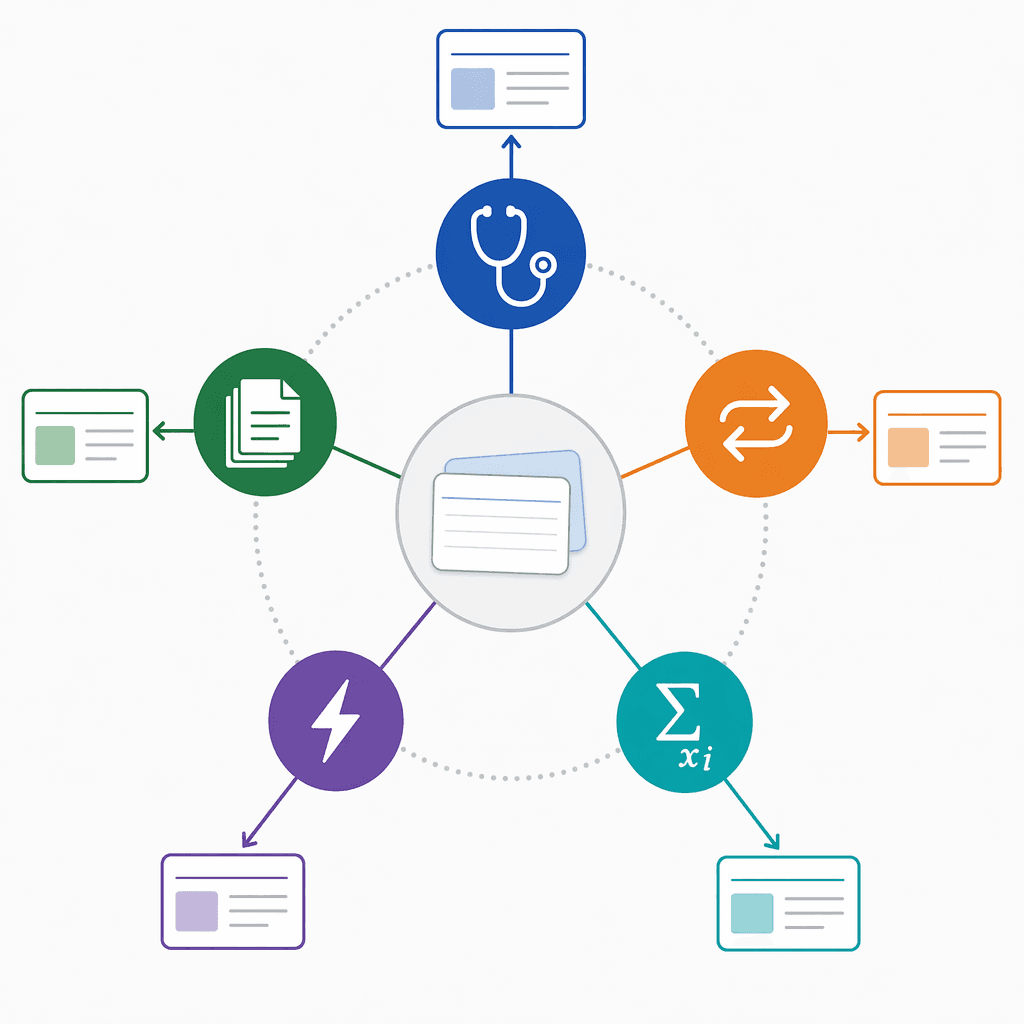
Rather than reading through a feature list and trying to decide which tool is 'best,' start by identifying which of these five profiles matches your situation. Each profile describes a set of study habits, content types, and pain points that point toward a specific set of tool requirements.
Profile A: The Med Student / Power User
You are studying for a high-stakes exam like the MCAT, USMLE, or NCLEX. You have thousands of cards to manage, need long-term retention over months or years, and are willing to invest time in learning a tool if it gives you the best algorithm. Your pain point is not card creation speed — it is review efficiency and retention reliability.
- Primary need: Best-in-class spaced repetition (FSRS or SM-2), large deck management, long-term retention.
- Secondary need: Image occlusion for anatomy, cloze deletion for complex facts, add-on ecosystem for customization.
- Budget tolerance: Willing to pay for iOS app ($24.99 one-time) but prefers free desktop/Android.
Profile B: The Document-Heavy Lecture Student
You attend lectures with slides, receive PDF readings, and have a pile of course materials that you need to convert into flashcards. You do not have time to manually create cards for every concept. Your pain point is the creation bottleneck — you want AI to do the heavy lifting so you can focus on review.
- Primary need: Fast, accurate AI generation from PDFs and slides.
- Secondary need: Good spaced repetition (SM-2 or better), affordable subscription.
- Budget tolerance: Willing to pay $3–$5/month for AI generation, but not $19+/month.
Profile C: The Quizlet Refugee
You have been using Quizlet for years, but the free tier has become increasingly limited. Learn mode now requires Plus ($7.99/month), and you are frustrated by the paywall creep. You want a tool with a genuinely usable free tier or a lower-cost alternative that does not lock basic features behind a subscription.
- Primary need: Generous free tier or low-cost alternative to Quizlet.
- Secondary need: Ease of use, social features or shared decks, decent spaced repetition.
- Budget tolerance: $0–$5/month maximum.
Profile D: The Casual Learner
You are studying a language for travel, reviewing basic concepts for a class, or preparing for a low-stakes exam. You do not need advanced algorithms or AI generation. You want something simple, free or cheap, and easy to pick up without a learning curve.
- Primary need: Simplicity, low cost, basic flashcard functionality.
- Secondary need: Mobile app, pre-made decks for common subjects.
- Budget tolerance: $0 ideally; willing to tolerate ads.
Profile E: The STEM Student
You study math, physics, engineering, or computer science. Your flashcards need to include equations, code snippets, diagrams, and complex notation. Standard text-only cards do not work for you. Your pain point is finding a tool that handles LaTeX, image occlusion, and code formatting without breaking.
- Primary need: LaTeX support, image occlusion, code block formatting.
- Secondary need: Good spaced repetition, ability to import from existing decks or create complex card types.
- Budget tolerance: Willing to pay for the right tool, but prefers free or low-cost options.
Tool-to-Profile Mapping: Which Flashcard Maker Fits You Best?
Once you have identified your profile, the choice narrows considerably. Here is how the major tools map to each learner type.
Best for the Med Student / Power User: Anki
Anki remains the gold standard for high-stakes, long-term study. It supports both FSRS and SM-2 algorithms, giving you the most efficient scheduling available. It is fully free on desktop and Android (iOS costs $24.99 one-time). The add-on ecosystem is unmatched — you can add image occlusion, heatmaps, and custom card types. The trade-off is a steeper learning curve and no built-in AI generation. For a full breakdown, see our complete Anki profile.
Best for the Document-Heavy Lecture Student: StudyPDF or Laxu AI
If your primary need is converting lecture materials into flashcards quickly, StudyPDF and Laxu AI are the strongest contenders. StudyPDF offers a free tier of 100 pages/month of AI processing, with Pro at $3.99/month (yearly). It uses the SM-2 algorithm for review. Laxu AI costs $4.99/month (or $1.99/week, $29.99/year) and also uses an adapted SM-2 algorithm. Both tools can generate cards from PDFs in minutes. For a step-by-step walkthrough of this workflow, see our guide to generating flashcards from a PDF.
Best for the Quizlet Refugee: Knowt or Anki
Knowt offers a generous free tier that covers basic flashcard creation and review, with Pro at $4.99/month for additional features. It is web-based, so mobile access is limited to the browser. Anki is the ultimate free alternative — fully free on desktop and Android — but requires more setup. For a detailed look at why students are leaving Quizlet, see our Quizlet review.
Best for the Casual Learner: Cram or Quizlet Plus
If you just need a simple, free tool for basic flashcard review, Cram works — but be aware it has no spaced repetition algorithm, so you are essentially doing self-directed review. If your budget allows, Quizlet Plus ($7.99/month) provides a polished experience with basic spaced repetition. For most casual learners, the free tier of Knowt is a better middle ground.
Best for the STEM Student: Anki or StudyGlen
Anki's LaTeX support and image occlusion add-ons make it the most powerful option for STEM students who need to memorize equations, diagrams, and code. StudyGlen is a newer alternative that supports FSRS natively, offers PDF and image OCR input, and generates educational images on flashcards. Its credit-pack pricing ($9.99 one-time) avoids a recurring subscription. Both tools export to .apkg, so you are not locked in.
Feature Comparison Table: At-a-Glance Summary
The table below summarizes the key tools across the six decision dimensions. Use it as a quick reference when comparing options side by side.
| Tool | SRS Algorithm | AI Generation | Input Sources | Free Tier | Mobile App | Export Format | Pricing (Q2 2026) |
|---|---|---|---|---|---|---|---|
| Anki | FSRS + SM-2 | No (add-ons available) | Manual, add-ons | Full (desktop/Android) | iOS ($24.99), Android (free) | .apkg, CSV | Free (desktop/Android), $24.99 iOS |
| Quizlet | Basic | Limited | Manual, image | Heavily limited | iOS, Android | Proprietary | Free (limited), Plus $7.99/mo |
| Knowt | Basic | Yes | PDF, text | Generous (web-only) | Web only | Proprietary | Free, Pro $4.99/mo |
| Brainscape | CBR | No | Manual | Create own decks | iOS, Android | Proprietary | Free, Pro $9.99/mo |
| RemNote | SM-2 | Yes | PDF, text | Limited | iOS, Android, Web | Proprietary | Free, Pro $8/mo |
| StudyPDF | SM-2 | Yes | 100 pages/mo | Web | Proprietary | Free, Pro $3.99/mo (yearly) | |
| Laxu AI | Adapted SM-2 | Yes | PDF, text | First upload free | Web | .apkg | $4.99/mo, $1.99/week, $29.99/yr |
| StudyGlen | FSRS | Yes | PDF, text, image OCR | Free plan | Web | .apkg, CSV | Free, credit packs from $9.99 |
How to Test a Flashcard Maker in 30 Minutes Before Committing

Reading reviews and feature tables is useful, but nothing replaces actually using a tool with your own materials. This 30-minute test protocol, adapted from real student evaluation methods, lets you assess any flashcard maker quickly and systematically.
Minutes 0–5: Signup and Free Tier Evaluation
Create an account and immediately check what the free tier actually gives you. Can you create decks? Use AI generation? Access spaced repetition? If the tool requires payment before you can test core features, that is a red flag. Note how many steps the signup process requires and whether the tool asks for payment information upfront.
Minutes 5–10: Upload Real Content and Test AI Generation Speed
Upload a real piece of course material — a 20–30 page PDF, a set of lecture slides, or a chapter from a textbook. Time how long the AI takes to generate cards. The best tools process this in 1–3 minutes. If it takes longer than 5 minutes or fails entirely, that is a significant limitation.
Minutes 10–18: Critique Output Quality
Review the generated cards carefully. Check for:
- Question variety: Does the tool generate at least three different question types (e.g., definition, fill-in-the-blank, multiple choice)?
- Coverage: Are cards generated from the entire document, or only from the first few pages?
- Accuracy: Are there obvious errors or hallucinations? Can you edit cards before they enter your review queue?
Minutes 18–22: Test Mobile Access and Offline Mode
Open the tool on your phone. If it has a native app, download it and test whether it syncs with your web session. If it is web-only, test the mobile browser experience. Check whether you can review cards offline — this is critical for studying during commutes or in areas with poor connectivity.
Minutes 22–26: Test Export Options
Try to export your deck. Look for .apkg format (Anki-compatible) or CSV. If the tool only exports to a proprietary format, you are at risk of lock-in. This is the most commonly overlooked step, and it is the one that matters most if you ever want to switch tools later.
Minutes 26–30: Final Verdict and Account Deletion Ease
Decide whether the tool meets your needs. If it does not, check how easy it is to delete your account. A tool that makes account deletion difficult or requires contacting support is a trust concern. If the tool passes all six tests, you have found a strong candidate.
Quick-Reference Bottom Line for Each Profile
If you only take one thing away from this guide, let it be this: the best flashcard maker is the one that fits your study habits, not the one with the longest feature list. Here is the bottom line for each profile.
- Med student / power user: Anki. Best algorithm (FSRS + SM-2), fully free on desktop/Android, unmatched add-on ecosystem. The learning curve is worth it for long-term retention.
- Document-heavy lecture student: StudyPDF ($3.99/mo) or Laxu AI ($4.99/mo). Fast AI generation from PDFs at a fraction of the cost of premium tools like StudyFetch ($19/mo).
- Quizlet refugee: Knowt (generous free tier) or Anki (fully free). Both offer a path away from Quizlet's increasingly restrictive paywall.
- Casual learner: Cram (free with ads) or Knowt free tier. Neither requires a financial commitment, and both are simple enough to use without a tutorial.
- STEM student: Anki (LaTeX, image occlusion) or StudyGlen (FSRS, image OCR, credit-pack pricing). Both handle complex notation and export to .apkg for portability.
Comments
Join the discussion with an anonymous comment.