
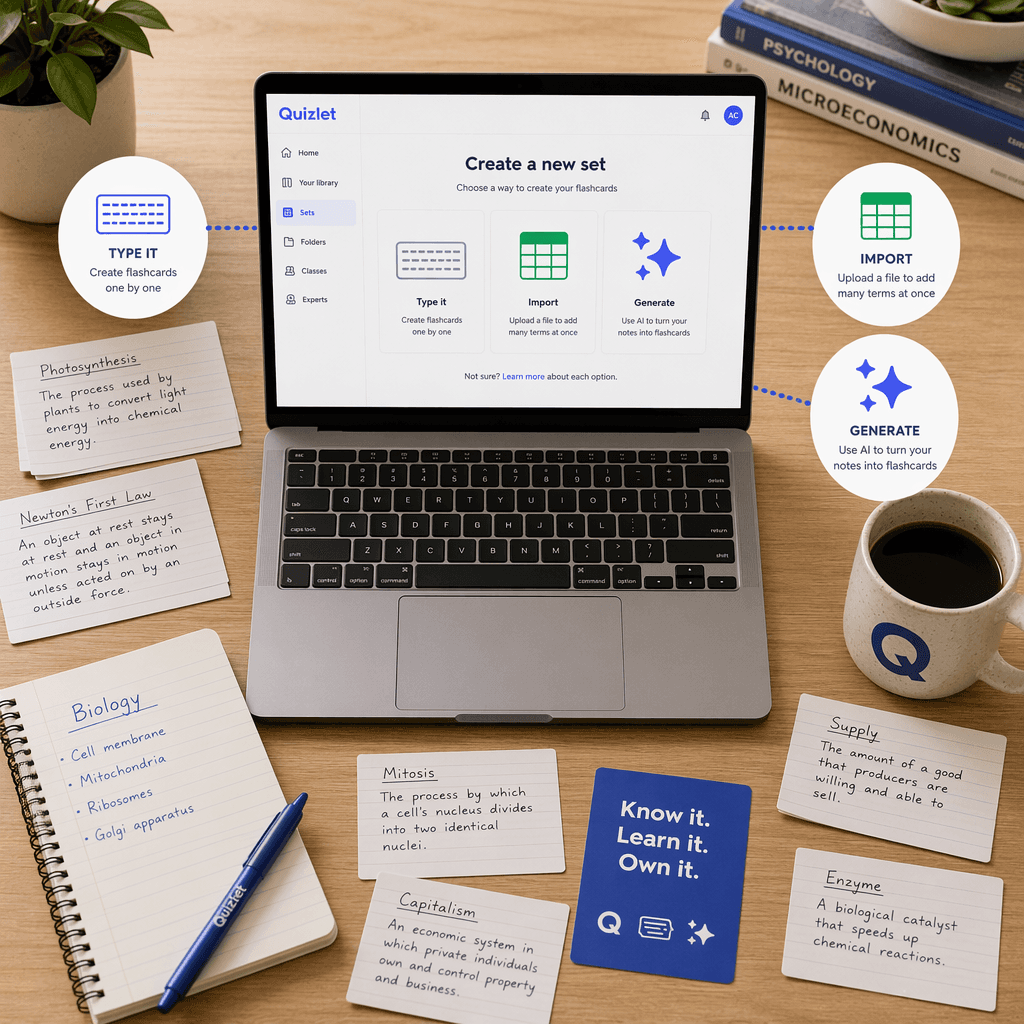
Quizlet Flashcard Maker vs. AI Alternatives in 2026: Is It Still the Best Tool for Making Flashcards?
This article helps students evaluate whether to stick with Quizlet or switch to an AI-native flashcard tool like Knowt, Anki, or StudyPDF. It compares each tool's flashcard creation workflow — manual, import, and AI generation — to help you decide which platform fits your study habits and budget.
Updated:
What Quizlet’s Flashcard Maker Does Well
Quizlet’s flashcard maker has been the default choice for millions of students for nearly two decades, and for good reason. The platform’s biggest asset is its library: over 500 million user-generated study sets, a number that no competitor has come close to matching. Whether you need a deck for Spanish vocabulary, AP Biology, or GRE word roots, you can almost always find a pre-made set ready to study in seconds. That depth of shared content is a genuine time-saver, especially when you are cramming for a quiz the next morning.
The mobile experience is another area where Quizlet still leads. The app is polished, responsive, and built around a swipe-based review flow that feels natural on a phone. Combined with four study modes — Learn, Test, Match, and Write — it gives students multiple ways to interact with the same material without needing to switch tools. The ability to star specific cards for focused review and the autosave feature during set creation reduce friction for users who just want to get a deck built and start studying.
Sharing is also effortless. A single link lets you distribute a set to classmates, embed it in a course page, or collaborate on a deck in real time. For group study or teacher-led classrooms, that simplicity still matters. Quizlet’s own marketing claims that 90% of students who use the platform report improved grades, and while that stat comes from internal surveys and should be taken with a grain of salt, it reflects the brand’s strong association with effective study habits in the minds of its users.
Where Quizlet Falls Short in 2026
The gap between what Quizlet offers and what students actually need has widened considerably over the past two years. The most visible issue is the shrinking free tier. As of 2026, the free version caps Learn mode at 20 rounds per month and practice tests at three per month. For a student taking multiple courses, those limits are easy to hit within the first week. The company’s decision to move core study modes behind a paywall has generated significant backlash, reflected in a Trustpilot score of 1.4 out of 5 based on over 500 reviews.
Beyond pricing, the tool’s AI capabilities lag behind newer entrants. Quizlet’s AI flashcard generation features — Magic Notes and Smart Assist — are locked behind the Plus subscription at $35.99 per year. While the company’s official AI features page states that users can upload PDFs, PowerPoint slides, and Google Slides, independent testing of the free tier is impossible because the features are paywalled. Multiple comparison sources, including StudyPDF and myengineeringbuddy, claim that Quizlet cannot process documents directly, creating confusion about what the tool actually supports.
The spaced repetition algorithm is another weak point. Quizlet uses a basic proprietary system that does not track individual card intervals or model memory decay the way dedicated SRS tools do. FlashcardBuddy notes that without proper spacing, roughly 70% of new information can be lost within 24 hours, citing Ebbinghaus’s forgetting curve. For students preparing for high-stakes exams where long-term retention is critical, that limitation is a real liability.
- Free tier caps: Learn mode at 20 rounds/month, practice tests at 3/month
- AI features (Magic Notes, Smart Assist) require Plus at $35.99/year
- No true spaced repetition — basic algorithm does not track individual card intervals
- Document upload support is inconsistent and confusingly documented
- Trustpilot score of 1.4/5 driven by user frustration over paywalled features
How AI-Native Alternatives Compare on Flashcard Creation
When you evaluate flashcard tools specifically on how they let you create cards — not just study them — the differences become stark. Three alternatives stand out in 2026, each with a distinct approach to the creation workflow.
Knowt: The Free Tier Champion with One-Click Import
Knowt has positioned itself as the direct replacement for students who are frustrated with Quizlet’s paywall strategy. Its free tier is genuinely generous: unlimited flashcards, free study modes including Learn and practice tests, and basic AI generation at no cost. The killer feature is the one-click Quizlet import tool, which copies terms and definitions from any public Quizlet set. Knowt claims that over 5 million students have switched to the platform, and its own marketing says 50% of all AP students used Knowt during the May 2025 exam season — at least 700,000 of the 1.3 million AP test-takers.
For creation workflows, Knowt supports manual entry, bulk import from spreadsheets, AI generation from typed notes, and AI summarization from PDFs and videos. The AI flashcard maker is available on the free tier, though premium AI features require the Ultra plan at $119.99 per year — more than triple the cost of Quizlet Plus. The trade-off is clear: Knowt gives you more for free, but its paid tier is significantly more expensive.
For a detailed walkthrough of moving your sets, see our Switching from Quizlet to Knowt migration guide.
Anki: The Gold Standard for Spaced Repetition
Anki has never tried to compete on ease of use or design polish. What it offers instead is the most scientifically rigorous spaced repetition system available. The desktop version and Android app are completely free, while the iOS app costs a one-time $24.99. Anki uses the SM-2 algorithm by default, but users can switch to the newer FSRS algorithm, which adjusts intervals based on individual performance data rather than fixed schedules.
On the creation side, Anki is the most flexible but also the least beginner-friendly. Manual card entry is straightforward, but bulk import requires understanding the CSV format and card template system. There is no native AI generation, no PDF upload, and no one-click import from other platforms. The trade-off is total control: you can customize every aspect of a card’s appearance, add audio and images, and use community-built add-ons to extend functionality. For serious exam prep — MCAT, GRE, medical board exams — Anki’s superior SRS makes it the default choice despite the steeper learning curve.
For a deeper look at why the algorithm matters, read The Algorithm Divide: Why FSRS Is Making SM-2 Obsolete.
StudyPDF: Document-to-Flashcard AI
StudyPDF targets a specific pain point: turning lecture notes, textbook chapters, and PDF documents into flashcards without manual data entry. Its AI engine extracts key concepts from uploaded documents and generates cards automatically. The platform uses the SM-2 algorithm for spaced repetition, which it claims is superior to Quizlet’s basic system. StudyPDF Pro costs $3.99 per month billed annually, and Ultra is $7.99 per month.
The main limitation is scope. StudyPDF is a focused tool for document-to-flashcard conversion, not a full study ecosystem. It lacks the pre-made library of Quizlet, the community add-ons of Anki, and the free-tier generosity of Knowt. For students whose primary need is converting dense lecture materials into reviewable cards, it fills a specific niche. For broader study needs, it works best as a complement to a more general-purpose tool.
Feature Comparison: Flashcard Creation Workflows
The table below focuses specifically on how each tool handles the flashcard creation process — the methods available, the AI capabilities, the underlying algorithm, and the cost structure. This is the core decision framework for students trying to choose based on how they want to build their decks.
| Feature | Quizlet | Knowt | Anki | StudyPDF |
|---|---|---|---|---|
| Manual entry | Yes | Yes | Yes | No |
| Bulk import (CSV/spreadsheet) | Yes | Yes | Yes (CSV) | No |
| AI from typed notes | Plus only ($35.99/yr) | Free tier | No | No |
| AI from PDF/docs | Plus only (claimed) | Free tier | No | Yes (Pro $3.99/mo) |
| One-click import from other platforms | No | Yes (Quizlet import) | No | No |
| Spaced repetition algorithm | Basic proprietary | Labeled SRS (not true interval tracking) | SM-2 / FSRS | SM-2 |
| Free tier generosity | Limited (20 Learn rounds/mo, 3 tests/mo) | Generous (unlimited flashcards, free AI) | Full free on desktop/Android | Limited free tier |
| Paid tier cost | $35.99/yr (Plus), $44.99/yr (Unlimited) | $119.99/yr (Ultra) | $24.99 one-time (iOS only) | $3.99/mo (Pro), $7.99/mo (Ultra) |
For a broader look at AI-powered flashcard tools beyond these four, see our 10 Best AI Flashcard Generators Compared in 2026.
Decision Guide: When to Keep Quizlet vs. When to Switch
The right tool depends on your specific creation workflow needs and study goals. Here is a breakdown by common student scenarios.
- Best for vocabulary and casual study: Quizlet. If you mainly study language vocabulary, use pre-made sets, and do not need advanced AI or SRS, Quizlet’s library and mobile UX are still the best in class. Just be prepared to hit the free tier limits quickly.
- Best free alternative with AI: Knowt. If you want AI flashcard generation without paying, Knowt’s free tier is the most generous option. The one-click Quizlet import makes switching painless. The trade-off is the expensive Ultra plan if you ever need premium features.
- Best for serious exam prep and retention: Anki. If you are studying for the MCAT, GRE, or medical board exams where long-term retention is critical, Anki’s SM-2/FSRS algorithm is the scientifically superior choice. The free desktop version and one-time iOS payment make it the most cost-effective option for long-term use.
- Best for turning lecture notes into flashcards: StudyPDF. If your primary need is converting PDFs and documents into reviewable cards without manual entry, StudyPDF’s focused AI workflow is purpose-built for that task. Use it alongside a general-purpose tool for broader study needs.
For a detailed comparison of free plans, read Quizlet vs Knowt: Which Free Plan Is Better for Students?. For a broader look at free alternatives, see Free Quizlet Alternatives: Best Genuinely Free Study Apps by Student Use Case.
The Bottom Line for Students in 2026
Quizlet remains a solid choice for specific use cases — vocabulary study, quick set creation, and accessing the largest library of pre-made content. Its mobile experience is still the most polished in the category, and for students who only need basic flashcard functionality and are willing to pay $35.99 per year, it works well enough.
But the landscape has shifted. The free tier restrictions, the paywalled AI features, and the basic spaced repetition algorithm mean that Quizlet is no longer the automatic default for every student. For those who want AI-powered creation without a subscription, Knowt offers a genuinely free alternative with a seamless import path. For those who prioritize retention above all else, Anki’s superior SRS and one-time payment model are hard to beat. And for students drowning in lecture PDFs, StudyPDF provides a focused solution that fills a gap none of the general-purpose tools address well.
The best tool is the one that matches your creation workflow. If you build decks manually from textbook notes, Anki gives you the best long-term value. If you want AI to do the heavy lifting, Knowt’s free tier is the safest starting point. If you already have a Quizlet subscription and it meets your needs, there is no urgent reason to switch — just be aware that the gap between what you get and what you could get for the same price or less is growing wider every quarter.
Comments
Join the discussion with an anonymous comment.