
ChatGPT Study Mode: A Complete Hands-On Guide for Students
This guide explains what ChatGPT Study Mode is, how to activate it, and how to use it effectively as a Socratic tutor. It includes prompt templates for different study tasks, honest limitations from hands-on tests, and a comparison with other AI study tools.
Updated:
What Is ChatGPT Study Mode?
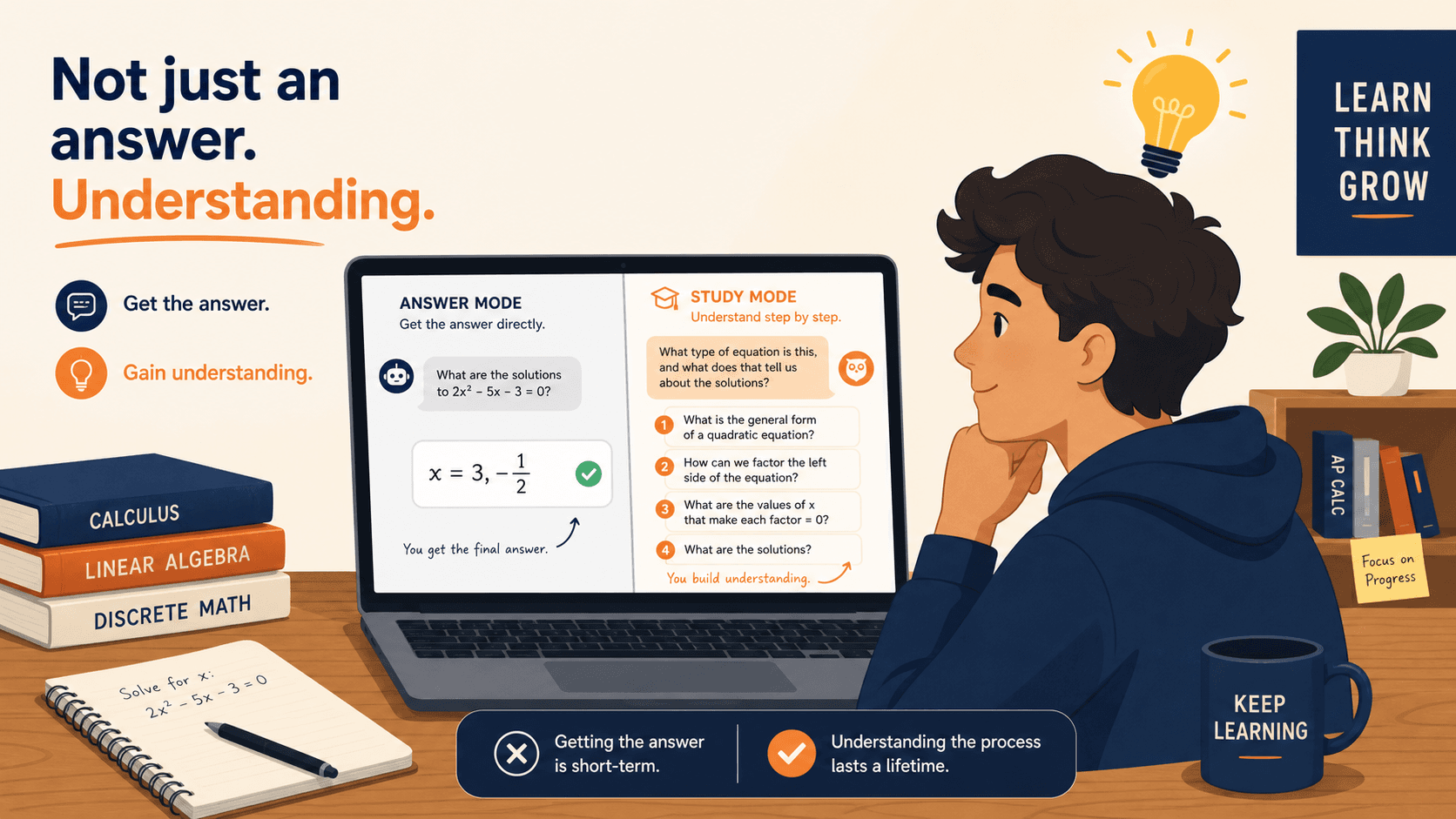
On July 29, 2025, OpenAI launched a distinct feature inside ChatGPT called Study Mode. Unlike the standard chat interface, which tends to deliver direct answers, Study Mode was built with a different philosophy: it is designed to act as a Socratic tutor. The system instructions were developed in collaboration with teachers, cognitive scientists, and pedagogy experts to encourage active learning behaviors such as Socratic questioning, cognitive load management, metacognition, and curiosity cultivation.
Study Mode is available to all logged-in users on the Free, Plus, Pro, and Team plans. ChatGPT Edu access followed in the weeks after launch. This guide focuses exclusively on Study Mode as a distinct feature. If you need a broader overview of ChatGPT's general capabilities, pricing tiers, and standard use cases, the existing ChatGPT for Studying guide covers that territory. Here, we are going deep into what makes Study Mode different — and where it still falls short.
How to Activate Study Mode
Activation takes about ten seconds. You do not need a special account or a paid plan — the feature is available to all users.
- Open ChatGPT and log in to your account.
- Click the plus sign (+) on the left side of the prompt textbox, or open the tools panel.
- Select "Study and learn" from the list of available modes.
- Alternatively, type
/studydirectly into the prompt box and press Enter — ChatGPT will switch to Study Mode automatically.
The feature works on both desktop and mobile. Once activated, the interface looks nearly identical to standard ChatGPT, but the responses will shift from direct answers to guiding questions, hints, and scaffolded explanations. You can verify you are in Study Mode by checking for a small graduation cap icon or a "Study Mode" label near the model selector.
Core Features Explained
Study Mode is not just a renamed version of ChatGPT with a friendly tone. It introduces four structural changes to how the model behaves.
- Interactive Socratic prompts. Instead of giving you the answer, Study Mode responds with guiding questions and hints. For example, if you ask "What is a derivative?" it might first ask you to explain what you already know about slopes before building toward the formal definition.
- Scaffolded responses. The model breaks complex topics into smaller steps. It checks your understanding at each stage before moving forward. This is designed to manage cognitive load — you are not hit with a wall of text all at once.
- Personalized support via memory. ChatGPT's memory feature works inside Study Mode. If you previously struggled with a concept, the model can revisit that topic across sessions and devices. Tom's Guide noted that this memory bridging was one of the strongest features in their 7-prompt test.
- Knowledge checks. Study Mode can generate quizzes, open-ended questions, and mini-tests to verify retention. These are not generic — they adapt based on what you have discussed in the conversation.
These features are powered by custom system instructions that OpenAI developed with input from educators and scientists. The goal, as OpenAI's VP of Education Leah Belsky stated during the launch briefing, is that "learning requires friction, it takes effort, curiosity, and grappling with ideas." Study Mode is designed to preserve that friction rather than eliminate it.
Best Prompt Templates by Study Task
Study Mode's effectiveness depends almost entirely on how you prompt it. A vague "help me study" will produce generic results. A targeted prompt that specifies the task, the subject, and the desired interaction style will unlock its best behavior. Below are templates organized by common academic tasks, adapted from hands-on testing by BYU, Tom's Guide, and Edutopia.
Concept Breakdown
Use this when you need a difficult idea explained from the ground up. Study Mode excels here because it can use analogies, break down steps, and offer a mini quiz afterward.
I'm trying to understand [concept, e.g., standard deviation]. Assume I know basic algebra but nothing about statistics. Start by asking me what I already know about averages, then guide me step by step. After each step, check if I understand before moving on.Active Recall / Flashcards
Study Mode can act as a flashcard generator that adapts to your mistakes. Tom's Guide found that when a flashcard was answered incorrectly, Study Mode immediately gave the answer rather than offering another try — so you may want to specify the correction style you prefer.
Generate flashcards for [topic, e.g., US History 1865-1900]. Show me the question first. After I answer, tell me if I'm right or wrong. If I'm wrong, give me a hint before showing the correct answer.Exam Cram (Time-Pressured Review)
When you have limited time, Study Mode can prioritize the most important concepts. Tom's Guide reported that during a 20-minute exam cram test, Study Mode presented multiple flashcards at once and prioritized key topics.
I have [X minutes] to review [topic]. Prioritize the most important concepts and test me on them. Be strict — if I get something wrong, explain why and move to the next concept. No small talk.Practice Problems with Step-by-Step Correction
Study Mode handles math and science problems well. Edutopia's test showed that when a tester intentionally gave a wrong answer (8.4 to the negative 7th power for 0.000084), Study Mode recognized the error and walked through the correction step by step.
Give me a practice problem on [topic, e.g., calculating standard deviation]. I'll solve it, then you tell me if I'm right. If I'm wrong, don't just give me the answer — walk me through where I made the mistake.Upload Lecture Notes for Quiz Generation
Study Mode can process uploaded files. BYU's guide recommends uploading lecture notes or PDFs and asking Study Mode to generate questions based exclusively on that material.
I've uploaded my lecture notes on [topic]. Generate a multiple-choice quiz based only on the content in this file. After I answer each question, tell me if I'm correct and reference the specific section of the notes where the answer appears.Socratic Dialogue for Deep Understanding
This is where Study Mode is supposed to shine — but it requires active pushing. Inside Higher Ed's test showed that Study Mode defaults to surface-level questions unless the student explicitly demands harder content. The prompt below forces it to go deeper.
Act as a Socratic tutor on [topic, e.g., Romantic poets 1780-1820]. Do not ask me obvious questions. Challenge my assumptions. If I give a shallow answer, push back and ask for evidence. I want to be uncomfortable — that's how I learn.Where Study Mode Falls Short
Study Mode has genuine strengths, but the hands-on testing from Edutopia, Inside Higher Ed, and Tom's Guide reveals several consistent weaknesses that students need to understand before relying on it.
- Open-ended essay writing. Edutopia's test was blunt: Study Mode is weak on open-ended writing. When given a college-level prompt about social media's impact, Study Mode initially stated it would not write the paper, but then provided a rewritten example paragraph that effectively wrote it for the user. The tester's verdict: "I wouldn't be comfortable recommending it to my college writing students in its current form."
- Surface-level questioning by default. Inside Higher Ed's test showed that Study Mode asks obvious questions unless the user explicitly demands harder material. When asked to help study Romantic poets, it started with a basic factual question. The tester had to push back with "That's not so much what I will need to answer..." before the tool generated a more nuanced question.
- Information overload. Edutopia's tester reported that Study Mode "tends to throw out so much information at once" that it becomes difficult to keep up. The tool sometimes implied the user had mastered material when they clearly had not.
- No K-12 calibration. Education Week noted that OpenAI designed Study Mode with college students in mind. Glenn Kleiman, senior adviser at Stanford GSE, raised questions about its appropriateness for K-12 learners. The feature is accessible to high school students (13+ with parental consent), but the system instructions are not tuned for younger learners.
These limitations are not dealbreakers — they are design constraints. Study Mode is a tool for guided learning, not a tutor that adapts to every learner's level automatically. The burden of driving the conversation falls on the student.
Guardrails and Risks You Should Know
Study Mode includes guardrails designed to prevent it from simply handing out answers. But those guardrails have gaps, and students need to understand them before relying on the tool for high-stakes coursework.
- Students can switch off Study Mode. OpenAI confirmed to Education Week that "there are currently no guardrails against" students switching off Study Mode to get instant answers from standard ChatGPT. The feature is voluntary — if a student wants the answer instead of the guided process, they can exit Study Mode in one click.
- No admin controls for teachers. Unlike some educational platforms, Study Mode does not give teachers or institutions the ability to enforce Study Mode usage. A student using ChatGPT for an assignment can freely toggle between modes.
- Hallucination risk remains. Study Mode is less likely to hallucinate than standard ChatGPT because its role is more defined, but it is not immune. The model can still generate incorrect information, especially on niche or highly specific topics. Christian Carmody, senior researcher at the Research Institute for Learning and Development, tested prompting Study Mode directly for answers and reported: "It did exactly that."
- Essay tricking is possible. Edutopia's test demonstrated that Study Mode can be prompted to produce essay content despite its stated refusal. The guardrail against writing essays exists, but it is not robust.
Study Mode vs. Other AI Study Tools
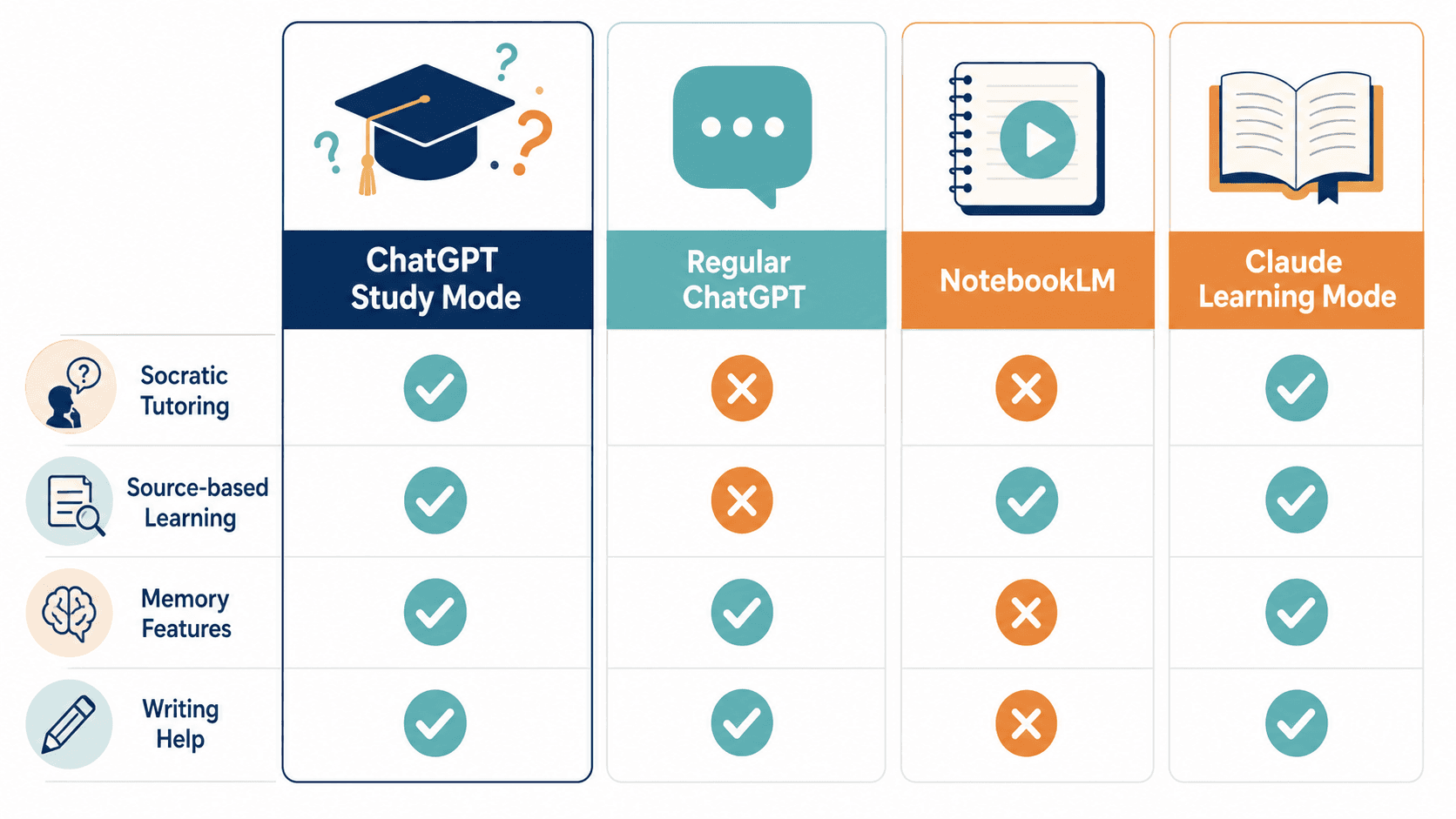
Study Mode is not the only AI tool designed for students. NotebookLM, Claude Learning Mode, and Gemini's Guided Learning all target similar use cases. The table below compares them across the dimensions that matter most for studying.
| Dimension | ChatGPT Study Mode | Regular ChatGPT | NotebookLM | Claude Learning Mode |
|---|---|---|---|---|
| Socratic tutoring | Built-in (core feature) | Not available (gives answers) | Not available | Available (limited) |
| Source-based learning | Partial (upload files) | Partial (upload files) | Core feature (works only from your sources) | Partial (upload files) |
| Memory across sessions | Yes (ChatGPT memory) | Yes (ChatGPT memory) | No | No |
| Writing help | Weak (can be tricked) | Strong (direct output) | Not designed for writing | Moderate |
| Hallucination risk | Moderate | High | Low (source-grounded) | Moderate |
| Free tier availability | Yes (Free plan) | Yes (Free plan) | Yes (limited uploads) | Yes (limited) |
NotebookLM stands apart because it works exclusively from uploaded sources, which eliminates hallucination on course material. XDA's March 2026 comparison ranked NotebookLM above ChatGPT for studying when working from uploaded sources. However, Study Mode and Claude Learning Mode are better when you need to go beyond your available sources — for example, asking conceptual questions that your lecture notes do not cover.
For a deeper look at NotebookLM's study features, see the NotebookLM Study Guide for Students. If you want a step-by-step walkthrough of using NotebookLM for studying, the How to Use NotebookLM for Studying tutorial covers the full workflow.
Final Verdict: Who Benefits Most?
Study Mode is not a magic bullet. It is a tool with a specific design philosophy: guided learning through Socratic questioning. Its value depends almost entirely on how actively you engage with it.
- Students who will benefit most: Those who are willing to prompt actively, push back when the questions are too easy, and use the memory feature to track progress across sessions. If you are the type of student who asks "why" five times until you understand, Study Mode will reward that persistence.
- Students who should be cautious: Those who need help with open-ended essay writing, who expect the tool to adapt to their level automatically, or who are in K-12 settings where the system instructions are not calibrated. If you are looking for a tool that writes your assignments or gives you answers without effort, Study Mode is not designed for you — and attempting to bypass its guardrails will produce unreliable results.
As of June 2026, OpenAI has discussed future additions including visualizations for complex topics, goal tracking across conversations, and deeper personalization. None of these features are live yet. For now, Study Mode is a capable Socratic tutor — but only if you know how to drive the conversation.
Comments
Join the discussion with an anonymous comment.