
Best AI Flashcard Makers Compared (2026): Which Tool Saves the Most Time While Maximizing Retention?
A neutral, comprehensive comparison of 11 AI flashcard tools for students actively evaluating their options. This guide covers input formats, AI card quality, spaced repetition algorithms, pricing, and platform support, with a focus on the critical gap between tools that produce shallow definition-recall cards versus application-level questions.
Updated:
What Makes an AI Flashcard Maker Genuinely Useful?
The market for AI flashcard tools has exploded. In 2026, a student can choose from over a dozen apps that promise to turn lecture slides, PDFs, and YouTube videos into ready-to-study cards in seconds. But beneath the marketing, the actual utility of these tools varies enormously. To cut through the noise, this comparison evaluates every tool against five criteria that directly impact how well you learn — not just how fast you can generate cards.
1. Card Specificity: Definition-Recall vs. Application-Level Questions
This is the single most important differentiator. Many AI generators produce shallow definition-recall cards — "What is ATP?" — that feel productive but create what a 2026 article in Advances in Physiology Education calls an "illusion of mastery." You recognize the answer because the question is a direct prompt, but you haven't practiced applying the concept. The best tools generate application-level questions that require you to analyze, compare, or predict — the kind of thinking that actually transfers to exams. A 2025 cohort study in BMC Medical Education confirmed that AI-generated material often lacks the depth needed for complex assessments targeting higher-order cognitive skills.
2. Source Format Support
Your study materials dictate which tool will actually save you time. A student who learns from lecture recordings needs a tool that processes audio natively. A pre-med student working through dense textbook PDFs needs OCR and image support. A language learner might want YouTube-to-flashcard conversion. The tools in this comparison accept wildly different input formats — from plain text only to full multimodal support including handwritten notes, slides, and video links.
3. Active Recall Enforcement
A flashcard is only useful if it forces you to retrieve the answer before seeing it. The best AI flashcard apps enforce this with a flip-based interface — the answer is hidden until you choose to reveal it. Tools that display the question and answer side-by-side, or that let you passively scroll through cards, undermine the core mechanism that makes flashcards effective. Research consistently shows that retrieval attempts strengthen memory traces more than passive re-reading.
4. Editing Workflow
AI-generated cards are never perfect. The question is whether the tool makes it fast and frictionless to fix them. Some tools let you edit cards inline immediately after generation; others require you to export to a separate app. The best workflow lets you review, tweak, and reorganize cards in the same interface where they were created, ideally with bulk-edit capabilities for fixing recurring issues like vague phrasing or incorrect facts.
5. Review Scheduling Algorithm
The algorithm that schedules your reviews determines how efficiently you retain information over time. The gold standard in 2026 is FSRS (Free Spaced Repetition Scheduler), a modern algorithm that adapts to each card's difficulty and your personal memory patterns. FSRS is supported natively by Anki and StudyGlen, and is available as an option in RemNote and Mochi. Older tools use SM-2 (the original Anki algorithm) or proprietary systems. Brainscape uses confidence-based repetition (CBR), where you rate your recall on a 1-5 scale. Quizlet uses a basic spaced repetition system that is less sophisticated than either FSRS or SM-2. The algorithm matters most for long-term retention — if you're studying for a cumulative exam months away, FSRS is a significant advantage.
Head-to-Head Comparison: 11 AI Flashcard Makers in 2026
The table below compares each tool across the five criteria, plus pricing and platform support. All pricing data is current as of mid-2026 but is volatile — tools frequently change their free tier limits and subscription costs.
| Tool | Input Formats | AI Card Quality | SRS Algorithm | Pricing | Platforms |
|---|---|---|---|---|---|
| Anki | Manual; PDF via add-on | No native AI generation | FSRS / SM-2 | Free (desktop); iOS $24.99 one-time | Windows, macOS, Linux, iOS, Android, Web |
| Quizlet | Text only; limited PDF | Definition-recall; AI behind paywall | Basic SRS | Free (ads); Plus $7.99/mo | Web, iOS, Android |
| Knowt | Notes, PDFs, PPT slides | Medium; some application-level | Basic SRS | Free (AI generation included) | Web, iOS, Android |
| Brainscape | Text only; no PDF or video | No AI generation | Confidence-based (CBR) | Free (limited); Pro $9.99/mo | Web, iOS, Android |
| RemNote | Notes, partial PDF | AI generation from notes; English-centric | SM-2 / FSRS-4.5 | Free (limited); Pro $8/mo | Web, Windows, macOS, Linux, iOS, Android |
| Revisely | PDF, essays | Good for structured documents | None | Free (limited); Pro $7.99/mo | Web |
| StudyFetch | PDF, DOCX, PPT | Good; some surface-level cards | Proprietary | $19/mo ($8/mo billed annually) | Web |
| CuFlow | Lectures, PDFs, slides | Course-specific; high relevance | Proprietary (adaptive) | Free tier; paid plans for higher limits | Web |
| Laxu AI | PDFs, handwritten notes, audio, YouTube | Good; includes quiz + summary | Export to Anki (FSRS) | Free (1 upload); $4.99/mo | Web |
| NoteGPT | PDF, YouTube, text | Variable; depends on source quality | None | Free (limited); Pro from $5/mo | Web |
| StudyCards AI | Good for medical/law; direct Anki export | Export to Anki (FSRS) | Basic $4.99/mo; Premium $9.99/mo | Web |
Narrative Profiles: Key Strengths and Weaknesses
Anki remains the gold standard for spaced repetition, with FSRS support and a massive ecosystem of shared decks and add-ons. Its weakness is the complete absence of native AI generation — you must create cards manually or use third-party tools. For medical students, the AnKing deck and other pre-made medical decks make it the default choice. The one-time $24.99 iOS fee is a barrier for some, but the desktop and Android versions are free.
Quizlet has the largest library of user-created sets (800 million+), but its AI features — Magic Notes — are behind the $7.99/month Plus paywall and produce mostly definition-recall cards. Its basic SRS algorithm is less effective than FSRS or SM-2 for long-term retention. It is best for students who need quick access to pre-made sets for standard subjects.
Knowt offers AI generation from notes, PDFs, and slides with a generous free tier. Its interface is familiar to Quizlet users, making it an easy migration path. The basic spaced repetition is adequate for short-term exam prep but not optimized for cumulative retention over months.
Brainscape uses confidence-based repetition, where you rate your recall on a 1-5 scale after each card. This gives you fine-grained control over review frequency, but the tool has no AI generation capability and no PDF or video input support. It is best for students who want expert-curated decks and a proven, if manual, review system.
RemNote combines note-taking with automatic flashcard generation through bidirectional linking. It supports PDF annotation and SM-2 SRS (with FSRS-4.5 available as an option). Its English-centric interface and partial PDF support limit its utility for non-English speakers and students who rely heavily on image-heavy PDFs.
Revisely is a clean, focused tool for generating flashcards from PDFs and essays. It has no SRS system, which limits its usefulness for long-term retention. Its Pro tier at $7.99/month is reasonably priced, but the lack of a review scheduler means you'll need to export cards to another app for spaced repetition.
StudyFetch generates 35-40 cards from a dense PDF in about a minute, with generally accurate and well-organized output. However, some cards lean toward surface-level recall ("Define glycolysis"). At $19/month (or $8/month billed annually), it is one of the pricier options, and its free tier runs out after one document.
CuFlow differentiates itself by generating course-specific flashcards that reflect a professor's emphasis and terminology rather than generic AI training data. Its adaptive scheduler adjusts review frequency based on recall performance. It has no shared deck library, which may be a drawback for students who rely on community decks.
Laxu AI accepts PDFs, photos of handwritten notes, audio recordings, and YouTube links, producing flashcards, a practice quiz, and summary notes from a single upload. It includes a built-in AI tutor for follow-up questions and allows export to Anki. Its first upload is free, then $4.99/month — one of the more affordable options for full-featured AI generation.
NoteGPT and StudyCards AI are newer entrants with less long-term track record data. NoteGPT supports PDF and YouTube input with a free tier, but its card quality varies significantly based on source material. StudyCards AI focuses on PDF-to-Anki export, with pricing at $4.99-$9.99/month, and is particularly popular among medical and law students who need direct Anki integration.
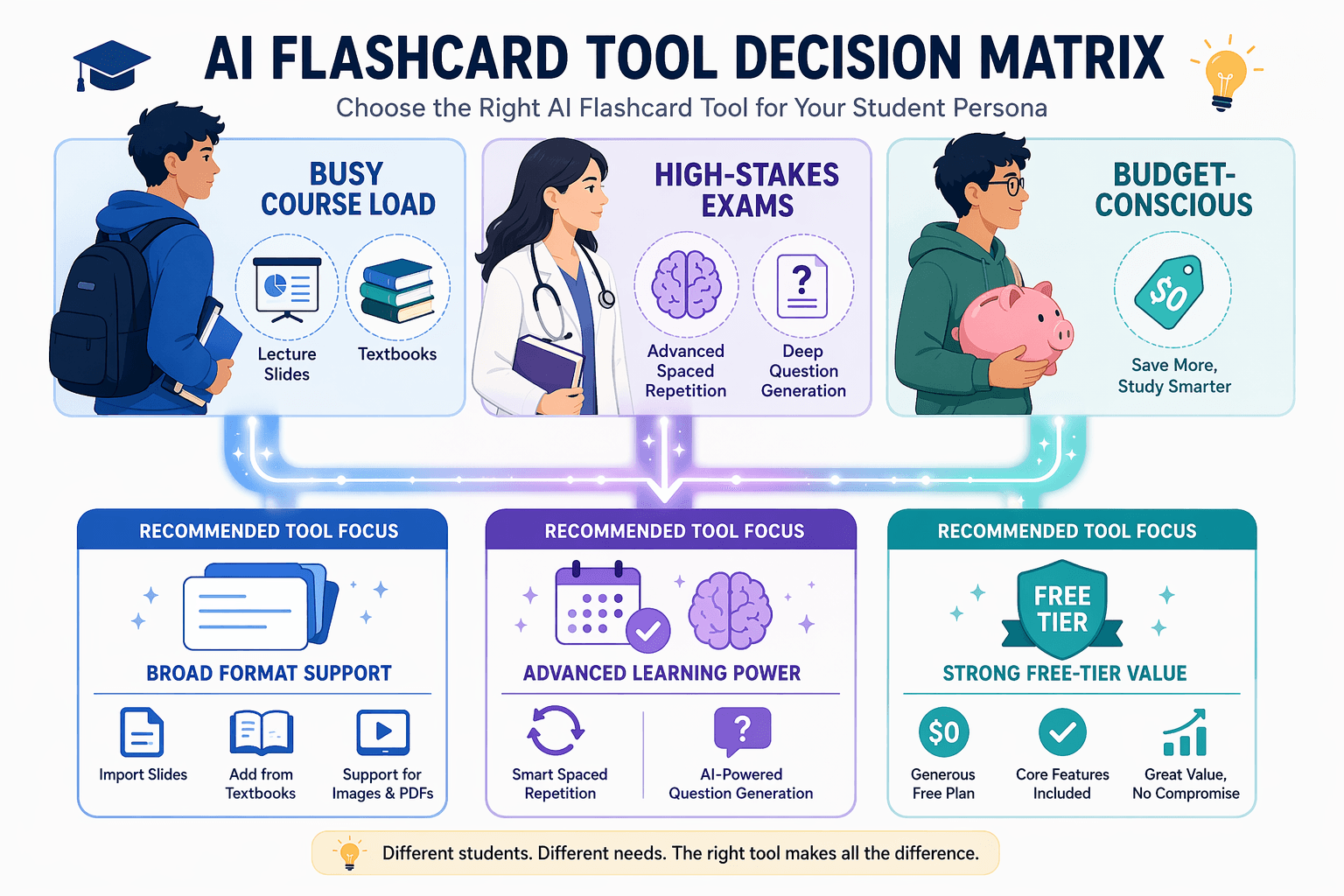
Which Tool for Which Situation? A Decision Matrix by Student Persona
The right tool depends on your specific situation. The table below matches student personas to the best tool choices based on the evaluation criteria.
| Student Persona | Primary Need | Best Tool(s) | Why |
|---|---|---|---|
| High school / college student with busy course load | Quick generation from lecture slides and notes; short-term exam prep | Knowt, CuFlow | Free AI generation (Knowt) or course-specific cards (CuFlow); adequate for semester-length retention |
| Medical / law student preparing for high-stakes exams (MCAT, USMLE, Bar) | Deep, application-level cards; long-term retention; image support | Anki + AI tool (Laxu AI, StudyCards AI) | Anki's FSRS algorithm is unmatched for cumulative retention; AI tools handle bulk generation; export to Anki for scheduling |
| Budget-conscious student | Free or low-cost AI generation with decent quality | Knowt, Laxu AI (free upload), Anki (free desktop) | Knowt offers free AI generation; Laxu AI has a free first upload; Anki is free on desktop |
| Student who needs to process lectures or handwritten notes | Audio-to-flashcard or handwriting OCR | Laxu AI, NoteLyn | Laxu AI accepts audio recordings and photos of handwritten notes; NoteLyn processes lecture recordings directly |
| Language learner | Vocabulary cards with audio; support for multiple languages | StudyGlen, Anki | StudyGlen supports 37 languages and AI-generated images; Anki has extensive community decks for languages |
| Student transitioning away from Quizlet | Familiar interface with better AI and SRS | Knowt | Knowt's interface is similar to Quizlet; offers free AI generation and basic spaced repetition |
For students considering a move away from Quizlet due to its shallow AI output or pricing, the step-by-step migration guide from Quizlet to Knowt provides practical transition steps.
The Hidden Costs of AI Flashcard Generators
AI flashcard tools are powerful, but they come with real risks that are often glossed over in marketing. Understanding these hidden costs is essential to using them responsibly — especially for high-stakes exams.
Shallow Card Output and the Illusion of Mastery
The most common failure mode of AI flashcard generators is producing cards that test definition recall rather than application. A 2025 cohort study in BMC Medical Education found that AI-generated material lacks the depth needed for complex assessments targeting higher-order cognitive skills. A 2026 article in Advances in Physiology Education argues that flashcards can create an "illusion of mastery" — rapid recognition feels productive but masks shallow learning that fails to transfer to exam questions requiring analysis or synthesis.
AI Hallucinations and Accuracy Risks
AI models can produce confident-sounding but incorrect information. A 2025 peer-reviewed study in BMC Medical Education found that 69% of AI-generated assessment content was usable, but 31% was not suitable for inclusion and required significant revision. While this study focused on assessment generation rather than flashcards specifically, the finding underscores the importance of human verification — especially for medical, legal, and other high-stakes content.
Data Privacy Concerns
When you upload lecture notes, textbook PDFs, or exam prep materials to an AI tool, you are sharing potentially sensitive academic content with a third-party server. As of January 2026, 19 states have comprehensive consumer privacy laws, and the FTC finalized COPPA amendments effective June 23, 2025, with full compliance required by April 22, 2026. Consumer AI platforms typically train on user inputs, which means your uploaded materials could be used to improve the model — a concern for students sharing copyrighted or proprietary content.
Cognitive Offloading and Reduced Critical Thinking
There is a growing body of evidence that over-reliance on AI tools may weaken critical thinking skills. A 2025 study in Societies surveying 666 participants found a significant negative correlation between frequent AI tool usage and critical thinking abilities, with younger participants exhibiting higher dependence. A 2025 Gallup-Walton Family Foundation survey of 2,232 U.S. public school teachers found that 57% of teachers believed student AI use would decrease independent thinking. The risk is that AI-generated flashcards remove the cognitive effort of identifying key concepts and formulating questions — a process that itself reinforces learning.
- Shallow card output: Definition-recall cards create an illusion of mastery that fails to transfer to application-level exam questions.
- AI hallucinations: 31% of AI-generated assessment content required significant revision in a 2025 BMC Medical Education study.
- Data privacy: 19 states have consumer privacy laws as of Jan 2026; consumer AI platforms often train on user inputs.
- Cognitive offloading: Frequent AI use is linked to reduced critical thinking, especially in younger users.
The Hybrid Approach: AI Generation + Human Curation Workflow
The most effective way to use AI flashcard tools is not to rely on them entirely, but to combine AI generation with human curation. This hybrid approach leverages the speed of AI while preserving the depth and accuracy that only human judgment can provide.

A 2025 pre-clerkship pilot study (medRxiv 2025.05.13.25327518) found that AI-generated summaries and Anki decks saved students 61-74% of preparation time with no loss in exam performance. The key was that students reviewed and edited the AI output before studying. This aligns with the broader finding that the curation phase — spending 15-30 minutes editing generated cards — serves as a first pass of the material, reinforcing understanding before active recall begins.
Here is the recommended hybrid workflow:
- Source Selection: Choose your study material — textbook chapters, lecture slides, peer-reviewed articles, or official review guides. Well-structured documents produce better AI output.
- AI Generation: Upload the source to your chosen tool. A 90-minute lecture typically yields 15-30 useful flashcards. Resist the urge to keep every card the AI generates; editing down to this range is more effective than studying a bloated deck.
- Human Curation: Spend 10-30 minutes reviewing and editing the generated cards. Fix inaccuracies, rephrase vague questions, and — most importantly — convert definition-recall cards into application-level questions. This curation phase is not a chore; it is a first pass of the material that deepens your understanding.
- Export and Schedule: Export the curated deck to an app with a strong spaced repetition algorithm — ideally Anki with FSRS. For a typical exam covering 6-8 weeks of content, 80-150 well-chosen cards is usually sufficient.
This workflow saves an estimated 50-80% of the time required for manual card creation, based on self-reported student surveys from 2024-2025. A 2025 Gallup-Walton Family Foundation national survey of 2,232 U.S. public school teachers found that AI-using teachers save an average of 5.9 hours per week — the equivalent of six full weeks of reclaimed time over a school year. While the student-specific figure is self-reported, the magnitude of time savings is consistent across multiple data points.
Verdict: Which AI Flashcard Maker Should You Choose?
After evaluating 11 tools across five criteria, a clear pattern emerges: the quality gap between the $8/month and $20/month tools is negligible. A founder of one AI flashcard tool (Laxu AI) conducted an honest comparison and found that price does not correlate with card quality in this category. The real differentiators are input format support, the sophistication of the spaced repetition algorithm, and — most importantly — whether the tool produces application-level questions rather than shallow definition-recall cards.
For most students, the best approach is a hybrid one: use an AI tool for bulk generation, then export the curated deck to Anki for FSRS-based scheduling. Laxu AI and StudyCards AI are the most affordable options that support direct Anki export. Knowt is the best free option for students who want AI generation without paying, though its basic SRS is a limitation for long-term retention. CuFlow is ideal for students who want course-specific cards that reflect their professor's emphasis. Anki remains the gold standard for students who need maximum control and the best scheduling algorithm, but it requires a separate AI tool for generation.
For readers who want to dive deeper into specific aspects of this comparison, the following resources are available:
- For a detailed analysis of free-tier limits and deck caps: Free Online Flashcard Makers with AI Generation
- For a deep dive into the Quizlet vs. AI-native tool debate: Quizlet Flashcard Maker vs. AI Alternatives in 2026
- For technical details on FSRS vs SM-2 vs confidence-based repetition: The Algorithm Divide: Why FSRS Is Making SM-2 Obsolete
- For an exhaustive analysis of free-tier limits: The Ultimate Guide to Truly Free Flashcard Apps in 2026
- For in-depth reviews of individual tools: Anki Flashcard App Review, RemNote Review, and Knowt Flashcard App Review
Comments
Join the discussion with an anonymous comment.