
NotebookLM for Students: Features, Pricing, and Honest Limitations (2026)
A structured evaluation of NotebookLM — Google's free, source-grounded AI study assistant — covering its core study features, verified pricing tiers, best-fit student use cases, and the key limitations students need to know before choosing it over Anki or Quizlet.
Updated:
What Is NotebookLM?
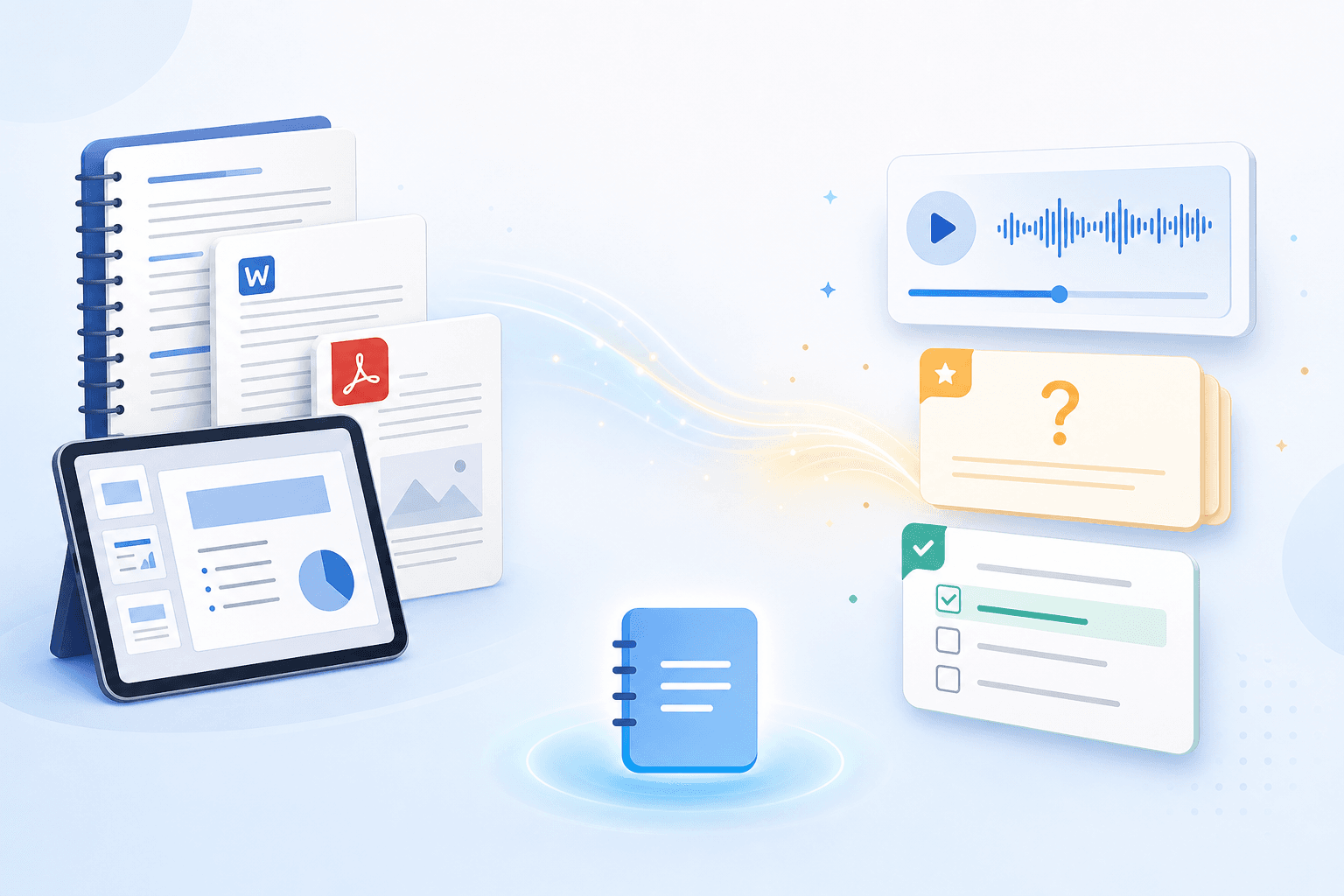
NotebookLM is a free AI study assistant built by Google Labs and launched in 2023. Its defining characteristic is closed Retrieval-Augmented Generation (RAG): every answer the AI produces is grounded exclusively in the documents you upload. It does not draw on the open web, a general knowledge base, or anyone else's notes. That constraint is the entire point.
When you ask a question, NotebookLM retrieves relevant passages from your uploaded sources and builds its response around them. Each answer includes inline citations that link back to the exact source passage, so you can verify what the AI is basing its claim on. This approach significantly reduces hallucinations compared to open-web AI assistants, because the model cannot invent facts that aren't in your material.
The tool is powered by Gemini 3, upgraded from earlier versions in December 2025. Google has not publicly confirmed the exact model sub-variant running inside NotebookLM as of June 2026, so this profile refers to the backbone as Gemini 3 only.
Quick-Glance Tool Card
| Attribute | Details |
|---|---|
| Tool category | AI study assistant (source-grounded) |
| Platforms | Web (primary), iOS, Android — no dedicated desktop app |
| Pricing model | Freemium — free Standard tier + paid Plus, Pro, and Ultra tiers |
| Free tier available | Yes — permanently free, no credit card required |
| SRS algorithm | None — flashcards and quizzes are generated on demand, not scheduled |
| AI features | Flashcards, quizzes, audio overviews (4 formats), video overviews, Socratic learning guide, mind maps, study guide reports, deep research — all grounded in uploaded sources |
| Best for | College and graduate students studying from their own lecture notes, PDFs, and readings; research-heavy subjects; audio learners |
| Not suitable for | Pre-made community decks, SRS-scheduled memorization, real-time web research without source upload |
| Last reviewed | June 2026 |
Core Study Features
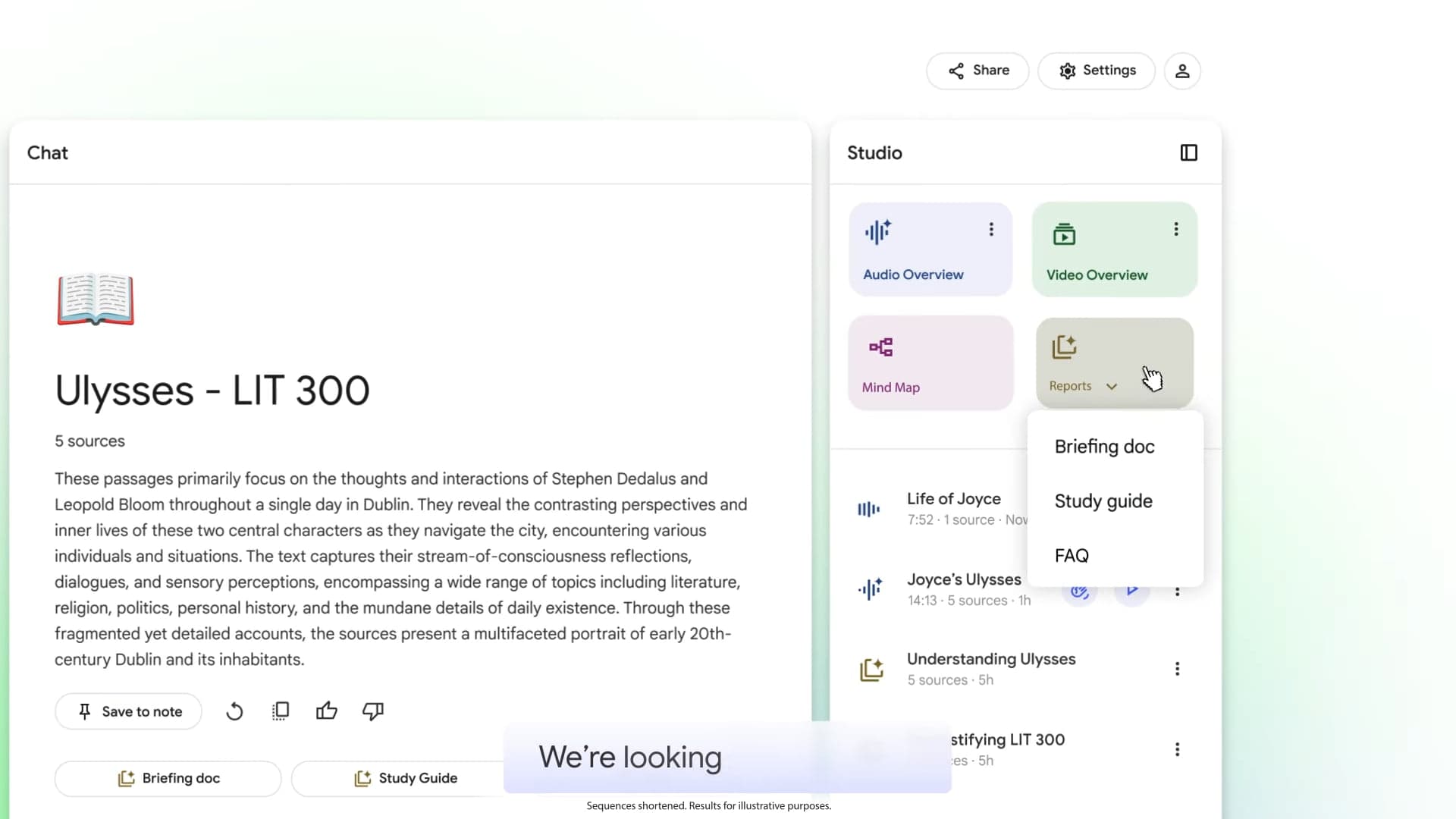
All of NotebookLM's study outputs live in the Studio panel — a sidebar that generates different types of study material from your uploaded sources with one click. Here is what each output does and why it matters for studying.
Flashcards and Quizzes
Both tools are customizable before generation. You can set difficulty (easy, medium, hard), specify a topic or focus area, and adjust the number of cards or questions. This matters because a generic "make flashcards from my notes" prompt often produces cards that are too broad or too granular — giving NotebookLM a specific topic narrows the output to what you actually need to study.
Once generated, both features include an Explain button. On flashcards, clicking Explain generates a detailed breakdown of the concept with citations back to your source. On quizzes, it explains why a wrong answer was incorrect — again with citations. This is more useful than a simple answer reveal because it helps you understand the reasoning, not just the correct option.
Flashcard sessions track progress across study sessions. You can mark cards as "Got it" or "Missed it," resume where you left off, and filter to review only missed cards at the end of a session. Completed flashcard sets can be downloaded as a CSV file — useful if you want to import them into another tool. Quizzes include a Hint option per question.
Audio Overviews
Audio Overviews convert your source material into a generated audio discussion. There are four formats available:
- Deep Dive — two AI hosts have an extended conversation exploring the material in depth. This is the default format and the most useful for complex topics.
- Brief — a single AI host delivers a short summary. Good for a quick refresher before a lecture or exam.
- Critique — two hosts offer constructive feedback on your material, surfacing weaknesses or gaps in the argument. Useful for essay drafts or research papers.
- Debate — two hosts argue different perspectives drawn from your sources. Helpful for subjects that involve competing theories or interpretations.
Audio Overviews also support an interactive mode where you can ask follow-up questions during playback. The primary use case for students is passive review during commutes or workouts — dense readings become listenable content without requiring screen time.
Video Overviews
Video Overviews generate a short explainer or brief video from your sources, with different visual styles available. Like Audio Overviews, they transform passive reading material into a different format for review. One documented limitation: Video Overviews cannot be edited after generation — if the output misrepresents your source, you regenerate rather than revise.
Learning Guide
The Learning Guide is a Socratic chat mode. Instead of answering your questions directly, it responds with open-ended probing questions that push you to work through the material yourself. If you ask "What caused the French Revolution?", the Learning Guide might respond with "What economic pressures were affecting the Third Estate in the 1780s?" rather than giving you a summary.
This mode is specifically useful for exam preparation in subjects where conceptual understanding matters more than recall — history, political science, philosophy, law. It is less useful when you need a direct factual answer quickly.
Mind Map, Reports, and Deep Research
The Mind Map is auto-generated from your sources and shows how concepts in your material connect. It is most useful at the start of studying a new topic to get a visual overview of the structure.
Reports include a Study Guide format that organizes key concepts, definitions, and relationships from your sources into a structured document. Deep Research goes further — it conducts multi-step analysis across your uploaded sources and produces a longer synthesis document. On the free Standard tier, Deep Research is limited to 10 uses per month.
Every output from every Studio feature includes inline citations pointing back to the specific passages in your uploaded sources. This is consistent across all output types — not just the chat interface.
Pricing Tiers
| Tier | Monthly price | Notebooks | Sources / notebook | Chats / day | Audio overviews / day | Video overviews / day | Flashcards / day | Quizzes / day | Mind maps / day | Reports / day | Deep research |
|---|---|---|---|---|---|---|---|---|---|---|---|
| Standard (free) | $0 | 100 | 50 | 50 | 3 | 3 | 10 | 10 | 10 | 10 | 10 / month |
| Plus (Google AI Plus) | $7.99 | 200 | 100 | 200 | 6 | 6 | 20 | 20 | 20 | 20 | 3 / day |
| Pro (Google AI Pro) | $19.99 | 500 | 300 | 500 | 20 | 20 | 100 | 100 | 100 | 100 | 20 / day |
| Student Pro (US only) | $9.99 | 500 | 300 | 500 | 20 | 20 | 100 | 100 | 100 | 100 | 20 / day |
| Ultra 20TB | $99.99 | 500 | 500 | 2,500 | 100 | 100 | — | — | — | 500 | 75 / day |
| Ultra 30TB | $200 | 500 | 600 | 5,000 | 200 | 200 | — | — | — | 1,000 | 200 / day |
The Student Pricing Deal
US students aged 18 and older can access the Pro tier for $9.99 per month for 12 months — half the standard $19.99 price. This is available through Google AI Pro's student pricing, verified via SheerID with a .edu email address. At the Pro tier, you get 300 sources per notebook, 500 daily chats, 20 audio overviews per day, and 100 flashcards and quizzes per day.
For most coursework, the free Standard tier is sufficient. Fifty sources per notebook covers a typical semester syllabus, and 50 daily chats is more than enough for a focused study session. The main reason to upgrade is if you work with more than 50 sources in a single research project or need higher daily output limits during intensive exam periods.
Platforms and Access
NotebookLM is available on three platforms:
- Web browser — the primary and most complete experience. New Studio features launch here first.
- iOS app — available in the App Store. Feature parity with the web app lags behind.
- Android app — available in the Play Store. Same mobile-first limitation applies.
There is no dedicated desktop app for Windows or macOS. The web interface works in any modern browser, which functions as a de facto desktop experience, but there is no offline mode — you need an internet connection to use NotebookLM.
The slow mobile feature rollout is a documented limitation worth taking seriously if you do most of your studying on a phone. Features like new Studio output types or interface improvements typically appear on the web app weeks before they reach iOS and Android. If mobile is your primary study device, expect to occasionally find that a feature you read about is not yet available in the app.
Best Use Cases by Student Scenario
NotebookLM's value is highly situational. It works well in specific scenarios and poorly in others. Here is where it actually fits:
- Synthesizing a semester's worth of lecture notes and PDFs for one course. Upload your lecture slides, reading PDFs, and personal notes into a single notebook. The AI can then answer questions that cut across all your sources — "What does the Rawls reading say about distributive justice compared to what the professor emphasized in lecture?" — with citations to both.
- Exam prep from your own material. Generate flashcards and quizzes targeted at specific topics from your notes, not from generic pre-made decks. Useful when the exam tests your professor's specific framing of a concept, not a textbook definition.
- Converting dense readings into audio for passive review. Upload a 50-page journal article and generate a Deep Dive Audio Overview. Listen during a commute. This does not replace careful reading, but it reinforces retention for material you have already engaged with.
- Research-heavy subjects — history, law, social sciences, literature. These subjects require synthesizing multiple sources and understanding relationships between arguments. NotebookLM's cross-source querying and Learning Guide mode are well-matched to this kind of analytical work.
- Working with OpenStax textbooks. Google has created pre-built NotebookLM notebooks for OpenStax titles. Students using OpenStax for intro-level courses in biology, chemistry, economics, or psychology can start with a ready-made notebook rather than uploading the textbook themselves.
Honest Limitations
NotebookLM has real gaps that are worth naming directly before you build a study workflow around it.
- No spaced repetition algorithm. Flashcards and quizzes are generated on demand and reviewed in a single session. There is no scheduling system — no algorithm surfaces cards at optimized intervals based on your recall history. For long-term memorization, this is a fundamental limitation, not a minor one.
- Isolated notebook silos. Each notebook is a closed environment. Your psychology notebook cannot reference your neuroscience notebook. If you are doing interdisciplinary research or building knowledge across a degree program, you lose cross-source querying the moment you split material across notebooks.
- No public API. Everything requires manual interaction through the web or mobile interface. You cannot automate uploads, trigger generation programmatically, or integrate NotebookLM into a broader study workflow through code.
- No formatted citations. Inline citations point to source passages within your notebook, but NotebookLM does not generate APA, MLA, Chicago, or IEEE formatted references. If you are writing a paper, you still need a separate reference manager like Zotero.
- Limited export options. Flashcards can be downloaded as a CSV file. There is no full notebook export — you cannot export your sources, chat history, and generated outputs as a package.
- Slow mobile feature rollout. New Studio features typically launch on the web app first. Mobile users encounter a lagging feature set.
- Basic collaboration only. You can share a notebook, but there is no role-based access control, no commenting system, and no version history for notes. Group study workflows that require structured collaboration are not well-supported.
- Source type restrictions. EPUB files are not supported. Email archives are not supported. Handwritten notes are not supported. The supported types include PDFs, Google Docs, Google Slides, web URLs, YouTube videos, and plain text — but students with material in unsupported formats will need to convert before uploading.
Who Should Use NotebookLM — and Who Should Not
| Use NotebookLM if you... | Do not use NotebookLM if you... |
|---|---|
| Need to deeply understand your own uploaded lecture notes, PDFs, or readings | Need pre-made community flashcard decks you did not create yourself |
| Want every AI answer to be citable back to a specific source passage | Need SRS-scheduled memorization with optimized recall intervals (use Anki instead) |
| Study research-heavy subjects — history, law, social sciences, literature | Want to use Quizlet Learn's adaptive scheduling algorithm |
| Want to convert dense readings into audio for passive review | Need real-time web research without uploading sources first |
| Are preparing for exams from your professor's specific framing and course materials | Need structured group collaboration with role-based access or commenting |
| Are a US student who qualifies for the $9.99/month Pro tier via SheerID | Work primarily with EPUB files or other unsupported source types |
The clearest way to think about NotebookLM's role: it is a tool for comprehension and synthesis of your own material, not a replacement for the memorization infrastructure that Anki and Quizlet provide. Most students who use it effectively treat it as a complement — NotebookLM for understanding the material, Anki for drilling the terminology and facts that need to stick long-term.
Recommended Alternatives by Gap
If NotebookLM does not fit your workflow, the right alternative depends on which specific gap you are trying to fill:
- Need SRS-scheduled memorization: Use Anki. It uses the FSRS or SM-2 algorithm to schedule cards at optimized intervals based on your recall performance. Flashcards generated in NotebookLM can be exported as CSV and imported into Anki, so the two tools can work together.
- Need pre-made community decks: Use Quizlet. Its library of user-created sets covers most subjects and standardized exams. Quizlet Learn adds adaptive scheduling for the decks you study.
- Need to analyze academic papers at scale: Use Elicit. It is purpose-built for searching and synthesizing academic literature — useful for literature reviews where NotebookLM's 50-source-per-notebook limit and manual upload requirement become friction.
- Need local-first, cross-linked notes across subjects: Use Obsidian. It stores notes locally on your device, supports bidirectional linking between notes, and works offline. It does not have AI-generated study outputs, but it solves the isolated notebook silo problem that NotebookLM has.
Comments
Join the discussion with an anonymous comment.