
We Tested Meta Muse Code for Learning to Code
Accuracy Warning — Meta Muse Code
Ships no learning mode; delegation-first workflow is associated with lower coding-quiz mastery; generated code can be correct but not thorough.
- Accuracy:
- Moderate
- Tested:
- Repo-based coding mentor: plans, code changes, review feedback, explanations
- Last tested:
- 2026-08-26
Tested in Q3 2026 for ai-study-tools. Last reviewed: Aug. 26, 2026. The short verdict on Meta Muse Code for learning to code: Muse Code is impressive at getting code onto the screen, but I would not use it as a beginner’s first coding teacher. It is a terminal coding agent built for repository work and feature delivery, not for slowly building the habit of reading, tracing, breaking, and repairing code.
That verdict is conditional, because there is no published Muse-specific learning benchmark yet. What we do have is a first-party hands-on test of the workflow, Meta’s own product documentation, independent hands-on reporting, and the closest relevant learning-outcome research: Anthropic’s randomized trial on AI assistance and coding skill. Those sources point in the same uncomfortable direction. Muse Code can help someone who already has fundamentals use AI as a mentor or reviewer. It is much shakier as a primary teacher for someone who still needs to learn what the code is doing.

What we actually tested
The test question was not “Can Muse Code build something?” It can. The more useful question for learners was: after Muse Code builds it, are you better prepared to explain the code, debug it two days later, and rebuild the idea without the agent?
Our hands-on test was qualitative, not a formal benchmark. I used Muse Code the way a learner is likely to use it: inside a repository, asking for plans, code changes, review-style feedback, and explanations after the fact. I paid attention to what the tool made easy, what it made optional, and what it quietly let the user skip. That distinction matters. A tool’s output can be correct while its workflow trains the learner to stop doing the very work that builds skill.
| Evidence type | What it supports | What it does not prove |
|---|---|---|
| First-party hands-on use | Muse Code’s learning posture in normal terminal/repo use | A statistically validated learning outcome |
| Meta documentation and product claims | Launch date, model family, context window, CLI workflow, skills, pricing terms | Independent effectiveness |
| Independent hands-on reporting | Concrete cautions about correctness, thoroughness, and review burden | A universal Claude Code vs. Muse Code ranking |
| Anthropic randomized trial | How delegation-first AI coding assistance can affect coding mastery | A Muse-specific result or a result for absolute beginners |
The product is new, fast, and pointed at shipping code
Meta launched Muse Code in public beta on Aug. 5, 2026, alongside Muse Spark 1.2, with a claimed 1M-token context window for large-codebase work.[1] The current official path is a terminal workflow: install with curl, run muse inside a repository, and let the agent reason across repo context rather than working like a chat window pasted beside your editor.[2]
The repo-scale design is the interesting part. Muse Code can fan work out to subagents in isolated git worktrees, and its bundled skills are /plan, /grill, and /goal: plan the work, stress-test the plan, and execute toward an outcome.[1][2] That is a sensible shape for a coding agent. It is not the shape of a teaching mode.
I did not find a documented learning mode, explanation mode, Socratic mode, or beginner scaffold in Meta’s current Muse Code materials. That is a synthesis from the docs, not a Meta statement that “Muse Code is not for learning.” Still, the absence matters. The default affordances are built around getting the repository from state A to state B. A learner can ask for explanations, but the tool does not appear to protect that learning step by default.
A small verification note: because Muse Code is a beta, install instructions and tier details are moving targets. If a third-party guide disagrees with Meta’s current documentation, use the official docs as the source of truth. The official flow at review time was curl install plus terminal use inside a repo.[2]
The learning problem starts when the agent does the struggle for you
The reason I am cautious is not nostalgia for typing every semicolon by hand. The reason is that programming skill depends on forming a mental model: what changed, why the bug happened, which assumption failed, and how the code path behaves when the happy path disappears. A coding agent can remove that work before the learner knows how to replace it with deliberate review.
Anthropic’s randomized controlled trial gives this concern a useful anchor. In a study of 52 mostly junior engineers, participants who used AI assistance scored 50% on a later coding quiz, compared with 67% for hand-coders — about a 17-point mastery gap, with Cohen’s d = 0.738 and p = 0.01.[3] The largest gap appeared on debugging questions.[3]
That last detail is the one learners should sit with. Debugging is where borrowed code becomes your problem. It is also where interviews, maintenance work, and real projects stop rewarding “the feature exists” and start asking whether you understand the chain of causes. If AI gets you to a passing implementation while skipping the failure path, the missing practice will not show up immediately. It shows up when the generated code is almost right.
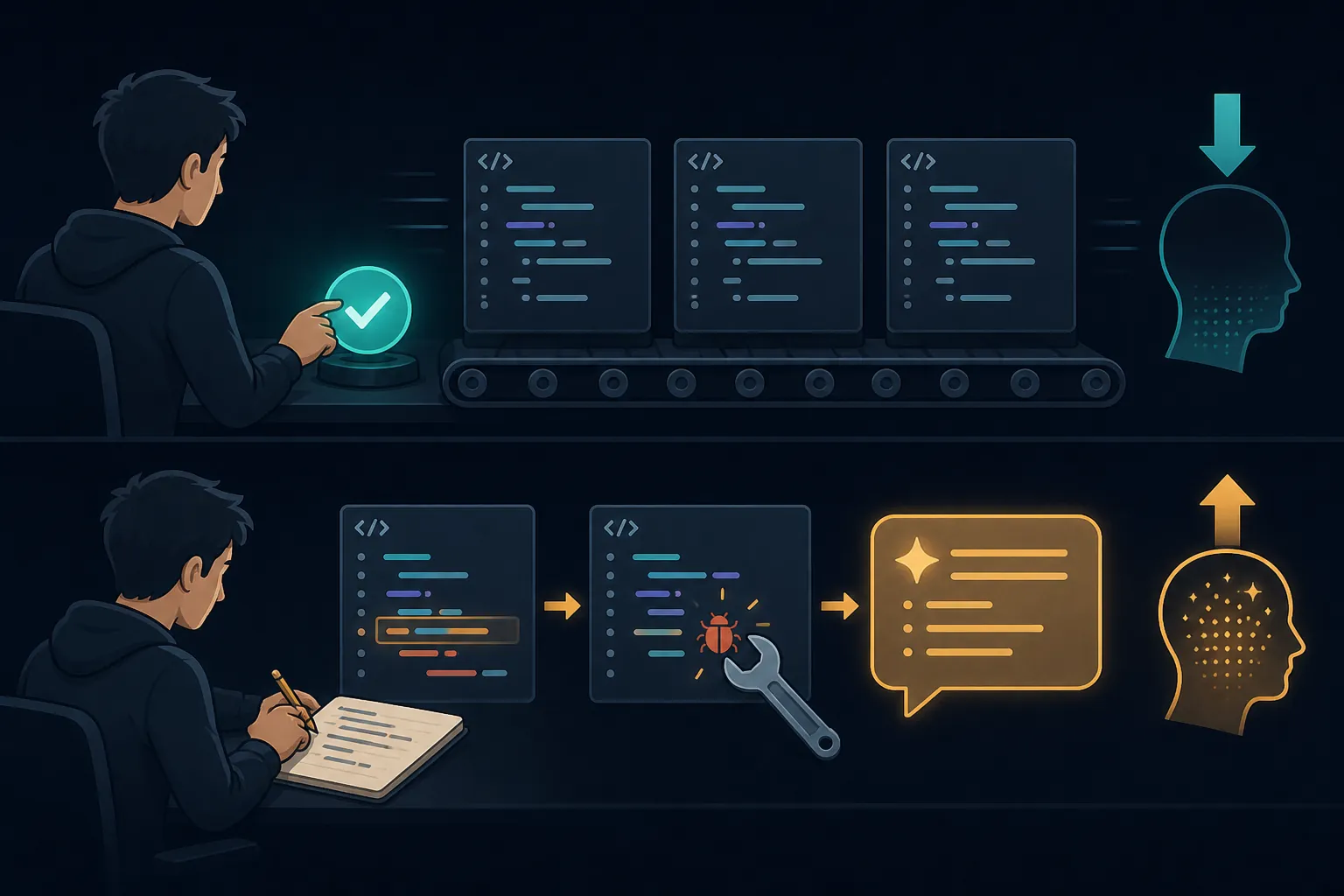
The Anthropic result also separates different styles of AI use. Explanation- and comprehension-first usage was associated with much stronger later performance, while delegation-first usage scored below 40% in the reported retention pattern; Anthropic also noted that more agentic tools are expected to make the mastery gap more pronounced.[3] That is not a Muse Code benchmark. It is a warning about the exact interaction pattern Muse Code makes convenient: delegate a repo task, approve a plan, accept edits, and move on.
There is an important boundary here. Anthropic’s trial used mostly junior engineers, not complete beginners.[3] For a true beginner, applying the result is an inference, not a direct measurement. But it is not a wild inference. If junior engineers lost mastery when they leaned into AI delegation, a beginner with a thinner mental model has even less slack. The beginner may ship faster and understand less.
Where Muse Code helped in the hands-on test
Muse Code’s strengths are real. It is comfortable as a repo-aware assistant. It can turn a broad implementation request into a plan, inspect files, propose changes, and keep enough surrounding context in view that it does not feel like a chatbot guessing from a pasted snippet. The /plan and /grill pattern is especially useful if you force yourself to pause before execution: ask for the plan, challenge the assumptions, and explain the expected code path before letting the agent edit anything.
That is the version of Muse Code I would trust for a learner with some fundamentals. Use it to surface files you missed. Use it to ask, “What would break if I changed this function?” Use it to review your own patch. Use it to generate alternative explanations after you have already tried to write the code. In that posture, it can act like a patient senior developer who never gets tired of being asked why an import, test, or edge case matters.
The risky version is quieter: ask for the feature, skim the plan, accept the patch, run the tests, and call that learning. That produces momentum, and momentum feels wonderful when you have spent nights stuck on one bug. But it also leaves the most valuable part of the lesson inside the agent’s invisible working memory instead of your own.
Cheap output can become expensive review
The pricing story looks friendly at first, especially next to premium coding agents. Meta’s Muse Code product page lists a standard tier at $1.25 per million input tokens, $0.15 per million cached input tokens, and $4.25 per million output tokens; the contributor tier is listed at $0.10 input, $0.002 cached input, and $0.20 output per million tokens.[4] That makes the contributor tier 12.5x cheaper for input, 75x cheaper for cached input, and 21x cheaper for output than the standard tier. The tradeoff is not just price: the contributor option comes with terms that allow Meta to use your code for training, and availability is limited.[4]
For learners, the hidden cost is not only dollars. It is review time. An eesel pricing teardown reported no free tier and no spend cap at the time of its review, and it measured a single-word “hi” prompt consuming 20,400 tokens, or about $0.02, because conversation history can be billed again on later turns.[5] OrcaRouter also described the same general pricing shape and beta-era positioning, which is useful mainly as confirmation that token economics matter even when the CLI itself feels lightweight.[6]
This changes how “cheap” should be read. If a learner uses Muse Code to generate a large patch, then spends an hour trying to understand why one assertion disappeared or why an old branch is now dead code, the token bill is only the visible part. The real cost is that the learner is reviewing someone else’s reasoning after the code has already landed.
The New Stack’s independent hands-on test is a useful caution, not a full benchmark. In a three-job, token-tracked comparison published Aug. 10, 2026, Muse Code tied Claude Code on correctness, but the author described Muse as “correct but not thorough”: it left dead code, deleted an assertion, and in one refactor reduced a 467-line file only to 465 lines, while Claude reduced it to 353 lines.[7] The author’s practical conclusion was that token savings can be repaid in review time.[7]
That is not a universal ranking of Muse Code below Claude Code. Three jobs are not enough for that, and the author did not present them as a formal benchmark.[7] But the pattern is exactly the kind that matters for learners. “Correct enough” code can be harder to learn from than obviously broken code, because it asks you to inspect design quality, removed checks, stale code, and edge cases — the same muscles beginners are still building.
How I would use Muse Code if I were learning now
I would not ban Muse Code from a learner’s setup. I would put it in the right seat. JetBrains’ guidance for learners is to write code first, use AI to explain and review, and avoid letting AI replace the struggle that forms understanding.[8] Pluralsight gives similar advice: treat AI like a mentor that can clarify concepts and guide practice, not as a generator that completes the learning task for you.[9]
- Write the first version yourself, even if it is ugly. The ugly version is the map of what you currently understand.
- Debug manually before asking Muse Code to fix the bug. Trace the inputs, read the stack trace, add temporary logs, and form your own hypothesis.
- Use
/planbefore generation. Make Muse Code state the files, functions, assumptions, and risks before it edits. - Use
/grillon your own plan, not only on the agent’s plan. Ask it where your approach will fail. - After any generated patch, ask for a line-by-line explanation, then close the agent and explain the change back in your own words.
- Use the event log and diffs as study material. If you cannot explain why a line changed, do not count the task as learned.
For a learner with 6–12 months of basics, this can work. You already know enough syntax, control flow, testing, and debugging to notice when the agent is smoothing over a concept you need to practice. For a complete beginner, I would start elsewhere: small programs, manual debugging, reading docs, and a teaching-oriented AI mode if you use AI at all. The comparison point on this site is our Claude Learning Mode test, because that is closer to what a learning-first experience looks like when the product actually includes one.

Where Muse Code fits against other coding agents
Muse Code is new enough that I would avoid confident league tables. TechCrunch covered the Aug. 5 launch as Meta introducing an AI agent for large code bases, which is the right category lens: this is a serious coding-agent entry, not a toy tutor.[10] But launch attention is not learning evidence.
If you are comparing workflows, use the tool-specific guides for that job: our Claude Opus setup guide for a Claude Code-style CLI path, the DeepSeek V4 coding-agent learning test for another hands-on learner-focused comparison, and the Kimi K3 student comparison if your main question is model cost and context rather than pedagogy.
One more learner-facing issue sits outside pure coding performance: trust. The contributor tier’s lower prices are tied to training rights over your code, so students working on private school, employer, or portfolio projects should read the terms before pasting a repository into any tool. For the broader Meta trust context, see our Meta AI hack case study for students.
The practical verdict
Muse Code is useful after fundamentals. It can plan, review, explain, inspect a repo, and help you compare approaches faster than you could alone. If you already know enough to challenge it, it can be a strong mentor-shaped tool.
As a first teacher, it is the wrong default. The product’s visible design is output-oriented, its documented skills are built around planning, grilling, and executing work, and the nearest learning research warns that delegation-first AI coding use is associated with lower mastery, especially on debugging. That does not prove Muse Code harms beginners. It does support a narrower, more useful rule: do not let a code-shipping workflow masquerade as learning.
Write code first. Break it yourself. Debug it manually. Then ask Muse Code for a plan, an explanation, a review, and follow-up questions that force you to say what the code is doing. If you skip straight to generated patches, Muse Code may build the project faster than you can learn from it.
References
- Introducing Muse Code and Muse Spark 1.2, Meta AI Research
- Meet Muse Spark 1.2 and Muse Code, Meta for Developers
- AI assistance and coding skills, Anthropic
- Muse Code, Meta for Developers
- Meta Muse Code Pricing: A Full Breakdown, eesel
- Meta Muse Code: Terminal Coding Agent, OrcaRouter
- Meta Muse vs. Claude Code, The New Stack, Aug. 10, 2026
- Should You Use AI to Learn?, JetBrains, July 31, 2025
- Learning coding with AI, Pluralsight
- Meta launches Muse Code, an AI agent for large code bases, TechCrunch, Aug. 5, 2026
Authoritative source
No specific exam hub matched
Browse the exam hubs directory for the authoritative plan on any of the five exams.
Report an error in this tool's output
Found something this tool got wrong beyond what's documented above? Report it so the accuracy log stays current.
Comments
Join the discussion with an anonymous comment.