
A Realistic Study Guide for AI Image Detection
Accuracy Warning — AI-image detectors
Detectors degrade sharply on newer generators (18–30% accuracy on Flux Dev, Firefly v4, Midjourney v7); visual tells are unreliable; use detection as a second opinion, not proof.
- Accuracy:
- Limited
- Tested:
- Practicing AI-image detection and using detectors as a second opinion for student research
- Last tested:
- 2026-02
If you came here for an ai generated image detection study guide, the useful answer starts with a ceiling, not a checklist. You can get better at spotting suspicious images. You can learn where to slow down, what to inspect first, and when an image deserves provenance checks. What you cannot study your way into is perfect visual certainty.
That matters because the task is often practical rather than theatrical. A student finds an image in a source note. A classmate adds a dramatic illustration to a presentation. A reader sees a photo circulating without a clear origin. The responsible move is not to announce, “AI.” It is to decide how suspicious the image is, what kind of checking it needs next, and how much confidence the assignment or argument can safely place on it.
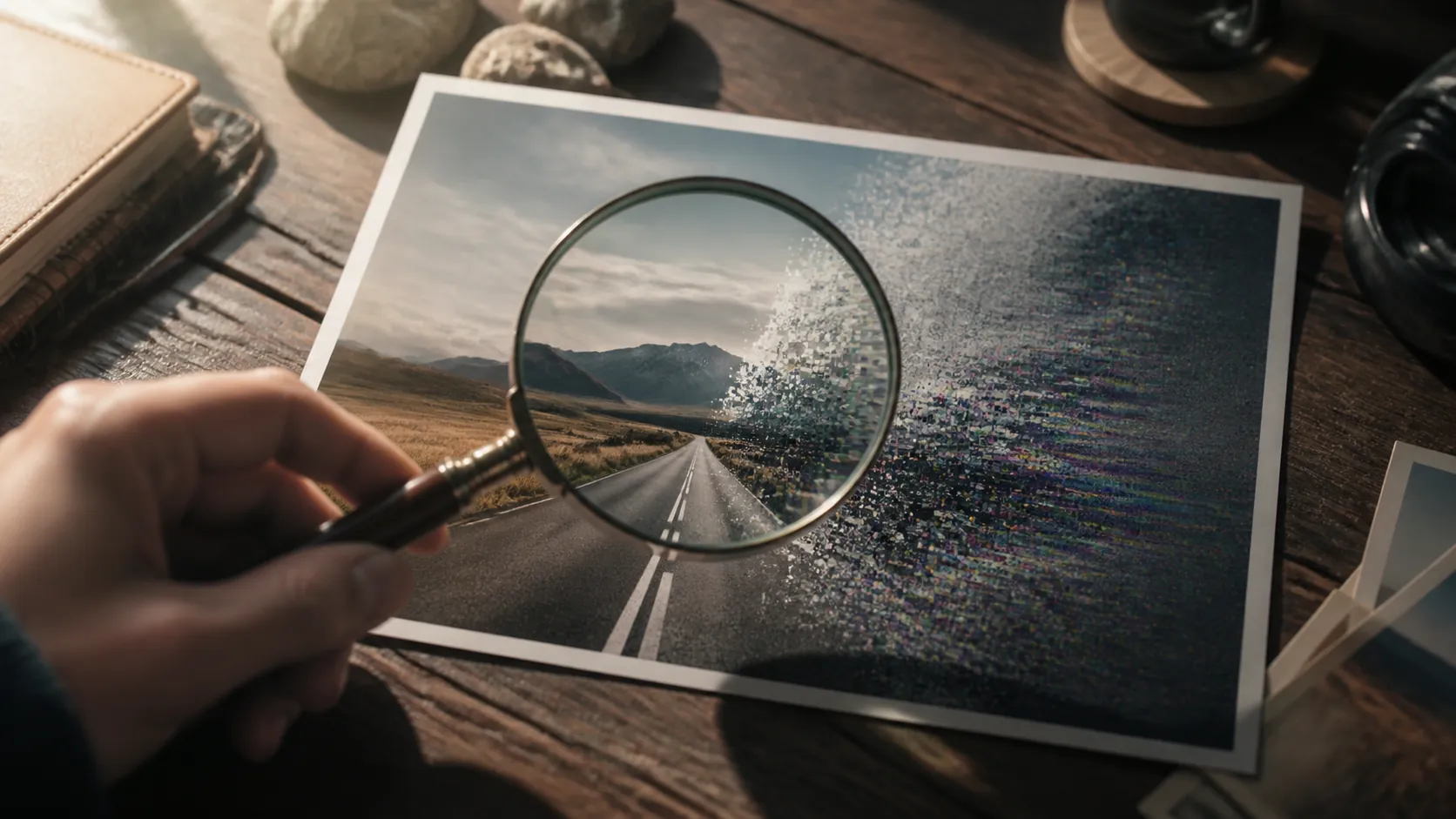
This is a media-literacy and research-verification skill, not a hidden SAT, ACT, GRE, MCAT, or ASVAB item type. It can still help students who work with digital sources, evidence, and visual arguments. If you use AI in your study routine, keep this filed with AI study tools: the goal is active checking, not outsourcing judgment.
The human baseline is only moderately above guessing
The best reason to train this skill is also the best reason to stay humble about it. In Microsoft’s “Real or Not Quiz” experiment, more than 12,500 participants made about 287,000 evaluations and reached 62% overall accuracy at distinguishing real from AI-generated images. The same work found that people did better with faces and worse with natural and urban landscapes; for inpainted images, performance fell below 50% in some conditions.[1]
Other public-facing studies land in the same uncomfortable neighborhood, but they should not be blended into one grand average. Nexcess reported that participants were 53% accurate on images in its study of AI-generated content.[2] Sightengine, looking at its AI-or-not game data, reported an average around 71%, while current players ranged roughly from 55% to 75%.[3] Those are different tasks, samples, image sets, and participation contexts. Treat them as separate baselines with a shared warning: unaided visual detection is useful, but fragile.
| Source | What it measured | Result to remember | How to use it in studying |
|---|---|---|---|
| Microsoft Real or Not Quiz experiment | Large-scale human judgments across many evaluations | 62% overall; faces easier than landscapes; inpainting could fall below 50% | Train by image category, not with one universal checklist |
| Nexcess study | Participant performance on AI-generated content, including images | 53% accuracy on images | Do not assume confidence equals detection skill |
| Sightengine AI-or-not game analysis | Performance among players using a public game format | About 71% average, with current players roughly 55–75% | Use quizzes for feedback, but do not confuse a game score with proof |
The Microsoft faces-versus-landscapes finding should change how you practice. Many students start by hunting for broken fingers, odd teeth, melted lettering, or the general “AI look.” That habit is already stale. The Global Investigative Journalism Network’s 2025 guide warns that older tells such as bad hands and garbled text have become less dependable as models improve.[4] A study guide built around those tells would train you to recognize yesterday’s failures.
Use a reliability-ordered visual checklist
A checklist is still useful if it slows perception down. It should not promise that one defect settles the case. Work from stronger visual evidence toward weaker impressions, and write down what you actually observed instead of jumping from discomfort to accusation.
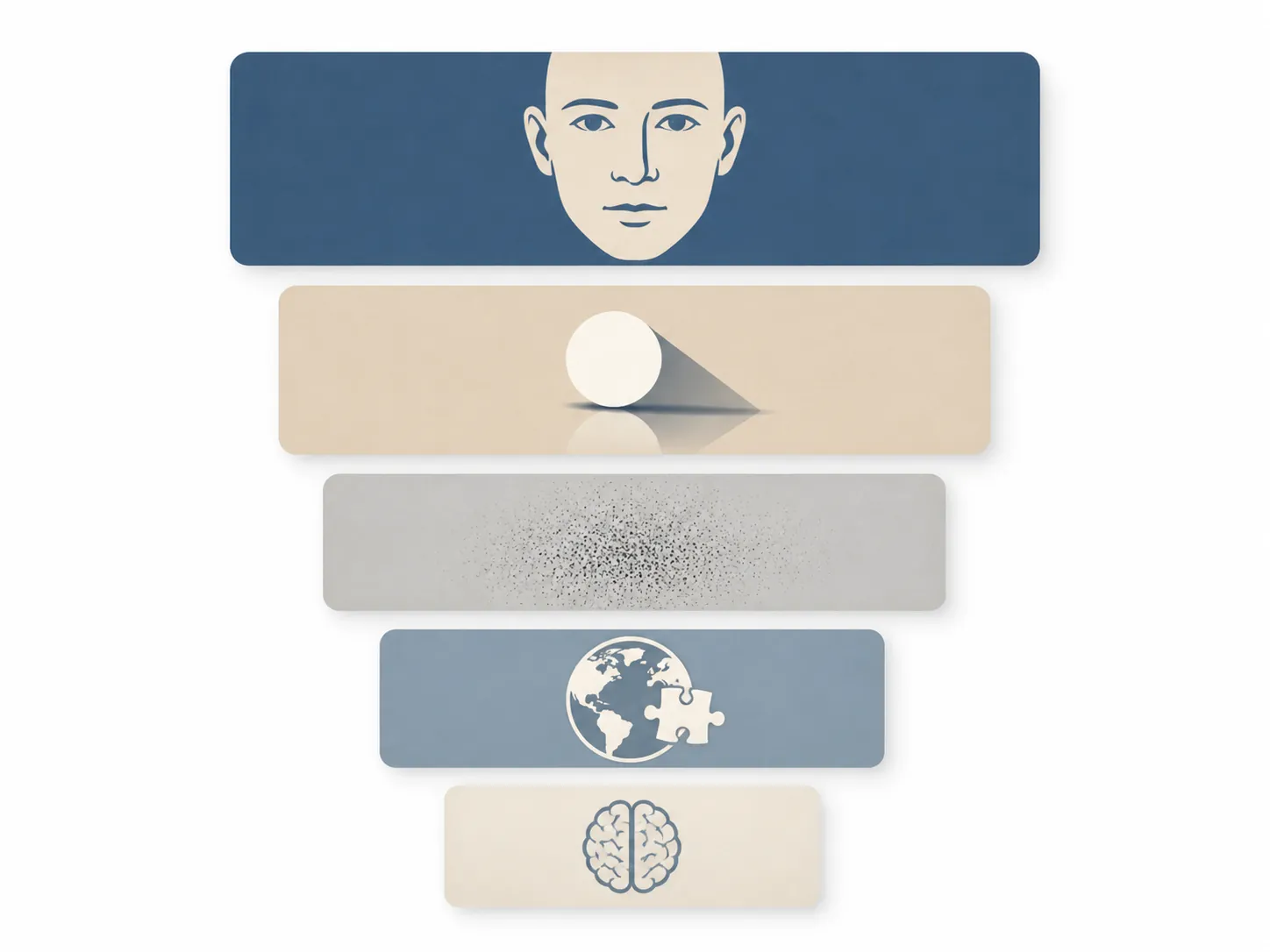
1. Faces and anatomy
Start with faces when they are present, because human performance tends to be stronger there than on landscapes.[1] Look for internal consistency: whether both eyes follow the same gaze, whether ears and eyeglass arms relate correctly, whether hairline, jawline, teeth, and skin folds behave like parts of the same head under the same light. For groups, compare scale and interaction. A face that looks convincing alone can become less convincing when its neck, shoulders, hand placement, or contact with another person is inspected.
Do not make hands your whole method. Hands, fingers, and limbs remain worth checking, but “six fingers” is no longer a serious study plan. If a model produces plausible hands and readable text, the image has not passed verification; it has only avoided two old traps.
2. Shadows, reflections, and perspective
Physics checks are slower, which is why they are useful. Pick one light source and follow its consequences. Shadows should point in compatible directions. Reflections should contain the right object from the right angle. Glass, water, chrome, mirrors, and polished floors often expose mismatches because they force the image to repeat information under different rules.
Perspective deserves the same patience. In an interior, ask whether floorboards, ceiling lines, shelves, windows, and table edges converge toward believable vanishing points. In a street scene, compare cars, doorways, lane markings, curbs, and people at different depths. You are not trying to become an art-forensics expert. You are asking whether the image can keep a stable world intact.
3. Texture, noise, and repeated detail
After structure, inspect surfaces. AI images can look too smooth in one region and strangely over-detailed in another. Fabric weave, tree bark, brick, gravel, hair, crowds, and food are good places to look because they contain many small repeated details. The signal is not “this looks glossy.” It is inconsistency: a jacket with realistic stitching near the collar but vague fabric at the cuff, or a forest floor where leaves become decorative noise instead of individual objects.
Compression complicates this check. A screenshot passed through social media may have blur, artifacts, and missing metadata even if it began as a real photograph. Texture is a supporting clue, not a verdict.
4. Context and plausibility
Context often does more work than pixels. Ask where the image supposedly came from, who published it, whether the event would likely have other coverage, and whether the caption asks you to accept more than the image can show. A dramatic weather photo, protest scene, lab image, disaster image, or celebrity image should have a traceable context if it is being used as evidence.
For student research, this is where the assignment consequence enters. If the image is decorative, you may only need to avoid citing it as evidence. If it supports a claim in a paper, presentation, or lab report, the source trail matters. An image that “looks real enough” is not automatically usable evidence.
5. Uncanny intuition
The uncanny feeling belongs at the end. It can tell you to inspect more carefully, but it is a poor final judge. People are often bothered by unfamiliar lighting, staged photography, heavy editing, shallow depth of field, or cultural details they do not recognize. The safest wording is “this image raises questions,” followed by the specific questions it raises.
- Better note: “The reflection in the window does not match the person’s position.”
- Weaker note: “It has AI vibes.”
- Better note: “The caption claims this is a real event, but I cannot find the image or event from the named source.”
- Weaker note: “It looks too perfect.”
Practice with quizzes, then make the quizzes harder
Free image quizzes are useful because they give immediate feedback. Sightengine’s AI or Not game lets you practice quick real-versus-AI judgments, and Britannica Education offers a Real or AI quiz alongside spotting tips.[6][5] BBC Bitesize and newspaper-style image tests can serve the same purpose when they are available through a class or lesson. The trap is treating a finished quiz as mastery.
Most quizzes have finite image sets. If you repeat them enough, you may remember examples instead of improving your detection process. That is why your practice should be graded by category and delay, not by one screenshot of a high score.
| Practice phase | What to do | What to record |
|---|---|---|
| Baseline run | Take a quiz once without looking up answers or using tools. | Overall score, image types missed, and your confidence on each answer. |
| Category drill | Group missed images by type: faces, people in scenes, landscapes, interiors, products, food, text-heavy images, or edited/inpainted-looking images. | The categories that cause false confidence. |
| Checklist run | Retake with the visual checklist beside you, moving from anatomy to physics to texture to context. | Which observations changed your answer and which were just vibes. |
| Delay run | Wait before retesting so memory has less influence. | Whether your reasoning improved on new or less familiar images. |
| Transfer run | Use a different quiz or image set instead of replaying the same examples. | Whether the skill transfers beyond memorized items. |
Give landscapes and urban scenes special attention. Microsoft’s result suggests that people struggle more with natural and urban landscapes than with faces.[1] That makes sense in practice: a mountain, skyline, beach, forest, or empty street gives you fewer familiar anatomy cues. You have to lean harder on perspective, lighting, horizon behavior, repeated textures, and source context.
A productive drill is to take ten suspicious-looking landscape or city images from a practice set and write one sentence per image before checking the answer. The sentence must name a visible reason: “tree texture repeats unnaturally,” “street signs are unreadable despite nearby detail,” “reflections do not align with the storefront,” or “nothing visual is wrong, but the source is unclear.” The last answer is allowed. Admitted uncertainty is better than invented certainty.
Train confidence separately from accuracy
On each practice image, mark your confidence before you reveal the answer: low, medium, or high. The score alone tells you whether you were right. Confidence tracking tells you whether you are dangerous. A student who is wrong but unsure will usually keep checking. A student who is wrong and certain may cite a fake image, dismiss a real one, or accuse someone without enough evidence.
After a few sessions, look for patterns. Maybe you overtrust clean product images. Maybe you call every surreal photograph AI. Maybe you are good with portraits and poor with outdoor scenes. That pattern is your study plan.
Use detector tools as second opinions, not proof
AI-image detectors can be helpful when they are treated as dated, generator-sensitive signals. They should come after your visual pass, not before it. If a detector output becomes the first thing you see, it can anchor your judgment and make you search for reasons to agree with it.
The independent benchmark picture is uneven. In a February 2026 zero-shot benchmark, the best detector reached 75.0% while the worst reached 37.5%; performance also dropped sharply on newer generators, with reported accuracy of only 18–30% on models such as Flux Dev, Firefly v4, and Midjourney v7, and a temporal decline from about 79% on 2020–2021 generators to about 38% on 2024 models as tested.[7] GenImage also shows why generator match matters: detection is easier when training and testing conditions line up, with a reported 73.6% ceiling under an identical-generator condition.[8]
That does not make detectors useless. It makes them evidence with labels attached: which tool, when checked, what image version, what output, and what you did next. For coursework, do not use a detector result as the basis for accusing a classmate or dismissing a source. Use it to decide whether provenance checking is necessary.
- Reasonable use: “The image has inconsistent reflections, and a detector also flagged it, so I need to verify the source before using it.”
- Unreasonable use: “The detector says AI, so the image is fake.”
- Reasonable use: “The detector did not flag it, but the source trail is weak, so I still need corroboration.”
- Unreasonable use: “The detector says real, so I can cite it without checking where it came from.”
Move from spotting to verification
Once an image feels suspicious, the next question is not “Can I prove with my eyes that this is AI?” The better question is “What would I need to verify before relying on it?” That shift protects you from two mistakes at once: being fooled by synthetic media and falsely flagging real media.
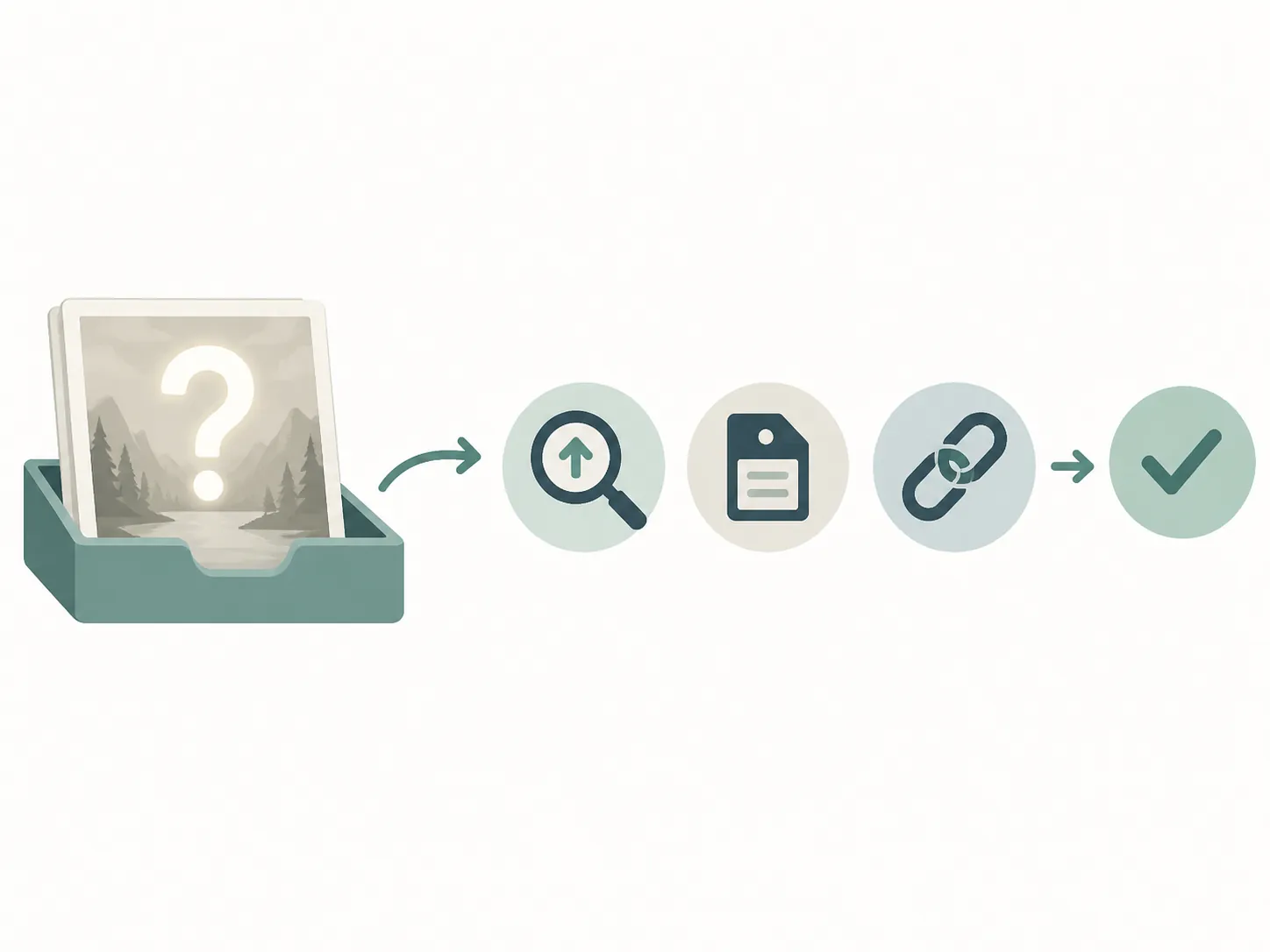
For ordinary student research, the verification path is straightforward:
- Run a reverse image search to see whether the image appears earlier, in another context, or on a more authoritative source.
- Check the page around the image: author, date, publication, caption, source credit, and whether the claim attached to the image is actually supported.
- Look for metadata or provenance signals when available, including C2PA-style content credentials, while remembering that missing metadata is common after uploads and screenshots.
- Find corroborating coverage if the image supposedly documents a public event, scientific result, historical scene, or newsworthy claim.
- If the image remains uncertain, describe that uncertainty in your work or choose a better-sourced image.
This is the same verify-before-trust habit students need with AI search summaries, chatbots, and viral explanations. If you are building that broader workflow, pair this guide with How Accurate Is Google AI Search for Student Research? and Lessons from Hank Green’s ChatGPT apology for student researchers. The transferable skill is not suspicion by itself; it is knowing what kind of evidence a claim needs.
Academic-integrity stakes make the wording especially important. A student can be harmed by a fake image entering a paper. A student can also be harmed by a confident but unsupported accusation that an image is AI-generated. Detection training helps you decide what deserves more checking. It does not authorize final verdicts from pixels alone.
References
- How good are humans at detecting AI-generated images? — Microsoft / arXiv
- Humans Struggle to Spot AI-Generated Content — Nexcess
- Human abilities to spot AI images — Sightengine
- A Reporter’s Guide to Detecting AI-Generated Content — Global Investigative Journalism Network
- Quiz: Real or AI? — Britannica Education
- AI or Not — Sightengine
- Zero-shot AI-generated image detection benchmark — arXiv, February 2026
- GenImage: A Million-Scale Benchmark for Detecting AI-Generated Image — arXiv
Authoritative source
No specific exam hub matched
Browse the exam hubs directory for the authoritative plan on any of the five exams.
Report an error in this tool's output
Found something this tool got wrong beyond what's documented above? Report it so the accuracy log stays current.
Comments
Join the discussion with an anonymous comment.