
How to Use a Citation Generator That Checks Sources
✓ After this tutorial: A verified reference list where every citation has been checked against academic databases and either confirmed or replaced.
This step-by-step tutorial shows how to generate citations and then verify them against academic databases like CrossRef and PubMed to catch AI-hallucinated or fabricated references before you submit.
A citation generator that checks sources does two separate jobs: it formats the reference, then tests whether the source appears to exist in a scholarly database. That second step matters because a reference can look perfectly formatted and still point to a paper, chapter, journal issue, or DOI that no one can actually find.
The working habit is simple: generate the citation, verify it, and only then let it stay in your reference list. If an AI tool helped you summarize sources, suggest readings, or draft citations, treat verification as the last pass before submission, the same way you would run spellcheck or confirm page numbers.
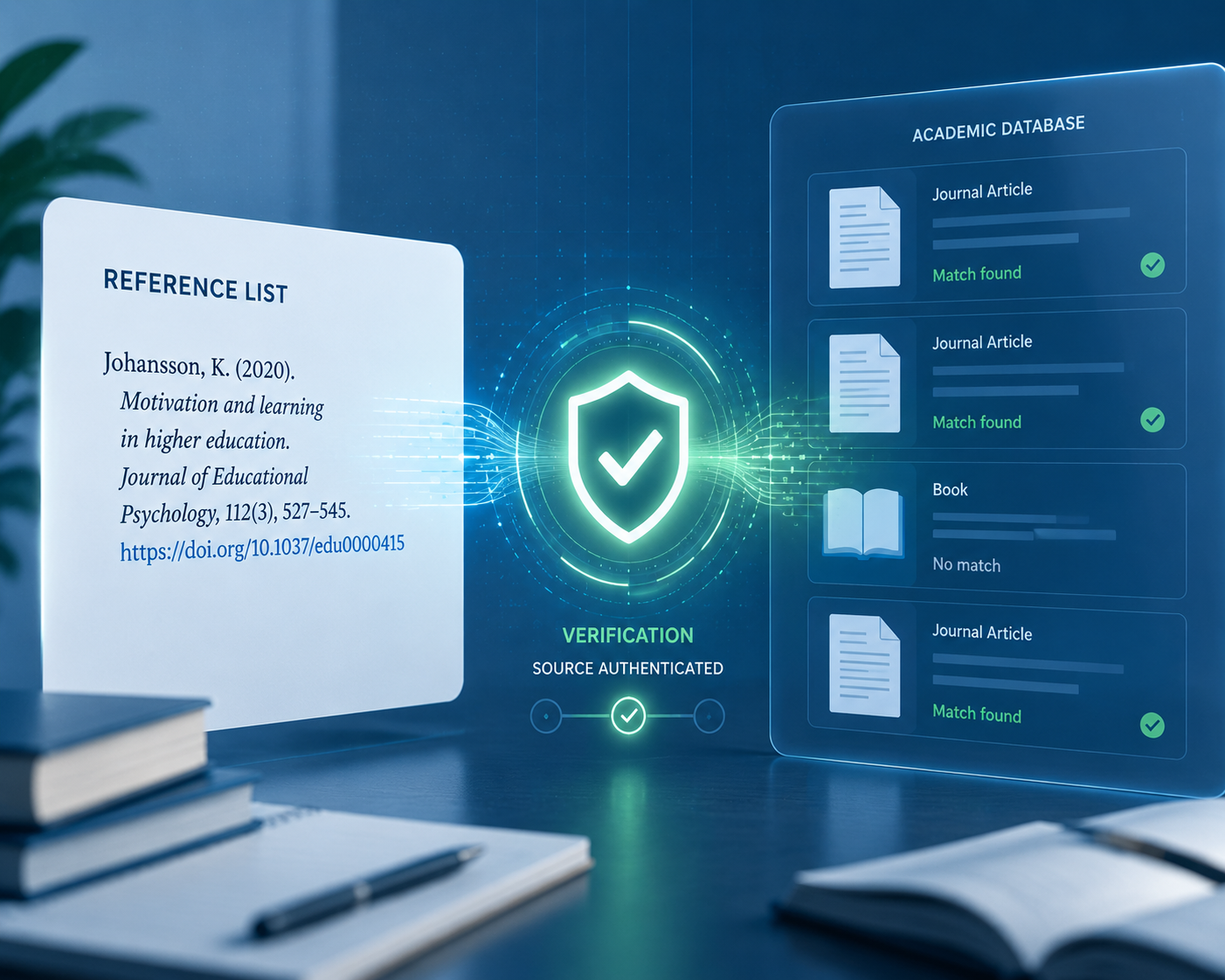
The Two-Stage Workflow
Start with the citation you already have. It may come from Zotero, a library database, Google Scholar, a citation generator, a journal website, or an AI chat. At this point, do not worry about whether the commas are perfect. First ask the more basic question: does this citation match a real source?
- Create or copy the full citation, including author, title, year, journal or book title, volume, issue, pages, and DOI if you have one.
- Paste it into a citation checker or source-checking citation generator.
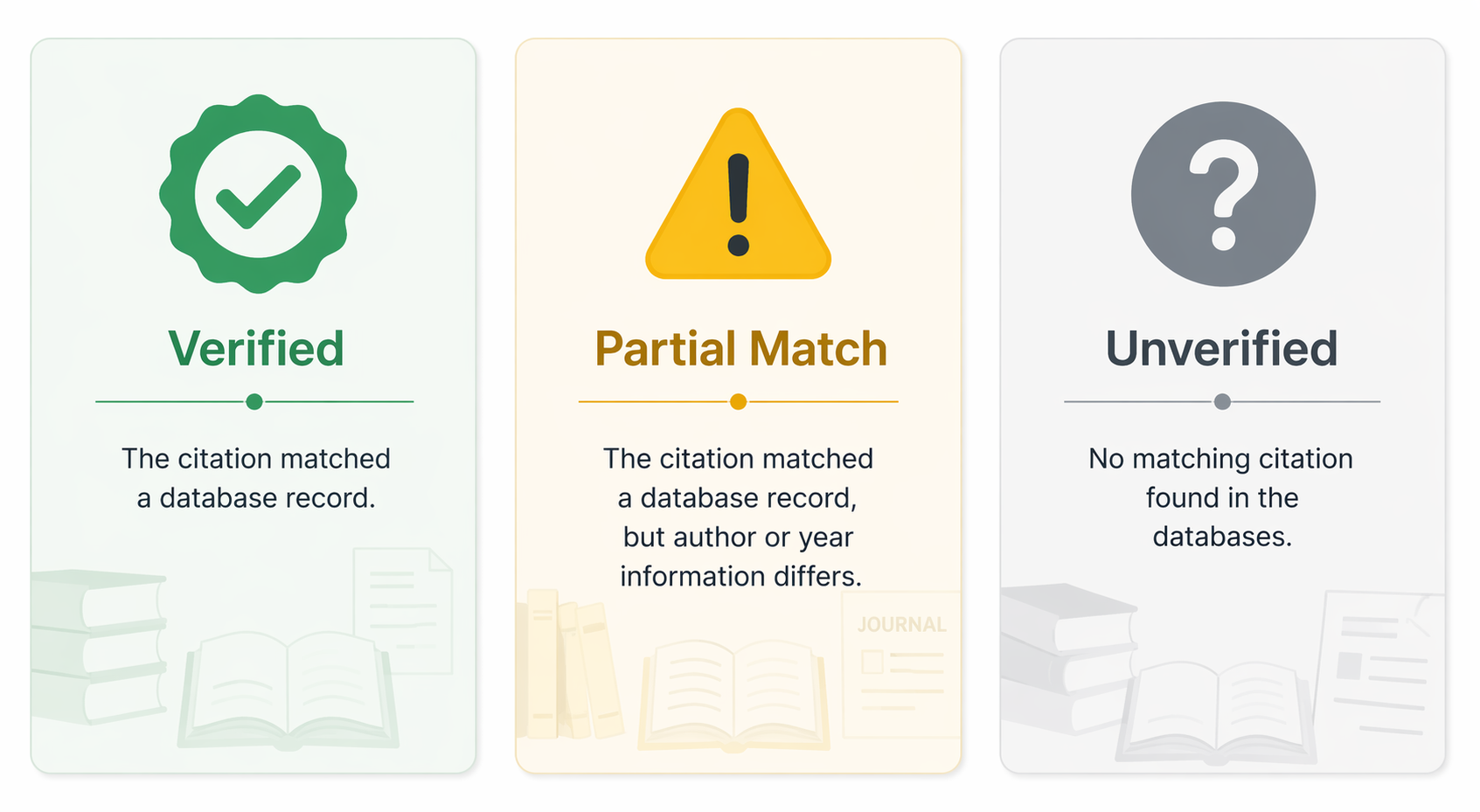
- Read the result as Verified, Partial Match, or Unverified.
- If the result is not clean, search manually before deciding whether to fix, keep, or replace the source.
- Only after the source exists should you polish the style details for APA, MLA, Chicago, or another required format.
This order prevents a common late-night trap: spending ten minutes correcting capitalization and italics on a citation that later turns out not to correspond to any real publication.
Pick a Checker Based on the Job in Front of You
You do not need a long tool stack just to verify one reference. For a single suspicious citation, use a paste-and-check tool. For a full bibliography, choose a batch checker if your free credits or quota allow it. If you are already building a broader writing setup, a source checker belongs beside your note app, reference manager, and draft feedback tools, not after them; the same logic applies when building a study tool stack.
| Tool | Best use | What to notice |
|---|---|---|
| CiteMe | Quick spot-checking one citation at a time | Returns Verified, Partial Match, or Unverified, and says it checks against OpenAlex, CrossRef, PubMed, Semantic Scholar, and Google Books; it also describes OpenAlex coverage as 250M+ works. [1] |
| Citely | Batch checking when you have several references to review | The company claims 95%+ accuracy for detecting authentic versus fabricated citations against CrossRef and PubMed; treat that as a vendor claim, not an independent benchmark. [2] |
| CiteTrue | Simple paste-and-check review | Markets itself around a straightforward citation verification interface and says it has verified 2M+ citations. [3] |
| GPTZero Sources | Students already using GPTZero or AI-detection tools | Positions source checking inside GPTZero's broader ecosystem and says it has scanned 220M+ scholarly articles and preprints. [4] |
Those database names are not decoration. CrossRef is useful when a source has a DOI and publisher metadata. PubMed is especially strong for biomedical literature. OpenAlex and Semantic Scholar broaden the search across scholarly records. Google Books can help with books that do not behave like journal articles. None of them covers everything.
Check One Citation
Take one citation from your reference list and paste the whole thing into the checker. Do not paste only the title unless the tool asks for that. A full citation gives the checker more fields to compare: author, year, title, journal, DOI, and publication details.
If the tool has a citation generator built in, you can enter the source information there first and then run verification. If you already have a citation from another tool, skip the generation step and paste it directly into the checker. The goal is not to pledge loyalty to one generator; the goal is to leave yourself a visible trail that shows why you trusted the source.
- Copy the citation exactly as it appears in your draft.
- Paste it into the checker.
- Open the matched record if the tool provides one.
- Compare the record against your citation, not just the status label.
- Save or note the DOI, database record, publisher page, or search result you used to confirm it.
That last note can be very small: a resolved DOI, a publisher URL, or the database where the record appeared. It is useful when you return to the paper later and cannot remember why one reference made you nervous.
Read the Result Without Overreading It
The cleanest teaching model is the three-status result: Verified, Partial Match, and Unverified. CiteMe uses that structure, matching citations against databases including OpenAlex, CrossRef, PubMed, Semantic Scholar, and Google Books. [1]
Verified
Verified means the checker found a database record that matches the citation closely enough to treat the source as real. This is the result you want, but it is still worth opening the matched record. A citation can point to a real article and still have a wrong page range, missing issue number, title typo, or incorrect capitalization.
For a Verified result, compare the title, author list, publication year, journal or book title, and DOI. If the checker offers a corrected citation, use it as a starting point, then check it against your required style guide or your instructor's instructions.
Partial Match
Partial Match is the result that deserves the most patience. It usually means the checker found something similar, but one or more fields do not line up. The article title may match while the year is wrong. The first author may match while the journal title does not. A DOI may resolve to a record with a different title than the one in your reference list.
Do not automatically delete a Partial Match. First, locate the matched record and compare it field by field. If the database record clearly identifies the real source, repair your citation from that record. If the matched record is only vaguely similar, keep searching.
- If the title matches but the year differs, check whether the source has an online-first date and a final publication date.
- If the author list differs, check whether your citation shortened the list, used an editor instead of an author, or copied names from a secondary source.
- If the journal title differs, check for abbreviations, former journal names, or a citation that confused an article title with a journal title.
- If the DOI points somewhere else, trust the resolved DOI record over the generated citation until you can prove otherwise.
Unverified
Unverified means the tool did not find a matching record. It does not automatically mean the citation is fake. That distinction is important, especially for books, humanities scholarship, non-English sources, older materials, grey literature, dissertations, reports, and some preprints. A database can miss a real source.
Still, Unverified is not a result to ignore. It means the citation has not earned its place in the reference list yet. You need a manual check, and if the source still cannot be found, you need to replace it with a source you can verify.
Use Fallback Checks Before You Give Up
When a checker cannot verify a citation, move from automated matching to manual searching. Use the strongest identifier first. A DOI is stronger than a title. A publisher page is stronger than a random copied bibliography. An author's university profile can help when the work is real but poorly indexed.
- Paste the DOI into doi.org. If it resolves, compare the landing page to your citation.
- Search the exact title in Google Scholar with quotation marks.
- Search the journal or publisher website directly.
- Search the first author's institutional profile or publication page.
- For books, search Google Books, your library catalog, WorldCat if your library provides access, or the publisher's catalog page.
If none of those checks finds the source, treat the citation as unsafe. In a paper, a source has to be findable by someone else. If your instructor, librarian, or peer reviewer cannot locate it from the information you provide, the reference cannot do its job.
What to Do With Each Result
| Result | What it means | Your next move |
|---|---|---|
| Verified | The citation matches a real database record. | Open the record, correct any formatting or metadata errors, and keep the source. |
| Partial Match | The checker found a similar record, but one or more fields differ. | Compare author, title, year, journal, pages, and DOI; repair the citation only if the matched record is clearly the same source. |
| Unverified | No matching record was found in the tool's databases. | Run manual fallback checks; keep the source only if you can confirm it through another reliable path. |
| Still not found | The source remains untraceable after automated and manual checks. | Replace it with a source you can locate, read, and cite accurately. |
This is also where traditional citation-machine advice still matters. Purdue OWL advises students to use citation generators responsibly rather than treating them as final authorities. [5] That guidance fits source checking well: a generator can speed up the work, but you are still responsible for the reference list you submit.
Where AI Changes the Stakes
AI tools can be useful in the writing process, but citations are one of the places where confidence can be misleading. A generated reference may have the rhythm of a real citation: plausible authors, a serious title, a recognizable journal name, and a clean DOI shape. That is exactly why checking matters. The surface form is not enough.
Some vendor pages and secondary writeups now circulate striking claims about fabricated citations and AI-generated references. Those claims point to a real concern, but they should be handled carefully unless the underlying studies are checked directly. For your own paper, the practical response is the same: do not submit a source just because a tool produced it fluently.
If you are using multiple academic-integrity tools, keep their jobs separate. A plagiarism checker, AI detector, and citation verifier are not interchangeable. A detector may comment on writing patterns; a source checker asks whether a reference corresponds to a traceable publication. For that distinction, it can help to read a companion guide on plagiarism checkers versus AI detectors.
A Pre-Submission Pass You Can Actually Finish
For a short paper, check every citation. For a long thesis chapter or seminar paper, start with the highest-risk references: anything suggested by AI, anything copied from another bibliography, anything missing a DOI, anything you have not personally opened, and anything that looks unusually generic.
- Every source in the reference list appears in the paper.
- Every in-text citation has a matching reference-list entry.
- Every AI-suggested or AI-formatted citation has been verified or manually checked.
- Every DOI resolves to the source you are citing.
- Every Unverified source has either been confirmed through another route or replaced.
- Every final citation has been cleaned up for the required style after the source itself is confirmed.
If you already use a draft review tool or essay feedback app, place this pass before the final writing review: draft, cite, verify, then revise. Students comparing broader writing tools can use AI essay feedback tools after the references are traceable, not as a substitute for checking them.
The goal is not to become suspicious of every citation. The goal is to make verification ordinary. A real source should leave a trail: a database record, a DOI landing page, a publisher page, a library record, or an author page. If you can follow that trail before submission, your reference list becomes much harder to shake.
References
- Citation Checker, CiteMe
- Citely
- CiteTrue
- GPTZero Sources, GPTZero
- Using Citation Machines Responsibly, Purdue OWL
Next Steps
- How to Generate Flashcards from a PDF: A Step-by-Step Guide for Students →
A method-layered tutorial for students who want to turn lecture slides, textbook chapters, or study guides into study-ready flashcards — covering AI generator tools, LLM prompt workflows, and the Anki CSV pipeline, with guidance on handling scanned PDFs and checking card quality before you study.
- Free Study Guide Maker vs. Paid: Is the Free Tier Enough for Exam Prep? →
Budget-conscious college students often wonder if a free AI study guide maker can handle a full semester of exam prep. This article analyzes the 2026 free-tier landscape, compares daily limits and blocked features, and reveals a rotation strategy that lets students juggle multiple classes without paying a cent.
- How to Import MCAT Decks into Anki (Both Methods, Step by Step) →
A step-by-step tutorial for pre-med students who have chosen an MCAT Anki deck and need to get it working fast — covering the direct .apkg file method for static community decks and the AnkiHub subscription method for the AnKing MCAT deck, plus post-import configuration and fixes for the most common failure states.
Comments
Join the discussion with an anonymous comment.