
How to Build a Cohesive Online Learning Toolkit in 2026
Tired of juggling too many study apps? This article provides a framework for choosing online learning tools that work together as a system, covering note-taking, flashcards, focus, AI assistance, and planning to build a complete, integrated study workflow.
Updated:
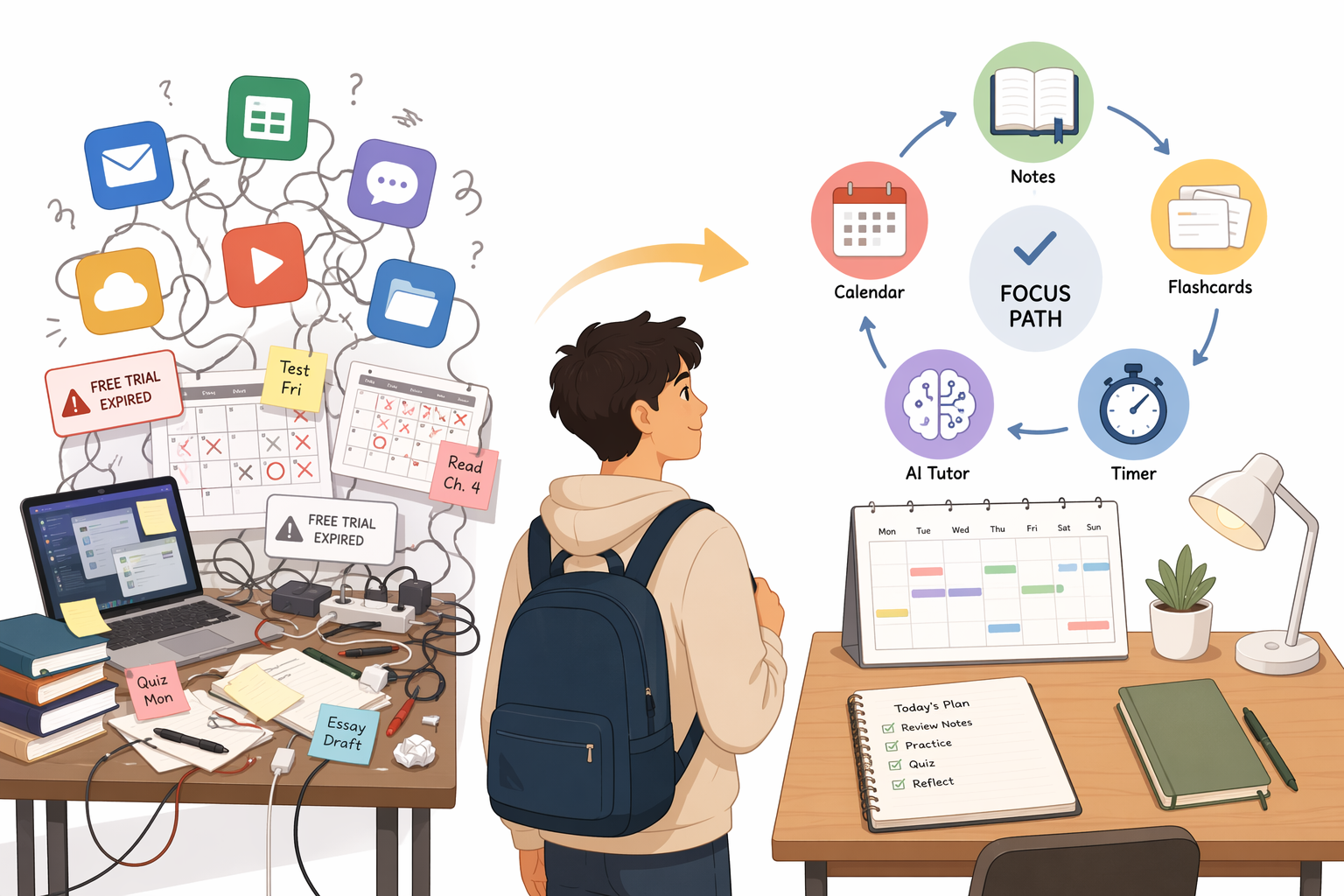
The problem with online learning tools usually does not start with a bad app. It starts with six decent ones. Your lecture notes live in one place, assignment dates in another, AI summaries in a browser tab you forgot to name, flashcards in a deck you meant to review yesterday, and a focus timer that only works if you remember to open it before the damage is done.
That mess is not a personal failure. The digital learning tools market reached $53.07 billion in 2026, with a projected 14.8% CAGR through 2033, so students are being sold more learning software than any one semester can reasonably absorb.[1] AI has become part of the same everyday landscape: 57% of U.S. college students use AI in coursework weekly, which makes AI assistance too common to ignore but not important enough to let it swallow the entire study system.[2]
A useful toolkit is not the one with the most features. It is the one where every tool has a job, every job has a next step, and nothing important disappears between apps.
Start With The Five Jobs Your Toolkit Must Do
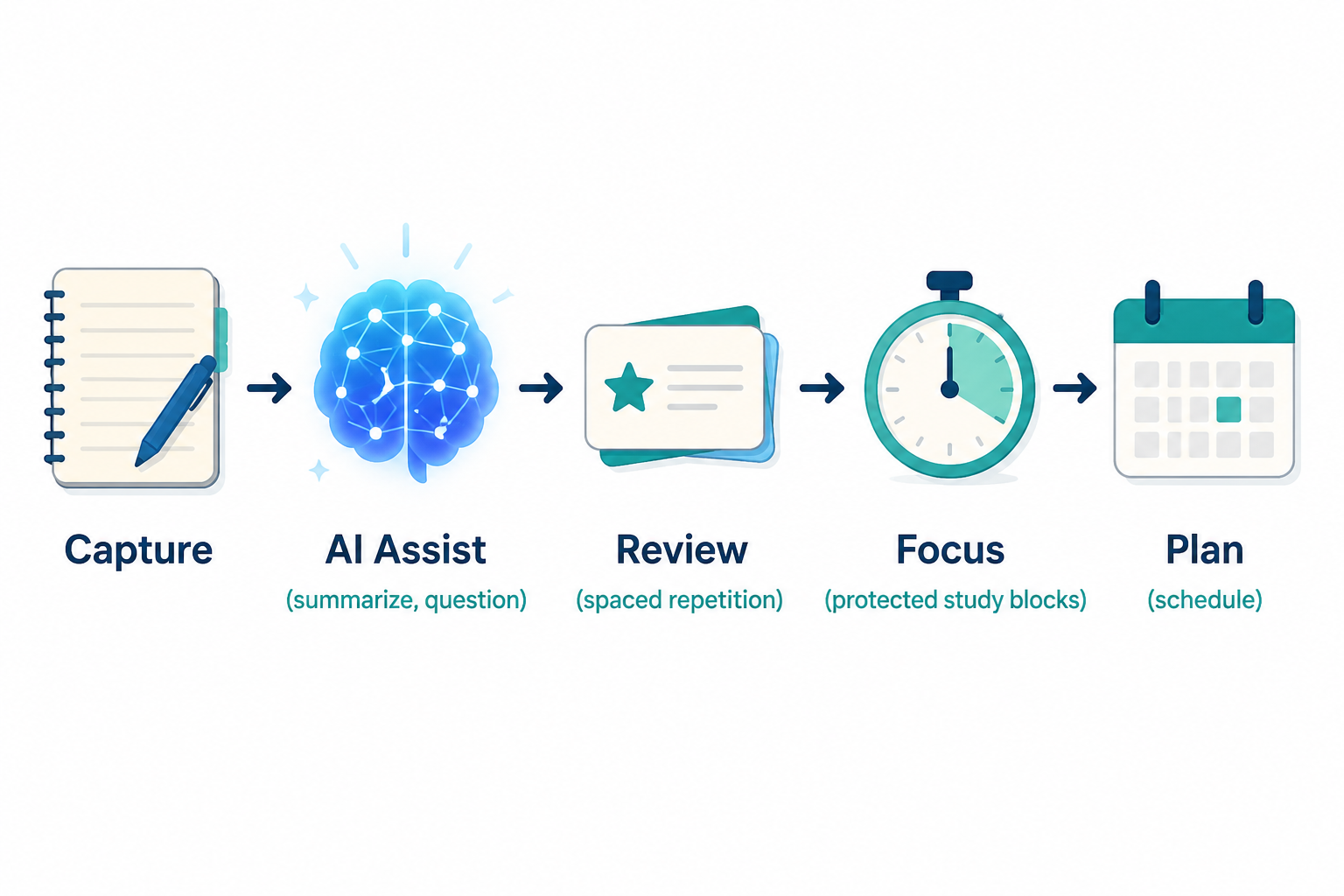
Before comparing apps, name the work your system needs to carry. Most student workflows break down into five functions: capturing course material, turning that material into review, protecting time to study, checking understanding, and tracking when the work is due.
| Function | What It Should Do | What It Should Hand Off |
|---|---|---|
| Note-taking | Capture lectures, readings, class discussion, examples, and source material | Key ideas, questions, diagrams, and definitions that can become review prompts |
| Spaced-repetition flashcards | Preserve recall through scheduled review | Weak cards, missed concepts, and review load that inform the next study session |
| Focus and productivity | Reduce the friction of starting and protect attention during a study block | A finished session, a stopped distraction loop, or a clear next task |
| AI study assistance | Summarize, question, explain, compare, or compute from material you provide | Draft questions, explanations to verify, and gaps to take back to notes or flashcards |
| Project and schedule management | Track classes, assignments, exams, recurring work, and deadlines | A calendar-based answer to what happens today, tomorrow, and this week |
That is the whole map. A student can build it with five separate tools, three tools, or one simpler platform plus a few add-ons. The important part is not the count. It is whether information can move from one function to the next without requiring a nightly act of digital archaeology.
The preference for self-paced learning also makes this kind of system more relevant in 2026. One research.com trend report says 84% of learners prefer self-paced learning, which favors asynchronous tools such as notes, flashcards, AI explainers, and calendar planning over workflows that depend on being in the right live session at the right time.[3]
Diagnose Where Your Current Workflow Breaks
Most students do not need more apps first. They need a sharper diagnosis. A messy toolkit usually has one or two failure points that create the feeling that everything is broken.
If You Lose Information, Fix Capture
Capture is broken when you remember that something was said in lecture but cannot find it, when PDFs are downloaded but never opened again, or when class notes are scattered across Google Docs, screenshots, voice memos, and half a Notion page. This is not a flashcard problem yet. It is a place problem.
A good note system should make today’s material easy to enter and next week’s material easy to retrieve. It does not have to be beautiful. In fact, many overbuilt dashboards fail here because they make capture feel like filing taxes.
If You Understand In Class But Forget Later, Fix Review
Review is broken when your notes are complete but your memory is not. Rereading can feel productive because the page looks familiar, but recall often needs a different structure: prompts, answers, delay, and repetition. This is where spaced repetition earns its place.
Retention claims need careful reading. One 2026 discussion of online learning reports that online learner retention can reach about 60%, compared with 8-10% in traditional classrooms, but the useful lesson is conditional: outcomes depend on systematic use, not on downloading a tool and hoping the interface does the remembering.[4]
If You Know What To Do But Never Start, Fix The Session
Starting is its own study skill. If your assignments are known, your notes exist, and your flashcards are waiting, but you still drift into messages, tabs, or “just checking” something, the missing tool may be a focus constraint rather than another learning platform.
This is where the smallest tool can be the most useful. A timer, blocker, or task list does not need to understand your course content. It needs to make the next 25, 45, or 90 minutes less negotiable.
If You Cannot Tell Whether You Understand, Fix Feedback
Some students have notes and cards but no way to test whether their explanation would survive a quiz, essay, lab, or problem set. AI study assistants can help here when used as question generators, source-aware summarizers, or explanation partners. They are weaker when treated as answer machines whose output moves directly into an assignment.
The practical question is not “Should I use AI?” Many students already do. The question is whether AI sits in a controlled spot in the workflow, where its answers are checked against course material and its useful outputs become better notes, better questions, or better flashcards.
If Deadlines Surprise You, Fix Planning
Planning is broken when assignments technically appear somewhere but do not change what you do today. A syllabus buried in a PDF is not a schedule. A due date copied into a task app but never reviewed is not a plan. The schedule tool has to turn course obligations into visible, timed work.
A decent planning layer answers three questions fast: What is due next? What needs spaced review today? What protected study block exists before the deadline?
Choose Tools By Role, Not By Popularity
Roundups are useful when you already know which category you are shopping in. If you want ranked lists, a category guide such as Best Study Tools for College Students in 2026 can help compare options. Building a toolkit is a different job. The question is not which app is impressive in isolation; it is whether that app fills a role without duplicating another tool or trapping work where you cannot use it.
Notes: Make Course Material Findable And Reusable
Your note-taking tool is the intake desk for the whole system. Obsidian, Notion, and OneNote can all work, but they encourage different habits. Obsidian is free, local-first, and known for linking notes through a graph view; Notion is freemium and often used as an all-in-one workspace; OneNote is free with Office 365 and remains strong for handwriting-heavy courses.[5]
The handoff matters more than the interface. After a lecture, the note should produce something: a short list of confusing points, a few candidate flashcards, a diagram to redraw, or a source to ask an AI tool about. If a note app becomes a storage unit for polished pages no one studies from, it is underperforming even if it looks organized.
Obsidian works especially well for students who want ownership of local files and links between ideas. Notion works well when the priority is one shared dashboard for classes, databases, and project views. OneNote is often the least glamorous and most practical option for students who annotate slides or write equations by hand. A minimal setup beats an elaborate one if it gets lecture material into review faster. For a quick Obsidian setup, see How to Set Up Obsidian for Your Classes in 15 Minutes.
Flashcards: Preserve Recall Without Turning Everything Into Cards
Flashcard tools should carry the memory burden, not become a second note-taking system that duplicates everything. Anki remains a serious option because its desktop and Android versions are free, its iOS app is a one-time $24.99 purchase, and its FSRS algorithm supports spaced repetition scheduling.[6] RemNote combines notes, SRS, and PDF annotation in a free forever plan, which can reduce handoff friction for students who want notes and review closer together.[6]
Brainscape uses confidence-based repetition, while Quizlet has broad reach and AI features such as Q-Chat; one 2026 tool roundup describes Quizlet as having more than 60 million monthly active users.[7] Popularity can be helpful when classmates share sets, but shared convenience does not guarantee that a deck matches your professor’s wording, your exam format, or your actual weak spots.
The cleanest handoff is simple: after notes are captured, pull only testable material into flashcards. Definitions, formulas, diagrams, short explanations, language vocabulary, anatomy labels, and common mistakes often belong there. Long essay arguments, messy project decisions, and broad “understand chapter 4” goals usually need another study method before they become cards.
If you are building a high-stakes review system, category-specific guidance is worth the time. For example, How to Use Anki for the MCAT is more useful for medical exam prep than a general flashcard app comparison.
Focus Tools: Protect The Study Block
Focus tools are not learning tools in the content sense. They are environment tools. Forest uses a gamified Pomodoro approach and offers a free Chrome extension; Cold Turkey blocks sites with a free version and paid upgrade; Todoist provides a free tier for projects and tasks; Marinara Timer is a free customizable Pomodoro timer.[8]
This category should stay boring. Pick one task surface and one attention constraint. If Todoist already tells you what to do, you may not need a second task database inside Notion. If Cold Turkey is blocking the sites that derail you, you do not need three more focus apps sending motivational notifications.
A useful focus handoff looks like this: the schedule says “biology review, 4:00-4:45,” the task list names the exact deck or chapter, the blocker removes the usual escape route, and the session ends with one next action recorded. The tool did its job if it helped you begin and finish, not if it produced a beautiful productivity report.
AI Study Assistants: Use Them For Questions, Explanations, And Checks
AI belongs in a 2026 study toolkit, but it needs boundaries. NotebookLM is useful because it can ground answers in uploaded sources and provide citations; available 2026 data lists a free tier with 100 notebooks and 50 sources per notebook.[9] Khanmigo offers a free basic tier and a $4 per month individual plan with advanced features, while Wolfram Alpha remains useful as a computational knowledge engine with a basic free tier.[9]
Those details are time-sensitive. Pricing, free-tier limits, and feature packaging were verified in June-July 2026, and students should check current terms before building a semester workflow around any paid feature.
NotebookLM is strongest when the source matters: uploaded lecture slides, articles, textbook excerpts, or your own notes. Ask it to identify the difference between two theories, generate practice questions from a reading, or explain where a summary came from. Then check the cited source before the output becomes a flashcard or assignment paragraph.
Khanmigo fits better when tutoring behavior matters: hints, guided reasoning, and help moving through a problem without jumping straight to the final answer. Wolfram Alpha is more specialized; it is not a general study companion so much as a computational engine for math, science, and structured factual queries.
The safest AI handoff has three parts: provide the source, ask for a study output, and verify before reuse. If AI generates possible flashcards, read them against the lecture material. If it explains a physics step, run the computation yourself or check with a trusted source. If it summarizes a reading, look at what it omitted. For a more detailed workflow, see How to Use AI Study Tools Effectively.
Planning Tools: Decide When The Work Happens
A planner is where the toolkit becomes real. MyStudyLife is free and built around class schedules, assignment tracking, and exam calendars; Trello offers free Kanban boards; Google Calendar is free and familiar enough that many students already have it open.[5]
MyStudyLife makes sense when school structure is the main problem: rotating class schedules, homework, exams, and course-specific reminders. Trello works better for visible project flow, especially group work or multi-step assignments. Google Calendar is the blunt instrument that still matters because time has to land somewhere.
The planning handoff should connect deadlines to study behavior. A chemistry exam on Friday should trigger review blocks before Friday. A paper due in two weeks should become smaller tasks with dates attached. A flashcard backlog should appear as a real workload, not as guilt hiding inside another app. If you need to rebuild that layer, The Complete Guide to Building a Weekly Homework Planner System is the deeper dive.
How To Avoid Building A Subscription Stack You Abandon
The easiest way to overspend is to let every category become a premium subscription. One AI tool, one note platform, one flashcard app, one focus blocker, and one planner can turn a “free” study system into a monthly bill before midterms. Paywall fatigue is not just annoyance; it changes whether students keep using the workflow after the novelty fades.
Use paid features only where they remove a real bottleneck. Paying for Anki on iOS may make sense if mobile review is central to your day. Paying for an AI tutor may make sense if it replaces less effective help-seeking and you verify its output. Paying for an all-in-one workspace may not make sense if you are mainly using it to recreate a calendar, a task list, and a note folder that free tools already handle.
- Keep one primary home for course notes; do not split ordinary lecture capture across three apps.
- Keep one review queue; duplicate flashcard systems create invisible backlog.
- Keep one calendar or schedule view; deadlines should not depend on remembering which app owns them.
- Use AI outputs as drafts for studying, not as verified knowledge.
- Check export options before committing important notes, cards, or project records to a tool.
Integration is the quiet limitation in most student toolkits. Some apps connect natively, some export awkwardly, and some only work together because you build a habit around copying the right thing at the right time. That does not make a modular system bad. It does mean the workflow has to be honest about manual handoffs.
A Simple Build Order For A Cohesive Toolkit
If your current setup is scattered, do not rebuild everything in one weekend. Start where the leak is largest, then add the next function only after the first one is usable during a normal school week.
- Choose one note home for each course.
- Decide what kinds of material become flashcards.
- Put deadlines, exams, and recurring study blocks into one planning view.
- Add one focus constraint for the sessions you already scheduled.
- Place AI at one controlled point: summarizing sources, generating practice questions, explaining errors, or checking reasoning.
- Review the stack after two weeks of real use and remove tools that duplicate another tool’s main job.
A one-app setup can still be the right answer for some students. If consistency is the bottleneck, a less specialized tool that you actually open every day may outperform a more elegant modular stack. The trade-off is that all-in-one systems often hide weaker edges: flashcards may be less powerful, AI may be less source-aware, scheduling may be less school-specific, or export may be harder than expected.
The decision rule is compact: choose one tool for each essential job, prefer tools that reduce handoff friction, verify AI outputs before they enter your notes or assignments, keep the cost sustainable, and judge the system after actual study sessions rather than setup excitement. The best online learning tools are not the most advanced ones on your phone. They are the ones that make it clear what happens next.
References
- Digital Learning Tools Market Share and Forecast, 2026-2033, Coherent Market Insights
- Lumina-Gallup 2026 AI coursework usage figure
- eLearning Trends: 2026 Current Data, Analysis & Insights, research.com
- Is Online Learning Here to Stay? Trends & Insights for 2026, California Miramar University
- 12 Study Tools for Online College Students, Purdue Global
- 7 Best AI Study Tools for Students in 2026, RemNote blog
- 10 Best AI Study Tools for Students in 2026, StudyPDF
- The Best Online Study Tools to Start the School Year Right, Connections Academy
- 7 Best AI-Powered Learning Platforms in 2026, D2L
Comments
Join the discussion with an anonymous comment.