
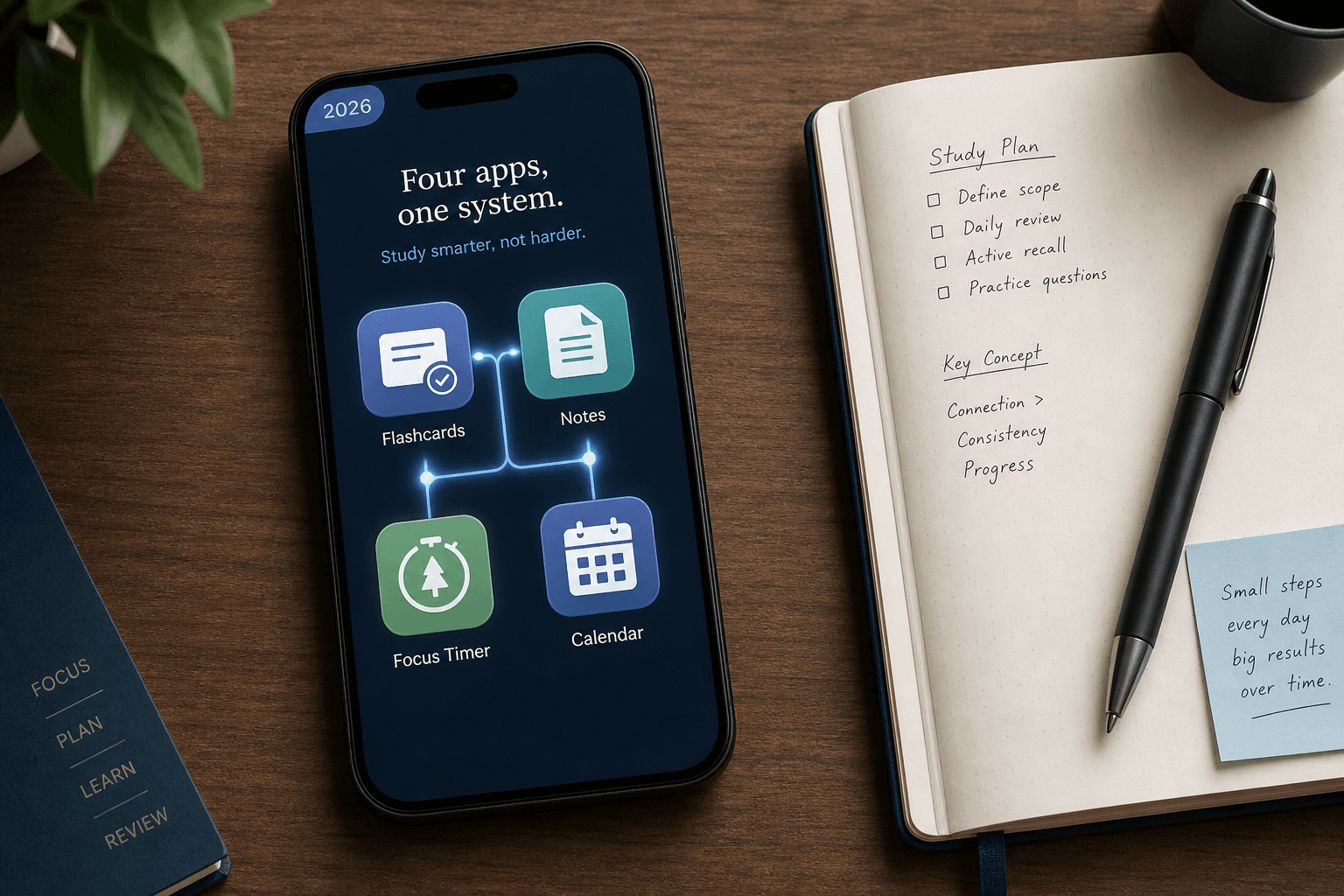
Best Study Apps 2026: Build a Smarter 3–4 App Stack (Not Just a List)
Stop app-hopping and build a coherent study system. This guide helps college and high school students choose one app per category — flashcards, notes, focus, planning, and AI tools — based on cognitive science and real student testing.
Updated:
Why App-Hopping Hurts Your Grades (and What to Do Instead)
Walk into any college library during finals week and you'll see the same pattern: students with a dozen apps on their phone, switching between them every few minutes, never settling into a rhythm. The research backs up what that frantic tapping suggests. A 2013 study by Rosen, Carrier, and Cheever found that students who commit to a consistent set of tools score higher than those who constantly switch. The mechanism is straightforward — every time you open a new app to "try it out," you pay a cognitive switching cost that fragments your attention and weakens the encoding of the material you're studying.
The numbers are stark. One coaching practice that works with high school students observed that a typical student has 14 study apps installed but uses only 2 or 3 of them regularly. Meanwhile, students who deliberately limit themselves to 4 apps use all 4. The difference isn't about which apps are better — it's about the behavioral cost of having too many choices. Every unused app is a distraction vector; every new tool you evaluate is time you're not spending on retrieval practice.
This guide takes a different approach from the typical "50 best study apps" listicle. Instead of adding to your collection, we'll help you build a coherent 3–4 app stack — one tool per essential category — chosen to match your specific situation as a student. The goal isn't to find the single perfect app. It's to find the right combination that you'll actually use, day after day, until the material sticks.
The 5 Categories of Study Apps You Actually Need
Before looking at specific apps, it helps to understand why each category exists and what cognitive science principle it supports. Every app in your stack should serve at least one of these five functions — if it doesn't, it's probably adding noise, not value.
- Flashcards (Spaced Repetition + Active Recall). The Dunlosky et al. (2013) meta-analysis ranked practice testing and distributed practice as the only two "high utility" study techniques. A flashcard app with a spaced repetition algorithm is the most direct way to implement both. Without it, students tend to drop cards they know too early, creating a false sense of mastery — a finding confirmed by Kornell (2009).
- Notes (Encoding + Organization). Note-taking forces you to rephrase and organize information in your own words, which is a form of elaboration — another evidence-backed technique. The right note-taking app makes this process frictionless, whether you prefer typed outlines, handwritten diagrams, or a mix of both.
- Focus (Attention Management). Even the best study methods fail if you can't sustain attention. Focus apps use techniques like the Pomodoro method or website blocking to create structured work intervals. They don't make you smarter, but they remove the environmental triggers that pull you away from the task.
- Planning (Time Management + Execution). A planner alone won't raise your grades — but without one, you're relying on willpower to decide what to study next. A good planning app turns your semester goals into daily, actionable blocks. It's the difference between "I need to study more" and "I will review Chapter 4 from 3:00 to 3:45 PM."
- Research / AI (Information Processing). This is the newest category and the most rapidly evolving. AI-powered tools can summarize dense readings, generate practice questions from your notes, and even create study podcasts. The key caveat: these tools should handle the grunt work of information extraction, not replace the cognitive work of retrieval practice.
A 2026 meta-analysis in The Clinical Teacher, covering over 21,000 learners, found that spaced repetition produced a large effect size of d=0.78 for long-term retention. That's not a marginal improvement — it's the difference between remembering a concept for a week and remembering it for a year. Your app stack should be built around making that kind of effect automatic.
Top Picks in Each Category (Tested for 2026)
The apps listed below were selected based on a combination of research support, real student testing data from multiple sources, and feature stability. Pricing is noted as of Q2 2026 and is subject to change.
Flashcards
- Anki — The gold standard for long-term retention. Uses the SM-2 and FSRS spaced repetition algorithms, fully configurable. Free on desktop and Android; iOS is a one-time ~$30 purchase. Best for medical students, language learners, and anyone preparing for high-stakes exams like the MCAT or GRE. No built-in weakness diagnosis — you have to track your own performance.
- Quizlet — Best for quick vocabulary sets and shared community decks. The free tier is limited; Quizlet Plus costs ~$8/month. No native spaced repetition algorithm, which means you're relying on manual review scheduling. Good for casual learning or last-minute cramming, but not ideal for building durable long-term memory.
- Knowt — Trusted by over 4 million students. Offers one-click Quizlet import and a free Learn Mode with spaced repetition. The strongest free alternative to Quizlet, especially for students who want to migrate their existing decks without losing progress.
- Laxu AI — An AI-powered flashcard app that generates cards from your materials. Claims to save 5–10 hours per week on flashcard creation. Useful for students who spend more time making cards than reviewing them, but the AI-generated cards still need human verification for accuracy.
For a deeper comparison of flashcard-specific features, algorithms, and pricing, see our Spaced Repetition Flashcard App Buyer's Guide.
Notes
- Notion — Free for personal use. Highly flexible with templates for student dashboards, class notes, and project tracking. Best for students who want a single workspace for notes, assignments, and planning. The learning curve is real — expect to spend a few hours setting up your system.
- OneNote — Free, cross-platform, and deeply integrated with Microsoft's ecosystem. Excellent for handwritten notes on tablets and for organizing notebooks by subject. Less flexible than Notion for project management, but more reliable for pure note-taking.
- GoodNotes — The leading handwriting app for iPad. Supports Cornell note templates, PDF annotation, and searchable handwriting. Best for students who prefer handwritten notes but want digital organization. Paid app with a one-time purchase model.
- Obsidian — Free for personal use. Built on a local-first, plain-text system that creates a personal knowledge graph. Best for advanced users who want to connect ideas across courses and build a long-term knowledge base. Steep learning curve but unmatched for interconnected thinking.
Focus
- Forest — Gamified focus timer. You plant a virtual tree that grows during your focus session and dies if you leave the app. Free web version; paid mobile app. Best for students who respond well to visual rewards and mild guilt.
- Cold Turkey — Hardcore website and application blocker for Windows and macOS. You set a block list and a timer, and you cannot override it until the session ends. Free version available; Pro version adds scheduling and more features. Best for students who need external enforcement, not gentle reminders.
- Pomofocus — A simple, free web-based Pomodoro timer. No frills, no accounts, no distractions. Best for students who just need a timer and don't want another app to manage.
Planning
- Google Calendar — Free, ubiquitous, and surprisingly powerful for study scheduling. The key is to use time-blocking: assign specific subjects to specific time slots, not just "study" blocks. Syncs across all devices. No task management built in, so pair it with a to-do list app.
- Todoist — Free tier covers most student needs. Natural language input ("Review Chapter 4 every Tuesday at 3 PM") makes scheduling fast. Best for students who want a clean, reliable task manager without the complexity of a full project management tool.
- My Study Life — Free app designed specifically for students. Tracks classes, assignments, exams, and schedules. Supports rotating class schedules (e.g., week A vs. week B). Best for high school and college students with complex timetables.
Research / AI
- Zotero — Free, open-source reference manager. Collects, organizes, and cites sources. Best for graduate students and anyone writing research papers. The free tier covers virtually all student needs.
- NotebookLM — Google's free AI research assistant. Processes up to 50 source documents and generates summaries, study guides, and audio overviews. Source-grounded to eliminate hallucinations — a critical differentiator from general-purpose AI chatbots. Best for synthesizing multiple readings into a coherent study guide.
For a full breakdown of NotebookLM's features and limitations, see our NotebookLM Study Guide for Students.
AI Tools: The New Category That Changes Everything
AI-powered study tools have moved from novelty to necessity in the past two years. The global AI in education market hit $8.3 billion in 2025 and is growing at over 30% per year. But not all AI tools are created equal, and the hype often outpaces the reality. Here are the tools that actually deliver value for students, based on hands-on testing with real academic materials.
| Tool | Best For | Key Feature | Pricing | Caveat |
|---|---|---|---|---|
| Thea | All-in-one study kit generation | Upload a 90-page PDF → full study kit (flashcards, study guide, practice questions, adaptive quiz) in <5 minutes | Free tier available; over 1 million users | AI-generated content must be verified before high-stakes exams |
| NotesXP | Study podcasts + mind maps | AI-generated audio overviews and visual mind maps from your notes | Apple only; freemium | Limited to iOS ecosystem |
| StudyFetch | AI tutoring grounded in your materials | Spark.E AI tutor answers questions based on your uploaded documents, not general knowledge | $7.99–$11.99/month; raised $11.5M Series A | Accuracy depends on upload quality; still requires verification |
| NotebookLM | Research synthesis | Processes up to 50 source documents; source-grounded to eliminate hallucinations; generates audio overviews | Free | Best for research synthesis, not for active recall practice |
| Knowt | Free Quizlet alternative with AI | One-click Quizlet import; free Learn Mode with spaced repetition | Free tier available; 4 million students | AI features are supplemental, not a replacement for manual review |
For students considering the switch from Quizlet to a more capable free alternative, our Quizlet to Knowt migration guide covers the step-by-step process and honest trade-offs.
Decision Framework: Which App Stack Is Right for You?
The right app stack depends on your specific situation as a student. The table below maps common student profiles to recommended combinations. Use it as a starting point, then adjust based on your personal preferences and course requirements.
| Student Profile | Flashcards | Notes | Focus | Planning | AI / Research |
|---|---|---|---|---|---|
| Medical student (MCAT prep) | Anki (FSRS algorithm, community decks) | Notion (study guides + question tracking) | Forest (long study blocks) | Google Calendar (time-blocked study schedule) | NotebookLM (synthesize research papers) |
| High school student (multiple subjects) | Knowt (free, Quizlet import) | OneNote (subject notebooks) | Pomofocus (simple timer) | My Study Life (class schedule + homework) | Khan Academy (free, adaptive exercises) |
| College student (lecture-heavy courses) | Anki (custom decks from lectures) | GoodNotes (handwritten lecture notes) | Cold Turkey (block distractions during lectures) | Todoist (assignment deadlines + study tasks) | Thea (generate study kits from lecture PDFs) |
| Language learner | Anki (premium shared decks for vocab) | Obsidian (knowledge graph for grammar rules) | Forest (daily review habit) | Google Calendar (daily 20-min review slot) | NotebookLM (audio overviews of texts) |
| Graduate student (research + papers) | Anki (citation-based flashcards) | Obsidian (connected notes + literature notes) | Cold Turkey (deep work sessions) | Todoist (project milestones + deadlines) | Zotero (reference management) + NotebookLM (synthesis) |
| Budget-conscious student (free only) | Knowt (free Learn Mode) | OneNote (free, cross-platform) | Pomofocus (free web timer) | Google Calendar (free) + Apple Reminders (free) | NotebookLM (free, 50 source limit) |
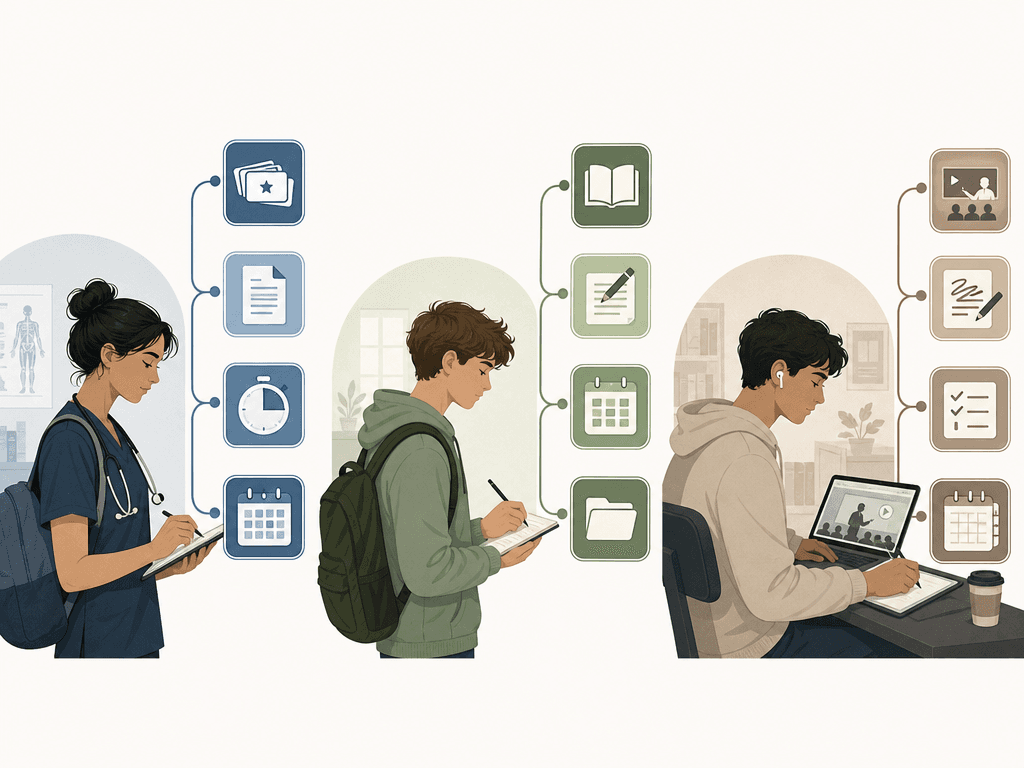
Building Your Stack: 3 Suggested Combos with Reasoning
If you're not sure where to start, here are three ready-to-use app stacks that have been tested by real students. Each one is designed to cover all five categories with minimal overlap and maximum consistency.
The Minimalist (4 apps, $0)
- Knowt (flashcards) + OneNote (notes) + Pomofocus (focus) + Google Calendar (planning)
- Best for: High school students and underclassmen who want a zero-cost system that works out of the box.
- Why it works: Every app in this stack is free, cross-platform, and requires minimal setup. Knowt handles spaced repetition with its Learn Mode. OneNote keeps your notes organized by subject. Pomofocus gives you a timer without adding another account. Google Calendar turns your class schedule into a time-blocked study plan.
The Power User (5 apps, ~$30–60/year)
- Anki (flashcards, iOS ~$30 one-time) + Obsidian (notes, free) + Cold Turkey (focus, free) + Todoist (planning, free tier) + NotebookLM (AI research, free)
- Best for: Graduate students, medical students, and anyone preparing for high-stakes exams.
- Why it works: Anki's FSRS algorithm is the most research-backed spaced repetition system available. Obsidian's knowledge graph lets you connect ideas across courses and semesters. Cold Turkey enforces deep work sessions without relying on willpower. Todoist's natural language input makes scheduling fast. NotebookLM synthesizes research papers into study guides without hallucination risks.
The AI-Enhanced Stack (4 apps, ~$8–12/month)
- Thea (AI flashcards + study kits, free tier) + GoodNotes (handwritten notes, one-time purchase) + Forest (focus, free web) + Google Calendar (planning, free)
- Best for: College students with heavy reading loads who want to reduce flashcard creation time.
- Why it works: Thea processes dense PDFs into study kits in under 5 minutes, saving 5–10 hours per week on card creation. GoodNotes handles handwritten lecture notes with Cornell templates. Forest keeps you focused during study blocks. Google Calendar provides the scheduling backbone. The trade-off: you must verify AI-generated cards before relying on them for exams.
| Stack | Cost | Setup Time | Best For | Key Trade-off |
|---|---|---|---|---|
| The Minimalist | $0 | 30 minutes | High school, underclassmen | No AI assistance; manual card creation |
| The Power User | $30–60/year | 2–3 hours | Graduate, med school, high-stakes exams | Steep learning curve for Obsidian and Anki |
| The AI-Enhanced | $8–12/month | 1 hour | College students with heavy reading | AI cards require verification before exams |
Free vs. Paid: When to Pay and When to Save
One of the most common questions students ask is whether they need to pay for study apps. The honest answer: free tiers of Google Calendar, Notion, Anki (desktop and Android), and Zotero cover roughly 90% of student needs. You can build a fully functional study system without spending a dime.
The cases where paying makes sense are specific:
- You're an iOS user who wants Anki. The iOS app costs ~$30 one-time. The desktop and Android versions are free, so if you have a laptop or Android phone, you can skip this cost entirely.
- You need AI-powered flashcard generation. Tools like Thea and StudyFetch have free tiers, but the paid versions unlock higher limits and more features. Only pay after you've used the free tier consistently for at least one semester.
- You want advanced focus blocking. Cold Turkey Pro (~$39 one-time) adds scheduling and more granular blocking rules. The free version is still powerful enough for most students.
- You need offline access on multiple devices. Some apps (like GoodNotes) are one-time purchases that unlock full offline sync. If you study in areas with unreliable internet, this can be worth the cost.
Many apps offer student discounts through the GitHub Student Developer Pack, Apple Education pricing, or direct verification through your .edu email. Always check before paying full price.
Common Mistakes That Sabotage Your Study App System
Even with the right apps, it's easy to fall into patterns that undermine your progress. Here are the most common mistakes we see students make — and how to avoid them.
- App-hopping. The average student tries 8–12 apps before settling on a system. Every switch costs you time and cognitive energy. Solution: commit to a stack for one full semester before evaluating whether to change anything.
- Over-organizing. Spending more time setting up your Notion dashboard or designing your Anki card templates than actually studying. Solution: use a simple template for the first month. Add complexity only when you feel the current system is limiting you.
- Ignoring free tiers. Many students pay for premium features they don't need. Free tiers of Google Calendar, Notion, Anki (desktop/Android), and Zotero cover ~90% of needs. Pay only after you've outgrown the free version.
- Skipping active recall by relying on AI generation. AI tools can generate flashcards from your PDFs in minutes, but the act of creating cards yourself is a form of encoding. Students who use AI-generated cards without reviewing them actively perform worse than those who make their own. See our AI-Generated vs. Handmade Flashcards guide for the full research comparison.
- Using a planner without execution. A study planner alone won't raise your grades. The gap between planning and execution is where most students lose momentum. Our Planning vs. Execution Gap article explains why and how to bridge it.
Frequently Asked Questions
Can I use just one app for everything?
Not effectively. No single app excels at all five categories — flashcards, notes, focus, planning, and research. All-in-one apps tend to be mediocre at everything. A 3–4 app stack gives you best-in-class tools for each function without the overhead of managing a dozen apps.
Is Anki still the best flashcard app in 2026?
For long-term retention and research-backed spaced repetition, yes. Anki's FSRS algorithm is validated by studies like Cepeda et al. (2006) and the 2026 meta-analysis in The Clinical Teacher (d=0.78). However, it has a steep learning curve and no built-in weakness diagnosis. For students who want a simpler experience with AI features, tools like Thea or Knowt may be better choices.
Are AI study tools worth it?
Yes, with a major caveat. AI tools can save 5–10 hours per week on flashcard creation and information extraction. But they cannot replace the cognitive work of retrieval practice. Students who use AI tools as a shortcut to avoid active recall will see worse outcomes. Use AI for the grunt work; do the thinking yourself.
What if I can't afford paid apps?
You don't need to pay. Free tiers of Google Calendar, Notion, Anki (desktop/Android), Knowt, OneNote, Pomofocus, and Zotero cover virtually all student needs. The Minimalist stack above costs $0 and includes all five categories. Only consider paying after you've used the free version consistently for at least one semester.
How do I stop app-hopping?
Commit to a stack for one full semester. Write down your chosen apps and delete the rest from your phone. Use the one-week rule: when you feel the urge to try something new, wait seven days. Most app urges pass. If after a week you still think a change would help, evaluate it deliberately — don't impulse-download.
Comments
Join the discussion with an anonymous comment.