
Which SAT Vocab Flash Cards Work Best for the Digital SAT?
A head-to-head comparison of SAT vocab flashcard tools—Anki, Magoosh, UWorld, Quizlet, Manhattan Review, Brainscape, and physical sets—evaluated for the digital SAT's context-based vocabulary questions. Find out which tool fits your study style, score goals, and budget.
Deck Sources
SAT vocab flash cards still matter for the digital SAT, but not in the old “memorize a brick of strange words and hope one appears” way. The Reading and Writing section now makes vocabulary work through short passages, answer-choice nuance, and surrounding clues. PrepScholar describes Craft and Structure as 13 to 15 questions on the Reading and Writing section, while Princeton Review notes that up to 8 questions may be direct Words in Context vocabulary questions.[1][2] That is enough to take vocabulary seriously, and not enough to justify disappearing into a 1,000-word deck while your practice-test review waits.
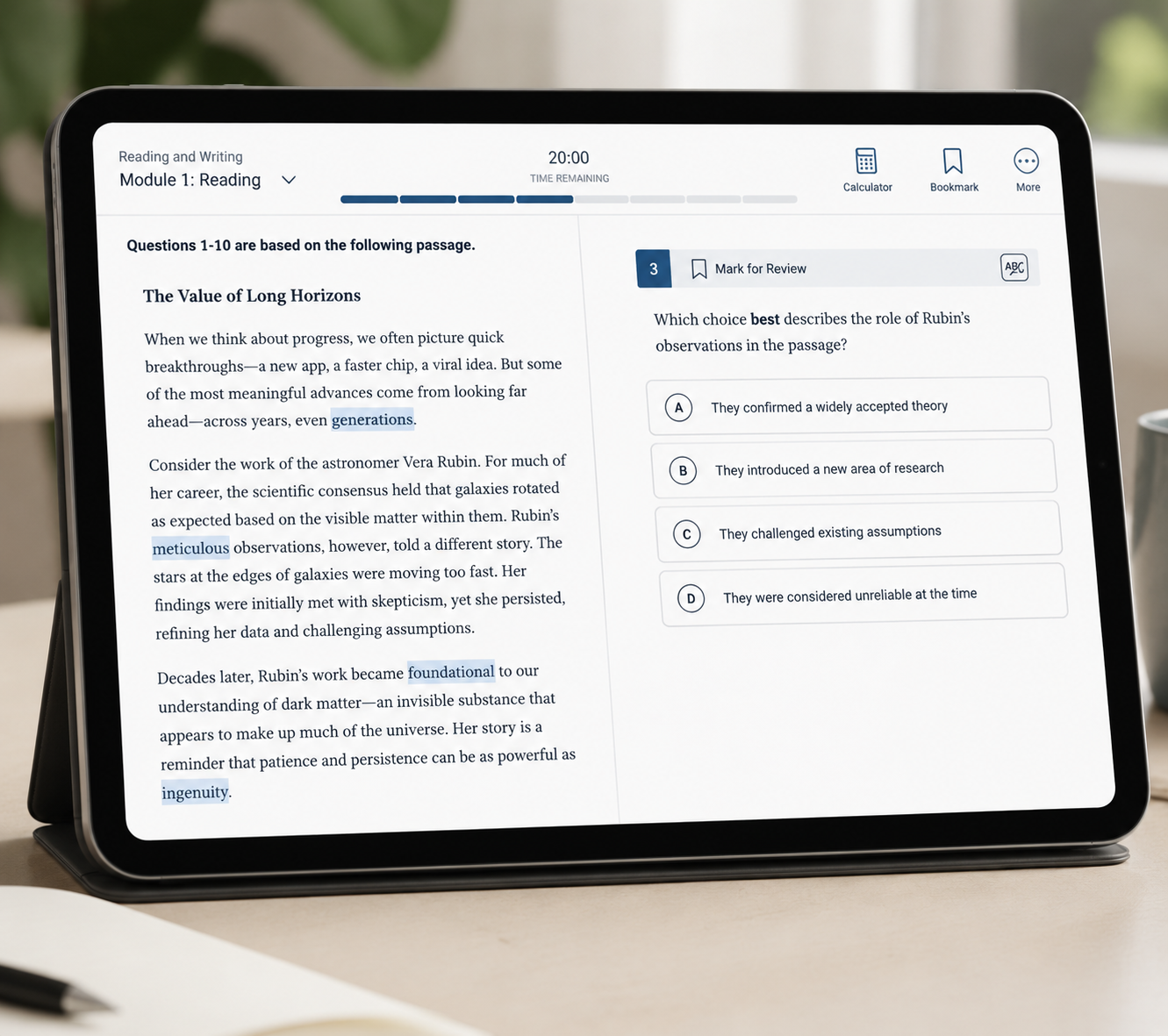
A good SAT vocab flashcard tool in 2026 has to do more than show you a word and a definition. It should help you recognize how a word behaves inside a sentence: tone, contrast, transition, degree, and fit. If a card teaches “ambivalent = having mixed feelings” but never trains you to notice that a sentence is asking for uncertainty rather than opposition, the card is only doing half the job.
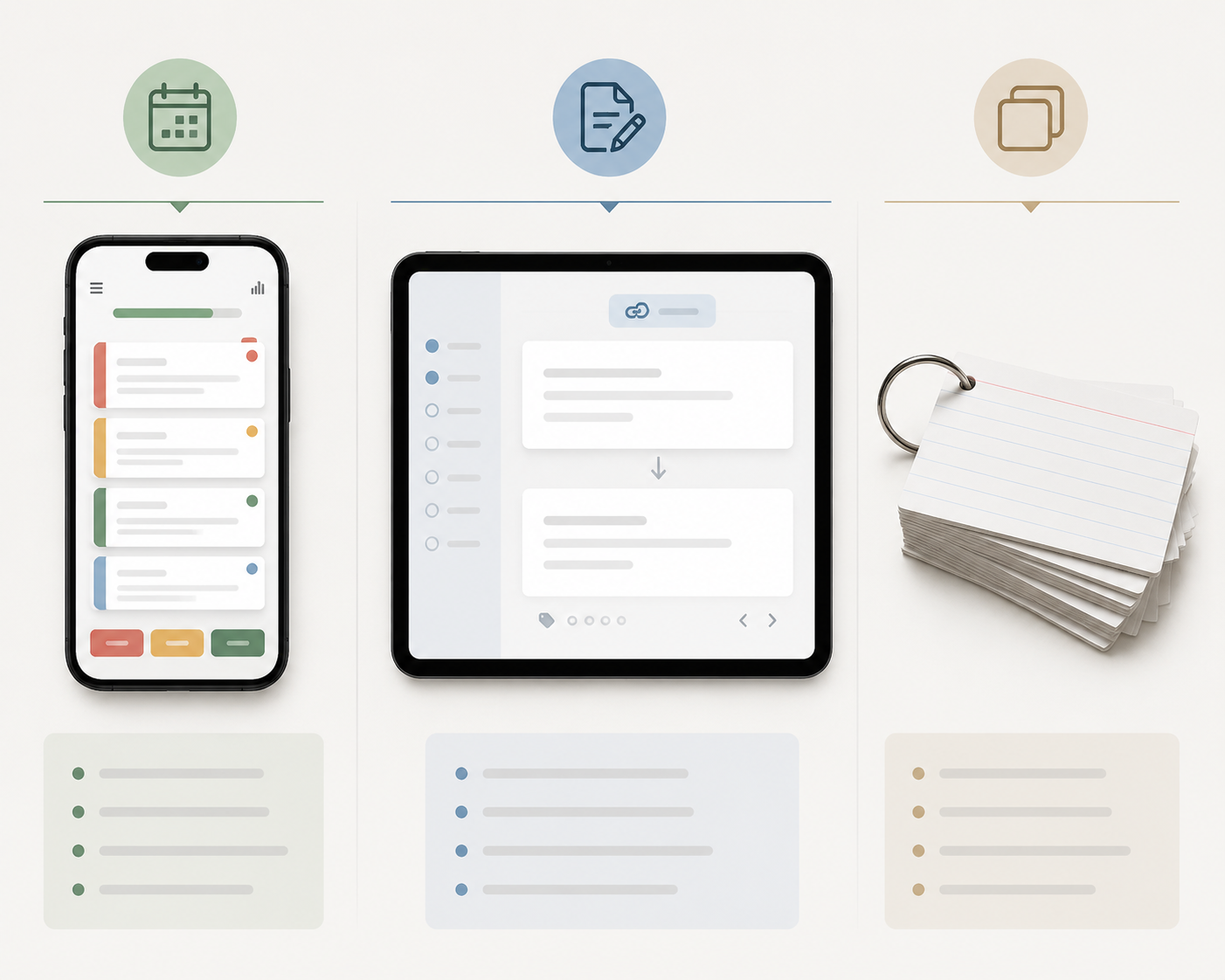
That changes how the major options stack up. Anki is powerful because it lets you build a review system around your own misses. UWorld is strong because its flashcards can come directly from questions you got wrong. Magoosh and Manhattan Review are useful because they remove setup friction. Quizlet is convenient, but its quality and access issues are real. Brainscape is clean and habit-friendly, though its repetition model is different from Anki’s. Physical cards are not dead; they are just easier to misuse for the digital test.
Last reviewed: Q3 2026. Pricing, app restrictions, product availability, and subscription features can change quickly, especially for Quizlet, UWorld, and physical flashcard products sold through retailers.
Quick Comparison: SAT Vocab Flash Cards for the Digital SAT
| Tool | Best for | Strength for digital SAT vocab | Main drawback | Cost position |
|---|---|---|---|---|
| Anki | Students who can handle setup and want control | Custom spaced repetition; strong for missed-word and context cards | Deck quality depends on what you build or import | Free/open-source on most platforms; iOS app pricing may differ |
| UWorld | Students already using UWorld practice | Can create custom flashcards from missed practice questions | Most useful inside the paid UWorld ecosystem | Included with UWorld course/QBank access |
| Magoosh SAT Flashcards | Students who want free, curated words immediately | 350 high-frequency words with difficulty tiers across app and web | Fixed list; not tied to your practice-test misses | Free |
| Manhattan Review | Students who want a free structured word bank | Color-coded progress across Essential, Basic, Intermediate, and Advanced categories | Less adaptive than a true missed-question system | Free |
| Quizlet | Students who study with classmates or already have trusted sets | Huge supply of user-generated SAT sets and easy sharing | Set accuracy varies; Learn mode and AI features are paywalled as of 2026 | Free tier plus paid features |
| Brainscape | Students who like rating their own confidence | Simple confidence-based repetition on mobile | Confidence ratings are not the same as algorithmic spaced repetition | Free and paid options may vary |
| Physical flashcard sets | Tactile learners and students who need offline review | No notifications, no tabs, easy quick sorting by hand | Many sets were built for older SAT vocabulary habits, not digital context questions | Varies by product and retailer |
What “Good” Means on the Digital SAT
For the current SAT, the question is not whether a student can recite a dictionary definition in isolation. The question is whether the student can choose the word that best fits a compact academic sentence under time pressure. That is a different skill. It rewards students who know meanings, yes, but also students who notice whether the sentence is building contrast, narrowing a claim, softening a conclusion, or describing a cause.
This is why giant inherited SAT decks can be a trap. A 900-card list looks serious. It also gives a busy junior a thousand chances to review words that may not connect to actual digital SAT mistakes. A smaller list can be better if it contains high-frequency academic words, shows the word in a sentence, and pushes the student back into practice passages.
PrepScholar’s own SAT vocabulary materials, for example, are built around a 384-word list rather than an endless antique-word archive.[2] UWorld’s digital SAT vocabulary material emphasizes words students may meet in reading passages, and its platform can connect flashcard creation to missed questions.[3] Those are different approaches, but they both point in the right direction: vocabulary review should be filtered through likely test use, not collected for its own sake.
Anki: Best If You Want Control and Will Actually Maintain It
Anki is the strongest choice for the student who wants a real review system instead of a pretty word list. It is also the easiest tool to overpraise. Anki will not magically know which SAT words matter to you. It gives you the machinery; you still have to feed it good cards.
The appeal is spaced repetition with control. Current Anki versions support FSRS, a newer scheduling system that replaced the older default habits many students associate with traditional Anki review. The practical advantage is not that Anki becomes “smart SAT prep” on its own. The advantage is that a student can make cards from real misses, review them at widening intervals, and avoid rereading a full list every night.
For digital SAT vocabulary, the best Anki cards are not just front: “equivocal”; back: “ambiguous.” A stronger card includes a short sentence, the clue that points to the meaning, and maybe one wrong-answer contrast. A hypothetical card might look like this: front side shows a sentence where a scientist gives an “equivocal” response after mixed evidence; back side explains that the context points to uncertainty, not enthusiasm or rejection. That is the kind of card that transfers to a Words in Context question.
Anki fits students who already keep assignments organized, tolerate a little setup, and want to turn practice-test misses into a personal deck. It is less friendly for students who open a blank app, import the first massive SAT deck they see, and call that a plan. The tool is excellent; the imported deck may not be.
Use Anki this way
- Start with a small curated SAT list or your own missed questions instead of a giant mystery deck.
- Add the sentence or phrase where you met the word, not only the definition.
- Tag cards by source, such as practice test, Khan-style drill, or reading passage.
- Suspend cards you clearly know so review time does not become fake productivity.
UWorld: Best If Your Vocab Review Should Follow Your Missed Questions
UWorld’s main vocabulary advantage is not that it has a list of words. Plenty of tools have lists. Its advantage is that students using the QBank can generate custom flashcards from missed practice questions, which ties review to actual performance rather than to a generic sense of what SAT vocabulary might be.[3]
That matters because students are often bad judges of what they need to study. They review familiar words because familiar words feel satisfying. They skip the almost-known words that actually cost them points. A missed-question flashcard interrupts that habit. If a student missed a question because “attenuate” was used in a scientific context and they chose an answer that was too strong, the card can preserve that mistake and make the review specific.
UWorld is therefore a better choice for students who are already using its SAT practice ecosystem than for students who only want a free vocabulary app. If you are not doing the practice questions, you lose the feature that makes the flashcard system distinctive. If you are doing them, the cards can become part of a sensible loop: miss a question, identify the word or clue, make the card, review it later, then watch for the same logic in a new passage.
Magoosh: Best Free Option for Starting Today
Magoosh SAT Flashcards are useful because they lower the first barrier: deciding what to study. The set includes 350 high-frequency words, organized by difficulty tiers, and is available on iOS, Android, and web.[4] For a student with twenty minutes after school and no patience for app setup, that matters.
The tradeoff is that Magoosh is a fixed curated list. It does not know that you keep missing words that signal degree, or that you understand definitions but fall for answer choices with the wrong tone. That does not make it weak. It makes it a good starter, not a complete diagnostic system.
Use Magoosh if you need a clean, free daily routine: ten to twenty cards, no hunting, no deck-building, no subscription decision before you have even begun. Pair it with practice questions quickly, because definition recall without passage work has a short ceiling.
Manhattan Review: Another Free Curated Route, With Clear Progress Tracking
Manhattan Review’s free SAT vocabulary flashcards are organized into Essential, Basic, Intermediate, and Advanced categories, with color-coded progress tracking.[5] That structure is more helpful than it sounds. Students who are overwhelmed by open-ended vocab prep often need a visible stopping point.
This is a good fit for students who want something free and orderly but do not want to build an Anki deck. It is also a reasonable choice for a short vocabulary phase before moving more time into full Reading and Writing practice. Like Magoosh, it is not performance-linked. If a student is repeatedly missing context questions, the missed words still need to be added somewhere: a notebook, Anki, UWorld cards, or a custom review sheet.
Quizlet: Convenient, Collaborative, and More Annoying Than It Used to Be
Quizlet is everywhere because it is easy to share, easy to search, and familiar to students. If your class, tutor, or study group already has a vetted SAT vocabulary set, Quizlet can be perfectly serviceable. The problem is the word “vetted.” User-generated SAT sets vary in accuracy, age, and relevance, and a deck labeled “digital SAT” is not automatically built for digital SAT context questions.
There is also the access issue. As of 2026, Quizlet’s Learn mode and AI features such as Q-Chat and Magic Notes are behind a paywall, according to Flashi’s comparison of SAT vocabulary apps.[4] That does not make Quizlet unusable, but it changes the value calculation. If the feature you actually wanted requires payment, compare it against tools that either stay free for your purpose or connect more directly to practice performance.
Choose Quizlet when collaboration matters: a teacher-approved set, a study group, or a deck you can quickly edit and share. Do not choose it just because it has the most SAT decks. Abundance is not the same as quality.
Brainscape: Good for Confidence Ratings, Less Convincing as a SAT-Specific System
Brainscape uses a confidence-based repetition model: after seeing a card, you rate how well you knew it, commonly on a 1-to-5 scale. That can be useful for students who are honest with themselves and like a simple mobile-first routine.
The caution is that confidence is not the same as evidence. A student can feel confident about a word after recognizing it in a flashcard and still miss it when the SAT places it in a dense sentence with two tempting answer choices. Brainscape can help with repetition and habit, but it does not automatically solve the context-transfer problem.
It fits students who already like rating their own recall and who want a cleaner experience than deck-heavy systems. It is not the first tool I would pick for a student who needs fine control, missed-question review, or a specifically digital-SAT-tuned routine.
Physical SAT Vocab Flash Cards: Still Useful, But Check the Era
Physical cards deserve a fairer answer than “apps are modern, paper is old.” Some students remember better when they physically sort cards into know, sort of know, and missed piles. Some need offline review because the phone turns into a trap. Some will do five minutes with paper cards at breakfast and zero minutes with a polished app.
The catch is product age. Sets from brands such as Barron’s, MindMint, and Growth Wise remain visible in retail marketplaces, but many physical SAT vocabulary products were designed for older SAT habits, especially the era when sentence-completion-style vocabulary carried more weight. Pricing, availability, and digital SAT updates should be checked before buying.
If you use physical cards, make them behave more like digital SAT prep. Write a short context sentence on the card. Add a clue word or phrase. Mark cards that came from missed practice questions. Retire cards you know cold. The tactile format is fine; the old “flip until memorized” method is the part that needs updating.
What About Newer AI Flashcard Apps?
Newer tools such as Flashi are trying to make SAT vocabulary review faster with AI-powered card generation and quick daily review flows. Flashi’s own 2026 SAT vocabulary app comparison describes it as a newer free iOS option built around AI card creation.[4] That is interesting, especially for students who hate manual setup.
The caution is track record. A new app can be clever and still have less evidence behind it than Anki, Quizlet, Magoosh, or the major SAT practice platforms. If you try an AI flashcard app, inspect the output. Does the card use the word correctly? Does the example sentence match digital SAT style? Does the review flow help you revisit misses, or does it just produce more cards?
Which Tool Should You Choose?
There is no universal winner here, and that is not a diplomatic dodge. The best SAT vocab flash cards are the ones that match your study behavior closely enough that you will use them, and sharply enough that they improve your reading of actual questions.
| If this sounds like you | Choose | Why |
|---|---|---|
| You are organized, want control, and can build or edit cards | Anki | It gives you the strongest custom review system, especially for missed words and sentence-based cards. |
| You already use UWorld for SAT practice | UWorld | Its custom flashcards can come from missed questions, so vocab review follows real performance. |
| You need a free tool you can start during a short study block today | Magoosh | The 350-word curated set is easy to access and does not require deck setup. |
| You want free structure and visible progress categories | Manhattan Review | Its leveled categories and color-coded tracking make review feel contained. |
| Your teacher or study group already uses a trusted shared set | Quizlet | Sharing is its real advantage, as long as you verify set quality and accept paywall limits. |
| You like judging how well you know each card | Brainscape | Confidence ratings can support a steady habit, though they are not a full diagnostic system. |
| You study better away from screens | Physical cards | Paper can keep you consistent if you update the cards for context-based digital SAT use. |
For most students, the strongest setup is not one tool by itself. It is one main flashcard system plus regular practice-question review. A student using Magoosh or Manhattan Review can add missed practice words to a small notebook or Anki deck. A student using UWorld can make cards immediately after missed questions. A student using physical cards can write context clues on the back instead of treating the definition as the whole lesson.
Pair Flashcards With Practice, or They Stall
The digital SAT does not reward the student who has the fanciest vocabulary app but never checks whether the words transfer to passages. Use flashcards to make vocabulary stick, then test that knowledge in real Reading and Writing practice. After a Bluebook or Khan-style practice session, pull out the words that actually affected your answer choices and put those into your chosen system.
If you are still building the practice side of your routine, use this guide to taking SAT practice tests with Bluebook and Khan Academy before turning vocabulary review into its own separate hobby. Flashcards work best when they shorten the distance between “I have seen this word” and “I can choose it correctly inside a sentence.”
References
- SAT Vocabulary, Princeton Review, https://www.princetonreview.com/college-advice/sat-vocabulary
- SAT Vocabulary Words: An Expert Guide, PrepScholar, https://blog.prepscholar.com/sat-vocabulary-words
- Top 100 Vocabulary Words You Need for Digital SAT Reading Passages, UWorld College Prep, https://collegeprep.uworld.com/blog/top-100-vocabulary-words-you-need-for-digital-sat-reading-passages/
- The Best SAT Vocabulary App for Quick Daily Review, Flashi, 2026-03-06, https://www.flashi.app/blog/2026-03-06-the-best-sat-vocabulary-app-for-quick-daily-review
- Free SAT Vocab Flashcards, Manhattan Review, https://www.manhattanreview.com/free-sat-vocab-flashcards/
Related Resources
- How to Make Flashcards on Quizlet in 2026: Manual, Import, and AI Magic Notes →
A complete step-by-step guide for high school and college students on creating flashcards using Quizlet. Covers all three methods — manual entry, bulk import from spreadsheets, and AI generation with Magic Notes — with clear instructions for web and mobile, plus what each method costs on free vs. paid plans.
- How to Choose a Flashcard App for Language Learning →
Generic 'best flashcard app' rankings don't account for how different languages need different features. This guide helps you choose based on your target language—logographic, Romance, or agglutinative—so you get the right tool from the start.
- Printable vs. Digital Alphabet Flashcards: Which Is Better for Early Literacy? →
A structured comparison for parents and educators deciding between physical and digital alphabet flashcards, with a decision framework based on child age, learning context, and literacy goals.
Comments
Join the discussion with an anonymous comment.