
GRE, MCAT, ASVAB, SAT, ACT Exam Hub
Do Airtable Study Planner Templates Work for Exam Prep?
A hands-on audit of Airtable's official study planner templates, with per-exam verdicts for GRE, MCAT, ASVAB, SAT, and ACT. They track coursework well, but none ships the practice-question or score-tracking structure a fixed test date actually needs.
- gre
- mcat
- asvab
- sat
- act
- digital-adaptive
- official-material
- section-strategy
- test-date-timeline
Last reviewed: August 5, 2026. Pricing, plan limits, template features, and AI references are a point-in-time audit, because Airtable changes plans and feature packaging. This is a hands-on template audit of Airtable’s official Education & Nonprofit templates, not a review of every community-made base or paid marketplace download.
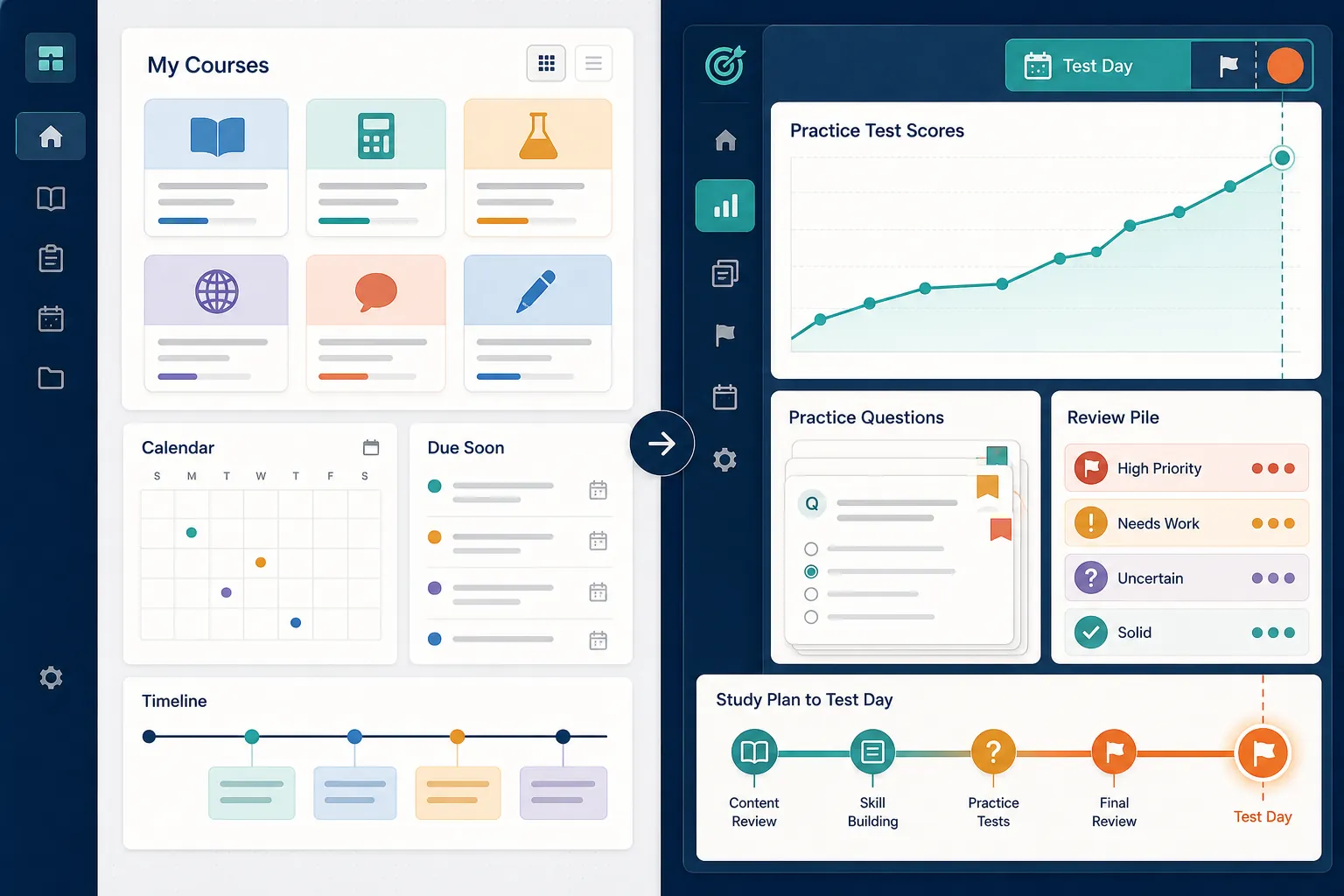
Bottom line: Airtable study planner templates for students work well as coursework organizers. They do not work out of the box as serious GRE, MCAT, ASVAB, SAT, or ACT prep systems. The official Study guides template gives you courses, assignments, deadline views, automations, timeline/Kanban organization, and Omni inside the base; it does not ship the structures that make exam prep measurable: a practice-question log, missed-question reason tags, section-level performance tables, or a score-trend table tied to a fixed test date.[1]
| Exam | Verdict on Airtable’s official study templates | What you must add before trusting it |
|---|---|---|
| GRE | Usable as a study-task shell; not a GRE score-growth tracker. | Quant/Verbal/Analytical Writing sections, practice-set log, missed-question tags, timed-section scores, and a score trend by test date. |
| MCAT | Too generic for the exam’s section load unless rebuilt. | MCAT section structure, passage/question logging, content-area tags, review queue, and full-length score trend. |
| ASVAB | Good for scheduling study blocks; weak for AFQT-oriented tracking. | ASVAB subtest table, AFQT-relevant grouping, practice results, weak-area tags, and score movement over time. |
| SAT | Better than a printable assignment checklist, but not SAT-ready. | Reading/Writing and Math structure, practice-test score table, question-error categories, timing notes, and score-gap tracking. |
| ACT | Can organize prep tasks; cannot show section-score momentum without added tables. | English, Math, Reading, Science, optional Writing tracking, practice-test scores, missed-question tags, and pacing data. |
The official template gallery audit found no Airtable Education & Nonprofit template built specifically for GRE, MCAT, ASVAB, SAT, or ACT prep.[2] That matters more than the usual “Airtable is flexible” praise. Flexibility helps only after the base contains the right prep objects. Before that, the student is doing database design during the same week they should be taking a diagnostic.
What Airtable’s Study guides template actually gives you
The Study guides template is the official Airtable template most likely to catch a test-prep student’s eye. It is also the one that deserves the fairest reading. This is not a useless printable worksheet dressed up as software. Airtable positions it against “static documents in Canva or printable worksheets from Pinterest,” and that contrast is fair as far as it goes.[1] A live Airtable base can filter, link records, send reminders, and change views in ways a PDF cannot.
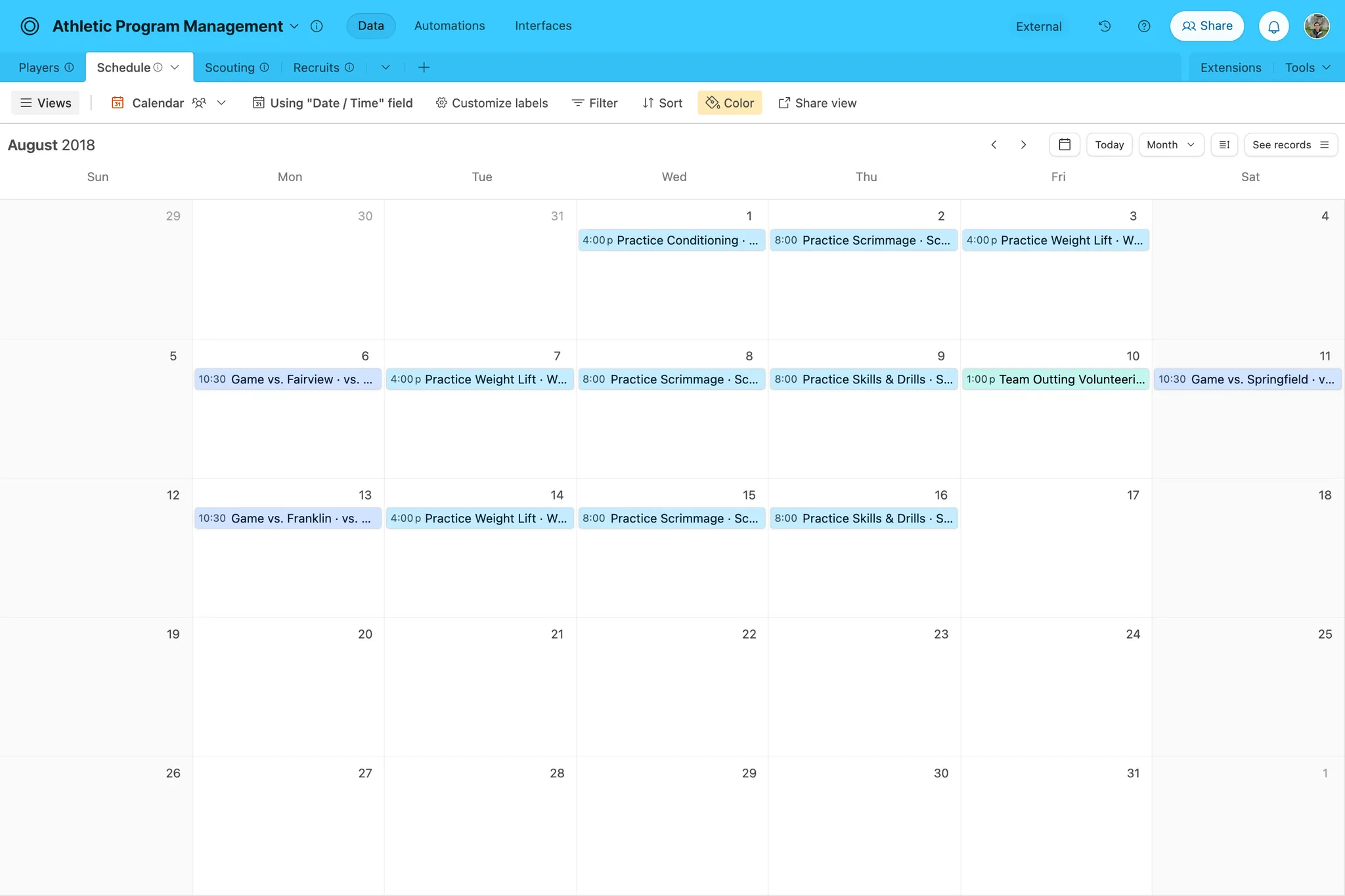
Installed as a study organizer, the template’s center of gravity is coursework. It includes a course-tracking table linked to an assignment table, built-in automations for a weekly digest and due-date reminders, timeline and Kanban views, and embedded AI through Omni.[1] For a semester class, that structure makes sense: class first, assignment second, deadline third.
For exam prep, that order is incomplete. A fixed-date test prep system usually has to answer different questions: Which section is dragging the score down? Which missed questions came from content gaps versus pacing versus careless reading? Are practice scores moving, flattening, or bouncing randomly? Which review items must return this week because they have already been missed twice?
| What ships in the official Study guides template | What an exam-prep base still needs |
|---|---|
| Courses | Exam sections and subsections |
| Assignments | Practice sets, drills, full-length tests, and review sessions |
| Due dates | Test-date countdown, retake windows, and score checkpoints |
| Timeline and Kanban views | Score-trend views and weak-area dashboards |
| Weekly digest and due-date reminders | Review reminders based on missed-question patterns |
| Omni / AI inside the Airtable ecosystem | Structured error tagging and score data that AI can actually summarize |
That missing right-hand column is not cosmetic. If a student begins GRE prep in the Study guides template, the first practice set has nowhere natural to live. It can be forced into “Assignments,” but then an assignment record has to carry too many meanings: planned task, completed drill, question source, score, section, timing, error type, and review status. Airtable can absolutely model those things. The official study template just does not model them for you.

The official gallery is broader than Study guides, but not more exam-specific
The broader Education & Nonprofit gallery includes student- and school-oriented templates, including Airtable’s Student Tracker and Course Scheduling templates.[2][3][4] Those bases may fit teachers, administrators, class progress monitoring, or term planning. They do not solve the exam-prep gap uncovered in the audit: no official template in the gallery is built around GRE, MCAT, ASVAB, SAT, or ACT score progression.[2]
That distinction is where many template roundups get sloppy. A due-date view is not the same as an exam plan. A class tracker is not the same as a practice-test dashboard. A nice Kanban board can show that “Review algebra” moved from To Do to Done; it cannot, by itself, show whether algebra mistakes are still appearing in timed mixed practice.
Why each exam forces a rebuild
The rebuild burden is not identical across exams, even though the verdict converges. The same Airtable template can fail different students for different operational reasons.
GRE: the template needs a section-and-error layer
A GRE student needs to see Quant, Verbal, and Analytical Writing separately. A generic assignment table can schedule “Do Quant drill,” but it will not automatically preserve what matters after the drill: question type, source, time pressure, missed-question reason, and whether the same weakness came back in a later mixed set.
For GRE prep, the first rebuild should be a Practice Sets table linked to Sections and Error Tags. Without that, the base becomes a task-completion tracker. The student can feel productive while the score data stays outside the system.
MCAT: the content map is too large for a flat assignment list
MCAT prep punishes vague planning. The workload is not just “study biology” or “take a practice test.” A usable Airtable base needs exam sections, content areas, passage practice, missed-question reasons, review status, and full-length score records. The official Study guides template gives you a clean place to schedule tasks, but the student still has to build the MCAT-specific content and performance model.
ASVAB: AFQT-oriented prep cannot live only in deadlines
An ASVAB student may care most about the AFQT-related parts of the exam, while still needing visibility across subtests. A generic student planner can schedule vocabulary, arithmetic, and mechanical review sessions. It does not decide which subtest records should roll up into the score picture the student is trying to improve.
For ASVAB planning, Airtable becomes more useful after the student creates subtest records, practice-result fields, and weak-area views. If you want an exam-first comparison of apps and score impact, the ASVAB study apps guide is the better starting point than a generic Airtable gallery browse.
SAT: score-gap planning needs more than task status
SAT prep is where the difference between planning and tracking becomes obvious. A student can complete every scheduled study block and still not know whether Math is closing faster than Reading and Writing. Airtable’s official templates do not come with a score-gap method, a practice-test table, or section-level trend tracking.
If SAT is the exam, pair any Airtable build with an exam-first planning logic such as the SAT Study Tools Guide in 2026 or the Score-Gap Method. Airtable can store the data, but the official study templates do not decide what SAT data deserves to be stored.
ACT: section pacing and score movement need their own tables
ACT prep needs section performance across English, Math, Reading, Science, and sometimes Writing. A course-and-assignment base can remind a student to take a practice section. It does not automatically show whether Reading pacing is improving, whether Science errors are interpretation errors or timing errors, or whether composite movement is being driven by one section while another stalls.
Free plan limits matter, but they are not the whole cost story
Cost only becomes meaningful after the functional gap is clear. If the template does not track practice and score movement, a generous plan will not fix the model. Still, plan limits can bite a rebuilt exam-prep base, especially if the student logs every practice question as its own record.
As of the August 5, 2026 review, Airtable’s Free plan lists 1,000 records per base across tables, 100 automation runs per month, 2 weeks of revision history, 5 editor seats, and 500 AI credits per editor; record coloring, calendar date-range plotting, and extensions are not included on that free tier.[5] A student who logs only practice sets may stay under the record cap for a while. A student who logs individual questions, error tags, review attempts, and practice tests can make 1,000 records feel small much faster.
The usual “Airtable is too limited unless you pay” complaint needs one important update: Airtable offers students free Team accounts for 6 to 24 months, depending on approval and expected graduation date.[5] That can materially change the decision, because Team raises the per-base record limit to 50,000 and unlocks fuller view functionality.[5] The catch is that it is not simply the default free plan. It depends on student eligibility, approval, and the graduation-date window.
For non-students or students who do not receive the education upgrade, the paid Team plan is the relevant comparison. Airtable’s own pricing page should be checked before purchase, and Softr’s May 21, 2026 pricing guide corroborated Team at $20 per seat per month when billed annually.[6][7]
Omni and AI credits do not replace the missing exam tables
AI is present in the Airtable ecosystem, including Omni in the Study guides template and AI credits in plan packaging.[1][5] It is relevant, but it should not be overread. AI can help summarize records or assist inside a base only after the base contains the records exam prep needs.
If missed questions are buried as notes in assignment records, there is no clean error history to summarize. If practice tests are not separated from ordinary study tasks, there is no reliable score trend to inspect. If the base has no section table, AI does not magically know which performance buckets matter for GRE, MCAT, ASVAB, SAT, or ACT. Treat AI features as changing, vendor-controlled helpers, not as a substitute for the prep data model.
If you still want to use Airtable, rebuild it in this order
Airtable is worth considering if you like spreadsheets, want linked records, and are willing to build before you rely. The mistake is starting with colors, dashboards, or a beautiful homepage. Start with the data you will need after a bad practice test.
- Create an Exams table with the test name, test date, target score, latest score, and retake notes.
- Create a Sections table specific to the exam, not a generic subject list.
- Create a Practice Sets table for drills, timed sections, full-length tests, and review sessions.
- Create a Missed Questions or Error Log table only if you are prepared to use it consistently; otherwise log errors at the practice-set level first.
- Create Error Tags such as content gap, timing, misread, careless setup, wrong formula, weak passage strategy, or guessing pattern.
- Create a Scores table for diagnostic, practice-test, section, and full-length results.
- Only then add reminders, views, automations, and AI summaries.
The lean version is often better than the heroic version. If you are two weeks behind, do not build a perfect database with twenty fields per question. Track the practice set, section, score or percent correct, time, top error reason, and next review date. Once that survives a week, add detail.
There are optional bridges for students who want a more technical system. An open-source Airtable-to-Anki sync project exists, which could support a workflow where Airtable stores structured content and Anki handles spaced repetition.[8] That is not an official Airtable exam template, and it is not a beginner setup. It is a build path for someone already comfortable maintaining tools.
There is also a paid community-template market around Airtable study and course systems, including Etsy listings for course-library-style Airtable templates.[9] That shows demand for more specialized student bases, but one marketplace listing should not be treated as proof that a ready-made GRE, MCAT, ASVAB, SAT, or ACT score-tracking system is solved for everyone. Audit the fields before buying: practice log, section structure, error tags, score table, and test-date countdown should exist on day one.
Where Airtable fits next to exam-first planners
Airtable’s advantage over a printable planner is real: linked tables, filters, multiple views, automations, and collaborative editing give it more range than a worksheet. But a fixed test date changes the standard. The question is not whether the planner is interactive. The question is whether the system can tell you what to do after your score refuses to move.
If you want a countdown-driven structure before you build anything in Airtable, start with the 30-day exam countdown study planner. If you are still organizing ordinary schoolwork around classes and assignments, the weekly study planner template is closer to what Airtable’s official Study guides template is already good at.
For exam hubs, use the exam logic first and the tool second. SAT students can start from the SAT exam prep guide; ASVAB students can start from the ASVAB exam prep guide. If you want to compare this Airtable audit with another hands-on tool test, the ChatGPT exam study assistant test uses the same basic standard: a tool earns trust by helping with the work the exam actually demands.
Use Airtable’s official study templates if you want a coursework organizer or a starting shell. Do not hand them your GRE, MCAT, ASVAB, SAT, or ACT date until you have rebuilt the missing practice, error, section, and score-tracking layers.
References
- Free Study Guides Template - Airtable, Airtable
- Education & Nonprofit - Templates - Airtable, Airtable
- Free Student Tracker Template for Class Progress Monitoring - Airtable, Airtable
- Free Course Scheduling Template - Airtable, Airtable
- Airtable plans overview, Airtable, July 9, 2026
- Airtable Pricing | Compare Plans, Features & Costs, Airtable
- Airtable pricing and plans guide: Is it worth it in 2026?, Softr, May 21, 2026
- anki-airtable, GitHub
- Airtable Course Library Template Online, Etsy
Related exhibits & inventory
Verified outcomes
No verified outcomes on file for this exam yet
See Methodology for how outcome evidence is disclosed once logged.
Planners
No planner filed for this exam yet
A downloadable timeline template for this exam hasn't been published yet.
Tool verdicts
AI-tool cautions
No AI tools tested for this exam yet
No hands-on AI-accuracy logs have been filed for this exam.
Questions about this plan
Ask a question about a specific section, timeline, or citation in this plan — or flag something that needs correcting.
Comments
Join the discussion with an anonymous comment.