6 Steps to Secure Your ChatGPT Account for Exam Prep
Accuracy Warning — ChatGPT
No setting makes AI output a substitute for official exam guidance.
- Accuracy:
- Limited
- Tested:
- Configuring account security settings for exam prep
- Last tested:
- 2026-07-26
Before you upload a professor’s PDF, a practice-score breakdown, an essay draft, or a study guide with your course name on it, change your ChatGPT settings. The default setup is too loose for exam prep because your account can quietly become a record of what you are studying, where you are struggling, which school you attend, and what materials you have pasted into the tool.
The first issue is training-data exposure. On consumer Free and Plus accounts, OpenAI says conversations may be used to improve its models unless you turn off “Improve the model for everyone” in Data Controls.[1] The second issue is account takeover: if someone gets into your account, they may not just see random prompts; they may see months of score anxiety, weak-topic analysis, study schedules, and uploaded files.
This matters because students are already using ChatGPT at exam-prep scale. PIRG cites survey data showing that nearly half of students use ChatGPT weekly, and exam-prep chats often contain professor names, university names, course identifiers, drafts, and study materials that students would not treat casually if they saw them collected in one folder.[2]
The six settings to change before using ChatGPT for exam prep
Do these before you paste anything that came from a class, a test-prep company, a score report, or your own personal history. The goal is not perfect security. The goal is to cut the two biggest risks quickly: future training use and account compromise.
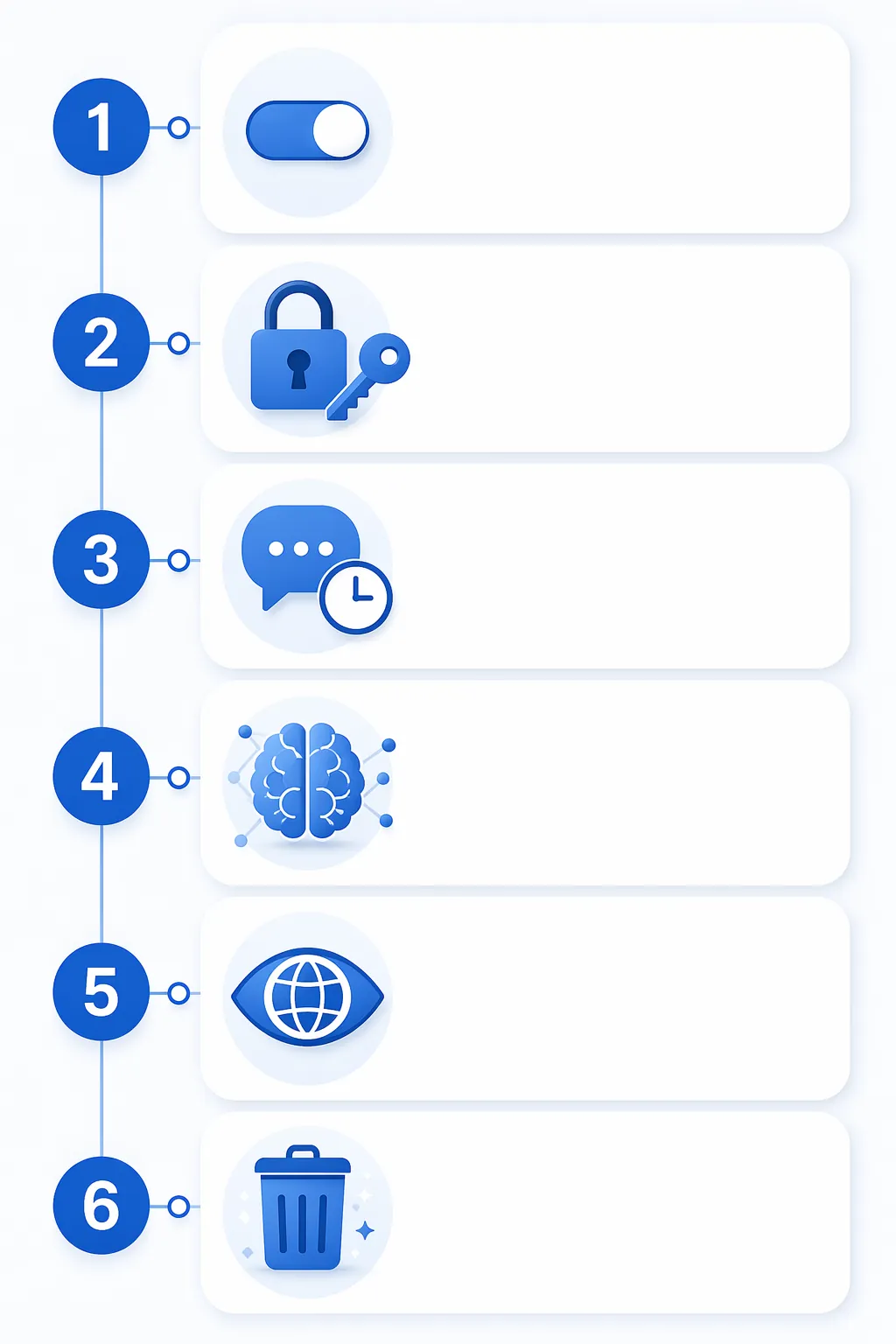
| Step | Where to go | What to change |
|---|---|---|
| 1 | Settings → Data Controls | Turn off “Improve the model for everyone.” |
| 2 | Settings → Security → Multi-factor authentication | Enable MFA with an authenticator app, not SMS if you can avoid it. |
| 3 | New chat menu / model picker | Use Temporary Chat for practice questions, score discussion, and sensitive drafts. |
| 4 | Settings → Personalization → Memory | Review saved memories; delete exam-related memories you do not want retained, or turn Memory off. |
| 5 | Settings → Security → Active sessions | Review logged-in devices and terminate anything you do not recognize. |
| 6 | Settings → Data Controls, or individual chat menus | Delete old chats that contain personal info, score reports, school details, or uploaded materials. |
1. Turn off model training in Data Controls
Start here because it changes what happens to future conversations. Open ChatGPT, go to Settings, then Data Controls, then turn off “Improve the model for everyone.” OpenAI’s Data Controls FAQ says that when this setting is off, new conversations are not used to train models.[1]
This is the setting to flip before uploading anything like a course PDF, a study guide, an essay draft, or a screenshot of a score report. A student preparing for the MCAT might paste a diagnostic breakdown that lists weak biology areas. A student preparing for the SAT might paste an essay draft with a personal story. A graduate applicant might upload a writing sample with identifying details. Those are not just “prompts”; they are study records.
Turning this off does not make every upload risk-free. It does not mean you should paste copyrighted test-prep books, confidential class materials, or private documents you do not have permission to share. It does one specific useful thing: it stops future eligible chats from being used to improve the model under that setting.
If you only change one setting before a study session, change this one. Then come back and do the rest.
2. Enable MFA with an authenticator app
Next, protect the account itself. Go to Settings, then Security, then Multi-factor authentication. OpenAI supports time-based one-time password authenticator apps and hardware security keys; SMS-based MFA is available, but an authenticator app is the better practical minimum for most students.[3]
Use an app such as Google Authenticator, Microsoft Authenticator, 1Password, Bitwarden, or another trusted authenticator. Save the recovery codes somewhere you can actually reach during finals week, but not in the same place as your password. A password manager is usually cleaner than a screenshot buried in your camera roll.
This is not paranoia. ESET’s 2026 ChatGPT safety guide cites Group-IB findings that 225,000 OpenAI logins were listed for sale in 2023, and more than 100,000 stolen ChatGPT credentials surfaced on the dark web in 2024 alone.[4] Those numbers describe known listings, not the entire universe of compromised accounts, but they are enough to make “I’ll do MFA later” a bad plan.
A stolen ChatGPT login is not like losing access to a blank calculator app. If you have been using it for GRE vocab drills, MCAT content review, SAT essay feedback, or ACT timing plans, the account may expose exactly what you have been trying to improve and when. MFA makes a stolen password less useful.
Be especially careful with shared ChatGPT links and fake login pages. The 2026 phishing campaigns known as ChatGPhish and LLMShare use ChatGPT-themed sharing and login flows to push users toward credential theft or malware downloads.[4] The point is not that every shared ChatGPT link is malicious; it is that the interface is now familiar enough to be imitated.
3. Use Temporary Chat for practice sessions you do not need to keep
For routine exam drilling, use Temporary Chat more often than normal chat. In the web or mobile interface, open the new-chat or model menu and choose Temporary Chat before you paste practice questions, score notes, or a rough essay draft. OpenAI says Temporary Chats do not appear in history, are not used to train models, and are not saved to Memory.[1]
Temporary Chat is useful for sessions where the value disappears after you are done: “quiz me on these amino acids,” “turn this missed-question list into review prompts,” “give me three ACT English drills like this,” or “help me understand why I keep missing inference questions.” If you need a long-running study plan, normal chat may be more convenient. If you are pasting sensitive or identifying information, Temporary Chat should be the default.
It is also a good habit because data exposure is not always obvious from the user interface. Check Point Research disclosed a DNS-based side channel in ChatGPT’s Linux runtime that allowed silent data exfiltration; OpenAI released a full fix on February 20, 2026.[5] That fixed case does not mean every ChatGPT session is leaking. It does show why “I don’t see anything bad happening on screen” is not a complete privacy test.
Temporary Chat will not make copyrighted or confidential uploads acceptable. It simply gives you a lower-retention mode for study interactions that do not need to become part of your permanent account history.
4. Prune Memory, or turn it off for exam season
Memory is convenient until it starts preserving details you forgot you gave it. Go to Settings, then Personalization, then Memory. Review what ChatGPT has saved. Delete anything tied to your school, courses, exam timeline, accommodations, score goals, weak areas, or personal circumstances.
For exam prep, saved memories can become oddly intimate: “user is retaking the MCAT after a low diagnostic,” “user struggles with geometry,” “user is applying to nursing programs,” “user studies at night because of work.” Those details may help the model personalize responses, but they also make your account more revealing if someone else opens it.
If you like Memory, keep it narrow. Let it remember harmless preferences such as “prefers concise explanations” or “likes practice questions before explanations.” Delete the diary-like material. If you are preparing for a high-stakes test on a shared computer, or you keep pasting sensitive drafts, turn Memory off until the exam is over.
5. Audit active sessions and kick out devices you do not recognize
After MFA, check where your account is already logged in. Go to Settings, then Security, then Active sessions. In June 2026, ChatGPT added an active-session audit panel that lets users see current sessions and terminate ones they do not recognize.[6]
This step matters if you use campus lab computers, borrowed laptops, family tablets, library desktops, or a browser profile you share with someone else. It also matters after phishing. MFA helps with future logins, but it may not automatically clean up every existing session that was already open.
When you open the panel, do not overthink it. If you see a device, browser, location, or session you cannot explain, terminate it. Then change your password and re-check MFA. If the same unknown session returns, stop using the account for sensitive study material until you have secured the login path.
6. Clear old chats that contain personal or exam-specific material
Now clean up what is already there. Open your chat history and delete conversations that contain score reports, uploaded PDFs, school names, professor names, course identifiers, essays with personal details, or screenshots from paid test-prep platforms. You can delete individual chats from the chat menu, or use Data Controls if you want a broader deletion option.[1]
Do this manually if you can. A full history wipe is fast, but a targeted pass teaches you what you have been putting into the account. Most students do not realize their chat history reads like a study journal until they scroll through it: diagnostic score, weak topics, school deadlines, scholarship pressure, essay drafts, professor-uploaded materials, repeat.
Deleting old chats is cleanup, not time travel. It does not change the fact that you previously used the account under whatever settings were active then. Still, it reduces what a future account intruder or shoulder-surfer can read from your visible history.
When Advanced Account Security is worth it
Advanced Account Security is the stronger option, but it is not the universal default I would push on every tired student the night before a practice exam. OpenAI describes it as an opt-in security mode that uses passkeys or hardware security keys, shortens session duration, disables less-secure recovery paths, and automatically opts the account out of model training.[7]
ZDNET reported on the feature after its April 30, 2026 launch, noting that users have to opt in rather than receiving it automatically.[8] Tutorials covering the setup also emphasize the hardware-key and recovery-key trade-off: stronger protection can become a lockout problem if you lose the keys or fail to store recovery codes responsibly.[8][9]
Consider Advanced Account Security if your ChatGPT account contains unusually sensitive material, if you are a tutor or teaching assistant handling other people’s study materials, if you use ChatGPT across many devices, or if you have already had suspicious login activity. Skip it for now if you are likely to lose the recovery key, share devices casually, or need simple access more than hardened access.
The practical middle ground: complete the six settings above first. Then decide whether you can handle passkeys, hardware keys, and recovery storage without creating a new disaster for yourself.
What to keep out of ChatGPT even after changing the settings
These settings reduce risk; they do not turn ChatGPT into a private vault or an official exam-prep platform. Do not upload materials you are not allowed to share. Do not paste a full score report if a short summary will do. Do not include your full name, student ID, disability documentation, medical details, financial details, or admissions account information unless there is a very specific reason—and for most study tasks, there is not.
A safer prompt usually works just as well. Instead of pasting a full report, write: “Hypothetically, a student scored lower in algebra, geometry, and timing. Build a two-week review plan.” Instead of uploading a professor’s entire PDF, summarize the topic list yourself. Instead of pasting an essay with names and locations, replace them with placeholders before asking for structure feedback.
Once the account is cleaned up, get back to the actual test plan. ChatGPT can help you drill, outline, and review, but your schedule should still come from the exam you are taking and the resources you trust. If you are using AI as part of a longer prep calendar, the same account-safety rules apply before you follow an AI-assisted plan like StudyMethod’s 16-week AP study plan with an AI tutor.
For GRE, MCAT, SAT, ACT, AP, or similar exam prep, these six settings are the minimum bar before uploading study material: turn off model training, enable authenticator-app MFA, use Temporary Chat for sensitive drills, prune Memory, audit active sessions, and clear old personal chats. Advanced Account Security is for higher-risk users who can manage recovery keys without locking themselves out. No setting makes AI output a substitute for official exam guidance or careful handling of materials you do not own.
References
- Data Controls FAQ — OpenAI Help Center
- Your ChatGPT privacy questions answered — PIRG Education Fund
- Enabling or disabling multi-factor authentication (MFA) — OpenAI Help Center
- Is ChatGPT safe? The complete 2026 security & privacy guide — ESET
- ChatGPT Data Leak (Fixed Feb 2026): Key Takeaways — Check Point Research
- Is ChatGPT Safe in 2026? 6 Settings to Change Today — FindSkill.ai
- Advanced Account Security — OpenAI Help Center
- Your ChatGPT account just got more secure, but you have to opt in — ZDNET
- Secure ChatGPT with Advanced Account Security | 2026 Tutorial — All Things Secured
Authoritative source
For the authoritative version of this contentHow to Read the '1 in 4 NFL Players CTE' Study
Report an error in this tool's output
Found something this tool got wrong beyond what's documented above? Report it so the accuracy log stays current.
Comments
Join the discussion with an anonymous comment.