
How to Export ChatGPT Study Notes for Exam Review
Accuracy Warning — ChatGPT
Verify AI-generated content against your course materials, official exam guides, or trusted textbooks.
- Accuracy:
- Limited
- Tested:
- Exporting ChatGPT study notes to review tools (Anki, Obsidian, PDF, etc.)
- Last tested:
- 2026-07-25
The problem usually shows up late: the ChatGPT study session looks organized in the chat window, but the moment you need to review it in Anki, Obsidian, Notion, Google Docs, or a PDF reader, the structure starts to fall apart. Tables stop behaving like tables. LaTeX formulas turn into noise. Nested explanations flatten into one long scroll. Before any of those notes become exam review material, verify the AI-generated content against your course materials, official exam guides, or trusted textbooks. Clear instructions can make notes cleaner before export, but one published structured-study workflow is framed around WGU MBA coursework, so its usefulness for GRE quant, MCAT sciences, ASVAB technical topics, or SAT math still depends on subject-by-subject checking. [1]
If you want to export ChatGPT study notes for exam review, the first decision is not “Which export method is best?” It is “Where are these notes going?” A PDF you plan to annotate tonight has different requirements from a Markdown vault, and both are different from a flashcard deck that needs clean front/back fields.
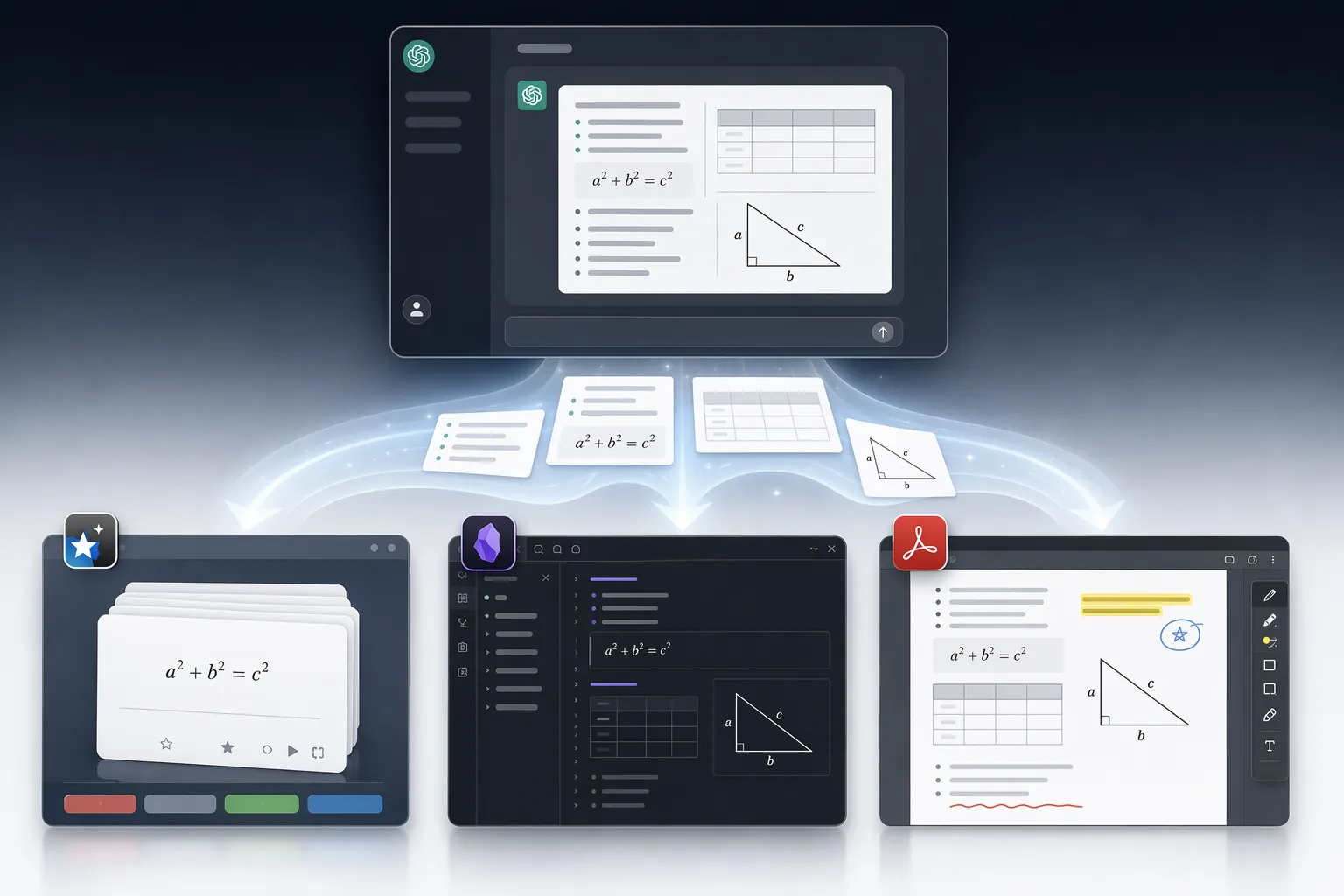
Start with the review destination
A clean export is not the same thing as a useful study file. For exam review, “useful” means the exported notes still support the thing you plan to do next: annotate, convert to flashcards, search by topic, revise formulas, or compare similar concepts.
| Export path | Formatting preservation | Speed | Batch capability | Best fit | Weak spot |
|---|---|---|---|---|---|
| OpenAI built-in data export | Exports account data in JSON, not a ready-to-study note format. [2] | Can take up to 7 days; download link expires after 24 hours. [2] | Good for account-level backup. | Archival backup when you are not under deadline. | Poor choice for last-minute review or direct import into Anki, Obsidian, Notion, or a PDF workflow. |
| Browser extension / Markdown export | Strongest option for preserving Markdown structure; ChatGPT Exporter describes preservation of code block language tags, LaTeX formulas, tables, nested lists, and inline citations. [3] | Usually fast once installed. | Depends on the extension and permissions. | Obsidian, Notion Markdown import, Markdown archives, later conversion into structured study files. | Third-party-tool risk; you need to inspect permissions and decide whether the conversation content is appropriate to pass through an extension. |
| Print-to-PDF | Captures the visible conversation as a readable page; practical export guides commonly include browser print-to-PDF as a simple method. [4] | Fastest no-setup option. | Mostly one conversation at a time. | Offline reading, tablet annotation, final pass before an exam. | Not a good bridge into flashcards or structured note systems. |
| Manual copy-paste | Acceptable for short plain-text notes, but practical export comparisons warn that formatting can become inconsistent across destinations. [4][5] | Fast for small sections. | Bad for long sessions. | Google Docs, Word, quick cleanup of a few paragraphs. | Risky for tables, formulas, code blocks, long outlines, and nested explanations. |
That table is the whole export decision in miniature. If the destination is a Markdown-based system, preserve Markdown. If the destination is a PDF reader, preserve visual readability. If the destination is Anki or another spaced-repetition tool, preserve field structure. If the goal is simply to keep a copy of everything ChatGPT has stored, use the built-in export as backup rather than as your study file.
Why the built-in ChatGPT export is backup, not exam review
OpenAI’s built-in export is useful when you want an archive of your ChatGPT data. It is not designed around the way a student reviews for a test tomorrow. OpenAI’s Help Center says exported ChatGPT data is provided in JSON, the export may take up to 7 days, and the download link expires after 24 hours. [2]
JSON is a machine-readable format. That matters. It means the built-in export can preserve data for backup or later processing, but it does not hand you a clean GRE formula sheet, an MCAT metabolism comparison table, or an SAT worked-example packet ready for annotation. A student can eventually transform JSON into something readable, but that is a separate workflow, not a quick export.
Use the built-in export if your concern is long-term access, account backup, or compliance with your own data-retention habits. Do not rely on it as the only plan for a fixed test date. If review starts tonight, waiting for an account archive and then trying to extract one useful conversation from JSON is the wrong kind of stress.
The Markdown extension path is the strongest formatting option, with a real caveat
For structured study notes, the browser-extension route is usually the one worth examining most carefully. A Markdown export keeps the things that make study notes usable outside the chat window: headings, bullets, numbered steps, code fences, tables, inline notation, and nested explanations. ChatGPT Exporter’s Obsidian-focused documentation specifically describes exports that preserve code block language tags, LaTeX formulas, tables, lists, and inline citations. [3]
That is not a small convenience. A GRE quant note that says “complete the square” but mangles the formula is not review-ready. An MCAT table comparing hormone source, target tissue, and feedback effect loses value if the columns collapse. An ASVAB classification note can become ambiguous if categories and subcategories are flattened. A SAT math worked example often depends on indentation: setup, transformation, substitution, answer check. Markdown is one of the few export formats that can carry that structure into another tool without forcing you to rebuild the lesson by hand.
The best use case is a note system that already understands Markdown. Obsidian is the cleanest example: a Markdown file can become a vault note with headings, internal organization, and code or formula blocks still visible. Notion can also work well when the Markdown import path is used, although you should still test a sample note before moving a large batch. If your notes are headed toward a static folder of review sheets, Markdown also gives you a portable intermediate format that can later be converted or edited.
The caveat is just as real: extensions are third-party tools. A browser extension may need access to page content in order to export the conversation. That may be acceptable for a generic algebra drill and unacceptable for a chat that contains personal information, school account details, uploaded passages, or anything covered by an academic or workplace privacy rule. The formatting advantage does not erase the permission question.
A careful extension check looks like this:
- Test one short conversation first, preferably one with a table, a formula, and a nested list.
- Open the exported Markdown file in the actual destination tool, not just in a plain text preview.
- Check whether formulas render, tables stay aligned, and headings remain searchable.
- Review the extension’s permissions before exporting sensitive or account-linked study conversations.
- Keep the exported file names exam-specific and topic-specific, such as GRE-Quant-Functions.md or MCAT-Endocrine-Feedback.md, instead of dumping every session into one file.
The last point sounds minor until review week. A vault full of files called chat-export-1 and chat-export-final-final is just a different kind of mess.
Print-to-PDF is for reading and annotation, not rebuilding notes
Print-to-PDF is the emergency option that actually has a place. If your exam is close and you need a stable, offline copy for a final read-through, browser print-to-PDF is fast, familiar, and does not require a new tool. Practical export guides include it as a straightforward way to save a conversation as a document. [4]
This works best when the next action is visual: annotate on a tablet, highlight weak areas, print a packet, or read on a commute without reopening ChatGPT. It is especially reasonable for a short final review sheet, an exam-day formula checklist, or a one-page concept summary that already looks good in the browser.
The cost is that PDF locks the notes into a page-like object. That is fine for annotation, but clumsy for reuse. If you later decide to turn the same content into Anki cards, extract a table into a spreadsheet, or reorganize sections by topic, you may find yourself copying from a PDF back into another editor. For flashcards and living notes, PDF is usually the end of the workflow, not the bridge.
Manual copy-paste is fine only when the notes are short and plain
Copy-paste remains the most accessible export method because every student already knows how to do it. For a short explanation of a vocabulary distinction, a plain-English summary of a grammar rule, or a quick list of topics to review, it is often enough. Export guides still include manual copy-paste because it is immediate and tool-free. [4][5]
The failure mode appears when the conversation has structure. A Markdown table pasted into Google Docs may not become a real table. A formula may paste as raw notation instead of readable math. Indented reasoning can lose its levels. If the original ChatGPT answer uses bullets inside bullets, or worked examples with separate setup and solution lines, copy-paste can make a good explanation look like a paragraph someone forgot to edit.
Use copy-paste when you are moving a small amount of text into a document you plan to clean immediately. Avoid it for a full exam unit, a formula-heavy topic, or anything you expect to import into another system later.
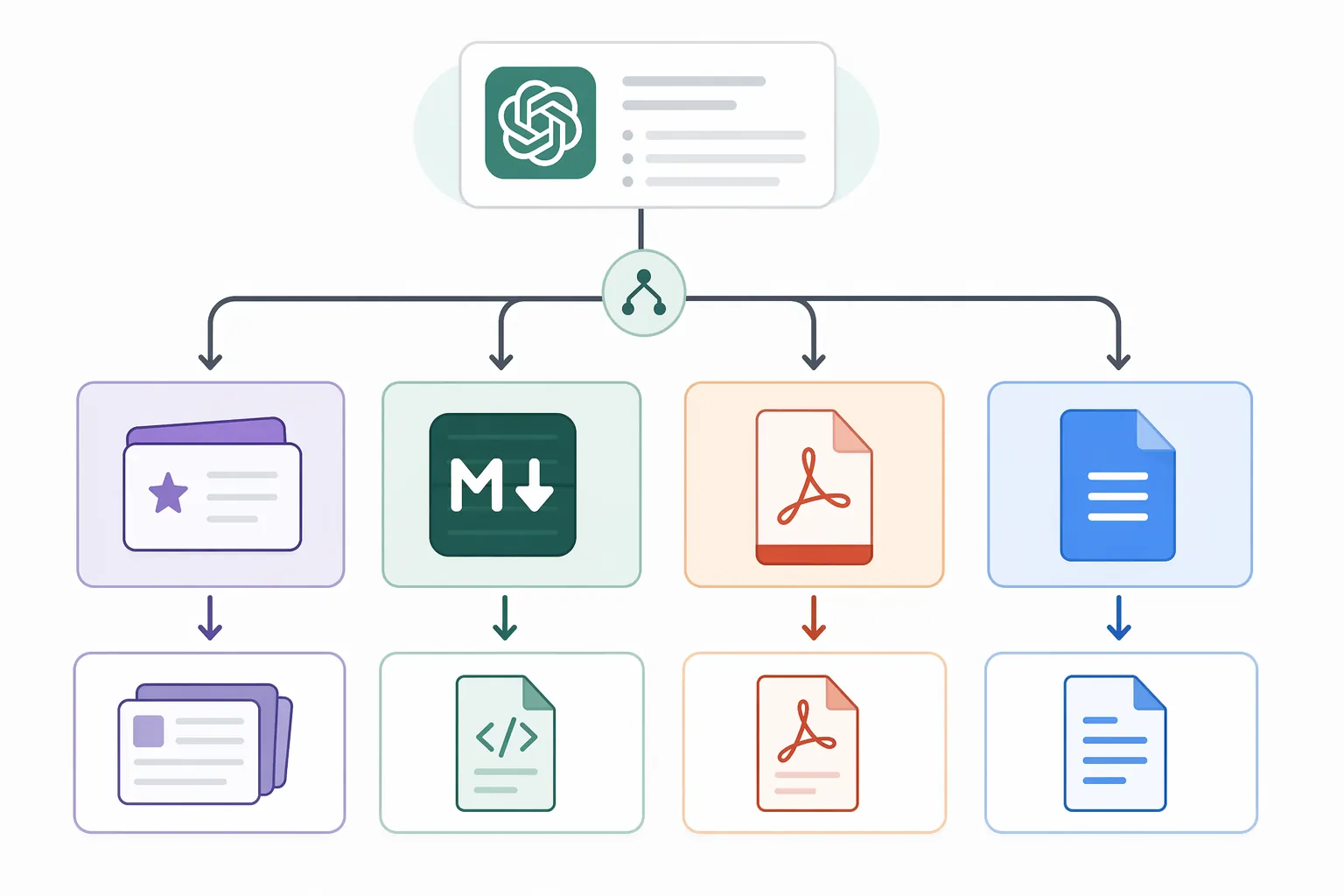
Choose the export method by review tool
Anki or another flashcard system
For Anki, the export problem is not mainly “Can I save the conversation?” It is “Can I separate prompts, answers, tags, and sources cleanly enough to import or build cards without retyping?” A beautiful PDF of ChatGPT notes is not an Anki deck. A long copied document is not an Anki deck either.
Before exporting, ask ChatGPT to produce a final flashcard-ready block. Keep the fields simple: Front, Back, Topic, Exam, and Source to Verify. If you need cloze deletion later, keep that as a separate pass rather than mixing multiple card styles into one messy table. For example, a hypothetical GRE vocabulary session might be cleaned into rows with the word on the front, the meaning and contrast sentence on the back, and a tag such as GRE-vocab-roots. A hypothetical MCAT biochemistry session might use enzyme name, pathway role, regulation, and a verification note.
If the conversation contains many tables or formulas, the Markdown extension route is usually the better starting point because it gives you a structured file to edit. If the cards are plain text, copy-paste into a spreadsheet can work, but check delimiter problems before importing. Commas inside explanations, line breaks inside answers, and formulas with special characters can all split fields in the wrong place.
Obsidian
Obsidian is the clearest case for Markdown export. The destination already treats Markdown as a native format, so the export can remain close to the original structure: headings become navigation, lists stay nested, tables remain inspectable, and formulas have a better chance of staying readable. The browser-extension route has the strongest evidence in the available materials for preserving this kind of formatting. [3]
For exam prep, separate files by review action rather than by chat date. “MCAT amino acids — properties and exceptions” is more useful than “ChatGPT conversation July.” If one conversation covers multiple topics, split it after export. Obsidian rewards small, searchable notes; a giant transcript recreates the chat-scroll problem inside a new app.
Notion
For Notion, start with Markdown if the notes have real structure. A Markdown export gives Notion a better map of headings, bullets, and tables than a casual paste from the chat window. After import, check tables and formulas manually. Notion is often good at turning structure into blocks, but a test-prep note is only useful if the imported blocks still show the distinction between concept, exception, worked example, and “verify this” note.
If the note is short and mostly prose, copy-paste can be enough. If it contains formula-heavy SAT math, MCAT data interpretation, or ASVAB classification tables, use a Markdown export and inspect the result before trusting it.
Google Docs or Word
Google Docs and Word are forgiving destinations for plain writing and unforgiving destinations for fragile structure. If your ChatGPT notes are mostly explanations, paste them into a document and clean the headings. If they include tables, equations, or multi-step derivations, test one section first. The goal is not to preserve the look of the chat; the goal is to preserve the study function.
For a document you plan to edit heavily, copy-paste may be acceptable. For a document you plan to read exactly as exported, print-to-PDF may be safer. For a document that needs to become something else later, keep a Markdown copy as the source file.
PDF annotation
If the plan is to mark up notes in a PDF reader, use print-to-PDF. This is the cleanest match between export method and destination. You are not trying to preserve editable fields or importable Markdown; you are trying to preserve a readable page that you can highlight, circle, and annotate.
Before printing, collapse distractions where possible and make sure the final answer you want is visible in the conversation. If the chat contains false starts, trial runs, or outdated explanations, ask ChatGPT to generate a verified-against-your-sources final review sheet first, then print that final block rather than the whole conversation.
Exam notes fail in different ways
Different exams punish different export mistakes. GRE quant notes often depend on formulas, transformations, and example structure. If the export damages notation, the note may still look mathematical while being hard to review. For those notes, prefer Markdown export into a note system or a carefully printed PDF if the formulas render correctly.
MCAT notes often use comparison tables: hormones, organ systems, experimental variables, pathway steps, amino acid properties. A collapsed table can turn review into reconstruction. If the table matters, test the table before moving the whole unit. Do not assume that a paste that looks acceptable in the first few lines preserved the columns farther down.
ASVAB prep may include classification notes, mechanical principles, electrical concepts, and technical vocabulary. The danger is not only losing formatting; it is losing category boundaries. If a tool flattens a hierarchy, “type,” “example,” “exception,” and “warning” can blur together. Use headings and nested lists before export, then check that they survive in the destination.
SAT and ACT math review often depends on worked examples. A good worked example is not just an answer; it is a sequence. If the export smashes the setup, algebra step, substitution, and final check into one block, it becomes harder to use under timed review. Print-to-PDF can be enough for a final read-through, but Markdown is safer if you plan to revise or turn the examples into practice prompts.
Clean the conversation before exporting
The best export method cannot rescue a disorganized final answer. Before you export, do one cleanup pass. Ask for a final review version with stable headings, verified items clearly marked, formulas separated from prose, and tables rebuilt cleanly. Remove motivational filler, repeated explanations, and abandoned approaches. If the note is headed to flashcards, ask for rows. If it is headed to PDF, ask for a concise review sheet. If it is headed to Obsidian, ask for Markdown with headings and topic tags.
A useful cleanup request can be simple:
Turn the study notes above into a final exam-review version.

Requirements:
- Keep only content relevant to [exam/topic].
- Use clear Markdown headings.
- Preserve formulas in readable notation.
- Rebuild comparison tables cleanly.
- Keep worked examples in step-by-step order.
- Add a "Verify" marker beside any fact, formula, or claim that should be checked against my official materials.
- Do not add new facts unless they are clearly labeled as needing verification.
Then choose the export path based on the destination: Markdown extension for Obsidian, Notion, and structured reusable notes; print-to-PDF for immediate reading and annotation; manual copy-paste for short plain-text cleanup; OpenAI’s built-in export for backup rather than tonight’s review. Verify the content first, choose the review tool second, and export in the format that preserves what that tool actually needs.
References
- How to Use ChatGPT for Structured Study Notes (No Hallucinations), TDSheridan Lab
- Exporting your ChatGPT history and data, OpenAI Help Center
- Export ChatGPT to Obsidian – Save Conversations to Your Vault, ChatGPT Exporter
- How to Export ChatGPT Conversation (Full Guide), Tactiq
- Best Ways to Save and Export ChatGPT Conversations, TextVault
Authoritative source
For the authoritative version of this contentHow to Read the '1 in 4 NFL Players CTE' Study
Report an error in this tool's output
Found something this tool got wrong beyond what's documented above? Report it so the accuracy log stays current.
Comments
Join the discussion with an anonymous comment.