
7 Fixes When ChatGPT Isn't Working for Your Study Session
Accuracy Warning — ChatGPT
ChatGPT is not reliable as an answer key for exam questions; inaccuracies, hallucination, and inconsistency are documented. Always verify with official sources.
- Accuracy:
- Limited
- Tested:
- troubleshooting ChatGPT for exam prep study sessions
- Last tested:
- 2026-07-25
Last reviewed: July 25, 2026. Accuracy warning: ChatGPT features, limits, pricing, and model behavior change quickly. Use this as a study-session troubleshooting guide, not as proof that any current ChatGPT answer is correct.
If ChatGPT is not working for study, first decide what kind of “not working” you mean. A login loop, network error, or blank screen is one problem. ChatGPT forgetting your passage, giving the wrong answer to a practice problem, refusing an upload, running out of messages during a cram block, or turning into an answer machine when you need tutoring is a different problem.
Do the boring checks once. OpenAI’s own troubleshooting page covers the usual browser, cache, VPN, extension, network, and status-page checks for error messages.[1] If ChatGPT is actually down or unstable, do not burn your timed practice window waiting for it; use the ChatGPT outages guide for exam prep students and switch to official materials until access returns.
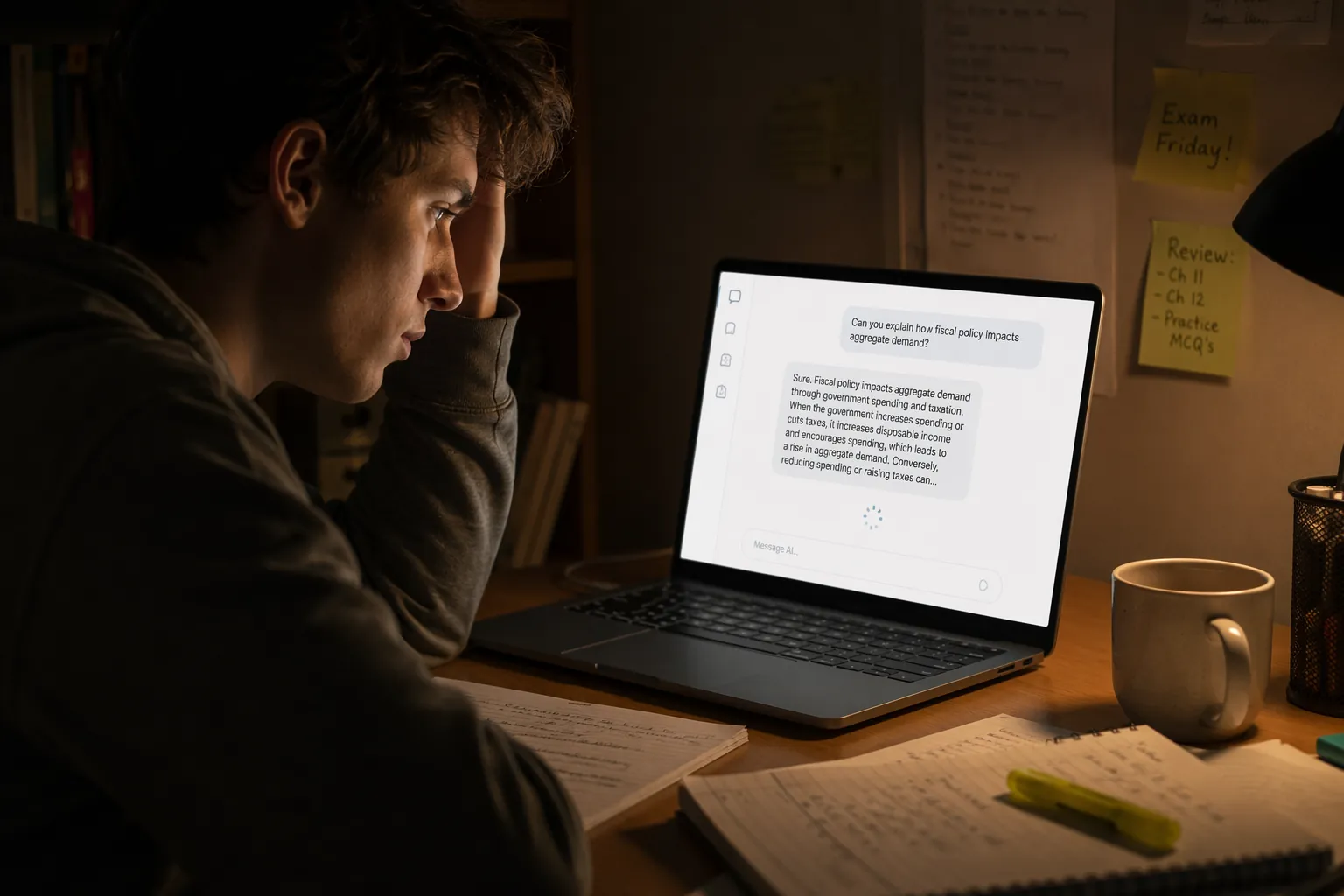
If ChatGPT loads but breaks the study task, use the fixes below. The goal is not to make ChatGPT perfect. The goal is to keep the study block moving without letting a chatbot become your answer key.
| Problem during study | Likely diagnosis | Fastest useful fix | Time to try before moving on |
|---|---|---|---|
| Study Mode is gone or unavailable | Feature availability changed, or the mode is buggy | Recreate it with a tutoring prompt that asks before answering | 5 minutes |
| Long passage, notes, or problem set collapses | The prompt is too broad or too context-heavy | Split the task into smaller passes | 10 minutes |
| ChatGPT forgets your class, exam, or rules | The conversation has drifted or lost usable context | Use Projects or a compact study brief | 10 minutes |
| You hit message limits during a cram block | Plan/tier limits are interrupting the session | Triage tasks and save AI for explanation, not every question | Immediately |
| The answer sounds confident but may be wrong | ChatGPT is producing unverified reasoning | Run the fact-check protocol | Always for math, citations, and practice questions |
| PDF, image, or file upload fails | File, account, browser, or extraction issue | Use smaller files or paste the exact excerpt | 10 minutes |
| ChatGPT gives answers instead of teaching | The prompt rewards completion, not tutoring | Force Socratic guidance and delayed answers | 3 minutes |
Fix 1: Recreate Study Mode When It Disappears
Symptom: you expected ChatGPT to guide you through a problem, but Study Mode is missing, unavailable, or behaving inconsistently.
OpenAI still has a help page for using Study Mode in ChatGPT.[2] At the same time, community reports in 2026 described Study Mode as silently removed, with the rough removal timeline inferred around April 2026 rather than confirmed by an official OpenAI deprecation notice.[3] Earlier, an OpenAI Developer Community thread described an August 2025 bug where switching tabs could make the “Study and Learn” option unselectable.[4] That combination is exactly why a student should not spend half the evening hunting for the missing button.
Repair it by recreating the behavior, not the feature. Start a new chat and paste this before the problem or passage:
Act as a study tutor, not an answer key.

Rules:
1. Do not give the final answer first.
2. Ask me one question at a time.
3. After I answer, tell me whether my reasoning is on track.
4. If I am stuck, give a small hint, not the full solution.
5. Only give the final answer after I have attempted the problem or after I type: "show final answer."
6. If the problem involves math, citations, official exam rules, or a practice-question answer, tell me what I must verify with an official source.

My exam or course:
My current topic:
My problem or passage:
Then paste one question, one paragraph, or one concept at a time. If you paste a full worksheet and ask ChatGPT to “teach me this,” it will usually choose convenience over tutoring.
Stop trying when ChatGPT ignores the tutor rules twice in the same session. Copy the exact problem into your notes, do the next official practice question, and come back later. A missing Study Mode button is annoying; losing the whole study block to interface archaeology is worse.
Fix 2: Split Long Prompts Before ChatGPT Loses the Thread
Symptom: you paste a long reading passage, lecture transcript, chapter notes, or problem set, and ChatGPT starts strong, then becomes vague, skips details, invents structure, or stops mid-response.
The repair is to stop asking for the whole study product in one turn. A useful study session usually has separate jobs: compress the material, identify weak spots, drill recall, explain one confusing part, and then test under time pressure. ChatGPT is more reliable when those jobs are separated.
| Instead of asking | Ask in passes |
|---|---|
| “Teach me this whole chapter.” | Pass 1: “Summarize only the main claims.” Pass 2: “List what I must memorize.” Pass 3: “Quiz me on one section.” |
| “Make flashcards from these 20 pages.” | Pass 1: “Extract terms only.” Pass 2: “Turn these 12 terms into flashcards.” Pass 3: “Quiz me without showing answers.” |
| “Explain this SAT passage and answer all questions.” | Pass 1: “Summarize the passage.” Pass 2: “Explain question 1 only.” Pass 3: “Show evidence line by line.” |
| “Grade my essay and rewrite it.” | Pass 1: “Find the top three issues.” Pass 2: “Explain one revision.” Pass 3: “Ask me to revise before showing a model.” |
Use labels inside the chat: “Source text,” “My answer,” “Rubric,” and “Task.” That sounds fussy until you watch ChatGPT treat a rubric line as student writing or answer a question using the wrong passage. Labels reduce ambiguity fast.
Stop trying when the task needs exact official wording, full-document coverage, or timed endurance. At that point, ChatGPT can help you preview or review, but the real practice has to happen in the official platform or book.
Fix 3: Use Projects or a Study Brief When ChatGPT Keeps Forgetting Context
Symptom: after several turns, ChatGPT forgets your exam date, repeats explanations you already rejected, changes the difficulty level, or stops following your teacher’s rubric.
If your ChatGPT plan gives you access to Projects, use one project per exam, class, or major unit. Put stable information there: exam name, test date, target score, allowed materials, teacher rubric, weak topics, and the rule that official sources override ChatGPT. Do not fill it with every note you own. A project stuffed with clutter becomes another messy backpack.
If you do not have Projects, keep a short study brief in a notes app and paste it at the top of a new chat when the old chat starts drifting:
Study brief
Exam/course:
Date or deadline:
Current unit:
My weak areas:
Materials I am using:
Rules ChatGPT must follow:
- Ask before answering.
- Use only the pasted passage unless I say otherwise.
- Flag anything that needs official verification.
- Keep explanations at my level.
Today's task:
Start a fresh chat when context gets messy. Students often keep a dying thread alive because it contains useful work. Copy the useful summary out, paste the study brief into a new chat, and move on.
Fix 4: Handle Rate Limits Like a Study-Block Problem, Not a Pricing Puzzle
Symptom: ChatGPT tells you to wait, switches models, slows down, or cuts off access right when you planned to drill.
As of this review, ChatGPT commonly appears to students through Free, Go, Plus, and Edu access patterns, with Go and Plus pricing often discussed around $8/month and $20/month respectively. Treat those numbers as perishable, because OpenAI pricing and plan limits change. The practical point is simpler: your plan is part of your study system. If it can interrupt you, it cannot be your only study backbone.
When you hit a limit, do not spend the next 20 minutes asking the same prompt in smaller and smaller forms. Triage the block:
- Move timed practice, official questions, and answer checking out of ChatGPT immediately.
- Save remaining ChatGPT use for one high-value task: explaining a missed concept, turning your notes into recall questions, or making a short review plan.
- Use lower-AI tasks while waiting: redo missed questions, annotate explanations, memorize formulas, or review flashcards.
- If this happens repeatedly during cram week, schedule AI-dependent work earlier in the day and keep official practice for the protected study window.
If you need an AI backup, set it up before the panic session. Gemini can be configured for study workflows with this Gemini study setup guide, and the Gemini studying features review is useful if your main problem is documents or ecosystem fit. For model-to-model tradeoffs, compare Claude Opus 5 and Fable 5 for studying before moving sensitive or high-stakes work.
Fix 5: Use a Fact-Check Protocol for Math, Practice Questions, and Citations
Symptom: ChatGPT gives a confident explanation, but the answer conflicts with your book, calculator, official solution, or common sense.
This is the failure that matters most. A frozen screen wastes time. A wrong explanation can train the wrong method into your hands.
The evidence does not support using ChatGPT as an answer key. In a Washington State University study of 719 hypotheses, ChatGPT’s answers were only about 60% above chance overall, showed 73% consistency, and correctly identified false statements only 16.4% of the time.[5] PrepGraph’s SAT-focused review reported specific math errors, chart-reading failures around one-third accuracy, and the inability to predict SAT scores from ChatGPT work.[6] A JMIR study found hallucination rates of 39.6% for GPT-3.5 and 28.6% for GPT-4 on academic citations.[7]
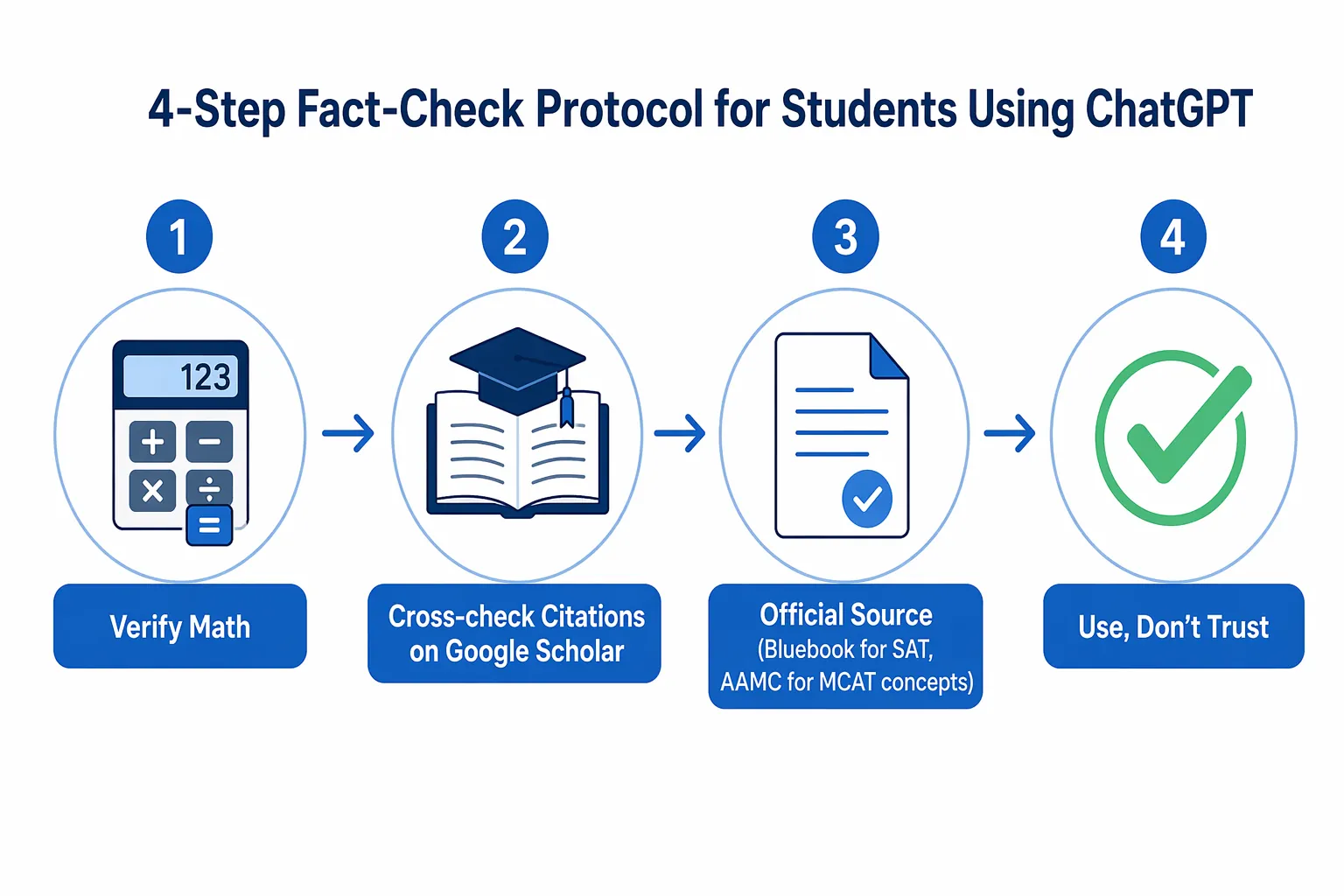
Use this protocol whenever the output could affect a grade, score, or practice record:
- For math: solve independently first, then verify with a calculator, official solution, or trusted textbook method. Ask ChatGPT to explain a step only after the answer is known.
- For SAT, ACT, GRE, MCAT, AP, ASVAB, and similar exams: use official practice sources for question format, scoring, and final answers. ChatGPT can explain your mistake, not certify the exam.
- For citations: search the title, authors, and journal in Google Scholar, PubMed, Crossref, your library database, or the publisher site. If the source does not exist there, treat it as unusable.
- For explanations: ask ChatGPT to show the rule or principle it used, then compare that rule with your class notes or official guide.
- For generated practice questions: treat them as drills for thinking, not as official score predictors.
A useful prompt here is blunt:
Check your own answer.

1. State the final answer.
2. Show the reasoning in numbered steps.
3. Identify the step most likely to be wrong.
4. Tell me what external source I should use to verify it.
5. If this is an exam-style question, do not claim it matches the official exam unless I provided the official source.
Second-hand summaries cited by Coursiv also point in the same cautionary direction: SafeTutors benchmark results, a Barcaui randomized controlled trial, and an MIT Media Lab EEG study are presented there as evidence that AI tutoring can create harm, weaker delayed retention, or weaker neural connectivity under some conditions.[8] Because those details are cited through a secondary source here, they should support caution, not a sweeping claim that every student learns worse with AI.
The habit to avoid is cognitive offloading: letting ChatGPT do the struggle that your brain needed to practice. If that sounds familiar, read the ChatGPT study habits and exam-score risk guide before using another generated answer set.
Fix 6: Repair File Upload Problems Without Waiting on the Perfect PDF
Symptom: ChatGPT refuses a PDF, stalls on an image, fails to read a file, or gives an answer that clearly missed part of the upload.
First, check whether the file is the real obstacle. Large PDFs, scanned pages, password-protected files, sideways images, messy tables, and low-contrast screenshots can all make the study task worse. If the file is not uploading or not extracting cleanly, stop treating the upload as sacred.
- For a textbook page: paste only the paragraph, table, or problem you need now.
- For a scanned worksheet: use OCR first, then paste the extracted text and check obvious symbol errors.
- For a lecture deck: upload or paste one slide section at a time.
- For images with charts: describe the axes, labels, and visible values yourself before asking for interpretation.
- For private school records or sensitive documents: do not upload unless you have checked account security and privacy expectations.
If privacy is the reason you are hesitating, use the ChatGPT safety guide for studying after a hack before uploading anything tied to grades, accommodations, identity, health, or school accounts.
Stop trying when the upload step takes longer than the study task. If you only need help with one paragraph, paste the paragraph. If you need to complete a timed reading set, use the official PDF or platform and ask ChatGPT about mistakes afterward.
Fix 7: Force Socratic Guidance When ChatGPT Keeps Giving Away the Answer
Symptom: you ask for help, and ChatGPT immediately gives the final answer, rewrites the essay, solves the equation, or explains so much that there is nothing left for you to practice.
This looks helpful in the moment and shows up later as weak recall. If you want tutoring, the prompt has to make ChatGPT wait.
Tutor me through this.

Do not solve it yet.
First ask me what I notice.
Then ask me what rule, formula, or evidence might apply.
If I answer incorrectly, give one hint.
After two hints, show only the next step, not the full solution.
At the end, ask me to explain the solution back in my own words.

Problem:
For reading and writing tasks, swap “formula” for “claim, evidence, tone, grammar rule, or passage line.” For science, swap it for “concept, variable, graph trend, or experimental design.” The structure matters more than the subject label.
Use ChatGPT for the method: generating recall questions, rephrasing dense explanations, checking whether your reasoning is coherent, and giving a hint when you are stuck. Do not use it to skip the retrieval, calculation, annotation, or error review that the exam will demand from you. The tokenmaxxing guide for students goes deeper on why more AI output is not automatically more studying.
When to Stop Fixing ChatGPT
ChatGPT is worth fixing when the blocked task is explanation, brainstorming, summarizing, converting notes into recall questions, or guided questioning. Those tasks tolerate revision. If the first answer is clumsy, you can redirect it.
It is not worth trusting as the final authority for math answers, official practice questions, exam format, score prediction, citations, accommodations, school policy, or anything your grade depends on. Use official sources: Bluebook for SAT practice, AAMC for MCAT materials, ETS for GRE materials, your course LMS, your textbook, your teacher’s rubric, or your institution’s library databases.
If ChatGPT keeps blocking practice, switch the block. Do official timed work now and use AI later for review. If the real problem is not ChatGPT but a missing plan, use an exam countdown study planner instead of asking a chatbot to rescue every night one prompt at a time.
The decision rule is simple: if one of these fixes restores the study session, keep going with verification built in. If the tool keeps interrupting practice or producing unverified answers, move to official materials or a better-fit AI tool before the study block is gone.
References
- Troubleshooting ChatGPT Error Messages, OpenAI Help Center, https://help.openai.com/en/articles/7996703-troubleshooting-chatgpt-error-messages
- Using Study Mode in ChatGPT, OpenAI Help Center, https://help.openai.com/en/articles/11780217-using-study-mode-in-chatgpt
- Tell HN: OpenAI silently removed Study Mode from ChatGPT, Hacker News, https://news.ycombinator.com/item?id=47739305
- Bug of Study and Learn Feature in ChatGPT, OpenAI Developer Community, https://community.openai.com/t/bug-of-study-and-learn-feature-in-chatgpt/1334812
- AI gets a D: Study shows inaccuracies, inconsistency in ChatGPT answers, Washington State University, March 16, 2026, https://news.wsu.edu/press-release/2026/03/16/ai-gets-a-d-study-shows-inaccuracies-inconsistency-in-chatgpt-answers/
- ChatGPT for SAT Prep, PrepGraph, https://prepgraph.com/blog/chatgpt-for-sat-prep
- Hallucination Rates of ChatGPT and Bard, JMIR, 2024, https://www.jmir.org/2024/1/e53164/
- ChatGPT for Students in 2026, Coursiv, https://coursiv.io/blog/chatgpt-for-students-2026
Authoritative source
For the authoritative version of this contentHow to Read the '1 in 4 NFL Players CTE' Study
Report an error in this tool's output
Found something this tool got wrong beyond what's documented above? Report it so the accuracy log stays current.
Comments
Join the discussion with an anonymous comment.