
How to Protect Your Privacy When Using an AI Note Taker in College
Accuracy Warning
This tool's exam-prep accuracy has not been fully characterized.
The awkward part usually happens before the lecture even starts. You open an AI note taker because the class moves fast, the slides are dense, or you know your attention is already running on low battery. Then you see the record button and realize the app may capture more than your own study material: your professor’s explanation, a classmate’s question, a discussion about someone’s health, a project idea your group has not presented yet.
That is the real privacy problem with using an AI note taker for college lectures. The risk is not only that an app records audio. It is that the recording may be uploaded, transcribed, summarized, synced, shared, searched, or reused before anyone in the room has had a fair chance to understand what is happening.
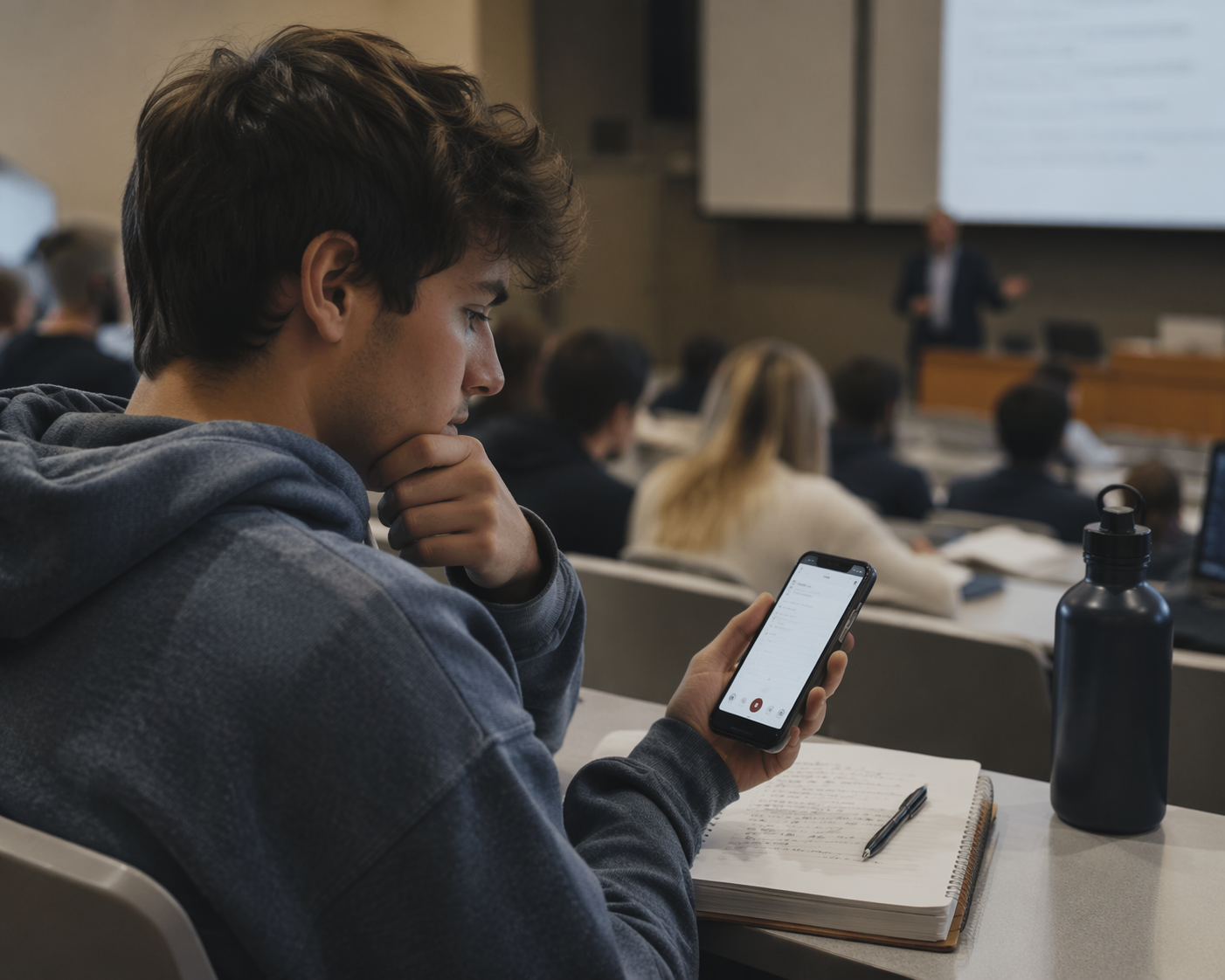
Universities have not fully caught up. Reporting from Inside Higher Ed in June 2024 described campus policies around AI recording devices as murky, with many institutions still lacking clear rules for these tools.[1] That gap matters because students cannot assume that silence means permission. In a classroom, privacy and academic conduct live in the same small space.
So the safest approach is not to pick the flashiest app and hope the policy question works itself out later. Treat privacy as a pre-class workflow: check the class rules, ask before recording, choose the least-extractive setup, keep files under your control, clean the notes, and verify the output before you study from it.
Start with the class rules, not the app
Before comparing Otter.ai, Fireflies, Jamie, Knowt AI, Aiko, or anything else, open the syllabus. Look for words like “recording,” “AI,” “transcription,” “lecture capture,” “class participation,” “privacy,” “intellectual property,” or “accommodations.” Some instructors ban recording. Some allow audio recording but not automated transcription. Some allow recording only for personal study. Some want students to request permission first.
Student-facing privacy guides from Krisp and PolarnotesAI both point students toward a basic first step: check the syllabus or classroom policy and get instructor permission before recording lectures.[2][3] That advice sounds simple until you are standing outside a lecture hall with three minutes before class, but it is still the right order. The policy comes before the tool.
If the syllabus is unclear, ask a narrow question. “Can I use an AI transcription app for my own study notes?” is better than “Can I record?” because it tells the instructor what you actually plan to do. If the app uploads audio to the cloud, say that. If it processes locally and you will not share the transcript, say that too. A professor can only make a useful call if they know whether the tool is just helping you review the lecture or quietly sending classroom audio to a third-party service.
This is also where academic standing enters the picture. A recording that violates a course rule may become more than a privacy mistake. It can turn into a conduct issue, especially in discussion-heavy classes, clinical settings, labs, seminars, or group work where students disclose information that was never meant to leave the room.
Ask for consent in a way people can actually understand
Consent is not a magic sentence you mumble while opening your laptop. It has to tell people what is happening. At minimum, your instructor should know whether you are recording audio, creating a transcript, generating an AI summary, storing the file locally, uploading it to a cloud service, or sharing it with anyone else.
- Ask before the first recording, not after you already have a transcript.
- Use plain language: “This app records audio and makes a transcript for my private study notes.”
- Name the storage choice: “The file stays on my device” or “The app uploads it to its servers.”
- Ask whether classmates need to be notified, especially in discussion-based courses.
- Do not record if the instructor says no, even if the app is technically easy to hide.
State recording laws are another reason not to treat consent casually. One-party and all-party consent rules vary by jurisdiction, and the classroom may include people who are not expecting to be recorded. This article is not legal advice, and blanket claims about state consent law are risky. If you are recording live audio, check your state’s rule and your university’s policy before relying on a general internet summary.
There is a separate path for disability accommodations. If recording or transcription is part of an approved accommodation, work through the disability services process rather than trying to negotiate every class alone. An AI app you choose on your own is not automatically an official accommodation, and an approved accommodation does not automatically mean every commercial AI workflow is acceptable.
The local-versus-cloud choice is the privacy hinge
Once you have permission to use a note-taking tool, the next question is where the lecture goes. This is the part worth slowing down for, because “AI note taker” can mean very different things.
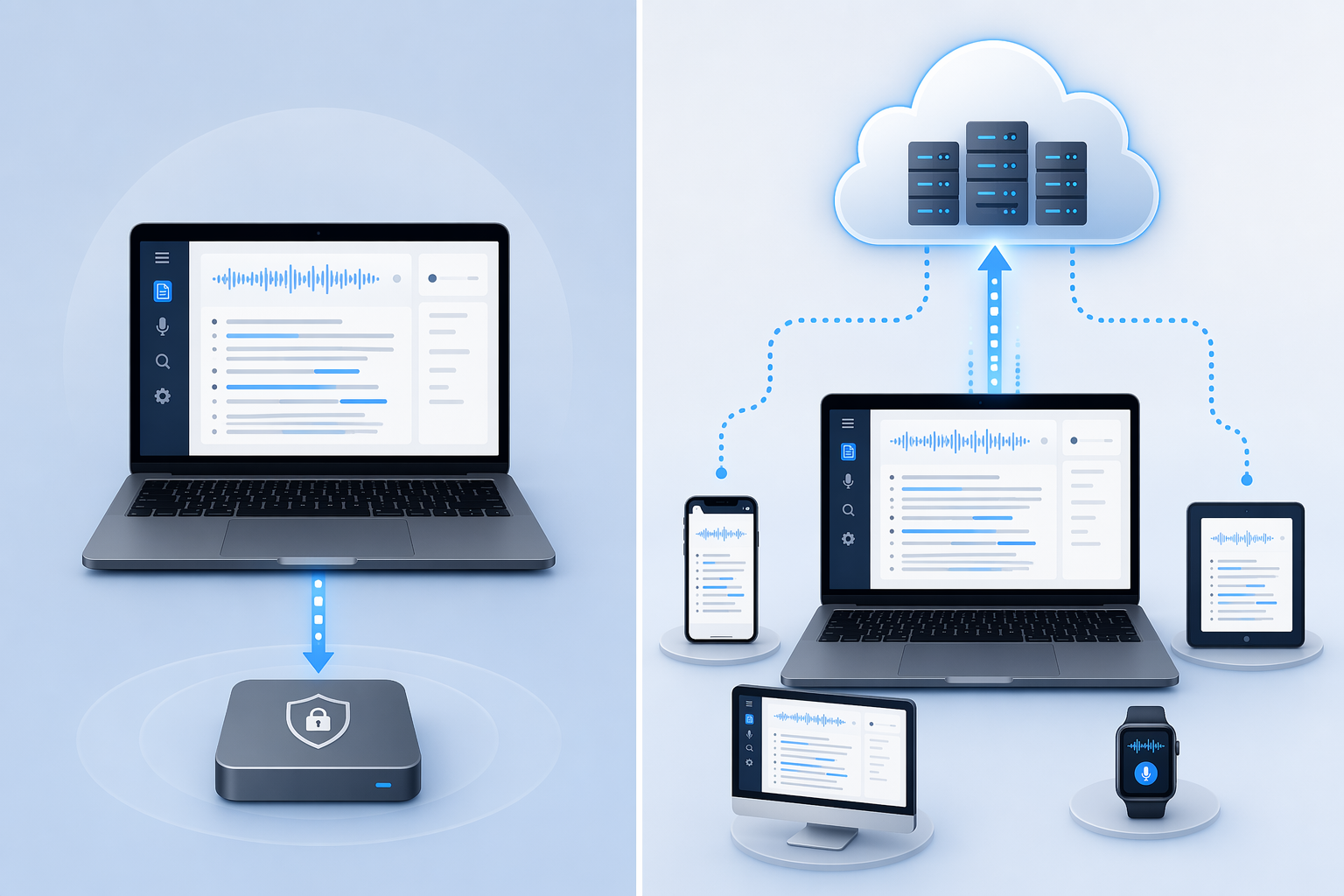
A local-processing setup keeps the audio and transcript on your own device. A cloud-processing setup uploads the audio, transcript, or summary to a company’s servers so the service can process it, sync it, or make it available across devices. Both can produce notes. They do not carry the same privacy weight.
| Privacy question | Lower-risk answer | Higher-risk answer |
|---|---|---|
| Where is the audio processed? | On your device | On a vendor’s cloud server |
| Where is the transcript stored? | In a local folder you control | In an online account or shared workspace |
| Who can access it? | Only you, unless you deliberately share it | You, the vendor account system, connected integrations, or invited users |
| What happens after class? | You review, edit, and delete what you do not need | The file remains synced, searchable, or shareable by default |
The FERPA angle is useful here, but it needs careful handling. FERPA was enacted in 1974 and was not written for AI note-taking apps. A 2026 UMEVO article applies the “sole possession record” idea to AI classroom recordings and argues that if a transcript stays entirely on a student’s local device and is never shared or cloud-synced, it does not trigger FERPA compliance protocols.[4] That is a practical way to think about risk, not settled law for every AI recording situation.
Still, the distinction is real enough to change behavior. A note file you keep privately on your laptop is easier to explain than a lecture recording that gets uploaded to a vendor, synced to your phone, shared into a group chat, connected to a calendar, and retained in an account you forget about after finals.
Jamie’s privacy guide says Jamie processes audio locally, and it also names Aiko as an example of a tool that can process audio locally.[5] Because that guide is written by Jamie’s own co-founder, treat it as a vendor statement rather than an independent audit. It is still useful for knowing what privacy feature to look for: local processing, no automatic cloud upload, and clear controls over storage.
The point is not that every cloud tool is automatically forbidden or every local tool is automatically safe. The point is that cloud sync changes the privacy conversation. If a tool needs to upload the lecture to work, you should be able to explain why that is necessary, what the vendor keeps, how long it keeps it, who can access it, and how you can delete it.
Choose the least-extractive setup you can live with
A privacy-friendly setup is usually boring. That is a compliment. You want fewer integrations, fewer automatic uploads, fewer shared folders, fewer calendar hooks, and fewer “helpful” features that turn one lecture into a permanent, searchable account record.
- Turn off automatic cloud sync if the tool allows it.
- Avoid auto-joining online classes or meetings unless your instructor has approved it.
- Disable automatic sharing to group workspaces, calendars, or collaboration tools.
- Use a separate school account if that makes deletion and review easier.
- Check whether audio, transcript, and summary files can be deleted separately.
If you are still choosing tools, use privacy behavior as the filter before convenience. Does the app work offline? Can it process on-device? Can you export the transcript without leaving a copy in the service? Does it train models on user content, and can you opt out? Does deleting a transcript also delete the original audio? If the privacy policy makes those answers hard to find, that is information too.
AI study tools are now normal enough that many students are not asking whether to use them at all. For the broader shift, see How AI Changed Online Study Tools: What Students Actually Need to Know in 2026. But normalization is not permission. A tool can be common and still be a bad fit for a small seminar, a confidential clinical discussion, or a class where the instructor has clearly limited recording.
Control storage like the notes could be misunderstood later
Lecture transcripts feel harmless when you are tired and trying to study for Thursday’s quiz. They look different months later if they include a classmate’s personal disclosure, a professor’s offhand comment, unpublished research, group project planning, grades, health details, or identifying information.
PolarnotesAI and Yale’s Poorvu Center both emphasize removing sensitive personal information from AI-related materials, including details such as health information, grades, and identifiers.[3][6] For student note-taking, that means editing before archiving or sharing, not after a problem appears.
- Rename files with course and date, not classmates’ names or sensitive topics.
- Delete raw audio when you no longer need it, especially if the transcript is enough.
- Remove personal stories, health details, grades, student IDs, emails, and phone numbers.
- Keep private study notes out of shared drives unless sharing is clearly allowed.
- Do not post transcripts or AI summaries in class chats just because they seem helpful.
Group projects deserve extra caution. If your AI note taker records a team meeting, the file may capture unfinished ideas, task assignments, conflict, or personal constraints. Ask the group before recording, agree on where the transcript will live, and decide who can delete it. The person with the app should not quietly become the person who controls the record.
Verify the AI notes before you study from them
Privacy is not the only risk. AI notes can be wrong in a confident, organized way, which is sometimes worse than messy human notes. MLT Aikins warned in 2025 that AI note-taking summaries can hallucinate, including inventing action items that were never discussed.[7] In a college class, that could mean studying a false explanation, missing a real deadline, or attributing a claim to your professor that they never made.
Treat the AI output as a first draft. Before you rely on it, compare it with the original lecture recording if you kept one, the slides, the reading list, the assignment prompt, or your own handwritten notes. Pay special attention to definitions, formulas, dates, names, case holdings, lab instructions, citations, and anything the professor said would be on an exam.
- Mark uncertain sections instead of smoothing them into confident prose.
- Check quoted language against the original source or lecture audio.
- Confirm assignment instructions in the official LMS or syllabus.
- Do not cite an AI summary as if it were the professor’s exact wording.
- Keep your own judgment in the loop before turning notes into flashcards or essays.
This matters even more when a note-taking app automatically creates study guides, quizzes, or action items. A neat checklist can hide the fact that the model guessed. The cleaner the output looks, the more deliberate the verification should be.
A repeatable pre-class protocol
The safest routine is short enough to use when you are actually walking into class.
- Check the syllabus and course site for recording, AI, transcription, and sharing rules.
- Ask the instructor directly if the policy is unclear, and explain whether the app records, transcribes, uploads, or shares.
- Consider classmates’ voices, especially in discussion-heavy classes, and follow any consent requirements in your state and institution.
- Choose local processing and local storage when possible; avoid automatic cloud sync unless you have a clear reason.
- After class, delete what you do not need, remove sensitive details, and avoid casual sharing.
- Verify AI summaries against lecture materials before studying from them.
If you cannot explain what is being recorded, where it goes, who can access it, and whether your instructor allows it, do not press record yet. That pause may feel inconvenient, but it is much easier than untangling a transcript that should never have existed.
AI notes can be useful private study aids. They are not automatically safe records, official accommodations, or unquestioned versions of what happened in class. Use them like drafts: controlled before class, cleaned after class, and checked before they become the thing you trust.
References
- Murky Guidelines on AI Recording Devices, Inside Higher Ed, June 24, 2024, https://www.insidehighered.com/news/tech-innovation/artificial-intelligence/2024/06/24/murky-guidelines-ai-recording-devices
- Best Note Taking Apps for Students, Krisp, 2026, https://krisp.ai/blog/blog-best-note-taking-apps-for-students/
- AI Note Taking Privacy and Citations, PolarnotesAI, 2025, https://www.polarnotesai.com/ai-note-taking-privacy-and-citations/
- FERPA and AI Recording in Classrooms: What Educators and Students Need to Know, UMEVO, 2026, https://www.umevo.ai/blogs/ume-all-posts/ferpa-and-ai-recording-in-classrooms-what-educators-and-students-need-to-know
- Privacy in AI Note Taking, Jamie, 2026, https://www.meetjamie.ai/blog/privacy-in-ai-note-taking
- Protecting Student Privacy, Yale Poorvu Center, 2025, https://poorvucenter.yale.edu/teaching/teaching-resource-library/ai-guidance-for-teachers/ai-course-assignment-design/protecting
- Noteworthy Concerns: Discussing the Risks of AI Note-Taking Apps, MLT Aikins, 2025, https://www.mltaikins.com/insights/noteworthy-concerns-discussing-the-risks-of-ai-note-taking-apps/
Authoritative source
No specific exam hub matched
Browse the exam hubs directory for the authoritative plan on any of the five exams.
Report an error in this tool's output
Found something this tool got wrong beyond what's documented above? Report it so the accuracy log stays current.
Comments
Join the discussion with an anonymous comment.