Can Flowkey Replace Piano Lessons?
The short answer: Flowkey can replace lessons for a narrow kind of learner
Evidence label: Conditional recommendation, based primarily on an independent hands-on review, documented app features, current pricing information, and indirect research on other piano-learning apps. The controlled studies discussed below did not test Flowkey.
The answer is yes—but only for a motivated adult beginner who wants to play recognizable songs, practices on a MIDI-capable keyboard, and accepts that no one will correct posture, tension, fingering, rhythm, dynamics, or phrasing. For a total beginner who needs close guidance, a serious classical learner, or anyone expecting teacher-level feedback from an acoustic piano’s microphone, Flowkey is better treated as a supplement.
The strongest independent evidence for that judgment is DanHonMusic’s January 2025 hands-on review, which gave Flowkey 7.2/10. It found the app especially suitable for motivated adult beginners and intermediate players who want to learn real songs quickly, but less suitable for learners who need substantial hand-holding or are pursuing serious classical development.[1]
That is a more useful verdict than asking whether Flowkey has enough songs or whether its interface feels polished. Replacement depends on functional fit: whether the app can support your goal, recognize your playing reliably, and catch the mistakes that matter for that goal.
| Your situation | Likely role for Flowkey |
|---|---|
| You want to play familiar pop, film, game, or simplified classical pieces for pleasure | Possible lesson replacement |
| You have a MIDI-capable digital piano or keyboard | Best case for interactive practice |
| You use an acoustic or non-MIDI piano through the device microphone | Useful, but less reliable as a replacement |
| You need correction of posture, tension, fingering, rhythm, dynamics, or phrasing | Supplement to teaching, not a substitute |
| You want deep theory, sight-reading development, or serious classical technique | Supplement only |
What Flowkey costs in August 2026
Pricing last checked: August 27, 2026. The available pricing information places Flowkey at approximately $19.99 for one month, $83.94 for six months at about $13.99 per month, or roughly $119.88 to $120 for a year at about $9.99 to $10 per month. The seven-day trial applies to the annual plan; choosing the monthly plan means being billed immediately. Prices are volatile and may vary by platform, location, promotion, and subscription tier.[1][2]
| Option | Approximate price at review | Billing detail |
|---|---|---|
| Monthly | $19.99 | Billed immediately; no seven-day trial |
| Six months | $83.94 | Approximately $13.99 per month |
| Annual | $119.88–$120 | Approximately $9.99–$10 per month; seven-day trial available |
| Private lessons | Approximately $47 for 30 minutes, $70 for 45 minutes, or $87 for 60 minutes | Multi-city US benchmarks; actual teacher rates vary |
US private-lesson benchmarks published for 2026 were approximately $47 for 30 minutes, $70 for 45 minutes, and $87 for 60 minutes. Other market estimates place adult lessons around $40 to $100 per session and monthly tuition around $130 to $360.[3][4][5] On those figures, a full year of Flowkey can cost about as much as one to three private lessons.
That comparison describes expenditure, not educational equivalence. An app subscription buys repeatable access to songs and automated practice tools. A lesson buys a teacher’s attention, diagnosis, adaptation, and correction for a limited block of time. The cheaper option is a bargain only when those missing services are not essential to the learner’s goal. The same distinction matters in any cost-versus-outcome comparison: price tells you what leaves your bank account, not what the purchase will teach.
Flowkey’s current store listing identifies Premium, Classic, and Family options, with Family supporting as many as five separate accounts. Library access differs by tier, so the lowest displayed price should not automatically be read as access to every song or course.[2] The company’s subscription documentation should be checked before purchase, particularly if a household needs multiple profiles or a specific piece is the reason for subscribing.[7]
What an actual Flowkey practice session looks like
Flowkey’s appeal becomes obvious once the learner stops browsing and starts working on a song. The app offers a library advertised at more than 1,500 pieces across multiple difficulty levels, combining performance videos with synchronized sheet music. Its practice controls include separate-hand work, looping, slower playback, and Wait Mode, which pauses until the app detects the expected note.[1][6]
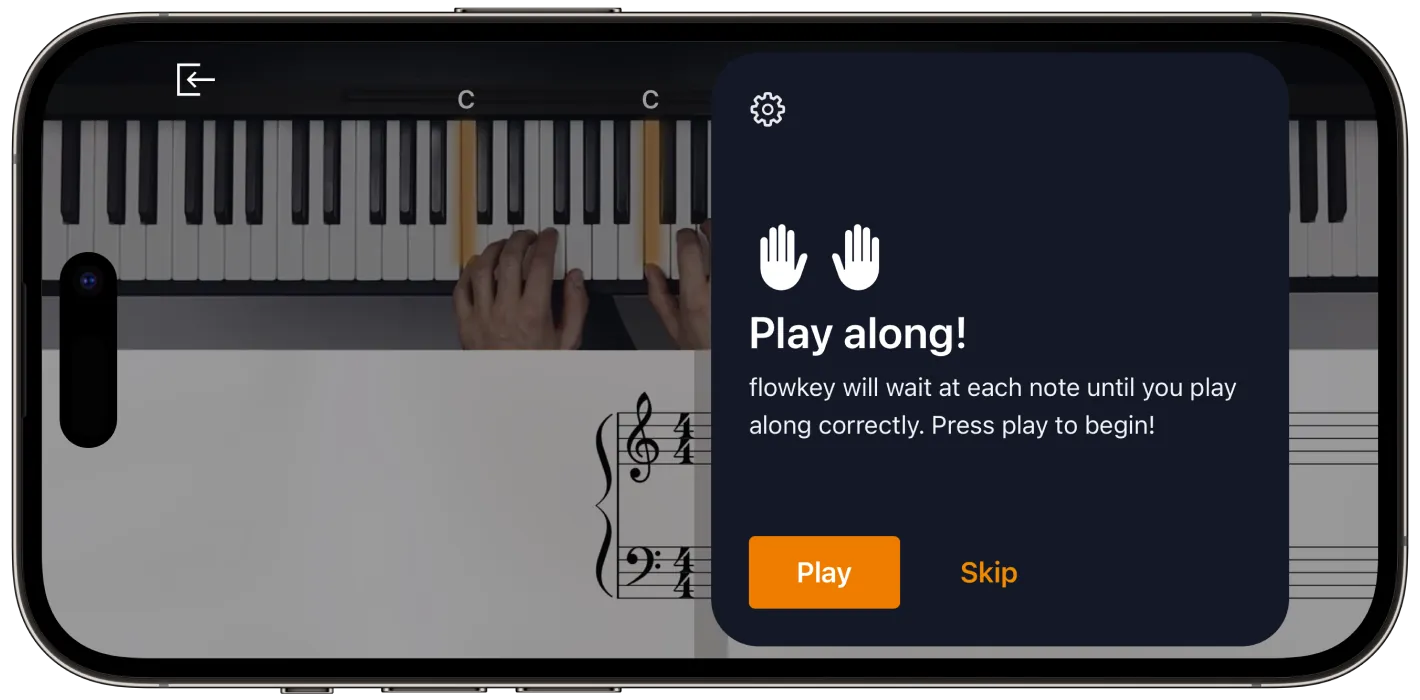
A beginner can choose a manageable arrangement, watch how the passage is played, isolate the right hand, reduce the speed, and loop a difficult group of measures. After that, the left hand can be practiced separately before both hands are combined. Wait Mode removes the pressure to keep pace with a recording: the score advances when the expected notes are played.
That workflow solves a real problem for independent adults. A printed score offers no demonstration and does not wait. A conventional video keeps moving unless the learner repeatedly scrubs backward. Flowkey puts the demonstration, notation, playback controls, and basic note checking in one place, making it easier to turn a favorite song into small practice tasks.
It also lets the learner spend more time on the passage that is actually difficult. There is no need to wait until next week to ask a teacher to replay two measures, and no embarrassment in repeating them many times. For someone whose definition of success is “I can play this song recognizably from beginning to end,” those are substantial advantages.
MIDI changes the quality of the proposition
Flowkey can listen through a device microphone or receive note information from a compatible MIDI connection. Those routes may look interchangeable in the feature list, but they do not create the same experience. MIDI sends direct information about the keys being played. A microphone must infer notes from sound while coping with room noise, device placement, resonance, and overlapping tones.
With MIDI, Wait Mode can respond quickly enough to feel like an interactive score. On an acoustic or non-MIDI piano, reviewers and user reports describe missed or glitchy microphone detection.[1][2] A learner may play the correct note and remain stuck, or may spend time troubleshooting recognition rather than practicing. That is inconvenient in a supplemental tool; in something expected to replace lessons, it weakens the central feedback loop.
Acoustic-piano owners are not excluded. The videos, score, looping, hand separation, and slow practice remain useful even when recognition is unreliable. But they should evaluate Flowkey as a guided song library first and as an accurate listener second. Using the free trial with the exact instrument, room, and device intended for regular practice is more informative than reading another feature list.
The feedback gap that determines whether it replaces a teacher
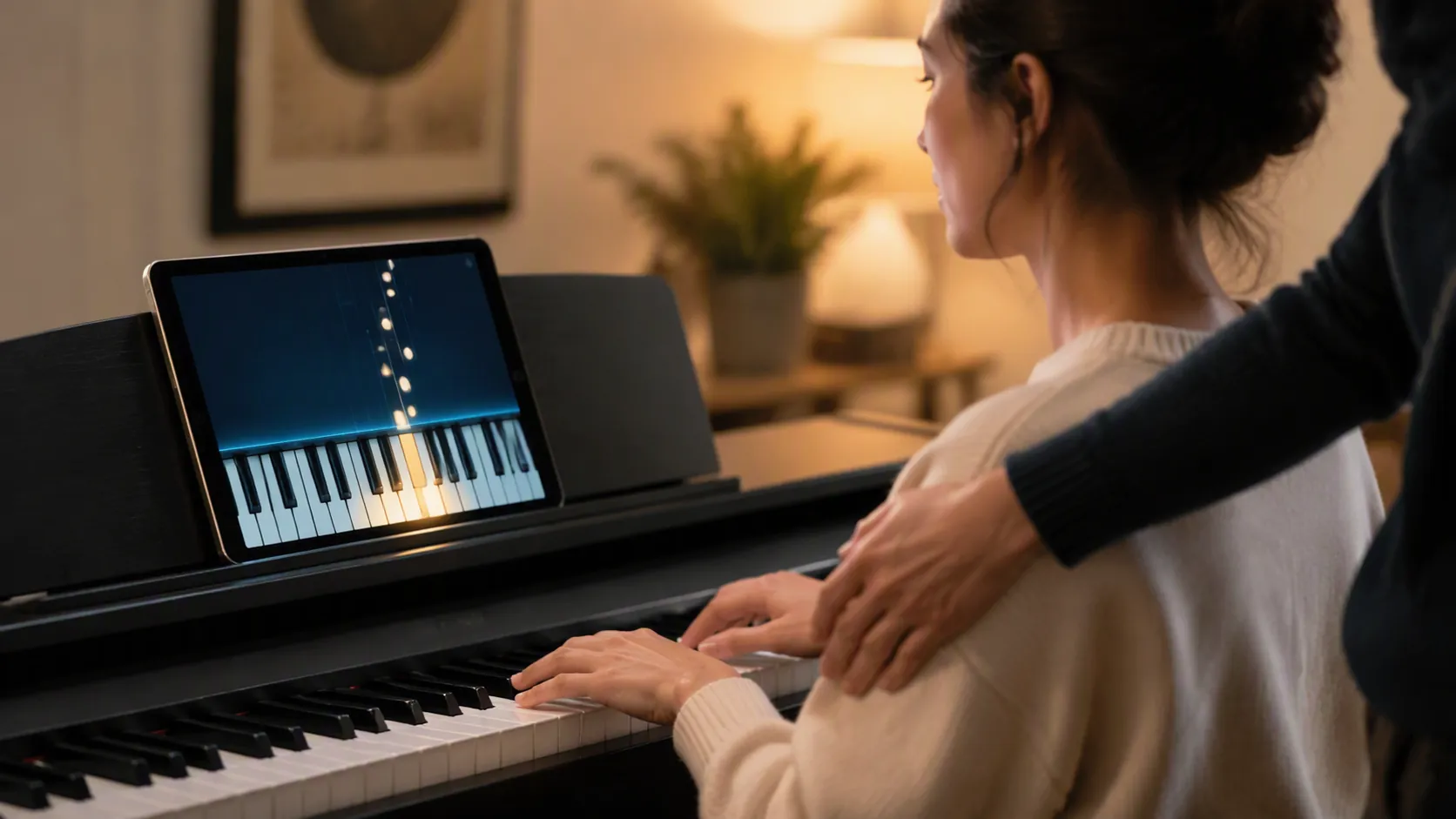
Flowkey’s interactivity is best understood as note recognition. It can check whether the expected pitch was played and use that result to advance the music. It cannot see that the learner is raising a shoulder, collapsing a wrist, twisting toward the little finger, or pressing with unnecessary force. It does not reliably judge the timing nuances, dynamics, balance, phrasing, and musical direction that turn correct pitches into a convincing performance.[1][8][9]
This matters because a note can be correct while the method used to produce it is poor. A beginner may reach a difficult passage with an awkward fingering, repeat it until it feels familiar, and receive enough positive recognition to continue. The app has verified an output; it has not verified a sustainable movement. Repetition then strengthens both the passage and the workaround.
Wait Mode introduces a related problem. Because it waits for the right note, a learner can stop between notes, search for each key, and still satisfy the exercise. The feature is valuable while decoding a passage, but completion does not establish steady pulse or fluent rhythm. A course review also criticized the system for being overly forgiving and described the instructional material as shallow on posture, finger technique, and theory.[8]
A practical way to use Wait Mode is to treat it as the first pass rather than the finished performance. Once the notes are located, the learner can switch to slow, continuous playback or use an external metronome. Recording a full attempt can reveal hesitations that disappear when every measure is practiced in isolation. None of this recreates a teacher’s diagnosis, but it prevents “the app let me finish” from becoming the standard for mastery.
A teacher also changes the assignment after observing the student. If the rhythm is failing, the teacher may remove pitches and clap the pattern. If tension appears, the teacher may simplify the movement or stop the repetition. If a fingering will create trouble two pages later, it can be replaced before it becomes automatic. Flowkey presents practice controls; the learner must decide which control addresses the actual problem.
Who can realistically use Flowkey instead of weekly lessons?
The strongest candidate is an adult who is comfortable directing personal practice and has a concrete, song-focused goal. This learner can tolerate looking things up, notices when a passage sounds uneven, and is willing to repeat difficult measures rather than repeatedly playing from the beginning. A MIDI keyboard makes the app’s listening function dependable enough to support that process.
- Your main objective is playing recognizable songs for pleasure rather than following a formal curriculum.
- You can establish a regular practice routine without an appointment or teacher holding you accountable.
- You use a compatible MIDI instrument, or you have tested microphone recognition and found it dependable in your setup.
- You understand that passing Wait Mode confirms expected notes, not polished rhythm or technique.
- You are prepared to seek occasional outside help if pain, tension, fingering problems, or persistent timing errors appear.
Choosing an app under those conditions is not an unserious version of learning. If the goal is recreational song playing, a formal weekly curriculum may provide more instruction than the learner wants and at a cost that blocks participation altogether. Functional substitution does not require Flowkey to reproduce every benefit of teaching; it requires the app to provide enough support for the learner’s stated outcome without allowing undetected problems to take over.
Learners for whom the case is weaker
A total beginner may need more guidance than the app provides. Reading notation, coordinating two hands, choosing fingers, controlling rhythm, and understanding the instrument all arrive at once. Flowkey can demonstrate and divide the task, but it cannot reliably identify why the learner is stuck. The independent review’s reservation about beginners needing hand-holding is therefore important, even though the app is marketed to beginners.[1]
Serious classical learners face a different mismatch. Their goals usually include tone production, technical efficiency, stylistic understanding, voicing, pedaling, interpretation, sight-reading, and progressively selected repertoire. A large song catalog and accurate note recognition address only part of that work. Flowkey may remain convenient for exploring pieces, but it does not supply the depth or corrective attention needed to organize advanced development.[1][8]
Children and learners who depend on external structure may also struggle, although the available material does not establish an age-based outcome for Flowkey. The relevant question is behavioral rather than demographic: will the learner practice deliberately when no person is checking preparation, changing the task, or noticing avoidance?
What the research can—and cannot—tell us
None of the controlled studies in the cited research synthesis tested Flowkey. They examined Skoove, Simply Piano, MOOC-style instruction, or generic AI-supported applications. Several took place in university settings or retained a teacher in the learning process, so they do not directly answer whether an independent adult can cancel private lessons and obtain the same result from Flowkey.[9]
The secondary synthesis reports consistent short-term gains across app-supported piano-learning studies published from 2020 through 2025, while also noting that long-term evidence is scarce.[9] The defensible inference is that interactive apps can support short-term piano learning. It is not evidence that Flowkey produces the same gains, that gains continue over years, or that app-only instruction equals human teaching.
There is also a meaningful difference between an app used inside a course and an app used alone at home. In a teacher-supported setting, the software can handle repetition while a person catches technical and musical problems. That arrangement demonstrates the value of the tool without demonstrating teacher replacement.
Popularity claims do not settle the outcome
Flowkey’s official surfaces have displayed inconsistent user totals, while the Google Play rating and rating count have also rendered differently across available views.[2][6] These are first-party popularity signals and changing storefront measurements, not verified learning outcomes. They may show that many people have encountered or downloaded the product, but they do not reveal how many practiced consistently, completed a piece, developed sound technique, or still used the app months later.
The inconsistency is worth noticing without making it the center of the review. Flowkey does not need millions of successful users to be useful to one motivated adult. It needs to work with that adult’s instrument, repertoire goal, and tolerance for feedback gaps.
The decision comes down to goal, setup, and correction
Choose Flowkey as a lesson substitute when the desired outcome is modest and concrete: learning recognizable songs, practicing independently, and spending roughly $120 per year rather than paying for weekly appointments. A MIDI-capable keyboard materially strengthens that choice because note recognition is central to the app’s interactive value.
Treat it as a supplement when the goal includes broad musicianship, theory, serious classical development, or reliable feedback on an acoustic instrument. Do the same if you want another person to catch tension, inefficient fingering, unstable rhythm, weak dynamics, or unconvincing phrasing before those habits settle in.
For the right self-directed adult, Flowkey is a credible and unusually affordable route into playing songs. Its boundary is equally clear: listening for the right notes does not make the software a teacher.
References
- Flowkey Review: Hype or the Real Deal? — DanHonMusic, January 2025
- flowkey: Learn Piano — Google Play, updated August 21, 2026
- How Much Do Piano Lessons Cost? — Julian Toha/Oclef, 2026
- How Much Do Piano Lessons for Adults Really Cost in 2025? — Bee Sharp Music
- Piano Teacher Rates in 2026 — Mooz
- flowkey official homepage — flowkey
- flowkey Subscriptions — flowkey Help Center
- Flowkey Piano Course Review — Piano University/BestPianoClass
- What the Science Actually Says About AI-Powered Piano Learning Apps in 2026 — The Piano Place
Related comparisons & exam hub
No matching exam hub found
Browse tool comparisons to find other verdicts for this exam.
Did this match your own testing?
Report whether your hands-on experience with this tool matched the verdict, or flag a pricing or accuracy change.
Comments
Join the discussion with an anonymous comment.