
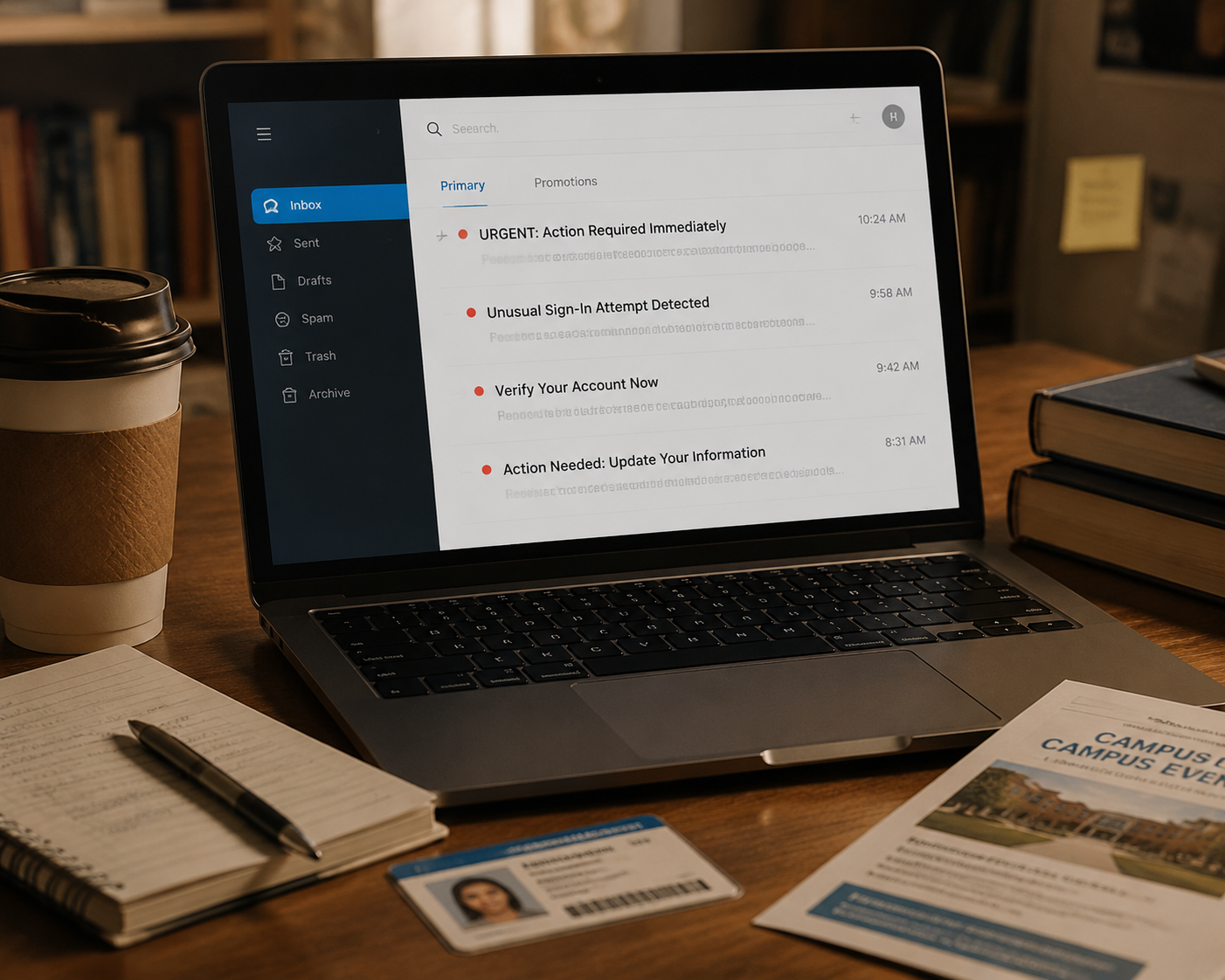
7 Phishing Scams That Target College Students
College students face unique phishing scams targeting internships, scholarships, and housing. This guide walks you through seven common scenarios with red flags and steps to take if you're targeted.
Updated:
In April 2025, Miami University warned students about a phishing email that looked like it came from Career Services. The scammer posed as a real staff member, offered a fake internship, and one student lost “a significant amount of money.” The university did not publish the amount, which is almost beside the point: the email worked because it borrowed something students are told to trust — the career office, a professional opportunity, and the pressure to respond before someone else gets the spot. [1]
That is why phishing awareness tips for students have to get more specific than “don’t click weird links.” College inboxes are messy. A student may be comparing housing listings, checking FAFSA updates, applying for jobs, buying used textbooks, and answering a professor in the same hour. A convincing scam does not always look strange. Sometimes it looks like the thing a student was already hoping would be real.
Education is also a heavy target. Check Point Research reported in July 2025 that education was the most targeted industry worldwide, with 4,356 weekly attacks per organization and a 41% year-over-year increase. [2] StationX, drawing on Verizon DBIR 2025 and KnowBe4 data, estimates a student phishing click rate of about 5.1%, nearly double the cross-industry average of 2.7%; that estimate should be treated as context, not a universal campus measurement. The same analysis points to weak reporting discipline in education, at 1.27 reports per click, which means a scam can keep circulating if students delete it quietly instead of reporting it. [3]
1. The Fake Internship That Looks Like a Career Break
A fake internship email usually arrives with the right emotional timing. It may say a department, professor, alum, or career office is helping recruit students for remote work. The job sounds flexible. The pay sounds generous. The message may use a real staff member’s name, a university logo, or language that feels close enough to a campus announcement.

The dangerous turn comes after the student shows interest. The scammer may send a check and ask the student to buy equipment, pay for “training materials,” cover a visa or onboarding fee, or move money through a payment app. The FTC warns student job hunters to be cautious of employers who send checks before work begins, ask for money, or want personal information too early in the process. [4]
- Red flags: the offer arrives without an interview, the pay is unusually high for vague work, the sender pushes you to use a personal email or text thread, or you are asked to pay money before earning any.
- Safer move: search for the job through your university’s official career portal or the employer’s real website instead of using the link in the message.
- If a staff member’s name appears, contact that office using the phone number or email listed on the university website, not the contact information inside the email.
- Do not deposit checks, buy gift cards, send crypto, or transfer money for an employer you have not independently verified.
This one is especially rough because students are constantly told to network, act quickly, and take career opportunities seriously. The scammer is not counting on a student being careless. The scammer is counting on the student being eager, polite, and worried about missing out.
2. The Scholarship You “Won” but Have to Pay For
Scholarship redemption scams usually begin with good news: you have been selected, approved, matched, or awarded. Then comes the catch. To receive the scholarship, you have to pay a processing fee, application fee, tax, delivery charge, or account verification fee. Goldey-Beacom College’s 2026 financial aid scam warning describes this pattern, and the FTC also warns that real scholarships do not require you to pay money to claim money. [5][6]
The scam can feel plausible because financial aid already comes with forms, deadlines, portals, and unfamiliar vocabulary. A first-year student may not know which office handles which award. A student waiting on tuition help may not want to risk ignoring something that sounds like free money.
- Red flags: you are told to pay before receiving an award, the deadline is aggressively short, the email uses a generic greeting, or the sender cannot explain where you applied.
- Safer move: check your financial aid portal directly by typing the school URL yourself, or call the financial aid office using the number on the official site.
- If the message says the scholarship is from an outside organization, search for that organization separately and confirm the award process there.
- Never send banking details, your Social Security number, or payment app information to claim a scholarship from an email link.
3. FAFSA and Financial Aid “Verification” Messages
Some financial aid phishing does not ask for a fee. It asks for identity. The message may say your FAFSA account has suspicious activity, your aid is paused, your award cannot be released, or your information must be verified. Then it sends you to a form asking for an FSA ID, password, Social Security number, date of birth, address, or bank information.
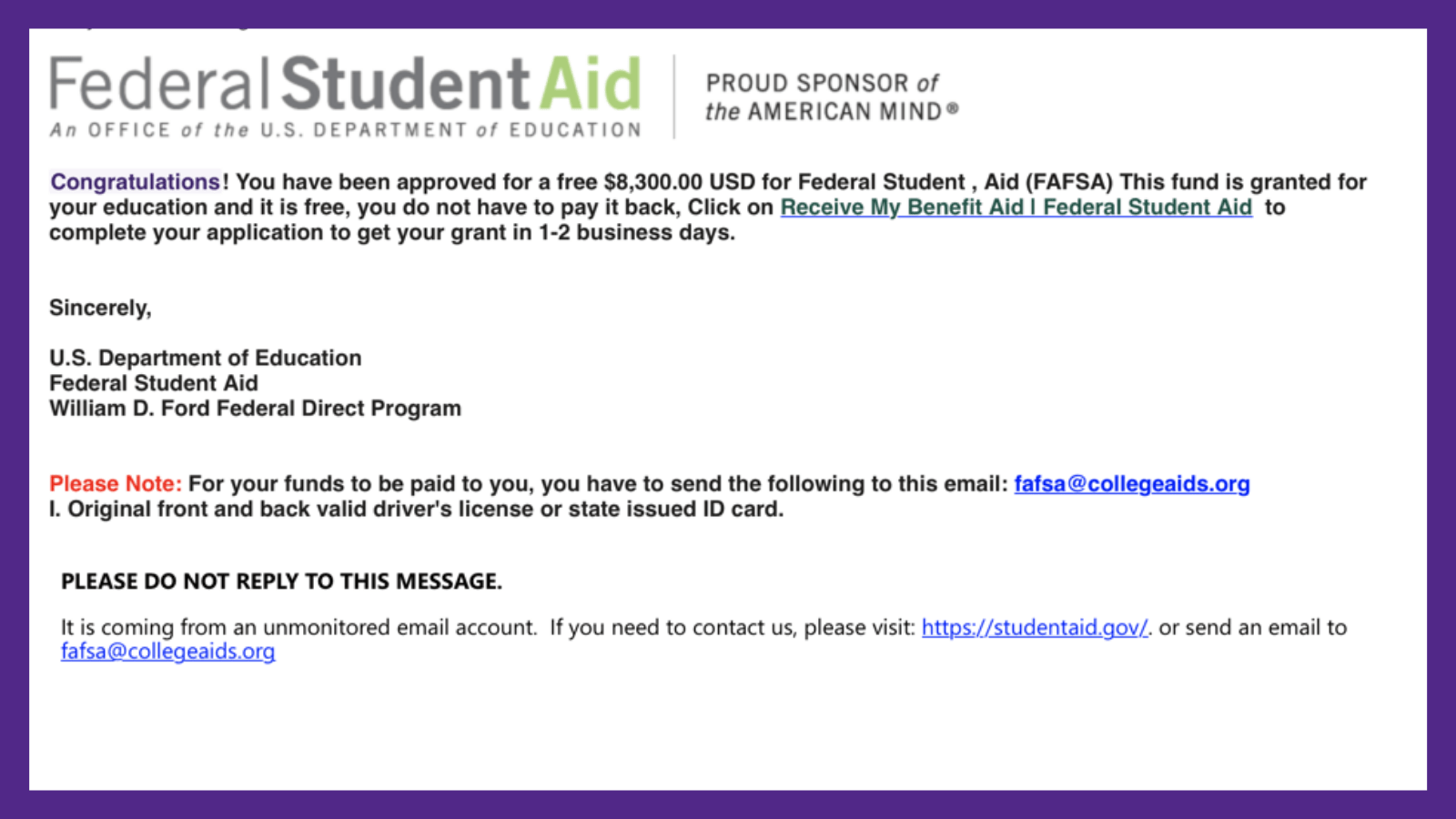
Goldey-Beacom College specifically warns about “ghost student” FAFSA identity theft, where stolen personal information can be used in fraudulent aid activity. [5] That moves the problem from an annoying inbox scam to something that can affect taxes, credit, school records, and future aid.
- Red flags: the message asks for your FSA ID password, Social Security number, or full financial details through a link.
- Safer move: go to your school’s financial aid portal or the official federal student aid site directly, not through the email.
- If you entered identity information, treat it as identity theft risk, not just a bad click.
- Save the message, take screenshots, and contact your financial aid office and campus IT security quickly.
4. The Fake University Login Page
This scam pretends to protect your account. The email may say there was a suspicious login, your mailbox is full, your password is expiring, your Duo or MFA setting needs review, or your student account will be locked. The link opens a page that looks like a university login screen. Once you type your username and password, the scammer has them.
The FTC’s general phishing guidance names familiar warning signs: messages that claim a problem with your account, pressure you to act, or ask you to click a link to update personal information. [6] On campus, those warnings often get wrapped in school language — registrar access, library renewal, payroll, course registration, housing portal, or email storage.
- Red flags: the login URL is misspelled, shortened, oddly long, or not on your university’s real domain.
- Red flags: the page looks close but not quite right, with old branding, blurry logos, strange spacing, or a password box that appears before the usual single sign-on flow.
- Safer move: close the message and open the portal from a bookmark, your school app, or the university website.
- If you typed your password into a fake page, change it from a clean browser session and contact campus IT security.
A polished email is not proof of safety. Misspellings used to be an easy clue; now many scam messages are smooth enough that the better habit is checking the route, not grading the grammar.
5. Housing Deposits for Apartments That Do Not Exist
Housing scams show up when students are already stressed: before a semester starts, when leases turn over, or when a roommate plan falls apart. A listing may be sent by email, posted in a student group, or shared through a message that claims the landlord is out of town. The apartment looks clean, close to campus, and cheaper than everything else nearby.
Then the supposed landlord asks for a deposit to hold the unit before you tour it. The payment method matters. The FCC warns that back-to-school scams can involve requests for wire transfers, gift cards, or payment methods that are hard to reverse. [7]
- Red flags: you cannot tour the apartment in person or by live video, the landlord will not meet, or the listing photos appear on other rental sites with different details.
- Red flags: the landlord asks for a wire transfer, gift card, crypto payment, or deposit before a lease is reviewed.
- Safer move: use your university’s housing office, verified off-campus housing resources, or established rental platforms with documented protections.
- Before paying, confirm the property address, landlord identity, lease terms, and refund policy outside the message thread.
6. The IT Help Desk Call That Wants Remote Access
Not every phishing attempt is an email. A student may get a call from someone claiming to be university IT, the help desk, a security team, or a software vendor used by the school. The caller says your account is compromised, your laptop is infected, or your student email is sending spam. Then they ask you to install remote-access software, read out a code, approve a login prompt, or share your password.
The pressure is the clue. Real campus IT teams may contact students about account problems, but they should not need your password, gift cards, banking login, or unsupervised access to your personal device through a random call.
- Red flags: the caller asks you to approve a login you did not start, install remote-control software, or keep the call secret.
- Red flags: the caller becomes impatient when you ask to hang up and call the official help desk.
- Safer move: hang up, find the IT help desk number on your university website, and call back directly.
- If you granted access, disconnect from the internet, stop using the device for banking or school login, and ask campus IT what to do next.
7. Free Textbooks, Discount Study Packs, and Shared Notes
Textbook scams work because course materials are expensive and students are used to hunting for cheaper options. The message may offer free PDFs, discounted access codes, shared study guides, old exams, lab manuals, or “required materials” for a course. It may appear near the start of term, when students are still figuring out what they really need to buy.
UC Santa Barbara IT lists fake job offers, password-expiration messages, and other student-targeted phishing patterns among common campus scams; the same recognition habits apply to study-material lures. [8] The scam may harvest a campus login before showing the “download,” or it may take payment for materials that never arrive.
- Red flags: the link asks for your university password to view a textbook file, the seller wants payment through an irreversible method, or the offer is far below any normal price.
- Red flags: the email claims to come from a professor but uses a strange sender address or points to an unfamiliar file-sharing site.
- Safer move: check the syllabus, bookstore, library reserve desk, course site, or professor’s announcement before buying or logging in.
- If you are using shared study resources, keep your school login separate from unknown download pages.
What to Do If One of These Hits Your Inbox
The best response is boring and fast. Do not argue with the sender, do not explain why you are suspicious, and do not click around to investigate from inside the message. Preserve what you have, then move the conversation to official channels.
- Stop replying. Do not pay, deposit checks, send codes, approve login prompts, or share more information.
- Save the evidence. Keep the email, text, voicemail, phone number, payment request, screenshots, and any URLs.
- Report it to campus IT security or your school’s help desk using contact information from the university website.
- Forward phishing emails to the Anti-Phishing Working Group at [email protected], as the FTC recommends. [6]
- If you gave out identity information, use the FTC’s identity theft recovery site at IdentityTheft.gov. [6]
- If money moved, contact your bank, card issuer, payment app, or campus police as soon as possible.
Students do not need to become cybersecurity specialists to be harder to scam. They need to recognize the shapes phishing takes inside college life: the too-easy internship, the scholarship fee, the FAFSA verification scare, the fake login page, the urgent housing deposit, the help desk call, and the textbook deal that asks for too much.
References
- New Scam Targeting Students, Miami University IT, April 2025.
- Back-to-School Sees Cyber Attacks Surge in Education, Check Point Research, July 2025.
- Phishing Statistics [2026]: Latest Attack Data & Trends, StationX.
- College students: Avoid scammers while you job hunt, FTC Consumer Alerts, 2025.
- Beware of These Financial Aid Scams in 2026, Goldey-Beacom College.
- How To Recognize and Avoid Phishing Scams, FTC.
- Back to School Scams, FCC.
- Common Phishing Scams Targeting Students, UC Santa Barbara IT.
Comments
Join the discussion with an anonymous comment.