
How to Choose the Best Interactive Online Learning Platform
A practical comparison of top interactive learning platforms that cuts through marketing buzzwords, helping students focus on what actually matters for retention: active retrieval, spaced repetition, and daily engagement.
Updated:
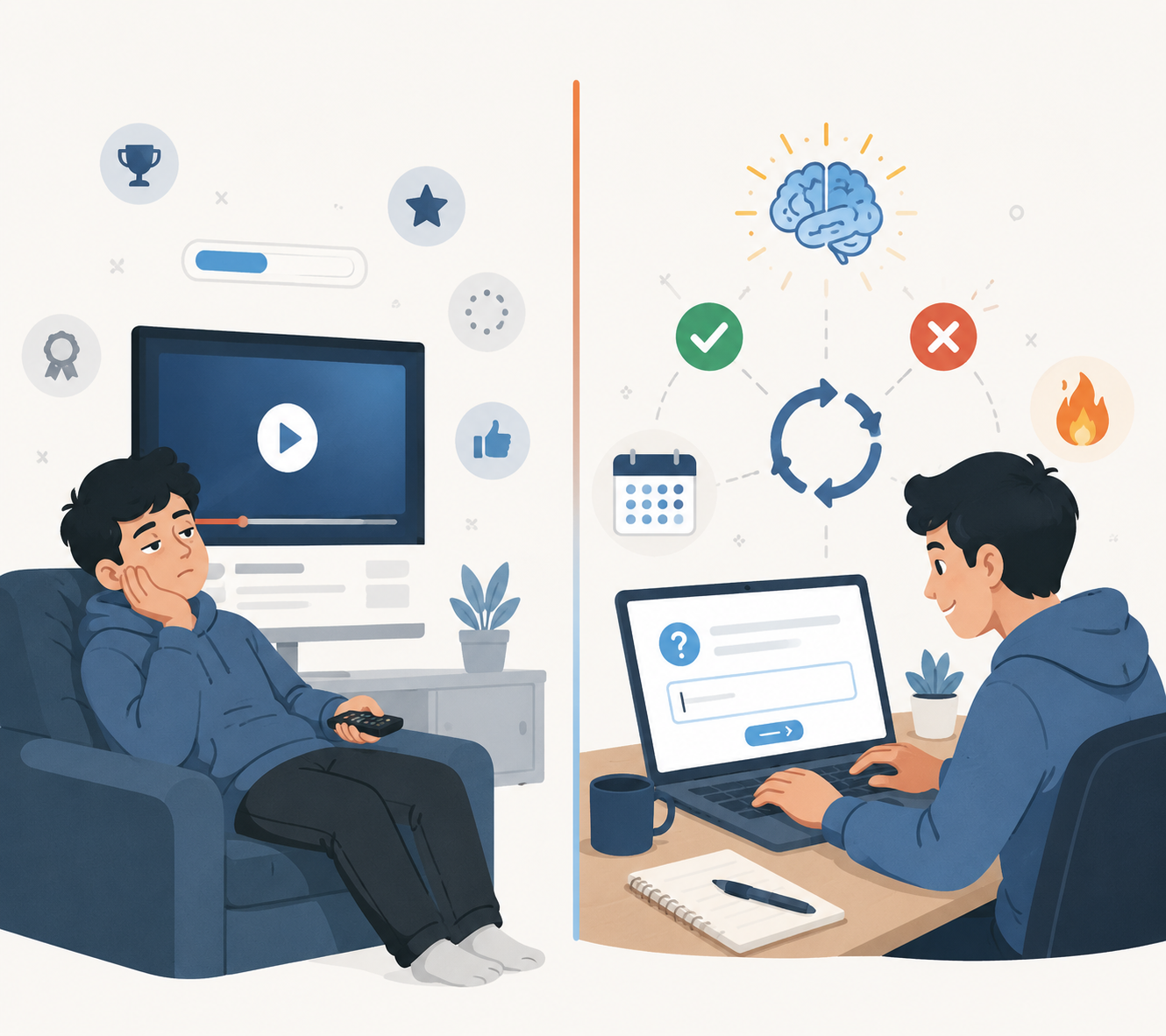
The phrase interactive online learning platform has become almost too easy to print on a product page. A video course with a pause button claims it. A dashboard with badges claims it. A PDF library with a progress bar claims it. For a student deciding where to spend a semester’s study time, that label is not enough. The useful question is narrower: does the platform make you pull an answer out of memory, tell you quickly whether you were right, bring missed material back later, and give you enough reason to return tomorrow?
That distinction matters because the strongest retention claims are attached to genuine interaction, not decoration. CalMu’s 2025 overview, citing Devlin Peck, reports that interactive online learning can reach retention rates up to 60%, compared with 8–10% for passive lecture-style delivery [1]. The number is useful as a warning against passive study, but it should not be treated as a guarantee. “Interactive” is not one measurable feature, and the original methodology behind that specific comparison is not fully visible from the secondary source.
A more practical benchmark is spaced repetition. Several learning-platform sources describe retention improvements of roughly 40% when students revisit material at spaced intervals rather than cramming it once [2][3]. That maps to something a student can actually look for before paying: does the app resurface what you missed, or does it simply mark the lesson complete and move on?
The Four-Level Test for “Interactive”
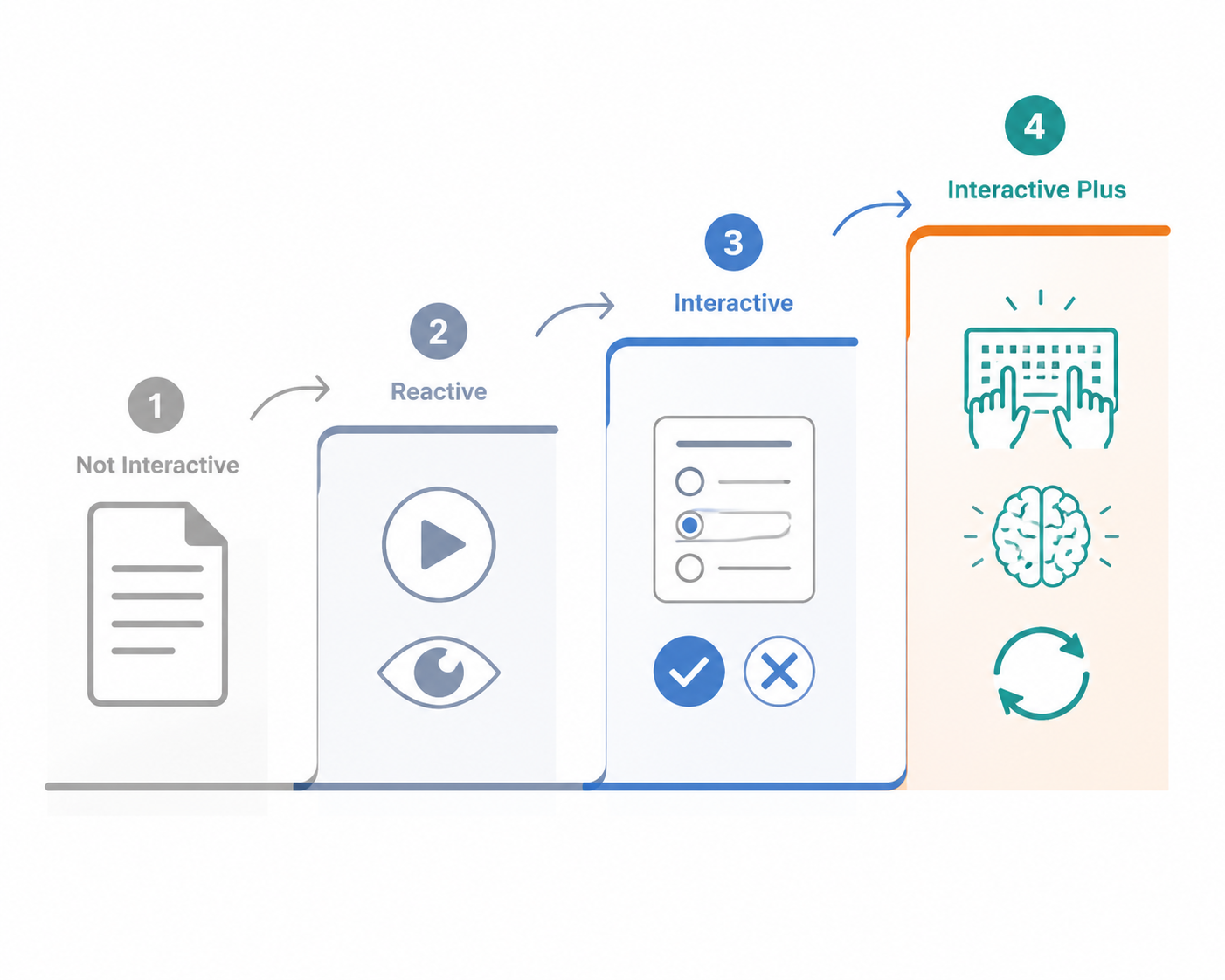
Before comparing platforms, sort the activity itself. Nibble’s 2026 platform guide uses a helpful ladder: Not Interactive, Reactive, Interactive, and Interactive Plus [4]. The labels are valuable because they separate a student’s visible activity from the cognitive work that helps learning stick.
| Level | What the student does | What to watch for |
|---|---|---|
| Not Interactive | Reads, watches, or scrolls without being asked to produce an answer. | Useful for explanation, weak for retention if it stops there. |
| Reactive | Clicks, pauses, expands cards, drags sliders, or follows a guided path. | Better pacing, but the platform may still be measuring attention rather than learning. |
| Interactive | Answers questions, solves problems, types code, recalls terms, or gets corrected. | This is where retrieval and feedback start doing real work. |
| Interactive Plus | Retrieves from memory, receives immediate feedback, repeats missed material later, and builds a daily habit. | This is the level most students should be looking for when exams or grades are at stake. |
The trap is that Reactive can look impressive in a demo. A course player may animate beautifully. A lesson may unlock badges every few minutes. A dashboard may show progress in satisfying green bars. None of that proves the student can answer a question without hints tomorrow morning.
Interactive Plus is stricter. It asks for retrieval before comfort. A student sees a prompt before the answer, tries the problem, gets corrected, and meets the same idea again after time has passed. The best platforms do not just make studying feel active; they make forgetting visible early enough to fix it.
A Platform-by-Platform Reading of the Evidence
The following comparison does not crown the platform with the loudest interface. It asks what each tool makes a student do: recall, solve, repeat, correct, or merely consume. The same platform can be excellent in one subject and ordinary in another if the learning activity changes.
| Platform | Best fit | Interactivity judgment |
|---|---|---|
| Khan Academy | K-12 and college foundations, especially math and core academic subjects | Strong free option when students use the exercises and feedback, not just the videos [4][5]. |
| Brilliant | STEM concepts, math, logic, computer science foundations | High interactivity because lessons require problem-solving before progression [4]. |
| Duolingo | Language vocabulary and grammar practice | Strong habit loop with varied exercises, streaks, leagues, and spaced review [3]. |
| Quizlet | Vocabulary, terminology, exam facts, collaborative recall | Best when used for active recall and Quizlet Live-style retrieval, weaker when students only reread cards [3][4]. |
| Codecademy | Beginner and intermediate coding practice | Strong for in-browser coding feedback because the student has to produce working code [4]. |
| Nibble | Short curiosity-driven learning and broad microlearning | Quiz-driven and approachable, with interactivity strongest when lessons demand recall rather than browsing [4]. |
| Coursera | Structured courses, career-oriented learning, university-style content | Mixed: quizzes and peer review can help, but many courses still lean heavily on video [4]. |
| Moodle | School, college, and institutional courses | A flexible shell; interactivity depends almost entirely on the instructor’s course design [4]. |
Khan Academy: free practice is the point
Khan Academy is easy to underestimate because it is familiar and free. Its value is not that it has videos; many platforms have videos. Its value appears when a student moves from explanation into exercises, receives immediate feedback, and uses the platform to expose weak spots in foundational material. Nibble and Raccoon Gang both identify Khan Academy as a strong interactive option, especially for K-12 and college-level foundations [4][5].
For math, science basics, grammar, test preparation foundations, and other subjects where a student needs repeated practice, Khan Academy can reach the Interactive level. It becomes less powerful when treated like a video encyclopedia. Watching three explanations in a row may feel responsible, but the learning test begins when the student closes the example and answers alone.
Brilliant: strong when the subject can be problem-first
Brilliant earns its reputation in STEM because it pushes the student into problems early. Nibble’s 2026 guide describes Brilliant as requiring active problem-solving before progression, with adaptive difficulty and immediate feedback [4]. That design choice matters. A student cannot simply nod along to a polished explanation; the lesson keeps asking for decisions.
This makes Brilliant especially useful for math, logic, computer science concepts, and science topics where misunderstanding shows up quickly in a wrong answer. It is less obviously a complete solution for courses that require long-form writing, original research, lab interpretation, or discipline-specific argument. In those cases, Brilliant may help with the conceptual floor, not the whole assignment.
Duolingo: habit design attached to retrieval
Duolingo is the clearest example of gamification that can help when it is tied to retrieval. Streaks, leagues, and quick sessions make the app easy to reopen; varied language exercises ask students to recognize, recall, translate, listen, and produce answers. CuFlow’s 2026 analysis describes Duolingo as using spaced repetition and game mechanics to support vocabulary and grammar gains for language learners [3].
The caution is not that streaks are bad. A streak that brings a tired student back to recall yesterday’s words is doing useful work. The problem comes when the streak becomes the object of study. If a student is protecting the number by doing the easiest possible lesson while avoiding weak material, the game loop is no longer serving the learning loop.
Quizlet: powerful recall, if you resist passive flipping
Quizlet is strongest where flashcards are strongest: terms, definitions, vocabulary, formulas, dates, anatomy labels, legal concepts, medication classes, and other material that must be retrieved cleanly. CuFlow identifies Quizlet as a major flashcard-based active recall tool, and Nibble highlights its interactive study modes and collaborative Quizlet Live format [3][4].
The student’s behavior decides whether Quizlet is Interactive or merely Reactive. Flipping cards with the answer visible too quickly is just decorated rereading. A stronger routine is to look at the prompt, say or type the answer before revealing it, mark misses honestly, and return to the missed pile. Quizlet Live can add social pressure and collaborative retrieval, but the learning still depends on students producing answers rather than recognizing familiar ones.
Codecademy: feedback where mistakes are concrete
Coding is a good match for interactive learning because errors are visible. Codecademy’s in-browser exercises ask students to write code and receive real-time feedback, which Nibble identifies as one of its core interactive strengths [4]. The student is not just choosing an answer about loops or functions; they are making something that either runs or fails.
That feedback loop is valuable for syntax, basic concepts, and early fluency. It is not the same as building independent software judgment. A student who can complete guided exercises may still need open-ended projects, debugging practice, code review, and documentation reading. Codecademy is strongest when it is treated as a practice environment, not the final proof of competence.
Nibble: microlearning that works best when the quiz is central
Nibble sits in the microlearning category: short lessons, broad topics, interactive quizzes, and challenges. Its 2026 guide presents it as a curiosity-driven learning app built around concise interactive experiences [4]. That format can be useful for students who avoid starting because every study session feels too large.
Short lessons are not automatically shallow, but they need a retrieval spine. If the quiz arrives after the student has already seen every answer, it mostly checks recognition. If the app asks the student to predict, choose, recall, or apply before the explanation is fully comfortable, it becomes more useful. Nibble is best judged lesson by lesson: is the student being tested from memory, or simply being kept entertained for a few minutes?
Coursera: valuable structure, uneven interaction
Coursera is different from the practice-first tools because its strength is structured course access. It can include quizzes, peer review, assignments, deadlines, and instructor-designed sequences, but Nibble also notes that many courses lean heavily on video lectures [4]. That makes Coursera variable rather than weak.
A Coursera course with frequent quizzes, graded projects, peer feedback, and meaningful assignments can be a strong learning environment. A course built mostly around long videos and end-of-week multiple-choice checks may feel productive while leaving retrieval too late. Students choosing Coursera should inspect the syllabus before enrolling: count the moments when they must produce work, not the number of hours of content.
Moodle: the platform is not the course
Moodle is not a single learning experience. It is an open-source learning management system, and Nibble’s guide treats its interactivity as dependent on how the course designer builds inside it [4]. One Moodle course may contain weekly quizzes, feedback-rich assignments, discussion prompts, and revision cycles. Another may be a file cabinet with PDFs and due dates.
That matters for students in schools or universities who do not get to choose the platform. If Moodle is required, the useful question becomes: where are the retrieval points? A student can add them by turning lecture notes into self-tests, using discussion prompts as explanation practice, and reviewing quiz errors on a schedule. Moodle can support Interactive Plus learning, but it does not create it automatically.
Where Gamification Helps, and Where It Distracts
Gamification deserves a fair reading. CuFlow reports that gamification can improve engagement by up to 60%, while also emphasizing that engagement alone does not guarantee retention [3]. That is the line students should keep in mind. A league, streak, badge, avatar, or progress bar is useful only if it gets the student back into retrieval, correction, and review.
A good game loop reduces the distance between intention and study. You open the app because the streak is at risk, then you translate a sentence, recall a formula, debug a line, or identify a structure. A weak game loop lets you collect visible progress while avoiding the uncomfortable work. It rewards attendance rather than memory.
- Good sign: the reward appears after a retrieval attempt, not just after opening a lesson.
- Good sign: missed items return later without the student having to rebuild the review queue manually.
- Good sign: feedback explains the error or shows the correct next move quickly.
- Warning sign: the platform praises completion even when the student never answers from memory.
- Warning sign: the easiest path through the app avoids the student’s weakest material.
Subject Fit Matters More Than Brand Loyalty
Interactive and gamified tools are especially strong when the subject has many small items that must become quickly retrievable. CuFlow’s analysis points to vocabulary-heavy subjects, including languages, biology terminology, law, medicine, and anatomy, as better fits for study games and retrieval-based tools; it also describes early revision as a particularly useful stage for these methods [3].
That explains why Duolingo and Quizlet can be so effective for certain students. Language learning has daily vocabulary and grammar patterns. Anatomy has labels and spatial associations. Intro biology has terminology that must be recognized and recalled before a student can reason with it. Law and medicine include dense vocabulary where fast, accurate retrieval lowers the load on later analysis.
The fit is weaker when success depends mostly on complex applied reasoning, long-form writing, original interpretation, or argument. An interactive platform can still help build the foundation: terms, formulas, cases, syntax, core concepts. It cannot fully replace essay feedback, project critique, office hours, seminar discussion, lab practice, or the slow work of applying knowledge to unfamiliar problems.
| If your main task is... | Look first at... | Be careful about... |
|---|---|---|
| Learning a language | Duolingo for daily retrieval and spaced practice; Quizlet for custom vocabulary | Keeping a streak without practicing weak words |
| Memorizing terminology | Quizlet or another flashcard system with honest active recall | Flipping cards too quickly and mistaking familiarity for memory |
| Building math or STEM foundations | Brilliant for problem-first lessons; Khan Academy for free exercises and feedback | Watching explanations without attempting problems |
| Learning to code | Codecademy for guided coding feedback, followed by projects | Completing guided prompts without independent debugging practice |
| Taking a structured course | Coursera or Moodle courses with quizzes, assignments, peer review, and deadlines | Assuming course length equals learning depth |
How to Choose Without Being Impressed by the Demo
A lively demo usually shows the smoothest path. Students need to inspect the rougher path: what happens when you are wrong, tired, behind, or tempted to skim? A platform that looks less glamorous but brings back missed material may serve you better than one with a beautiful dashboard and no memory pressure.
- Start one lesson and count how soon you must answer without seeing the solution. Earlier is usually better.
- Get something wrong on purpose and inspect the feedback. Useful feedback should correct the error quickly and make the next attempt clearer.
- Check whether the platform resurfaces missed items later. If review depends entirely on your memory to return, the system is doing less of the work.
- Look for habit support that leads back to learning: streaks, reminders, short sessions, or deadlines that send you into retrieval practice.
- Match the tool to the task. A flashcard app can be excellent for anatomy terms and inadequate for a philosophy essay.
If money is limited, begin with the free or already-required tools that create real retrieval. Khan Academy exercises, a well-built Quizlet deck, a demanding Moodle quiz, or a Coursera course with assignments may beat a paid app used passively. If time is limited, choose the platform that makes the first five minutes count. The best study system is often the one that moves you from intention to recall before you have time to negotiate with yourself.
The Decision Rule
There is no universal winner among interactive learning platforms. Brilliant may be the better choice for a student working through STEM concepts. Duolingo may be better for daily language practice. Quizlet may be the fastest route for terminology-heavy exams. Codecademy may be the right environment for coding drills. Coursera may be worth it when the course structure and assignments are strong. Moodle may be excellent or thin depending on the instructor’s design.
Choose the platform that makes you retrieve, repeats what you miss, corrects you immediately, and gives you a reason to return daily. Only after that should badges, content volume, credentials, dashboards, and polish influence the decision.
References
- Is Online Learning Here to Stay? Trends & Insights for 2026, CalMu, 2025
- How Interactive Learning Platforms Increase Engagement and Knowledge Retention, MagicBox, 2025
- Study Games: Do Gamified Learning Tools Actually Help You Retain More?, CuFlow, 2026
- 7 Best Interactive Learning Platforms to Try in 2026, Nibble, 2026
- Interactive Online Learning: Meaning, Platforms & Examples, Raccoon Gang, 2026
Comments
Join the discussion with an anonymous comment.