
How to Relieve Thumb Pain When Studying on Your Phone
Students who study heavily on smartphones often experience thumb pain, but you don't have to choose between your study routine and healthy hands. This guide covers self-checks, behavioral changes, exercises, and low-cost accessories to reduce strain and keep you studying.
Best for: Phone-based studying (flashcards, PDFs, notes, chat)
The thumb pain usually shows up in a very ordinary study moment: one more Anki deck in the hallway, one more PDF page on the bus, one more message to the group chat before bed. At first it is a small ache near the base of the thumb or across the thumb side of the wrist. Then you notice that swiping, tapping, or stretching across the screen makes it sharper.
Thumb pain relief when studying on your phone does not have to start with “stop using your phone.” For many students, the phone is the tool that actually fits the day. The better first question is: can you keep the study session but change who is doing the work — one thumb, both thumbs, the other hand, your forearm, your voice, the desk, or a cheap stand?
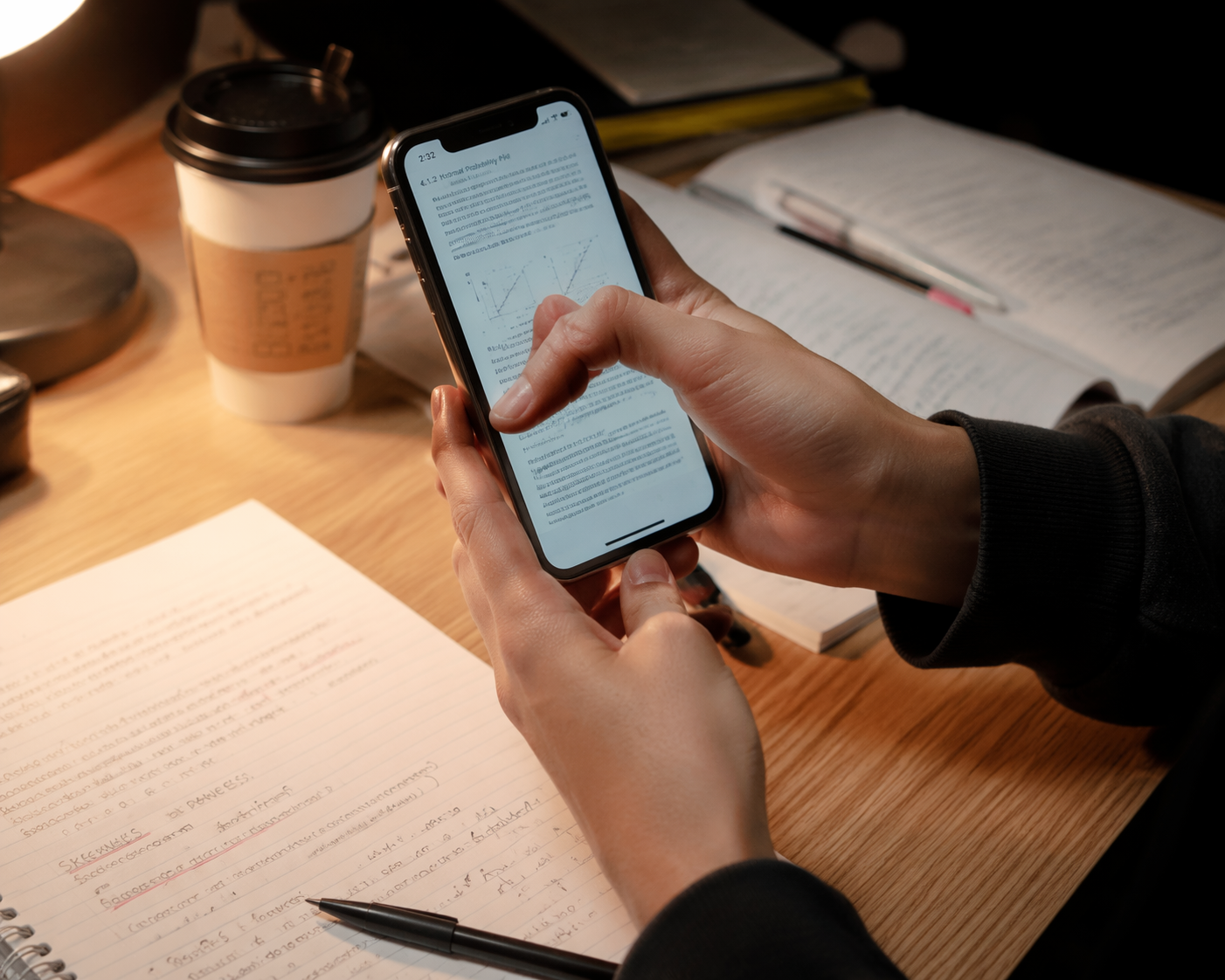
This is common enough to take seriously. In a 2024 study of 213 college students, more than a quarter reported thumb pain in their dominant hand, and the average daily phone-holding time was 4.9 hours.[1] That does not prove the phone caused every painful thumb. It does make one thing clear: heavy phone contact is normal student behavior, not a character flaw.
First, Sort Out What Kind of Thumb Pain This Feels Like
Before changing your setup, spend two minutes locating the pain. You are not diagnosing yourself; you are deciding whether this is a “modify and monitor” situation or a “get help” situation.
| What you notice | What it may suggest | What to do next |
|---|---|---|
| Dull ache or fatigue in the thumb after long scrolling, tapping, flashcards, or texting | General irritation from repeated thumb use or unsupported holding | Change grip, support the forearm, reduce one-thumb typing, and monitor for improvement |
| Pain on the thumb side of the wrist, especially with gripping, lifting, or moving the thumb away from the hand | Possible De Quervain’s-type irritation around the thumb-side wrist tendons | Use a cautious self-check, avoid provoking motions, and consider medical or PT advice if it persists |
| Thumb catches, clicks, locks, or feels stuck when bending or straightening | Possible trigger thumb pattern | Do not force it through the click; get evaluated if locking repeats or worsens |
| Numbness, tingling, weakness, swelling, visible deformity, or pain after a fall | More than simple study strain | Stop self-treating and seek medical care |
The distinction matters because students often call every phone-related ache “texting thumb.” A tired thumb after a 40-minute flashcard session is different from a thumb that locks, and both are different from pain concentrated at the thumb side of the wrist. The practical changes overlap, but the level of caution is not the same.
A cautious Finkelstein self-check
A Finkelstein-style self-test is often used in clinical settings when De Quervain’s tenosynovitis is suspected. Use it gently, once, as a triage clue — not as proof that you have or do not have a condition.
- Hold the painful hand in front of you with the thumb pointing up.
- Place the thumb across the palm.
- Close the fingers loosely over the thumb.
- Slowly tilt the wrist toward the little-finger side.
- Stop if it creates sharp pain; do not push deeper to “confirm” anything.
Pain along the thumb side of the wrist during that motion can fit a De Quervain’s pattern, especially if daily actions like lifting a water bottle, opening a jar, or picking up a backpack also hurt there. A negative or unclear test does not rule out other problems. A very painful test is a reason to back off, not a reason to repeat it.
If your pain is mild, appears mainly during phone study, and settles when you stop, you can usually begin with workload changes. If pain is sharp, spreading, waking you at night, limiting normal hand use, or not improving after you change habits, it belongs with a clinician, athletic trainer, or physical therapist.
Keep the Phone, Change the Load
The most useful changes are usually boring. They do not require a new study app. They reduce the time your dominant thumb spends reaching, pinching, hovering, and stabilizing the whole phone at once.
Put your forearm down
If you are at a desk, table, library carrel, cafeteria counter, or even a windowsill, rest your forearm on it before you start. Not just your elbow. The forearm should take some of the weight so the thumb is not both holding the phone and operating the screen.
This is one of the few research findings that turns directly into a habit. In a BMJ Open study of 482 medical students, 34% reported texting thumb, and forearm support on a desk was associated with lower odds of texting thumb; the same study also found significantly higher thumb pain prevalence among students texting more than 50 messages per day.[2] Because the study was cross-sectional, it cannot prove forearm support prevents pain. Still, as a low-risk study habit, it is worth stealing immediately.
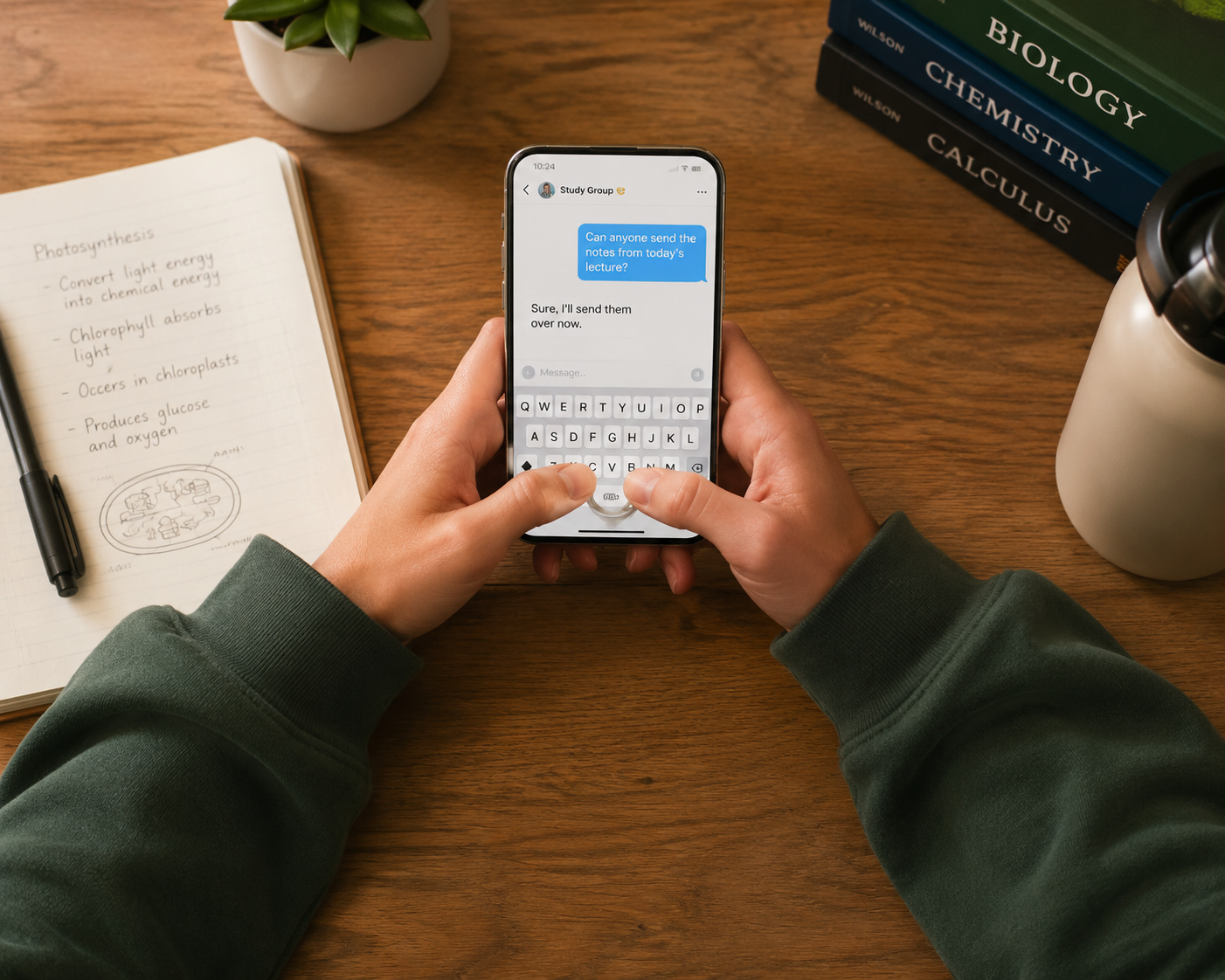
Try this during your next phone session: place the phone slightly lower than eye level, rest both forearms, and let the desk carry the weight. If you are standing, bring the phone closer to your body instead of holding it out with a bent wrist. The goal is not perfect posture; it is fewer minutes of unsupported gripping.
Stop making one thumb cross the whole screen
One-thumb studying is efficient until it becomes a tiny endurance sport. The thumb reaches across the keyboard, stabilizes the phone, swipes cards, opens menus, and answers messages. When pain starts, split those jobs.
- Use two thumbs for typing instead of forcing the dominant thumb to reach every key.
- Switch hands for scrolling-only tasks like reading slides or reviewing a PDF.
- Move frequently used controls closer if your app allows keyboard, toolbar, or one-handed layout changes.
- Use the index finger for tapping when the phone is supported on a desk or stand.
- For flashcards, alternate between tap gestures and swipe gestures if your app makes one motion painful.
This is especially important for big phones. A larger screen can be great for PDFs and lecture screenshots, but it also tempts the thumb into long diagonal reaches. If you feel pain during those reaches, the setup is giving one small joint too much territory.
Dictate anything longer than a sentence
Voice-to-text is not only for accessibility menus or people writing essays while walking. It is one of the cleanest ways to remove thumb repetitions without leaving the phone. Use it for study group replies, rough quiz explanations, discussion board drafts, and notes you would otherwise peck out while half-asleep.
A good rule: if the response is longer than one sentence, dictate the first version. Then use your fingers for editing, not composing. Editing still uses the hand, but it removes the long run of repetitive taps that usually irritates the thumb.
Use micro-breaks before pain makes you negotiate
A micro-break does not need to be a wellness ceremony. At the end of a deck, a page, a lecture segment, or a message thread, put the phone down for 20 to 30 seconds. Open and close the hand. Roll the shoulders once. Let the thumb stop hovering.
Attach the break to study structure instead of clock time. “After every 25 cards” is easier to remember than “every few minutes.” “After every PDF section” works better than waiting until your thumb starts complaining. Pain is a late reminder; transitions are better reminders.
A Five-Minute Study-Break Routine for Sore Thumbs
Use this between study blocks, not in the middle of sharp pain. The movements should feel mild to moderate. If an exercise recreates your main pain, skip it.
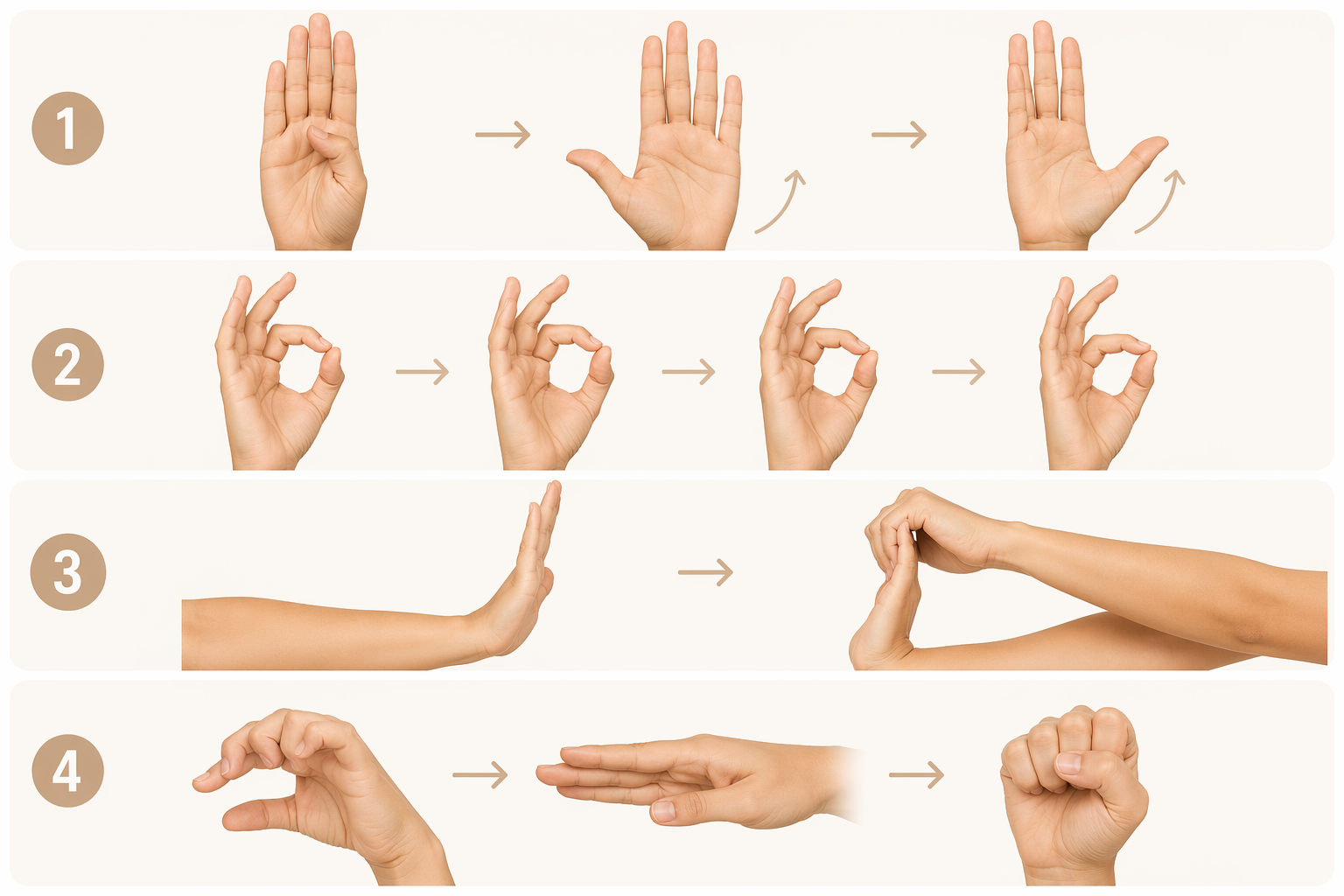
- Thumb abduction isometric: Place the sore hand palm-up. Use the other hand to gently resist as you try to move the thumb away from the palm. Hold for 5 seconds. Repeat 5 times.
- Thumb adduction isometric: Put a soft object, folded tissue, or your other index finger between the thumb and side of the hand. Gently squeeze inward for 5 seconds. Repeat 5 times.
- Thumb opposition: Touch the thumb to each fingertip, one at a time. Move slowly and stay below sharp pain. Do 2 easy rounds.
- Wrist extensor stretch: Hold the arm out with the palm facing down. Use the other hand to gently bend the wrist so the fingers point toward the floor. Hold 15 to 20 seconds. Repeat once.
- Tendon glides: Start with a straight hand, move into a hook fist, then a full fist, then straighten again. Keep the motion smooth. Do 5 slow cycles.
For mild irritation, some physical therapy resources describe improvement over a few weeks when load is reduced and exercises are tolerated; longer-standing symptoms may take longer. Treat those timelines as rough clinical expectations, not guarantees. If the routine makes your thumb worse, the routine is not the right next step.
Low-Cost Setup Changes That Actually Matter
Accessories are useful only if they change the load. A grip that looks ergonomic but encourages the same painful one-thumb stretch is just decoration. Judge every tool by three questions: does it reduce pinch, reduce reach, or reduce unsupported holding?
| Study tool | When it helps | When it does not |
|---|---|---|
| Phone stand | Reading PDFs, watching lectures, using the phone with an index finger, keeping the wrist neutral at a desk | If you still hold the phone in the air while using it |
| Pop grip, ring, or strap | Reducing the pinch needed to keep the phone from slipping | If it makes you lock the thumb or reach farther across the screen |
| Stylus | Tapping, annotating slides, selecting text, or navigating while the phone is supported | If you grip it tightly or use it for long writing sessions without breaks |
| Small Bluetooth keyboard | Long study group messages, drafting longer answers, quiz explanations, or lecture notes | If carrying and pairing it means you never actually use it |
| Pillow, book stack, or folded hoodie | Temporary support in bed, on a couch, or in a dorm lounge | If it puts the wrist at an awkward angle or raises the shoulders |
The best setup for a long phone study block often looks unimpressive: phone propped up, forearms down, two thumbs for short typing, voice-to-text for longer replies, and a break every time the task changes. That beats buying a clever gadget and continuing to clamp the phone in the same sore hand.
What to Change by Study Task
Different study tasks stress the thumb in different ways. Match the fix to the task instead of using one posture for everything.
| Phone study task | Main thumb load | Better default |
|---|---|---|
| Flashcards | Repeated taps or swipes with the same thumb | Support the phone, alternate thumbs, and take a hand break at deck transitions |
| PDF reading | Long holding time and occasional wide reaches | Use a stand or desk support; scroll with the other hand or index finger |
| Lecture videos | Static gripping while the thumb hovers near controls | Prop the phone and keep both hands relaxed unless you need to pause or rewind |
| Study group chat | Fast repetitive typing, often with one thumb | Use two thumbs for short replies and dictate longer explanations |
| Note-taking | Sustained tapping and correction | Dictate rough notes, then edit; use a keyboard if the note will be long |
If you only change one thing today, change the position you return to automatically. The painful default is usually phone in one hand, dominant thumb doing everything, forearm floating. The better default is phone supported, forearm resting, input shared.
When Thumb Pain Needs Medical Attention
Self-care is reasonable for mild, activity-linked soreness that improves when you reduce the irritating motion. It is not a substitute for care when symptoms are severe, persistent, or changing.
- Get checked if pain is sharp, worsening, or present even when you are not using the phone.
- Get checked if the thumb clicks, catches, locks, or cannot move normally.
- Get checked if you have numbness, tingling, weakness, swelling, warmth, redness, or visible deformity.
- Get checked after a fall, sports injury, or sudden pull to the thumb or wrist.
- Get checked if changes to support, typing, breaks, and workload do not improve symptoms.
Until then, reduce the motions that provoke pain instead of testing them repeatedly. A sore thumb does not need you to prove how sore it is every hour.
A Realistic Action Plan for Your Next Phone Study Session
- Start with a quick pain check: location, severity, clicking or locking, numbness or tingling, and whether the pain settles when you stop.
- Support the phone and forearm before opening your study app.
- Use two thumbs for short typing and voice-to-text for anything longer than a sentence.
- Move through one study block, then put the phone down for a short hand break.
- Use the five-minute routine only if the movements feel comfortable and do not recreate sharp pain.
- Add a stand, grip, stylus, or keyboard only if it clearly reduces pinch, reach, or unsupported holding.
You do not have to make the phone disappear from your study life to give your thumb a fair chance. The work just needs to be redistributed: some to the desk, some to the other hand, some to your voice, some to a better setup, and much less to one overworked thumb.
References
Apply This Method
Related Methods
- Cornell Note Taking Sample: 5 Best Digital Apps Compared (2026)
The Cornell method was designed for pen and paper, but modern apps can supercharge it. This guide compares RemNote, GoodNotes 5, OneNote, Notion, and KenzNote to help students and professionals choose the right digital tool for their learning style.
- The Science of Note-Taking: What Research Says About Handwriting vs. Digital, Active Recall, and Retention
This evidence-based guide explains why certain note-taking strategies work from a cognitive science perspective. It covers the research on handwriting versus typing, the role of active recall and dual coding, and how structured review transforms notes into lasting knowledge — without comparing specific methods head-to-head.
- Cornell vs. Outline vs. Mapping vs. Charting vs. Sentence: Which Note-Taking Method Should You Use? (With Side-by-Side Examples)
A practical comparison of the five major note-taking methods — Cornell, Outline, Mapping, Charting, and Sentence — with a unified worked example of the same biology lecture rendered in each style. Includes a decision guide table and a hybrid approach recommendation for students who want to match their method to their subject and learning goals.
Comments
Join the discussion with an anonymous comment.