
How to Choose a Flashcard App for Language Learning
Generic 'best flashcard app' rankings don't account for how different languages need different features. This guide helps you choose based on your target language—logographic, Romance, or agglutinative—so you get the right tool from the start.
A flashcard app for language learning can look perfectly fine until the card meets the language. The Japanese card shows a kanji character but no furigana. The Spanish card teaches spelling but never lets you hear the word. The Turkish card asks for a whole word when the part you keep missing is one suffix in the middle. At that point, the problem is not motivation, streaks, or whether the dashboard feels modern. The app is failing to represent the thing you are trying to remember.
That is why generic “best app” lists can be oddly unhelpful for language learners. FluentU’s roundup, for example, collects flashcard apps under one broad language-learning category, which is useful if you are browsing tools but less useful if your real problem is ruby annotation, pronunciation audio, or suffix practice.[1] The better starting rule is simpler: choose around the structure of your target language first, then compare price, interface, sync, and study extras.
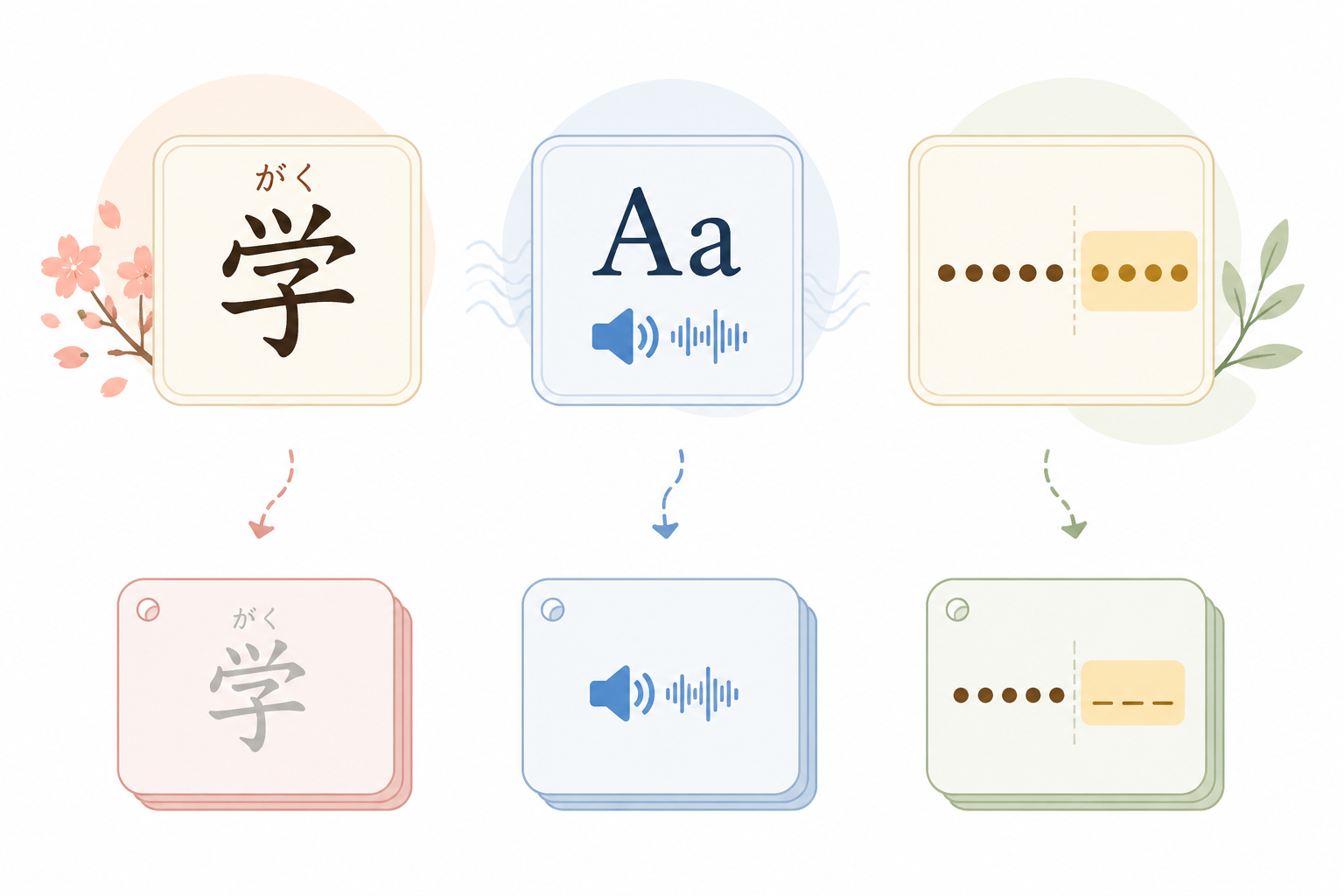
Start With What Your Language Makes Hard
Spaced repetition still matters. Review timing is one reason flashcards remain useful, and FLTMAG’s overview of spaced repetition flashcard apps explains the learning logic behind showing cards again when you are close to forgetting them.[2] If you want to go deep on that layer, read why the algorithm is the most important feature in a language flashcard app. But algorithm quality does not fix a card model that cannot display the writing system, play the sound, or hide the exact morpheme you need to practice.
| If you study... | The flashcard app must handle... | Apps to check first |
|---|---|---|
| Chinese, Japanese, Mandarin | Ruby-style reading support, pinyin or furigana, stroke-order help, and flexible templates | FluentCards; Anki with add-ons |
| Spanish, French, German, Portuguese | Reliable pronunciation audio that is not locked behind the wrong plan | MintDeck as a strong candidate; compare against your preferred app |
| Korean, Turkish, Finnish, Hungarian | Flexible cloze deletion for suffixes, endings, and word parts | Anki |
This table is not a universal ranking. It is a triage tool. If your language needs special representation, the app that handles that representation badly should not be rescued by a nice home screen.
Logographic Languages Need More Than Front and Back
For Chinese and Japanese, a plain front/back vocabulary card often collapses several different tasks into one. You may need to recognize the character, know its reading, produce the pronunciation, remember the meaning, and write it in a plausible stroke order. A simple “term on the front, definition on the back” model can test one of those tasks while quietly ignoring the others.
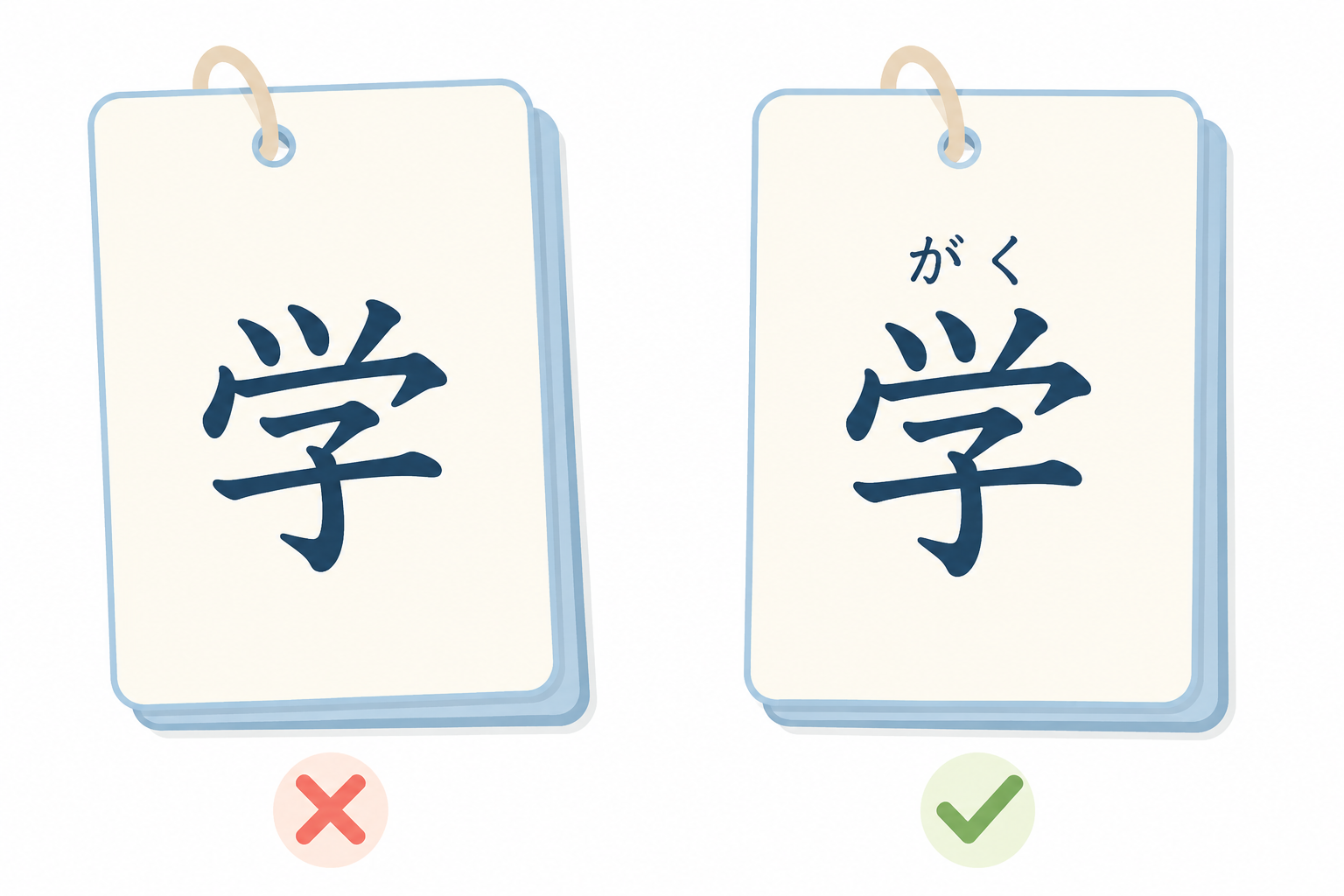
Ruby annotation is the obvious stress test. A Japanese learner does not always want the reading printed as ordinary text after the kanji; sometimes the reading needs to sit above the character as furigana so the eye learns the relationship between the written form and the sound. Mandarin learners face a related problem with pinyin. If the app cannot place reading support where it belongs, the learner starts inventing workarounds: brackets, extra lines, screenshots, or separate cards that drift away from the character they are meant to support.
Available comparisons point to FluentCards and Anki with add-ons as the more credible options for logographic study, while Quizlet-style simplicity and many modern alternatives are weaker fits for ruby annotation, pinyin or furigana support, and stroke-order-oriented workflows.[3][4] The Flexi Classes Mandarin comparison also frames Anki as the more customizable option and Quizlet as the simpler one, which is exactly the tradeoff that matters here.[5]
That does not mean every Mandarin or Japanese learner should immediately install Anki and spend the weekend building templates. Anki’s strength is that it can be shaped into the card type you need; its weakness is that someone has to do the shaping. Add-ons, note types, fields, fonts, and mobile settings are not cosmetic details when the writing system is the lesson. If you choose that route, an AnkiDroid settings guide is not a side quest; it is part of making the tool usable.
FluentCards is worth checking first if you want language-aware behavior without treating card design as a hobby. Anki is worth choosing when you know the exact representation you need and are willing to pay the setup cost in time. For a narrower look at this branch, see the best flashcard and SRS apps for learning Mandarin Chinese in 2026.
Romance and Germanic Learners Should Check the Audio Before the Algorithm
Spanish, French, German, and Portuguese learners usually do not need the same visual machinery as Japanese or Mandarin learners. The bigger failure is quieter: the card shows a word, maybe a translation, maybe an example sentence, but pronunciation is absent, awkward, or locked behind a paid tier. The learner reviews the spelling hundreds of times and still hesitates when it is time to say the word.
MintDeck stands out here because its comparison table claims free on-device audio in five languages.[3] That is a meaningful product claim for Romance and Germanic learners because audio is not an ornamental feature in these languages. It changes what the card is testing: not just “Can I identify this written word?” but “Can I connect the written form to a usable sound?”
The caution is quality. A vendor table can tell you audio exists; it cannot prove that the voice, accent coverage, latency, and offline behavior will satisfy real learners in every target language. Treat MintDeck as a strong candidate, not a settled winner. Install it, create a small deck in your actual language, and test the audio on the words you already mispronounce. If the sound is clear enough to guide correction, the app has cleared the most important hurdle for this branch.
This is also where a budget-conscious learner should be careful with “free” tools. A free card editor that makes attractive decks but charges for audio may be less useful than a plainer app that lets you hear every review. If cost is the deciding constraint, compare the audio limits alongside the generation limits in free online flashcard makers with AI generation, not after you have already imported a full deck.
For Spanish specifically, the first pass should be ruthless: create cards with audio, study them on the device you actually use, and check whether listening survives the free plan. A dedicated guide to the best Spanish flashcard apps in 2026 can help narrow that list further, but the core test stays the same.
Agglutinative Languages Punish Rigid Blanks
Korean, Turkish, Finnish, and Hungarian can make a normal fill-in-the-blank card feel strangely blunt. The difficulty is often not the whole word. It is the ending, the suffix chain, the vowel harmony choice, the honorific form, or the attachment point. If the app can only hide an entire word, it may force you to practice too much at once and still miss the moving part.
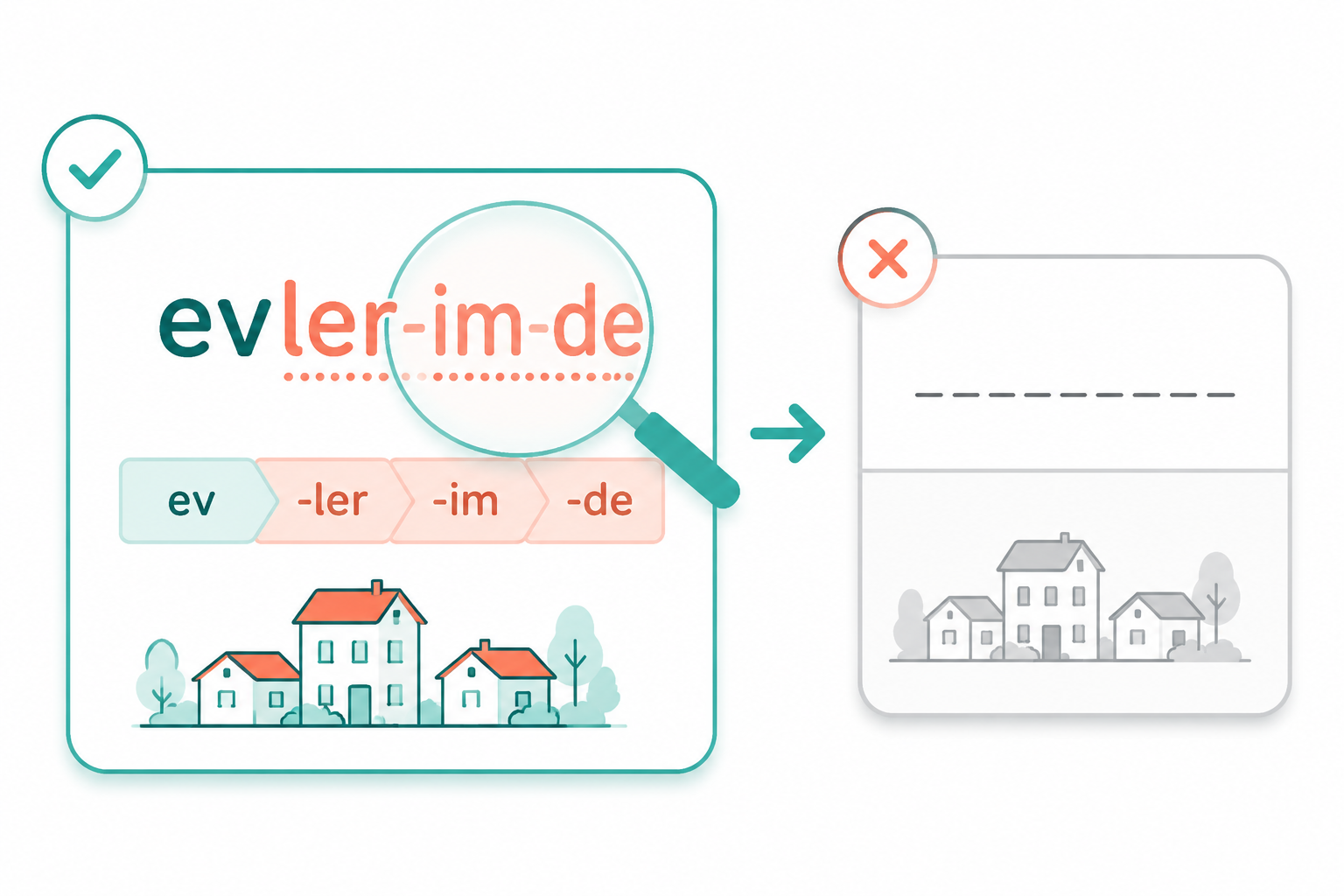
Take a hypothetical Turkish card built around a word like “evlerimde.” A beginner card might hide the whole word and ask for the translation. A more useful morphology card might keep the root visible and hide only the plural, possessive, or locative portion. Another card might show the suffix chain and ask what each piece contributes. Those are different learning tasks, and they need different card shapes.
This is where Anki’s flexibility matters more than its polish. Customizable templates and cloze behavior let a learner isolate the exact piece of a form that keeps breaking. The StudyCards AI guide flags different needs across language types, while MintDeck’s comparison and the Mandarin-focused Anki/Quizlet comparison both reinforce the broader pattern: simpler tools are easier to start, but Anki is stronger when the language needs a custom card model.[3][4][5]
The cost is not imaginary. Anki can become a maintenance project if every new grammar point inspires a new template. The practical version is narrower: make only the card types that correspond to recurring errors. If suffix order is the problem, build a suffix card. If sound changes are the problem, build an audio or typing card. If case endings are the problem, hide the ending, not the whole sentence.
Where Generic Comparisons Still Help
Once an app passes the language-structure test, ordinary comparison criteria become useful again. Sync, offline access, import tools, review statistics, AI generation, price, and mobile experience all matter. They just should not be allowed to outrank the feature that makes the card accurate for your language.
If you are still shopping broadly, use Flashcard Apps for Language Learning Compared or Which Spaced Repetition Flashcard App Should You Use in 2026? after you know your branch. A Mandarin learner comparing ruby support is not asking the same question as a Spanish learner comparing audio access, and neither is asking the same question as a Turkish learner comparing cloze control.
The Decision Rule
Choose FluentCards or Anki with add-ons for logographic languages when reading support, pinyin or furigana, and stroke-order-aware study matter. Put MintDeck high on the test list for Romance and Germanic languages if free on-device audio in its supported languages matches your pronunciation needs, but verify the audio yourself before committing a large deck. Choose Anki for agglutinative languages when flexible cloze deletion is the difference between practicing the whole word and practicing the part you actually forget.
References
- Language Flashcards App, FluentU
- Spaced Repetition Flashcard Apps, FLTMAG
- Flashcard App for Language Learning, MintDeck
- Best Flashcard App for Language Learning, StudyCards AI
- Anki vs Quizlet, Flexi Classes
Related Resources
- Flashcard Apps with Real Cross-Platform Sync: A 2026 Reality Check →
Most flashcard apps claim to work across devices, but only a handful offer true native desktop apps with offline study and reliable sync. This article tests 14 popular apps against strict cross-platform criteria and reveals why the distinction matters for study consistency and long-term retention.
- Free Flashcard Maker with AI — Do You Even Need to Pay in 2026? →
Several flashcard apps now offer genuinely useful AI generation on their free tiers. This article breaks down the specific limits (daily decks, card counts, pages per month) of tools like Knowt, flashcardmaker.me, StudyPDF, and Cramd, and helps you decide whether your study volume fits within those free caps or justifies a paid upgrade.
- Anki vs. Quizlet vs. Knowt vs. Brainscape: Which Free Flashcard App Actually Helps You Retain What You Study? →
A head-to-head comparison of Anki, Quizlet, Knowt, Brainscape, and RemNote centered on memory retention science. We evaluate each app's spaced repetition algorithm, AI generation capabilities, and free-tier value to help you choose the tool that maximizes long-term learning, not just short-term cramming.
Comments
Join the discussion with an anonymous comment.