
LSAT
Compare the top LSAT prep apps of 2026 across question volume, mobile access, live classes, AI analytics, and pricing to find the platform that matches your study preferences and budget.
Updated:
“LSAT prep app” is doing too much work in 2026. Sometimes it means a native iPhone or Android app you can use on a train. Sometimes it means a browser-based course with a question bank. Sometimes it means a live class portal that happens to load on your phone. This comparison treats the category as digital LSAT prep platforms, then marks the mobile reality separately: native app, mobile-responsive web access, or web-only.
Last reviewed: Q3 2026. Pricing is a snapshot, not a promise. Promotions, tier changes, and whether LawHub Advantage is bundled or billed separately can change the real total quickly. Also, current prep should match the post-Logic Games LSAT, centered on Logical Reasoning and Reading Comprehension; any course page still leaning on the old format deserves extra scrutiny.

2026 LSAT Prep App Feature Matrix
| Platform | Question and PrepTest depth | Video and curriculum | Mobile access | Live instruction | Analytics or AI | Pricing model | Guarantee or risk note | Best fit |
|---|---|---|---|---|---|---|---|---|
| 7Sage | 80+ PrepTests and 8,440+ question explanations [1][2] | 900+ video lessons [2] | iOS app listed as of mid-2026; earlier 2026 status was less clear, so verify before buying [1] | Primarily self-paced, with community support | Smart Drills, AI Coach, and a large forum community [1][2] | $69/month Core tier [1] | Monthly access lowers entry cost, but total depends on study length and LawHub handling | Data-driven self-starters |
| Blueprint | 7,000+ questions and 57 PrepTests [3][4] | Highly polished video production; Test Prep Insight rates it especially strong on video quality [4] | Dedicated iOS Qbank app with offline mode and dark mode [3] | Depends on course tier; self-paced option is prominent | Analytics include timing analysis [4] | $1,299 self-paced course [4] | Higher upfront cost; mobile-first features matter most if you will actually use them | Mobile-first learners who value production quality |
| Kaplan | 6,000+ questions and 59+ PrepTests [4][5] | 100+ hours of video [5] | No dedicated mobile app identified in the cited sources [4][5] | 24 live class hours and LSAT Channel livestreams [5] | Interactive Practice tool introduced for 2026 [5] | $1,299 on-demand course [5] | Useful only if the class ecosystem justifies the price for you | Students who need classroom structure more than mobile convenience |
| Magoosh | 6,000+ questions and 55+ PrepTests [6] | 80+ video lessons [6] | iOS and Android apps [6] | No live-class emphasis in the cited sources | Email tutor support [6] | About $199 total for 12 months, with LawHub Advantage included in the cited plan information [6] | +5 point score guarantee [6] | Budget-limited candidates studying over a longer runway |
| LSAT Demon | 5,000+ questions and 81 PrepTests [7] | 200+ lessons [7] | Web-only; no native app identified in the cited sources [7] | Community support varies by tier | Smart Drilling and Ask Button [7] | $99–$499/month [7] | Monthly price can climb quickly at higher tiers | Motivated drillers who like active feedback |
| LSAT Lab | 9,000+ questions and 91 PrepTests, the deepest practice pool in the cited sources [8] | 20–30 minute animated video lessons [8] | Web-only in the cited sources [8] | Live classes with founders [8] | Practice and review tools, with emphasis on high-volume work [8] | $65–$425/month [8] | Strong depth, but total cost depends heavily on chosen tier and duration | Visual learners and high-volume practice students |
| Princeton Review | 8,000+ questions and 90+ PrepTests [5] | 100+ hours of video [5] | Mobile app with 500+ flashcards [5] | 30+ live class hours [5] | More classroom-centered than AI-centered in the cited sources | $799–$2,699 [5] | Higher tiers may make sense only for students who will attend live sessions consistently | Students who want the most live instruction hours |
| LSATMax | Question-bank volume not specified in the cited sources | Full-course coverage is less certain from the cited sources | iOS and Android app; 4.7 stars with 4,600+ reviews in the cited source [9] | Not positioned as a live-class leader in the cited sources | Solomon AI tutor gives question-by-question breakdowns; strongest described use is LR feedback [9] | Pricing not specified in the cited sources | RC support was still described as rolling out, so full-course students may need a supplement [9] | LR-focused students who want AI-driven explanations |
Choose by the Constraint You Actually Feel
A platform can look unbeatable in a spreadsheet and still be wrong for the student using it at 9:45 p.m. after work. The better question is not which LSAT prep app has the most features. It is which weakness you can tolerate every week.
For the data-driven self-starter
Start with 7Sage, LSAT Demon, and LSAT Lab. 7Sage has the cleanest case if you want a repeatable review loop: PrepTests, thousands of explanations, Smart Drills, AI Coach, and an active forum all point toward diagnosis rather than passive watching [1][2]. LSAT Demon is a more aggressive drilling environment, especially for students who like getting pushed from question to question and using the Ask Button when an explanation does not land [7]. LSAT Lab belongs on the same shortlist when volume is the main issue; 9,000+ questions and 91 PrepTests are hard to ignore [8].
The tie-breaker is patience with interface and instruction style. If you want a broad self-study ecosystem, 7Sage is the safer first look. If you want constant drilling pressure, LSAT Demon deserves the trial. If you want the largest practice pool and animated lessons, LSAT Lab is the better fit.
For the mobile-first learner
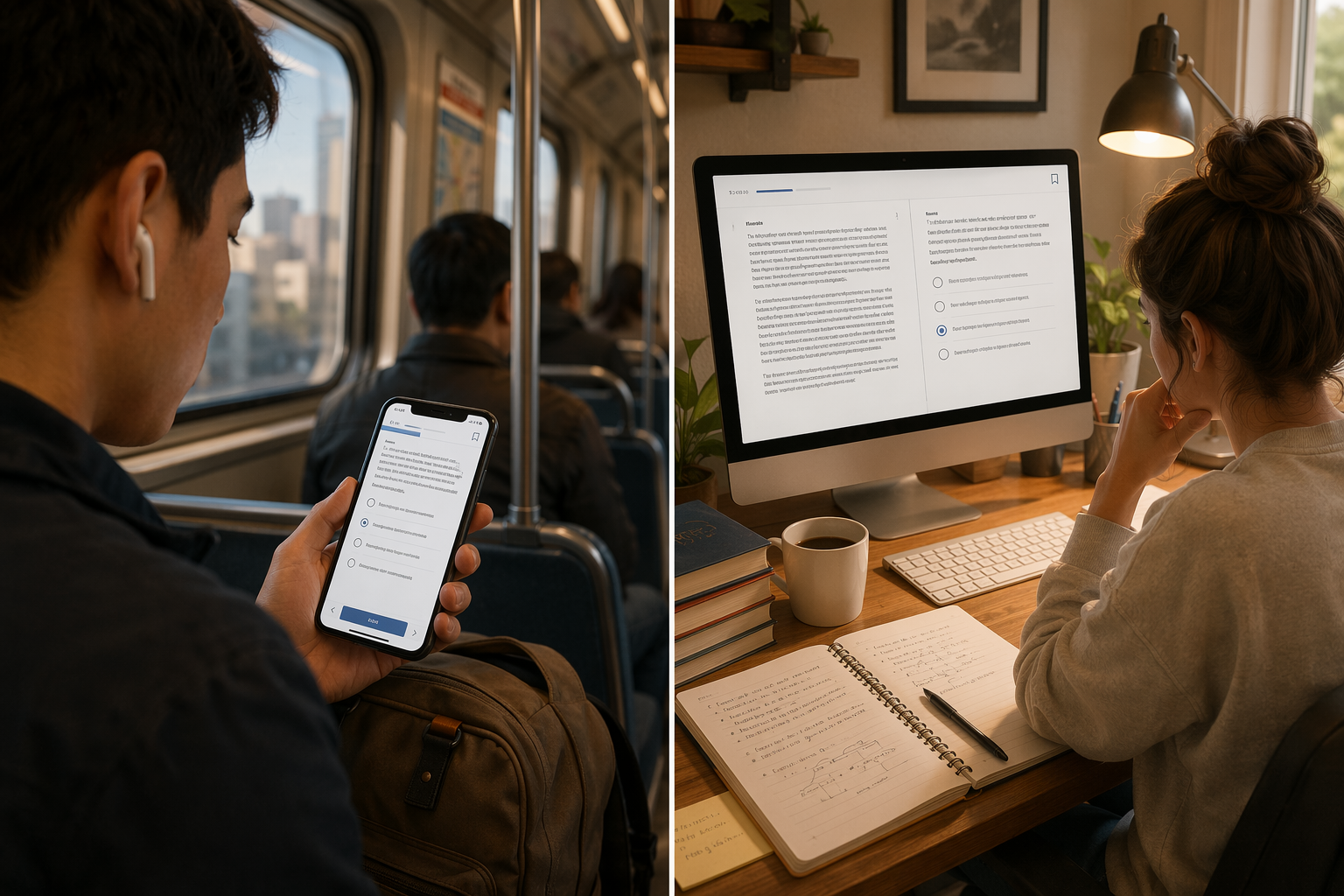
Blueprint, Magoosh, and LSATMax are the first places to look if phone use is not occasional but central. Blueprint’s dedicated iOS Qbank app, offline mode, and dark mode make it the most clearly mobile-first option in the cited sources [3]. Magoosh has iOS and Android apps and a much lower total price, which matters if your “mobile study” is really a long, slow plan built around commutes and lunch breaks [6]. LSATMax has the strongest app-store signal in the cited source, with iOS and Android access and 4.7 stars across 4,600+ reviews [9].
Do not treat “works on mobile” and “has a native app” as interchangeable. A mobile-responsive website may be fine for watching a lesson. It is less fine when you are trying to flag a question, review timing, compare answer choices, and save the drill before the train loses service.
For the budget-limited candidate
Magoosh is the obvious budget anchor in this group: about $199 for 12 months in the cited plan information, with LawHub Advantage included and a +5 point score guarantee [6]. That does not make it the strongest platform in every dimension. It means the cost-risk equation is unusually friendly for a student who needs a full year of access without watching a monthly subscription meter run.
7Sage and LSAT Lab can also be budget-conscious choices at their lower monthly tiers, but only if you are honest about time. A $65 or $69 monthly plan can beat a four-figure course if you use it for a few focused months. It stops being cheap when “I’ll start next week” becomes an extra billing cycle.
For the live-classroom learner
If you know you will not finish a self-paced course, do not buy one because a comparison chart makes it look efficient. Kaplan and Princeton Review belong on your shortlist first. Kaplan offers 24 live class hours plus LSAT Channel livestreams, while Princeton Review offers 30+ live class hours in the cited comparison [5]. LSAT Lab also deserves a look if founder-led live classes appeal to you and you still want a deep question bank [8].
The classroom premium is not automatically wasteful. It is wasteful when the student pays for accountability and then watches recordings alone. Before choosing a live platform, check the actual schedule, instructor access, missed-class policy, and whether live sessions are teaching strategy or simply walking through questions you could have reviewed on your own.
For the visual or content-heavy learner
Blueprint and LSAT Lab should be compared closely here. Blueprint has the clearest production-quality claim in the cited sources, with Test Prep Insight rating its video production especially highly [4]. LSAT Lab’s 20–30 minute animated lessons are a better fit if you like compact visual teaching paired with a very large practice set [8]. Kaplan and Princeton Review both bring 100+ hours of video, but that volume is only a benefit if you learn by structured instruction rather than by drilling first and watching explanations afterward [5].
For the LR-focused AI-feedback seeker
LSATMax is the most specific match if the problem is Logical Reasoning feedback. The cited source highlights its Solomon AI tutor for question-by-question breakdowns and describes it as strongest for LR-focused support [9]. That is narrower than saying LSATMax is the best full LSAT course. The same source notes that RC support was still rolling out, so students who need balanced LR and RC coverage should verify the current curriculum or pair it with another resource [9].
7Sage and LSAT Demon are better choices if you want AI or smart drilling inside a broader self-study routine rather than a primarily AI-centered question explanation experience [1][7].
For the high-volume practice student

LSAT Lab, Princeton Review, 7Sage, and LSAT Demon are the main candidates if your plan is built around a lot of real practice. LSAT Lab has the highest cited practice count, with 9,000+ questions and 91 PrepTests [8]. Princeton Review follows closely with 8,000+ questions and 90+ PrepTests [5]. 7Sage offers 80+ PrepTests and 8,440+ explanations, which may be more useful than raw volume if your review process depends on explanation quality [1][2]. LSAT Demon has fewer listed questions than those three, but its Smart Drilling setup may produce a tighter daily practice loop for some students [7].
The Trade-Offs That Actually Change the Decision
Native app versus browser access
Mobile access is where many LSAT prep comparisons get sloppy. A native app can support smoother question review, notifications, offline use, and a less cramped interface. A mobile website can be completely adequate for a student who studies at a desk and only checks explanations on a phone. Those are different use cases.
Blueprint has the clearest mobile-specific feature set in the cited sources because its iOS Qbank app includes offline mode and dark mode [3]. Magoosh offers both iOS and Android apps [6]. LSATMax also has iOS and Android apps, with the cited source reporting 4.7 stars and 4,600+ reviews [9]. 7Sage’s iOS app status should be checked before purchase because the sources show an App Store presence by mid-2026 but also earlier uncertainty in the year [1]. LSAT Demon and LSAT Lab are web-only in the cited sources [7][8].
Analytics and AI are not the same thing
Analytics tell you what happened. AI feedback tries to explain what to do next. A timing chart can show that you are bleeding time on certain LR questions; it cannot automatically teach you why a tempting answer is wrong. An AI explanation can be useful; it is not a substitute for complete curriculum coverage or a disciplined error log.
7Sage combines Smart Drills with AI Coach, which is attractive for students who already review seriously [1]. Blueprint’s analytics include timing analysis, useful for students whose score ceiling is being set by pace rather than concept gaps [4]. LSAT Demon’s Smart Drilling and Ask Button fit students who want a more active question-by-question experience [7]. LSATMax’s Solomon AI tutor is the most explicitly AI-forward tool in the cited sources, but the strongest supported claim is LR-focused feedback, not universal course superiority [9].
Live instruction can solve the wrong problem
Live classes help when the missing ingredient is structure, accountability, or real-time explanation. They do less for the student who already knows what to do and simply needs more targeted review. That distinction matters because the live-class options tend to sit higher on the price ladder.
Kaplan and Princeton Review are the most straightforward live-class picks from the cited sources: Kaplan lists 24 live class hours and LSAT Channel livestreams, while Princeton Review lists 30+ live class hours [5]. LSAT Lab is the smaller, more practice-heavy alternative, with live classes involving founders and a very large question bank [8]. If live instruction is your top constraint, start there rather than pretending a self-paced dashboard will become a classroom.
Total cost is not the sticker price
The cheapest-looking option can become expensive if it is monthly and you drift. The expensive-looking option can be rational if it replaces tutoring, keeps you on schedule, and includes the access you would otherwise buy separately. For 2026 LSAT prep, always check three things before comparing totals: the subscription length you realistically need, whether LawHub Advantage is included, and whether the advertised price is promotional.
Magoosh has the simplest budget story in the cited sources: about $199 for 12 months, including LawHub Advantage in the cited plan information [6]. 7Sage’s $69/month Core tier is accessible, but a long timeline changes the math [1]. LSAT Demon ranges from $99 to $499/month, so the tier decision is not a detail [7]. LSAT Lab ranges from $65 to $425/month [8]. Blueprint and Kaplan both list $1,299 self-paced or on-demand options in the cited sources, while Princeton Review spans $799 to $2,699 [4][5].
Brisk Platform Notes
7Sage
7Sage is the strongest general self-study pick for students who like data, drilling, explanations, and community support in one environment. Its combination of 80+ PrepTests, 8,440+ explanations, 900+ video lessons, Smart Drills, and AI Coach gives motivated students plenty to work with [1][2]. The main caution is not quality; it is fit. If you need a teacher waiting for you at a scheduled time, 7Sage’s self-study strength may not solve your real problem.
Blueprint
Blueprint is the polished mobile-first contender. The dedicated iOS Qbank app, offline mode, dark mode, 7,000+ questions, timing analytics, and strong video production make it appealing for students who care about interface and presentation [3][4]. The catch is cost: at $1,299 for self-paced access in the cited sources, the production quality has to translate into actual weekly use [4].
Kaplan
Kaplan makes the most sense when live structure is non-negotiable and mobile study is secondary. Its 6,000+ questions, 59+ PrepTests, 100+ video hours, 24 live class hours, LSAT Channel livestreams, and 2026 Interactive Practice tool give it a broad course feel [4][5]. Students who mainly want a sleek app should look elsewhere first.
Magoosh
Magoosh is the budget pick that still looks credible on substance. It offers 6,000+ questions, 55+ PrepTests, 80+ video lessons, iOS and Android apps, email tutor support, and a +5 point score guarantee at about $199 for 12 months in the cited plan information [6]. It is best for a disciplined student who would rather trade premium polish for time, affordability, and broad access.
LSAT Demon
LSAT Demon is for students who want to drill, ask, adjust, and keep moving. Its 5,000+ questions, 81 PrepTests, Smart Drilling, Ask Button, and 200+ lessons support that style [7]. The main drawback is that it is web-only in the cited sources, and higher monthly tiers can become expensive fast [7].
LSAT Lab
LSAT Lab is the practice-depth standout. With 9,000+ questions, 91 PrepTests, animated 20–30 minute lessons, and live classes with founders, it is especially compelling for visual learners and high-volume students [8]. Its web-only status matters less for desktop-heavy students and more for commuters who expect a native app [8].
Princeton Review
Princeton Review is the live-instruction heavyweight in this set. The cited sources list 8,000+ questions, 90+ PrepTests, 100+ hours of video, 30+ live class hours, and a mobile app with 500+ flashcards [5]. It should be evaluated as a class-centered purchase, not as a cheap app subscription.
LSATMax
LSATMax is the narrowest recommendation here: interesting for LR-focused students who want AI-driven, question-by-question explanations. The cited source highlights the Solomon AI tutor, iOS and Android apps, and strong app-store ratings, but also frames RC support as still rolling out [9]. Treat it as a targeted fit unless current product pages show the full-course coverage you need.
How to Narrow Your Shortlist
Pick your top constraint first. If it is mobile-native study, compare Blueprint, Magoosh, and LSATMax. If it is budget, start with Magoosh, then compare low-tier 7Sage or LSAT Lab based on how many months you need. If it is live accountability, start with Kaplan, Princeton Review, and LSAT Lab. If it is analytics and drilling, compare 7Sage, LSAT Demon, and LSAT Lab. If it is LR-specific AI feedback, look at LSATMax and then decide whether you need a supplement.
Then use a secondary constraint to break ties: native app status, real PrepTest depth, explanation style, monthly versus one-time pricing, live schedule, or LawHub Advantage handling. That process should leave you with two or three platforms to verify on current pricing pages, which is a better outcome than chasing a universal winner that will not be universal once you have to study with it.
References
- 7Sage LSAT Pricing, 7Sage.
- 7Sage LSAT Review 2026 Edition, EduReviewer.
- Introducing the Blueprint App, Blueprint Prep.
- Best LSAT Prep Courses, Test Prep Insight.
- Best Online LSAT Prep Courses, Sacramento Bee.
- Magoosh LSAT Plans, Magoosh.
- LSAT Demon Plans, LSAT Demon.
- LSAT Lab Review, Test Prep Insight.
- Best LSAT Prep Apps 2026, AceNotes.
Supporting Resources
- How to Use ASVAB Study Apps Effectively: A Study Plan Framework for Scoring 50+ on the AFQT →
Most recruits download an ASVAB app but don't use it systematically. This guide provides a step-by-step study plan framework — from diagnostic testing to timed simulations — to help you turn app access into a competitive AFQT score of 50 or higher.
- GRE Prep by the Numbers: Cost, Time & Score Data to Build Your Personal Prep Plan →
Break down GRE prep with hard numbers: costs from free to premium, required study hours per score band, score improvement guarantees, practice test benchmarks, and cost-per-point analysis. Make an informed, math-backed decision on your prep path.
- The 5 Best ASVAB Study Apps in 2026 — Compared (Features, Pricing, Real User Results) →
A data-driven comparison of the top ASVAB study apps for aspiring military recruits. We analyze features, pricing, user ratings, and real score improvements across five leading apps to help you choose the right one for your budget and target score.
Comments
Join the discussion with an anonymous comment.