SAT Exam Hub
The Truth About Vibe Coding for Students Learning to Code
Vibe coding—building apps by describing what you want to AI—can either accelerate or derail your programming learning depending on how you use it. This article breaks down the conditions that make it work and the warning signs it is hurting your education.
- SAT
- ACT
- GRE
- MCAT
- ASVAB
- digital-sat
- adaptive-testing
- registration-fee
- content-outline
- score-target
If you are learning to code, vibe coding is neither an automatic cheat code nor an automatic educational disaster. It helps when you use the AI-generated app as something to interrogate: read the code, ask why it was written that way, change it, break it, and repair it. It hurts when you use the finished-looking app to avoid the uncomfortable part where you admit what you do not understand.
That distinction matters because “vibe-coded apps explained for students learning coding” can mean two very different things. One student is using AI to get a working prototype on screen quickly, then studying the moving parts. Another student is pasting prompts until the demo runs, while the actual reasoning stays sealed inside the model. From the outside, both may look productive. In a debugging session, they separate fast.
The phrase itself is already aging, so it is not worth treating as a permanent identity. Andrej Karpathy coined “vibe coding” in February 2025 to describe a style of programming where the developer “give[s] in to the vibes” and lets AI generate code from natural-language descriptions, with the human steering mostly through prompts and feedback rather than typing every line by hand.[1] By February 2026, Karpathy had reportedly called the term “passé” and shifted attention toward “agentic engineering,” where AI agents take on more autonomous writing, testing, debugging, and deployment work.[2] Fine. Labels move. The student problem remains: are you learning the system, or just operating the slot machine?
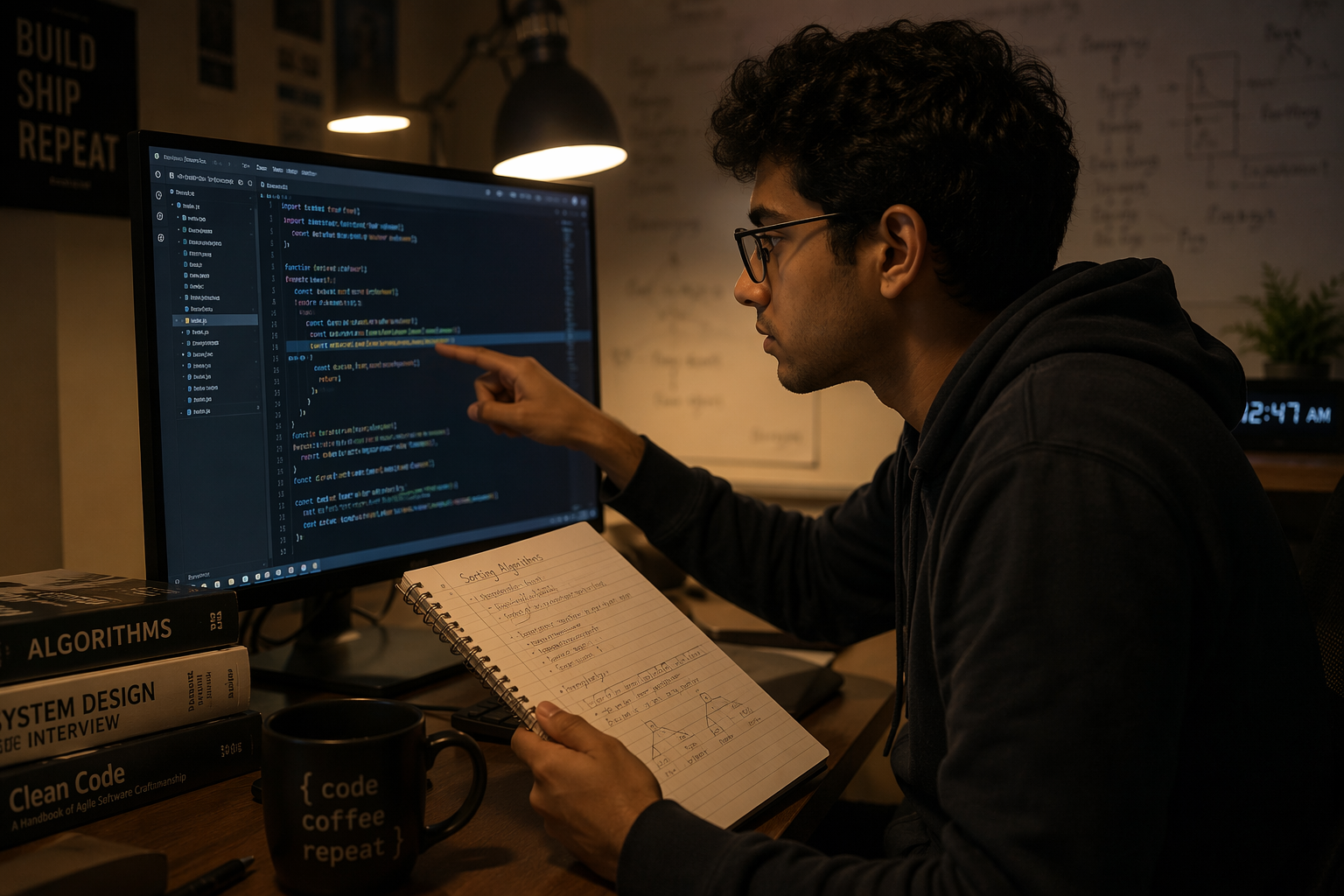
The useful version starts with a working thing, not with blind trust
The strongest classroom evidence for a middle position comes from Professor Karen Brennan’s Fall 2025 Harvard course, a six-week class with 92 students exploring vibe coding as a creative and educational practice.[3] The course did not produce the neat conclusion that AI makes beginners brilliant or helpless. It showed something more familiar to anyone who has watched beginners build: fast prototypes can make students more engaged, more ambitious, and more willing to try ideas they would not have attempted if every button, route, and error message had to be hand-built from scratch.
But the same course also exposed a hard limit. Students without a computer science background could get stuck in “frustrated loops” when they could not articulate what they wanted the system to change.[3] That is a very specific failure, and it is more useful than the usual hand-wringing. The AI did not simply make them lazy. It raised the price of unclear thinking. If a student cannot describe the desired behavior, constraints, and failure cases, the prompt turns into a vague complaint: make it better, fix it, try again.
Brennan’s observation cuts straight through the hype: “Students with CS knowledge or design backgrounds can go further because they can more explicitly describe what they're hoping for.”[3] That is not a ban on beginners using AI. It is a warning that AI-assisted development still rewards students who can name the parts of the problem. You do not need to know every syntax rule before building a small app, but you do need to get better at specifying what should happen, what should not happen, and how you will know the difference.
This is why vibe coding can feel magical during the first hour and miserable during the fourth. The first hour turns an idea into a visible interface. The fourth hour asks whether you understand state, data flow, edge cases, file structure, API calls, or whatever else the model quietly assembled while you were enjoying the demo.
Why the same shortcut can either teach or conceal
A useful way to think about this comes from a CACM analysis by Orit Erez and Orit Hazzan, which applies cognitive load theory to vibe coding in programming education. Their argument is that AI can reduce extraneous load — the clutter of syntax memorization, punctuation errors, and low-level debugging friction — so students can spend more attention on germane load: computational thinking, decomposition, algorithm design, and other reasoning that actually builds programming skill.[4]
That is an analytical framework, not proof from a controlled experiment. Still, it explains the split well. Some beginner suffering is just noise. Forgetting a semicolon, misplacing a bracket, or fighting a toolchain for two evenings does not automatically make you a deeper thinker. If AI clears that away and lets you compare two implementations, trace a function, or test an assumption, good. Use the win.
The danger is that AI can also remove the part of the work where the learning was supposed to happen. If the model decomposes the problem, chooses the data structures, wires the interface, handles the errors, and explains none of it in a way you can reproduce, then the extraneous load is not the only thing gone. The conceptual load has been outsourced too.
This is the same line StudyMethod uses when evaluating broader AI study tools that teach instead of just giving answers. A tool that shortens the path to feedback can be excellent. A tool that removes the need to retrieve, explain, or test your own understanding is training you to look fluent while staying fragile.
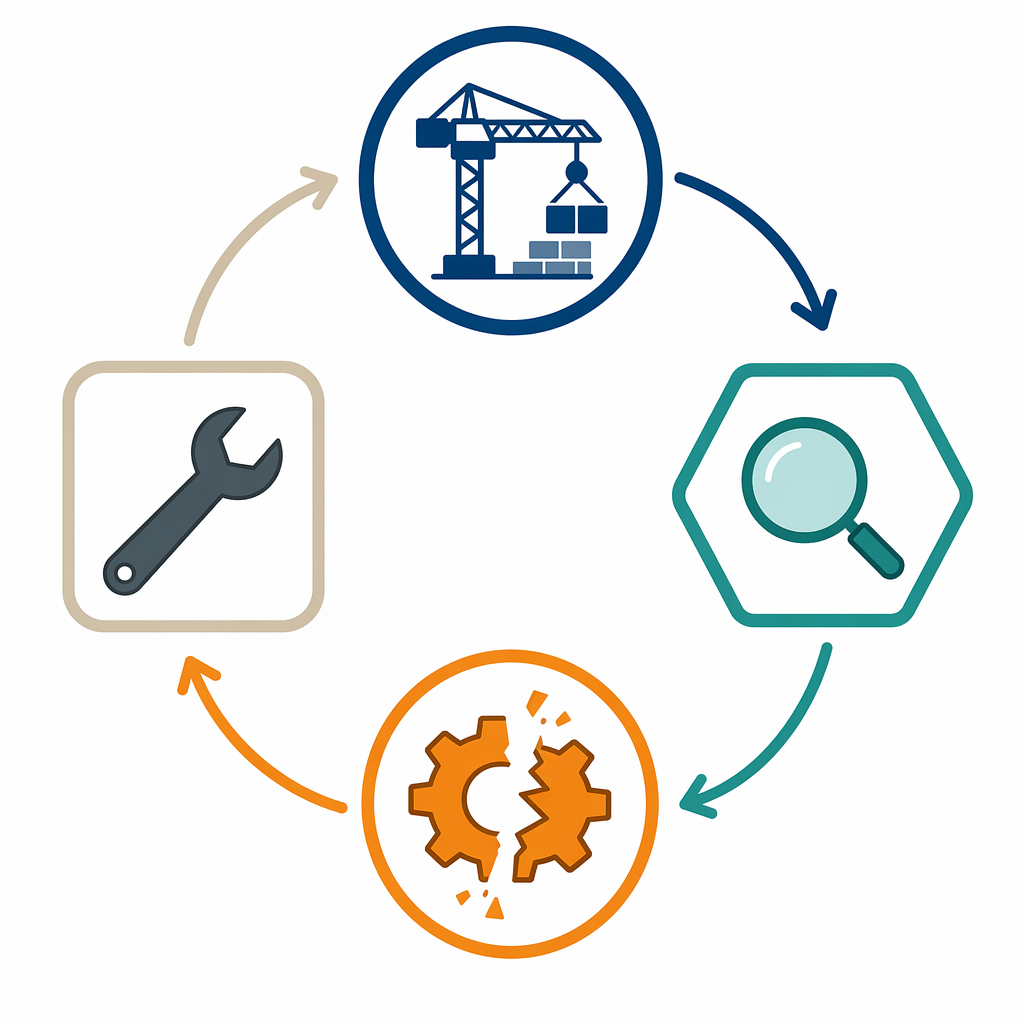
The productive cycle: build, study, break, repair
The best use pattern is simple enough to write on a sticky note, but it is not passive:
- Build: describe a small app or feature clearly enough that the AI can generate a first version.
- Study: read the generated code until the important parts are no longer mysterious.
- Break: intentionally change inputs, remove lines, introduce bad data, or alter assumptions.
- Repair: fix the failure with enough understanding that you could explain the bug to another student.
A first-person account on XDA Developers shows this cycle in a useful way. The author describes using vibe coding to learn programming by reading every generated line, asking the AI to explain its decisions, intentionally breaking the code, and then fixing it. The author’s judgment was that this taught “more than any course could have in the same timeframe.”[5] That is one person’s experience, not a general law. But the workflow is exactly the kind that can turn AI output into study material.
Notice what made that account educational. The student did not stop at “it works.” They treated the working app as the beginning of the lesson. When a function appeared, they asked what it did. When a design decision appeared, they asked why that approach was chosen. When the code ran, they damaged it on purpose. That last move is underrated. If you cannot break a small program predictably, you probably do not understand its boundaries yet.
For a beginner, a small vibe-coded app can be a better first object of study than a blank editor. Suppose you ask an AI tool for a simple flashcard app for biology terms, a study timer, or a practice-quiz generator for SAT, ACT, GRE, MCAT, or ASVAB review. The useful part is not that the tool hands you a finished study product. The useful part is that you now have routes, variables, components, event handlers, storage choices, and bugs sitting in front of you. You can trace them.
| Student action | What it trains |
|---|---|
| Ask the AI to explain one function line by line | Reading code instead of only generating it |
| Rename variables and predict what will still work | Understanding references and scope |
| Feed the app bad or empty input | Testing assumptions and edge cases |
| Remove a condition and observe the failure | Connecting control flow to behavior |
| Fix the bug before asking the AI for a full solution | Debugging under partial uncertainty |
This is where speed helps. A traditional beginner course may spend a long time preparing you to build something visible. That patience can be valuable, but it can also starve motivation. A vibe-coded prototype gives you an object to poke. If the poking is disciplined, the app becomes a lab.
The passive version produces a different kind of panic
The failure case looks quieter at first. A CS student writing on DEV Community described using vibe coding to skip understanding, then freezing during a whiteboard interview when asked to reverse a linked list. The student called the feeling “Imposter Syndrome 2.0.”[6]
That phrase is useful because it names a modern version of an old student problem. The student has artifacts: projects, commits, maybe a portfolio page. But when the scaffolding disappears and someone asks for reasoning, the confidence collapses. It is not ordinary beginner insecurity. It is the shock of discovering that the code you submitted did not leave enough residue in your own head.
A passive vibe-coding session often has warning signs before the interview disaster arrives. You keep prompting “fix this” without reading the diff. You accept a library because the model used it. You cannot point to where data enters the program or where the main state changes. You feel nervous when someone asks you to modify your own project without AI open. Those are not moral failures. They are signals that the tool is doing too much of the thinking.
AI removes implementation friction; it does not remove conceptual work
Scott Young’s account of vibe coding makes the same structural point from another angle: AI can remove much of the implementation difficulty while leaving the conceptual difficulty intact. In his description, the hard work still included deciding what the software should do, designing algorithms, specifying constraints, and evaluating trade-offs. The AI did not spontaneously provide original insights; the human had to drive the conversation.[7]
That maps cleanly onto student learning. Beginners often think the hard part is typing the correct incantation. Sometimes it is. More often, the harder part is forming a precise mental model: what information exists, how it changes, what happens first, what can go wrong, and what a correct result would look like. AI can help express that model in code. It cannot build the model for you in a way that counts as your understanding unless you actively inspect and test it.
This is also why fundamentals keep showing up even in AI-friendly classrooms. Pine Crest School, describing its curriculum in June 2026, says students who understand how technology works beneath the surface “consistently build stronger, more reliable projects” even when using AI tools. Its approach teaches both Python and robotics fundamentals alongside AI-assisted development, rather than treating them as competing paths.[8] That is one school’s model, not a universal prescription, but the principle is hard to dodge: the better your underlying model, the better your prompts, debugging, and judgment become.
A practical test for students using vibe-coded apps
Do not ask, “Did I build an app?” Ask a harsher question: “Can I survive a code walkthrough of this app?” If the answer is no, the app may still be useful, but it is not yet evidence that you learned to code.
Use this self-check after any AI-assisted build:
- Can I explain the purpose of every file that matters?
- Can I trace what happens from user input to final output?
- Can I identify the main data structures or state variables?
- Can I explain one important function without reading the AI’s explanation?
- Can I predict what will break if I remove or change a condition?
- Can I fix at least one bug before asking the AI to rewrite the solution?
- Can I rebuild a smaller version of the same idea from memory?
If you are preparing for exams, interviews, or technical coursework, that test matters more than the polish of the project. A custom quiz app is nice. A flashcard generator is nice. A study timer is nice. But the educational value comes from being able to explain the loop, the storage, the scoring logic, the event handling, and the failure cases. Otherwise you have made a study tool while skipping the study.
Microsoft Learn now has an introductory module on vibe coding, which is a useful signal that the practice has moved beyond internet novelty into formal training materials.[9] That does not settle whether it teaches well. It just means students will keep encountering it. The better question is how to use it without surrendering the part of coding that makes you capable when the prompt box is gone.
A good rule is to let AI accelerate the first draft and slow yourself down at the explanation stage. Ask for code, then ask for a walkthrough. Ask for alternatives, then compare them. Ask for a bug, then locate it. Ask for a test case, then write another one. This is the programming version of the same standard used in strong AI study tools vs. traditional study tools: the tool is helpful when it makes practice more active, not when it makes performance look easier than it is.
The decision rule
Use vibe coding if it gives you a faster path to something you can inspect. Be suspicious of it when it gives you a faster path around inspection.
If you can read the generated code, explain the important lines, intentionally break the app, and repair it without panic, vibe-coded apps can be a serious learning accelerator. If you mostly feel relieved that the AI produced something you do not have to understand, the tool is teaching dependence. The demo may run. Your knowledge may not.
References
- Vibe coding, IBM, Apr 2025.
- Is Vibe Coding Already Dead? Even Karpathy Is Moving On, Forbes, Jun 2026.
- Vibe coding may offer insight into our AI future, Harvard Gazette, Apr 2026.
- How Can Vibe Coding Transform Programming Education?, Communications of the ACM, 2025.
- I used vibe coding to learn programming and it worked better than any course, XDA Developers, Feb 2026.
- Is Vibe Coding Ruining My CS Degree?, DEV Community, late 2025.
- Vibe Coding and the Future of Work, Scott H Young, Nov 2025.
- Vibe Coding Is Not a Trend. It Is a New Literacy., Pine Crest School, Jun 2026.
- Introduction to Vibe Coding, Microsoft Learn.
Related exhibits & inventory
Verified outcomes
No verified outcomes on file for this exam yet
See Methodology for how outcome evidence is disclosed once logged.
Planners
No planner filed for this exam yet
A downloadable timeline template for this exam hasn't been published yet.
Tool verdicts
AI-tool cautions
No AI tools tested for this exam yet
No hands-on AI-accuracy logs have been filed for this exam.
Questions about this plan
Ask a question about a specific section, timeline, or citation in this plan — or flag something that needs correcting.
Comments
Join the discussion with an anonymous comment.