SAT Exam Hub
How to Protect Your Online Accounts After a Data Breach
A structured, evidence-graded response protocol for test-takers to secure exam registration accounts after a data breach, covering credential rotation, MFA enablement, and financial protections to reduce risk within 48 hours.
- SAT
- ACT
- GRE
- MCAT
- ASVAB
- digital-sat
- adaptive-testing
- registration-fee
- content-outline
- score-target
If you just received a breach notice, clicked something suspicious, or found your school email in a leaked-password search, the first account to secure is usually not your SAT, GRE, MCAT, ACT, or ASVAB account. It is the email account that resets all of them.
That order matters because stolen data does not move on a student calendar. Breaches involving stolen credentials took an average of 292 days to identify and contain in 2025 reporting, and the average breach lifecycle was reported at 241 days in the same 2025 data set.[1] Your useful response window is much shorter: the next 48 hours.

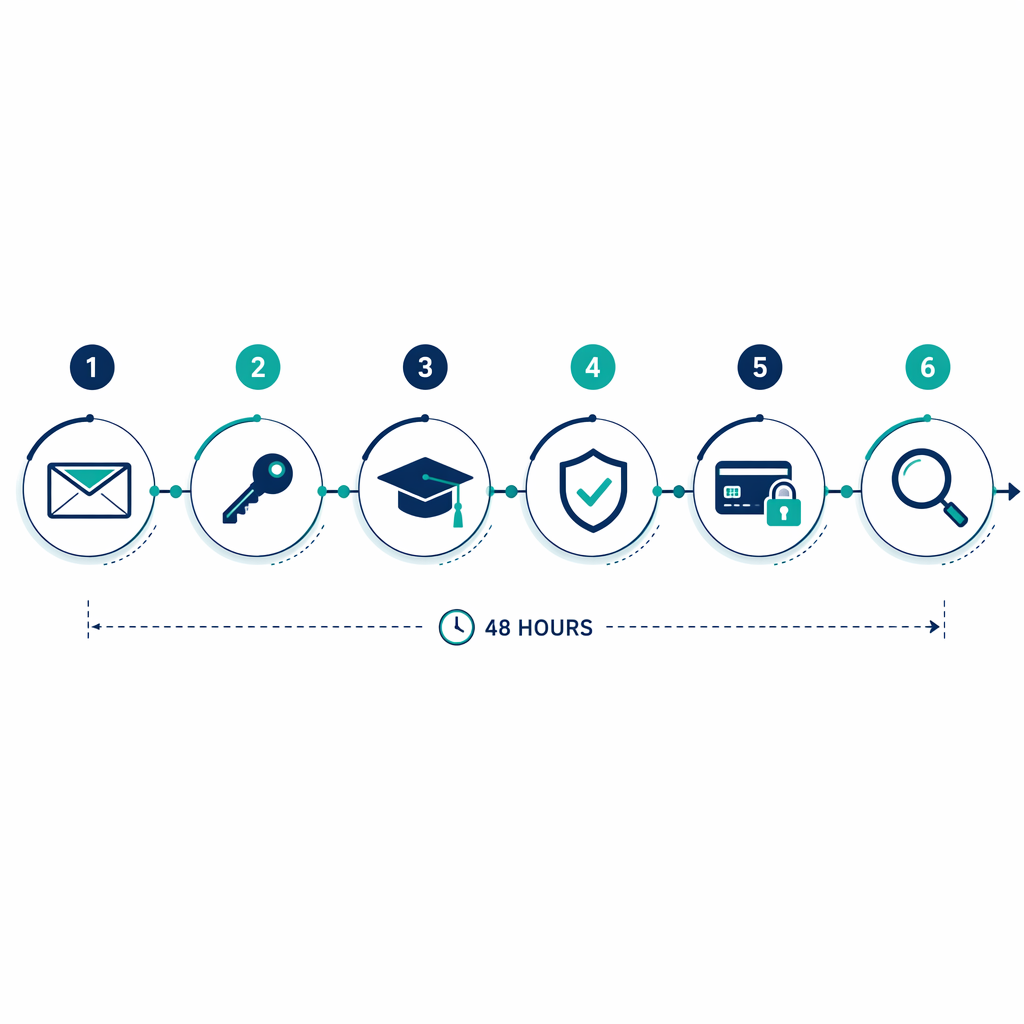
The 48-Hour Order of Operations
Do these in order. It is tempting to jump straight to the account named in the breach email, but if your email inbox is still weak, every password reset you perform can be undone by someone who controls or can access that inbox.
| When | Action | Why it comes here |
|---|---|---|
| First hour | Secure the email account used for exam registrations | It controls password resets, score notifications, admission messages, and payment receipts. |
| Hours 1-4 | Change breached and reused passwords | Password reuse turns one exposed account into a credential cascade. |
| Hours 4-12 | Check exam-provider accounts and recent activity | Exam accounts may hold ID data, scores, payment details, photos, and registration history. |
| Hours 12-24 | Turn on MFA where available | MFA reduces the value of a stolen password after rotation. |
| Hours 24-36 | Choose credit freeze or fraud alert if identity data may be exposed | SSNs and government ID numbers change the problem from account access to identity misuse. |
| Hours 36-48 | Set a monitoring plan for 12-24 months | Stolen data can be reused long after the breach headline disappears. |
First Hour: Lock Down the Email Account
Start with the email address you use for College Board, ETS, AAMC, ACT, recruiting, school portals, and financial aid. For many students, this is an old personal address, a school address, or a parent-managed inbox. It may also be the address used for payment receipts and saved-card notices.
- Change the email password to a new, unique password that is not used anywhere else.
- Sign out of other sessions if your email provider offers that option.
- Turn on MFA for email before you rotate exam-account passwords.
- Check account recovery methods: remove old phone numbers, unknown backup emails, and recovery addresses you no longer control.
- Search the inbox for terms such as “College Board,” “ETS,” “AAMC,” “ACT,” “ASVAB,” “score,” “registration,” “receipt,” and “password reset.”
The FTC’s post-breach guidance tells consumers to change passwords, contact relevant companies, review account activity, and use credit protections depending on what data was exposed.[2] For test-takers, the email account deserves to sit at the front of that sequence because it is the recovery door for the rest.
Do not spend this hour reorganizing your entire digital life. The immediate job is narrower: make sure a breached password, stolen browser session, or weak recovery email cannot be used to take over the accounts that matter for your test date.
Hours 1-4: Stop the Credential Cascade
Credential abuse is not theoretical housekeeping. Verizon’s 2025 Data Breach Investigations Report, cited in 2026 breach-statistics reporting, identified credential abuse as the top breach vector, representing 22% of breaches.[1] A student’s risk is often simple: the same email and password used for a learning platform also works on an exam registration account.
The broader breach environment is noisy enough that “I probably wasn’t affected” is a poor working assumption. SentinelOne’s 2026 data-breach statistics report, using Identity Theft Resource Center data, lists 3,158 U.S. compromises in 2024 and 1.73 billion victim notices.[3] That does not mean every notice leads to fraud. It does mean students should treat reused passwords as already retired.
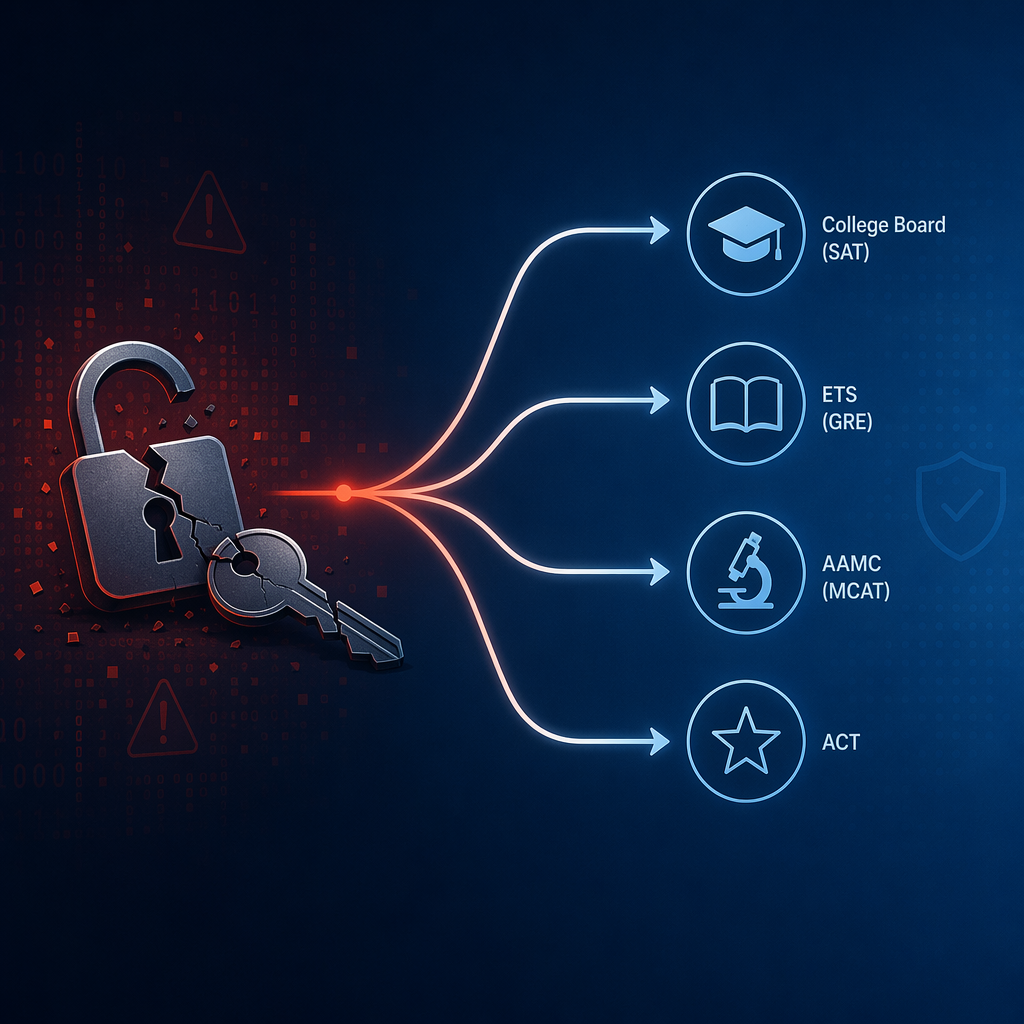
The 2026 Canvas/Instructure reporting made this feel less abstract for students. KrebsOnSecurity reported in May 2026 that a Canvas breach tied to ShinyHunters affected more than 8,800 schools and colleges.[4] Separately, Have I Been Pwned added a June 2026 stealer-logs breach containing 56 million unique email addresses and 124 million unique passwords.[5] Those are not exam-provider breaches by themselves; the risk is what happens when the same credentials are reused across school, email, and testing accounts.
Work through your accounts in this order:
- Email account used for registrations and score reports.
- Password manager account, if you use one.
- College Board, ETS, AAMC, ACT, and any ASVAB or recruiter-related portal you use.
- School learning platforms, including Canvas or district portals.
- Banking, payment, and parent-managed accounts connected to registration fees.
Use a unique password for each account. If a password manager is available to you, let it generate the passwords. If not, create long passphrases and write down only enough recovery information to avoid locking yourself out before a registration deadline.
Hours 4-12: Check the Exam Accounts Themselves
Now go into the exam accounts, not just the account named in the breach notice. You are looking for changes that would affect test access, score delivery, identity verification, or payment.
- Confirm your primary email and phone number.
- Review upcoming registrations, test center details, and appointment changes.
- Check saved payment methods and recent receipts.
- Check score-send orders or recipient lists.
- Download or save confirmation pages for upcoming exams.
If you see a changed email address, unfamiliar test appointment, score send you did not request, or payment you do not recognize, contact the provider through its official support channel from a clean browser session. Do not use a link inside a suspicious email to “fix” the account.
This is also the point where you write down the practical facts: breach notice date, affected account, data types mentioned, passwords changed, MFA enabled, support case numbers, and any credit-protection steps. If the problem later affects a deadline, fee, score report, or test-day admission, a dated log is easier to use than memory.
Hours 12-24: Add MFA Where It Actually Exists
MFA is most useful after the password is no longer shared or exposed. Otherwise, you may secure one front door while leaving other reused-password doors open. The 2024 ITRC Annual Report, cited in SecureFrame’s 2026 breach-statistics roundup, found that four of the six largest U.S. breaches in 2024 were preventable with MFA.[1]
Use the strongest MFA option the account supports. An authenticator app is usually better than email-only recovery because a compromised inbox can receive the reset code. SMS is better than no MFA, but it should not be your only protection for email or banking if stronger options are available.
| Priority | Account type | MFA action |
|---|---|---|
| 1 | Enable MFA immediately; remove unknown recovery methods. | |
| 2 | Password manager | Enable MFA before storing or updating exam-account passwords. |
| 3 | Exam registration accounts | Enable MFA where documented or available in settings. |
| 4 | Banking and payment accounts | Enable MFA and check recent payment activity. |
| 5 | School portals | Enable MFA if your school or district offers it. |
College Board’s support page says students can update account settings and use an authenticator app for multi-factor authentication.[6] For AAMC/OneAAMC, treat MFA as available and turn it on from the account security settings if you see the option. For ETS standard student accounts, public documentation does not clearly confirm MFA availability; check your account settings and, if you do not see it, ask ETS support directly rather than assuming the protection exists.
The Financial-Protection Decision Point
Not every breach requires a credit freeze. A leaked forum password is different from exposure of a Social Security number, government-issued ID number, date of birth, address, payment information, or identity-verification data. Exam accounts are uncomfortable here because they often sit closer to identity verification than ordinary school apps.
ETS’s Privacy and Security Policy says ETS may collect government-issued identification numbers and, in some circumstances, biometric information such as fingerprints, voiceprints, and keystroke patterns.[7] That does not prove your specific data was exposed in a breach. It does mean you should read breach notices carefully for identity-data categories, not just for “password” language.
| What may have been exposed | Best first move | Why |
|---|---|---|
| Only an old password, with no SSN or ID data mentioned | Change reused passwords and enable MFA | The immediate risk is account takeover. |
| Email plus password used elsewhere | Rotate credentials across all reused accounts | Attackers can test the same combination across exam, school, and payment accounts. |
| SSN, government ID number, DOB, or address | Freeze credit at Equifax, Experian, and TransUnion | A freeze limits new-credit opening even if identity data is misused. |
| Unclear notice or vague “personal information” language | Ask the provider what categories were involved; consider a fraud alert while you clarify | A fraud alert is lighter than a freeze but still tells creditors to verify identity. |
| Payment-card data | Contact the card issuer and review recent charges | Card issuers can replace cards and dispute unauthorized transactions. |
A credit freeze is stronger than a fraud alert. A freeze blocks most new-credit access until you lift it. A fraud alert tells creditors to take extra steps to verify your identity before opening new credit. If an SSN is plausibly involved, freeze all three major bureaus rather than freezing only the one whose website happened to load first.
If you are under 18, a parent or guardian may need to help place freezes or alerts. That is annoying, but it is still easier than explaining fraudulent credit activity during the same month you are trying to confirm a test center or send scores.
Provider Audit: What to Check for Each Exam Account
Use this section after the universal response steps. The goal is not to relearn how each exam works; it is to check the accounts that can interfere with registration, identity verification, score access, or payment.
College Board: SAT, AP, and Score Sends
In your College Board account, check email, phone number, upcoming SAT or AP activity, score-send history, and MFA settings. College Board publicly documents authenticator-app MFA in account settings, so this is one of the clearer provider checks.[6] After the security work is done, return to the SAT study hub rather than letting account cleanup eat the rest of your prep week.
ETS: GRE and Other ETS Accounts
For ETS, check your primary email, appointment details, score recipients, ID information, and payment records. ETS’s privacy policy lists sensitive categories including government-issued identification numbers and certain biometric data, so the financial-protection decision deserves real attention if a notice mentions identity data.[7] MFA for ordinary student accounts was not clearly documented in public ETS materials; verify inside your ETS account and through official support. Then return to the GRE study hub once account access is stable.
AAMC/OneAAMC: MCAT Registration and Identity
For OneAAMC, check the email address, MCAT registration status, profile details, payment records, and security settings. Because OneAAMC functions as a single-account gateway, do not reuse a password from a school portal or old application account. Enable MFA from account security settings if it is available to your account, then move back to the MCAT study hub with your registration confirmation saved.
ACT/MyACT: Photo, Email Reset, and Registration Details
For MyACT, check your uploaded photo, test date, test center, score-send choices, email address, and payment history. Because password reset is email-based in available public documentation, your email account remains the control point. Secure it first, then verify MyACT. Afterward, return to the ACT study hub and continue from your dated prep plan.
ASVAB and DoD-Related Pathways
ASVAB-related access may involve school, recruiter, DEERS, or DoD-mediated pathways, and the public account-security documentation available here is more limited than it is for College Board or ETS. Use official channels only, confirm who controls each account or portal, and ask directly about password changes, MFA, and identity-data exposure if you receive a notice. Once the account path is clear, return to the ASVAB study hub without guessing your way through a government login.
Hours 36-48: Build the Monitoring Plan
Monitoring is not a vague instruction to be anxious forever. It is a calendar with specific things to check.
- For the next 2 weeks: watch email login alerts, password-reset messages, exam registration notices, and payment notifications.
- For the next 1-3 months: review exam-account activity before every registration deadline, reschedule deadline, and score-release window.
- For the next 12-24 months: check credit reports, keep freezes in place if SSN exposure is plausible, and review accounts before major application deadlines.
- After each new breach notice: compare the exposed data type against your log instead of starting from panic.
AnnualCreditReport.com is the official site for free credit reports, and FTC materials direct consumers there when reviewing credit after identity-data exposure.[2] Free weekly online credit reports are available through 2027, according to FTC-linked consumer guidance.[2]
If your email appears in Have I Been Pwned’s June 2026 stealer-log breach, treat the affected browser or device as part of the problem, not just the password. Stealer logs can include credentials captured from infected devices, which is why rotating passwords from a clean device matters.[5]
A personal data breach guide from a16z crypto uses a similar practical sequence: secure accounts, rotate credentials, strengthen authentication, watch financial exposure, and continue monitoring.[8] For exam accounts, the same logic has one extra constraint: you also need to protect the test date, score report, and identity-verification record that sit behind the login.
When You Can Go Back to Studying
You do not need perfect security before returning to prep. You need the exploitation window narrowed: email secured, reused passwords retired, exam accounts checked, MFA enabled where available, credit frozen or flagged if identity data may be involved, and monitoring dates placed on a calendar.
Once those pieces are in place, go back to the exam timeline you were already following. The breach may still require attention, but it should no longer be allowed to quietly control the account that controls your test.
References
- 110+ of the Latest Data Breach Statistics to Know for 2026 & Beyond, SecureFrame
- What To Do After a Data Breach, FTC Consumer Advice
- Data Breach Statistics for 2026, SentinelOne
- Canvas Breach Disrupts Schools & Colleges Nationwide, KrebsOnSecurity, May 2026
- June 2026 Stealer Logs Data Breach, Have I Been Pwned, June 2026
- How do I update my account?, College Board Support
- ETS Privacy and Security Policy, ETS, January 2024
- How to protect yourself after a personal data breach: 5 steps, a16z crypto
Related exhibits & inventory
Verified outcomes
No verified outcomes on file for this exam yet
See Methodology for how outcome evidence is disclosed once logged.
Planners
No planner filed for this exam yet
A downloadable timeline template for this exam hasn't been published yet.
Tool verdicts
AI-tool cautions
No AI tools tested for this exam yet
No hands-on AI-accuracy logs have been filed for this exam.
Questions about this plan
Ask a question about a specific section, timeline, or citation in this plan — or flag something that needs correcting.
Comments
Join the discussion with an anonymous comment.