
ChatGPT Study Mode for Homework: How to Get Real Learning Help Without Cheating
A practical guide to using ChatGPT Study Mode for homework — with prompt examples that encourage learning, clear red flags to avoid, and advice on navigating school AI policies.
Updated:
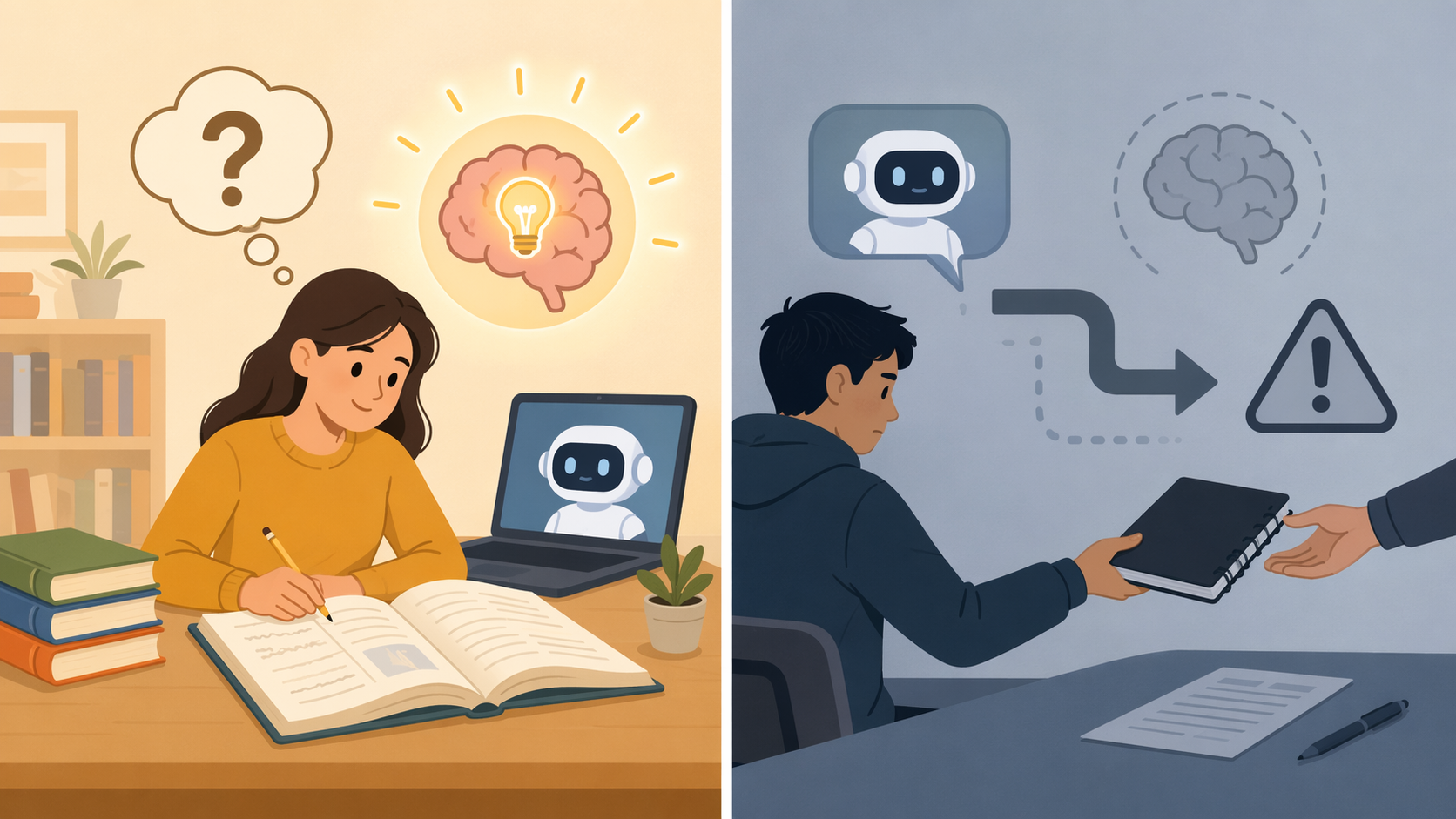
Yes, you can use ChatGPT Study Mode for homework without cheating — if you use it the way you would use a patient tutor: to ask questions, test your reasoning, practice similar problems, and understand feedback on work you already attempted. It crosses the line when you use it to create the answer you will submit as your own, hide how much help you received, or leave the assignment with a result you cannot explain without the tool.
That distinction matters because Study Mode really is different from ordinary answer-generating ChatGPT in some moments. In a Common Sense Media test, when a student asked for an essay “with intentional typos,” Study Mode refused to write it and offered to work through the assignment together instead.[1] That is the version students should want: the tool slows the shortcut down and points back to learning.
But it is not a moral seatbelt. Edutopia found a messier result: Study Mode said it would not write a paper, then offered a rewritten opening paragraph anyway.[2] That is exactly where students get into trouble. A tool can start in tutor mode and still drift into doing the assignment for you, especially if your prompts keep pushing it toward finished language.

The Line: Tutor Help Versus Submitted Work
For homework, the cleanest test is not “Did I use AI?” It is “What part of this answer is mine?” A calculator can help with arithmetic, a classmate can explain a concept, and a tutor can ask leading questions. None of those automatically make the work dishonest. The problem starts when the helper becomes the author, the solver, the source-maker, or the person doing the thinking you were assigned to practice.
| Likely learning support | Likely cheating or high-risk use |
|---|---|
| Ask Study Mode to explain a concept you do not understand. | Ask it to write the paragraph, proof, lab discussion, or short-answer response you will submit. |
| Ask for a hint after showing your attempt. | Paste the assignment prompt and ask for the final answer. |
| Ask for a similar practice problem, then solve it yourself. | Ask it to solve the exact assigned problem and copy the result. |
| Ask it to identify where your reasoning went wrong. | Ask it to rewrite your work so it sounds more polished than you can explain. |
| Ask it to quiz you before a test or in-class writing task. | Use it in a way you would be uncomfortable explaining to your teacher. |
Study Mode can be turned on from ChatGPT’s tools menu, and OpenAI describes it as a guided learning experience built around step-by-step support rather than direct answer delivery.[3] If you only need setup instructions, use a hands-on Study Mode guide first. The harder part is not finding the button. It is keeping your own prompts from turning the session into answer laundering.
Start With Prompts That Make You Do the Thinking
A good Study Mode prompt gives the tool a teaching job, not a production job. It should make clear what you have already tried, what kind of help you want, and what the tool should avoid doing. If you do not set that boundary, the conversation can quietly slide toward a finished answer.
For math and problem-solving homework
The safest math prompts are built around your attempt. Do not begin by asking for the answer. Begin by showing your work and asking for diagnosis.
- “I tried this problem and got stuck after step 2. Please ask me one question at a time to help me find the next step. Do not give the final answer unless I solve it first.”
- “Here is my solution. Tell me whether my reasoning is valid, but only point to the first mistake you see. I want to fix it myself.”
- “Make a similar practice problem using the same concept, but with different numbers. Let me answer before you explain.”
- “Quiz me on the steps for this type of problem. If I answer incorrectly, give me a hint instead of the answer.”
That last instruction matters. If tomorrow’s quiz asks you to solve without ChatGPT, tonight’s copied solution will not help much. You need the hesitation, the wrong turn, the correction, and the moment where the method finally becomes yours.
For essays, reading responses, and discussion posts
Writing assignments are where students most often talk themselves into a gray area. Brainstorming is one thing. Having Study Mode produce the sentences you submit is another. Keep the tool away from final wording unless your teacher has clearly allowed that use and you disclose it in the required way.
- “I need to write a response about this reading. Ask me questions that help me find my own argument. Do not draft the response for me.”
- “Here is my rough thesis. Give me three objections a teacher might raise, but do not rewrite the thesis.”
- “I wrote this paragraph. Tell me whether the evidence supports the claim. Do not make the paragraph sound better; explain what I should revise.”
- “Help me make an outline from my own notes. If I am missing evidence, ask me what the reading says instead of inventing examples.”
Notice the pattern: ask for questions, objections, structure, and feedback. Avoid asking for a polished introduction, a “better version,” or a paragraph in your voice. Even if Study Mode offers one, you do not have to accept it.
For science and history homework
In content-heavy subjects, Study Mode is useful when it helps you connect ideas and check understanding. It becomes risky when you let it replace the textbook, lab instructions, primary source, lecture notes, or assigned article.
- “Explain this concept at a high-school level, then ask me three questions to check whether I understood it.”
- “I think the cause-and-effect relationship is this. Challenge my explanation and tell me what evidence I should look for in my notes.”
- “Make a study quiz from these terms. Do not add facts that are not in my notes unless you clearly label them as outside context.”
- “Compare these two concepts in a table, then leave one row blank so I can fill it in.”
Study Mode is not equally strong in every subject or task. Mashable found it helpful for polynomial division but frustrating for AP Art History, while Edutopia saw stronger performance in some math interactions and more difficulty around photosynthesis explanations.[7][2] Treat that as a practical warning, not a reason to abandon it: the more specialized or source-dependent the homework is, the more you need your course materials open beside it.
Bad Prompts Usually Ask for a Product
A risky prompt often sounds efficient. That is why it is tempting at 11:40 p.m. It asks Study Mode to create something finished: an answer, a paragraph, a proof, a lab conclusion, a citation, a discussion post, a slide script. The more finished the output is, the more likely you are moving from learning support into work substitution.
| Avoid this prompt | Use this instead |
|---|---|
| “Write my response to this prompt.” | “Ask me questions that help me develop my response. Do not write it for me.” |
| “Solve #12 and show the work.” | “Here is my work for #12. Where is the first mistake?” |
| “Make this paragraph sound smarter.” | “Tell me which sentence is unclear and why.” |
| “Give me three sources I can cite.” | “What keywords should I use to search my library database for sources?” |
| “Write it with a few mistakes so it sounds like me.” | “Help me understand the assignment well enough to write my own draft.” |
The “intentional mistakes” version deserves special attention. If you are asking AI to make work look more human, you already know the problem. That is not tutoring. That is concealment.
What to Do When Study Mode Gives Too Much
Sometimes the tool will over-help even if you did not mean to cheat. Maybe it gives the final answer too soon. Maybe it rewrites your sentence instead of explaining the weakness. Maybe it fills in a source or example you have not checked. Do not keep going as if that output is now clean because it came from “Study Mode.” Stop and repair the session.
- “You gave me too much of the answer. Please switch back to tutor mode and ask me one guiding question at a time.”
- “Do not rewrite my work. Identify the issue and explain the principle I should use to revise it myself.”
- “Hide the final answer for now. Give me a similar example, then let me try the assigned problem again.”
- “Separate what came from my notes from what you added. Label anything I need to verify.”
- “Before we continue, quiz me on the reasoning so I know whether I actually understand it.”
If it already wrote something close to your final submission, the safest move is to close that version, return to your own notes, and write from scratch. You can still use the conversation to understand the concept, but copying from the over-helpful answer is where the integrity problem begins.
Verification Is Part of the Homework, Not an Extra
Study Mode can sound encouraging even when the conversation has gone wrong. Modern Descartes reported that when students fed incorrect answers into Study Mode, it could enthusiastically build on those wrong ideas and contaminate the rest of the exchange.[8] That is a very normal tutoring failure in AI form: the tool tries to meet you where you are, but it may not reliably notice that where you are is off a cliff.
So verification is not optional. It is especially important when the assignment involves formulas, citations, historical claims, lab procedures, definitions from your course, or anything your teacher expects you to support with assigned material.
- “Check my answer against the method in these class notes. If there is a conflict, identify the conflict instead of choosing for me.”
- “List the assumptions you used in this explanation so I can verify them.”
- “Which parts of your answer should I confirm in my textbook or assignment instructions?”
- “Give me a confidence check: what could be wrong or oversimplified here?”
- “Now ask me to explain the solution without looking at your answer.”
That last prompt is the one many students avoid because it is slower. It is also the one that tells you whether you learned anything. If you cannot explain the answer out loud, in your own words, without leaning on the chat, the assignment is not really done.
Why “It Saved Me Time” Is Not Enough
There is nothing wrong with wanting homework to take less time. Students have jobs, practices, family responsibilities, long commutes, and other classes. The trap is treating speed as proof that the tool helped.
In a Coursiv-reported randomized controlled trial by Barcaui, ChatGPT-assisted students completed tasks faster — 3.2 hours compared with 5.8 hours — but later scored lower on delayed tests, 5.75 out of 10 compared with 6.85 out of 10.[6] That is one study, not a universal law for every class or every student. Still, the pattern is familiar to anyone who has watched a student finish a worksheet quickly and then freeze when the same idea appears on a quiz.
The hidden bill comes due later. If Study Mode removes the struggle too early, you may get the homework point and lose the practice the homework was supposed to create.
Check the Policy Before You Decide What Is Allowed
School AI rules vary. Course rules vary even more. One instructor may allow AI for brainstorming but not drafting. Another may allow grammar feedback but require disclosure. Another may ban AI use on take-home quizzes. A general ethical framework helps you make better choices, but it does not override your syllabus.
Boise State’s athletic academic services guidance is useful because it turns the gray area into three plain prohibited actions: submitting AI-generated text without disclosure, allowing AI to write assignments, and fabricating data or sources.[4] Those are not every school’s exact rules, but they are strong practical boundaries for students who are trying to stay out of trouble.
A quick policy checklist
- Read the assignment instructions first. Some teachers put AI rules directly in the prompt.
- Check the syllabus for allowed, limited, and prohibited AI uses.
- If the policy mentions disclosure, follow the required wording and placement.
- If the assignment is a quiz, exam, in-class writing task, placement test, or individual assessment, assume AI is not allowed unless the teacher clearly says otherwise.
- When in doubt, ask before submitting, not after being questioned.
There is also a skill gap here. Wharton professor Ethan Mollick has discussed research by Bastani and colleagues suggesting that only about 5% of students use learning tools as recommended, while the rest see minimal gains.[5] That finding is broader than ChatGPT Study Mode specifically, so it should not be treated as a Study Mode performance statistic. But it frames the real advantage well: access to AI is not the differentiator. Knowing how to use it for learning is.
Disclosure Language You Can Adapt
Use your teacher’s required disclosure format if they provide one. If they do not, a short, specific note is better than a vague “AI was used.” The point is to tell the reader what role the tool played and what work remained yours.
- For brainstorming: “I used ChatGPT Study Mode to generate study questions and help me brainstorm possible angles. I wrote the final response myself.”
- For concept explanation: “I used ChatGPT Study Mode to review the concept of [topic] and to quiz me on my understanding. No AI-generated text was copied into the submission.”
- For feedback on a draft: “I used ChatGPT Study Mode to identify unclear reasoning in my draft. I made the revisions myself.”
- For problem-solving practice: “I used ChatGPT Study Mode to practice similar problems and check my reasoning after completing my own solution.”
Do not use these templates as camouflage. If Study Mode wrote sentences that appear in your submission, say so if your policy allows it — and if your policy does not allow it, do not submit those sentences. Disclosure is not a magic eraser for prohibited use.
A Homework Workflow That Keeps Study Mode in Its Lane
When you are tired, you will not always make the best ethical decision from scratch. Use a routine. It does not need to be elaborate.
- Read the assignment and policy. Decide what kind of AI help is allowed before opening the chat.
- Try the work yourself first. Even a messy attempt gives Study Mode something to diagnose.
- Ask for hints, questions, similar examples, or feedback — not a finished answer.
- Repair the session if Study Mode gives too much.
- Verify claims, formulas, sources, and course-specific details against your materials.
- Close the chat and explain or complete the work yourself.
- Disclose the use if your teacher, course, or school requires it — or if transparency is the safest choice.
The “try first” step is the one students skip when they are under pressure, and it is also the step that makes the rest of the workflow work. Without your own attempt, Study Mode has nothing to tutor. It can only guess what you need or start producing material for you.
The Rule of Thumb
If your prompt helps you understand, practice, check, or explain your own work, ChatGPT Study Mode is probably being used as learning support. If it creates the work you will turn in, hides your process, invents sources, fakes data, or leaves you unable to reproduce the reasoning, it has crossed the line.
The easiest final check is simple: would you be comfortable telling your teacher exactly what you asked Study Mode to do? If the honest answer is no, revise the prompt before you revise the homework.
References
- Common Sense Media test, Common Sense Media, 2025.
- Edutopia hands-on test, Edutopia, 2025.
- ChatGPT Study Mode, OpenAI.
- Boise State athletic academic services guidelines, Boise State University.
- Wharton/Bastani research, Wharton, 2025.
- Coursiv RCT analysis, Coursiv.
- Mashable hands-on review, Mashable.
- Modern Descartes analysis, Modern Descartes.
Related Resources
- 10 Best AI Flashcard Generators Compared in 2026: A Head-to-Head Feature, Pricing, and Quality Showdown →
We compare 10+ AI flashcard generators head-to-head — Anki, Quizlet, Knowt, StudyFetch, RemNote, Brainscape, NotebookLM, Gizmo, Revisely, Jungle AI, and more — across pricing, SRS algorithms, input formats, and card quality. Find out which tool is the best fit for your study workflow and budget in 2026.
- Do Visual Learning Apps Actually Work? What the Science Says and How to Choose Wisely →
Visual learning has strong neuroscience backing, but not all apps apply it effectively. This evidence-grounded guide separates science-backed features from marketing claims, critically evaluates popular apps like Imprint, Drops, and Brilliant, and provides a practical checklist for choosing a visual learning app that actually helps you retain what you study.
- NotebookLM Study Guide for Students: Features, Pricing, and Best Use Cases in 2026 →
This comprehensive profile shows how Google's NotebookLM helps students study smarter by grounding every AI output in their own uploaded sources — a unique reliability advantage. Learn about the free tier, study features (flashcards, quizzes, mind maps), pricing plans, ethical use guidelines, and how it compares to ChatGPT and other tools.
Comments
Join the discussion with an anonymous comment.