
How to Use AI Study Tools When Schools Limit Screen Time
This guide helps students navigate school screen time limits by showing how to use AI study tools as active partners that sharpen focus, not as passive shortcuts that fragment attention.
Updated:
The contradiction students are already living with
Students are being told to watch their screen time, and they are also being told that AI can help them study faster. Those two messages collide most sharply on school devices. Lightspeed Systems' 2026 EdTech App Report says the national K-12 average is only 48 minutes of screen time per day, 71.8% of it spent on learning tools, and that 406 new AI apps appeared without approval. [1] That does not look like endless digital drift; it looks like a controlled environment that is already absorbing a lot of academic software.
The policy pressure is real too. NBC reported more than 14 states with proposed screen-time bills, a May 2026 Surgeon General advisory encouraging more paper-based curricula, and an AFT push against student-facing AI in elementary school, while Fordham noted phone bans in 41 states. [2][3] Those moves are not the same as settled classroom law everywhere, but they explain why schools are tightening filters even as students keep hearing that AI can make studying better.

A quick test before you open AI
The useful question is not whether AI is allowed in the abstract. It is what the next prompt will make your brain do. If the tool will make you retrieve, explain, compare, correct, or decide, it is usually serving study. If it will let you skip those steps, it is probably buying you a cleaner-looking form of avoidance. That is the simplest way to judge the problem in real time.
| Prompt you are about to ask | What it should make you do | If it slips into passive use |
|---|---|---|
| Explain this concept using my notes | Retrieve and rework the idea after I have already seen it | It replaces reading instead of supporting recall |
| Turn my notes into five quiz questions | Self-test and check what I actually remember | It becomes a ready-made answer key instead of practice |
| Compare my draft to this rubric | Verify, correct, and revise my own work | It starts writing the response for me |
| Help me with this problem after I try it first | Check steps and expose gaps in my reasoning | It teaches me to follow the model instead of the method |
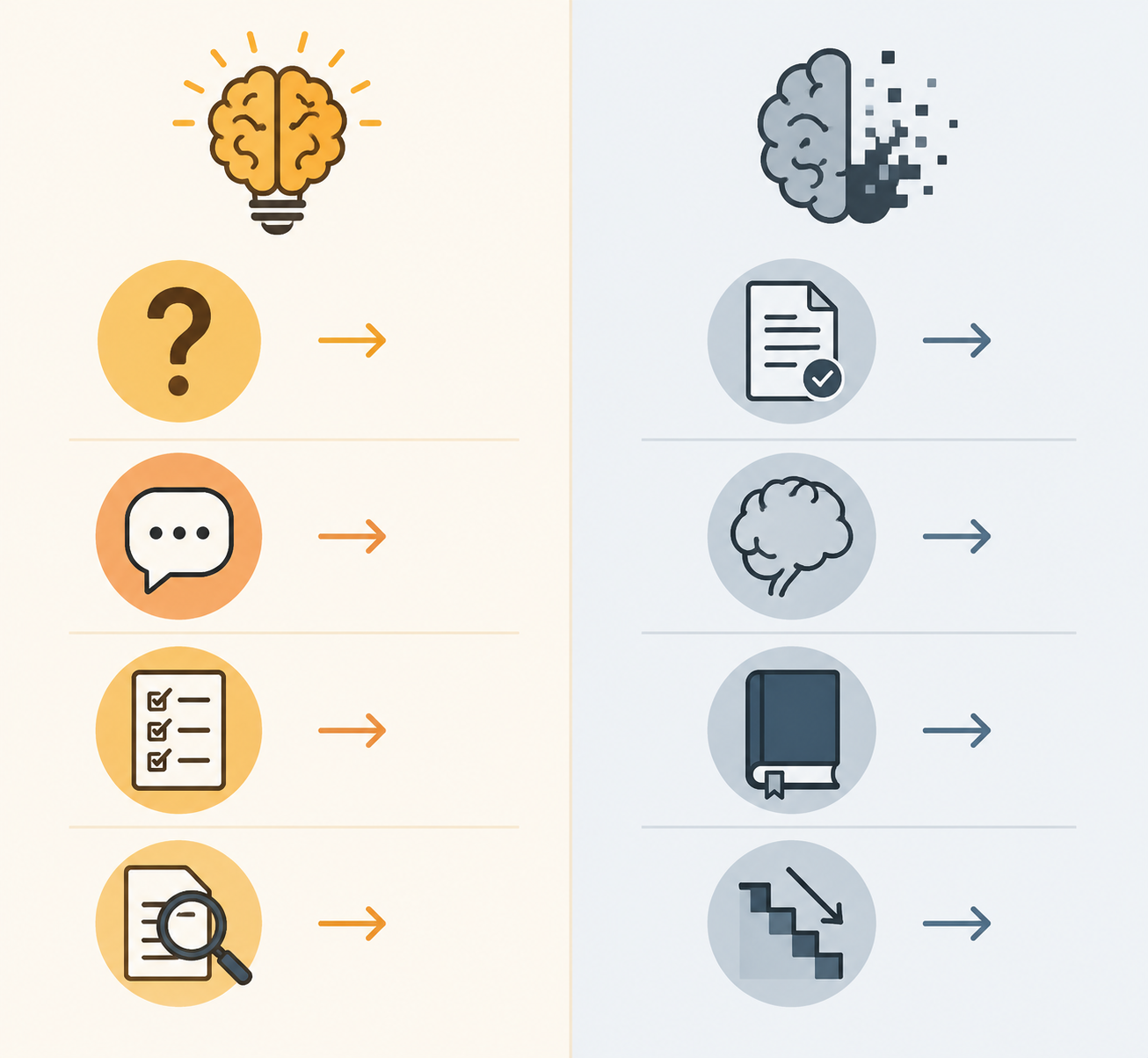
What active AI study actually looks like
The strongest evidence in the material favors structured use, not AI in general. A 2025 meta-analysis summarized in the PMC article covered 51 studies and found that structured ChatGPT use produced large learning-performance gains and moderate gains in higher-order thinking. [4] That is evidence for a bounded study partner, not for letting the tool take over the assignment.
In practice, that means asking AI to do things that keep you mentally present: generate a self-test from your notes, walk you through one confusing paragraph with Socratic prompts, or compare your answer to a rubric after you have drafted your own version. The tool can save time, but the question is always what that time is saved for. If it creates room for a better review, that is useful. If it creates room to drift into another tab, it is just a more polished distraction.
Where AI starts breaking focus
The break point is easy to see once the tool starts finishing the task before you have done any thinking. Summarize instead of reading. Solve before attempting. Rewrite until the draft no longer sounds like you. Keep asking for easier versions until there is no real decision left. That is when screen time stops being a study aid and becomes a delegation machine.
The caution is not just instinct. The same PMC piece summarizes Zhang et al. studies linking excessive AI dependence with diminished creativity, weaker independent problem-solving, and higher depressive symptoms. [4] That does not prove every AI-heavy session is harmful. It does make passive reliance look less like efficiency and more like attention leaving the room.
A student profiled by PCMag described the goal as using AI to learn faster without getting lazy. [5] That is a good boundary line. Faster learning only counts if the hard part still happens in the student's head.
A school-day workflow that stays inside the limit
A workable routine under school screen limits is small and deliberate. Decide the assignment first. Open AI for one bounded move. Verify the result against your notes, textbook, or rubric. Transfer the useful part into flashcards, handwritten notes, or a draft you can keep working on offline. Close the tab before the session turns into browsing, rewriting, or chasing cleaner prose.
- Decide the task before opening the tool.
- Use one prompt for one job.
- Make the tool test, explain, or check.
- Move the result into notes or flashcards.
- Stop when the work turns into polishing.
That is also why the policy picture matters without deciding everything. Schools are not just trying to keep students away from screens. They are trying to keep screens from becoming the place where every assignment gets outsourced before it is understood. When AI is used to explain, test, compare, or check, it can fit inside a focused study routine. When it does the thinking for the student, the screen-time limit may be protecting the very attention the student needs.
References
- 2026 EdTech App Report — Lightspeed Systems
- Screen Time to AI Time: Leveraging Student-AI Collaboration for Effective Learning — PubMed Central
- Randi Weingarten says schools need limits on AI and screen time — NBC News
- Beware Unintended Consequences of School Screen Time Limits — Fordham Institute
- I Use AI to Learn Faster Without Getting Lazy. Here Are My Secrets. — PCMag
Related Resources
- How Moonshot AI Founder Sees AI Study Tools Learning From You →
Moonshot AI founder Yang Zhilin argues that lossless long context, not fine-tuning, is the key to truly personalized AI study tools. This article explores how an AI that remembers your entire learning history could transform the way you study — and why this vision might be closer than you think.
- Kimi K3 vs ChatGPT for Studying and Note Taking →
Struggling with a mountain of course readings? This comparison shows how Kimi K3 and ChatGPT handle large academic documents, so you can pick the right tool for your semester workload and study preferences.
- How to Fix Phone Overheating While Studying →
This article explains why your phone overheats during study sessions and provides practical step-by-step fixes using settings adjustments, study habit changes, and troubleshooting to keep it cool without buying new accessories.
Comments
Join the discussion with an anonymous comment.